dsh-remote-workspace
A DSH plugin that puts a directory on a remote machine in front of the harness: read, write, edit, bash, grep, and terminal tools run there — in a git worktree, or in the directory itself — while the model sees ordinary local paths.
English | 中文
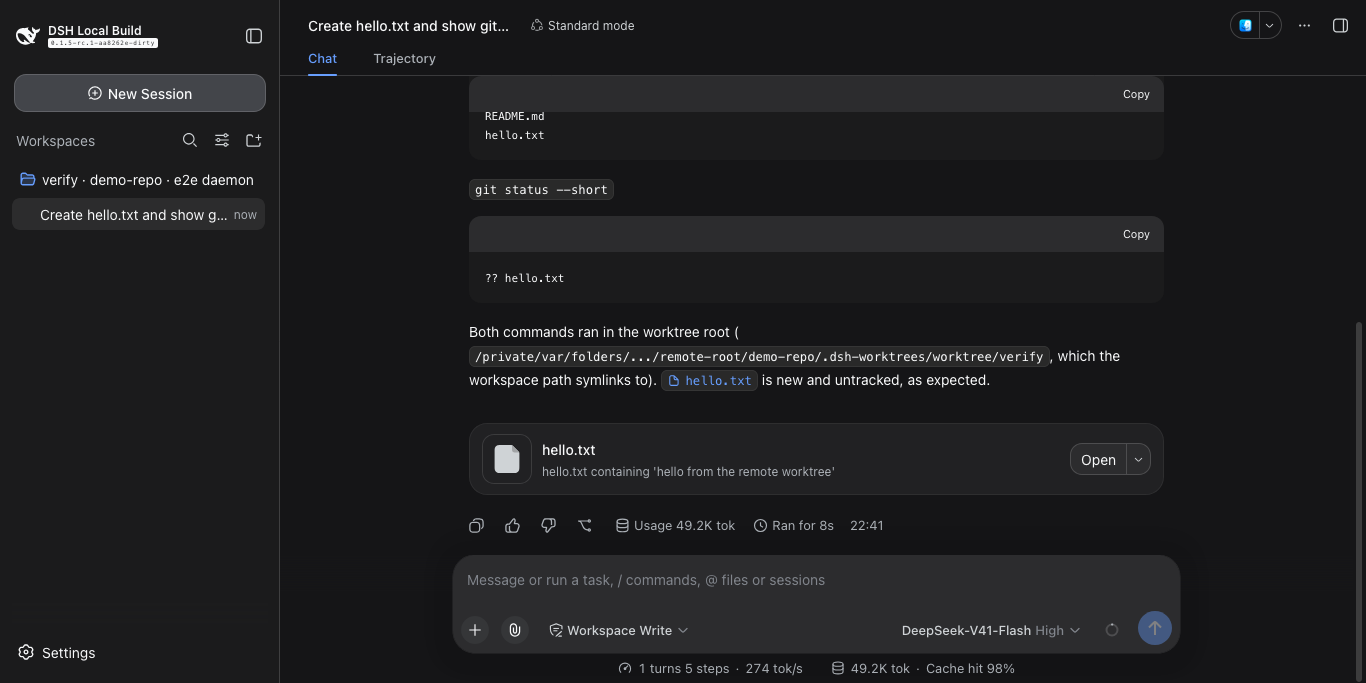
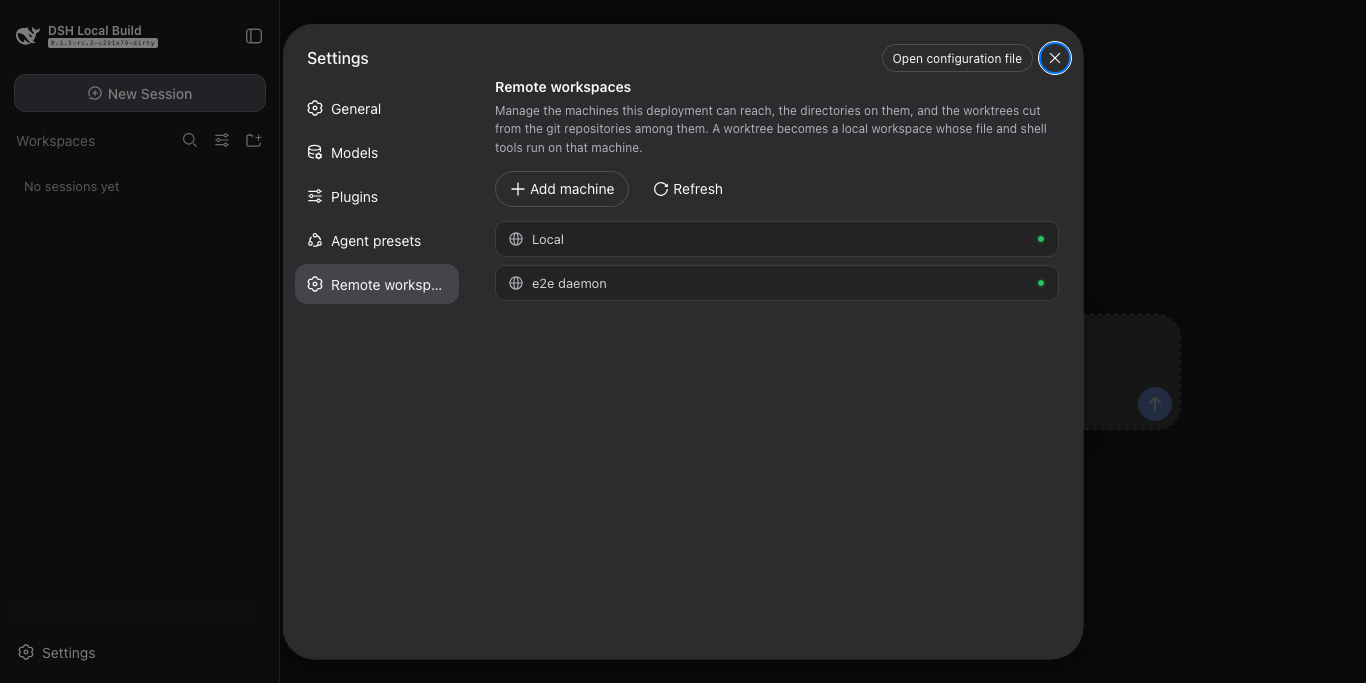
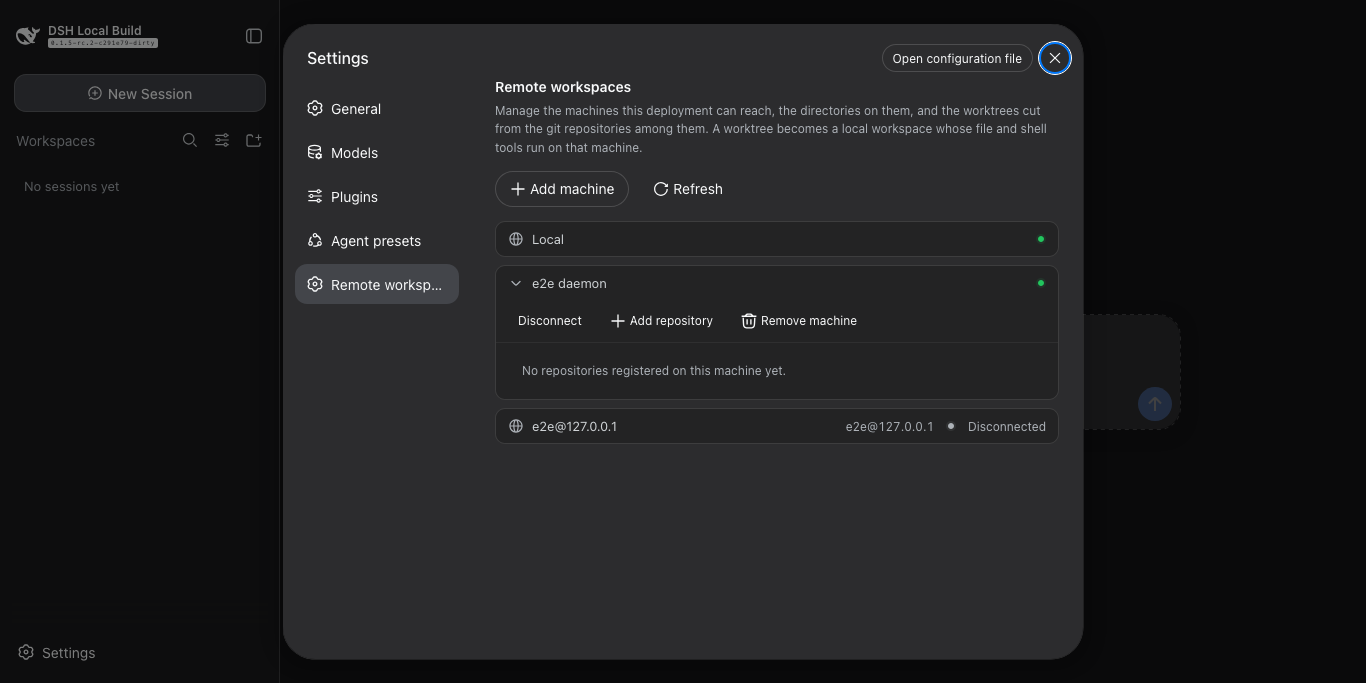
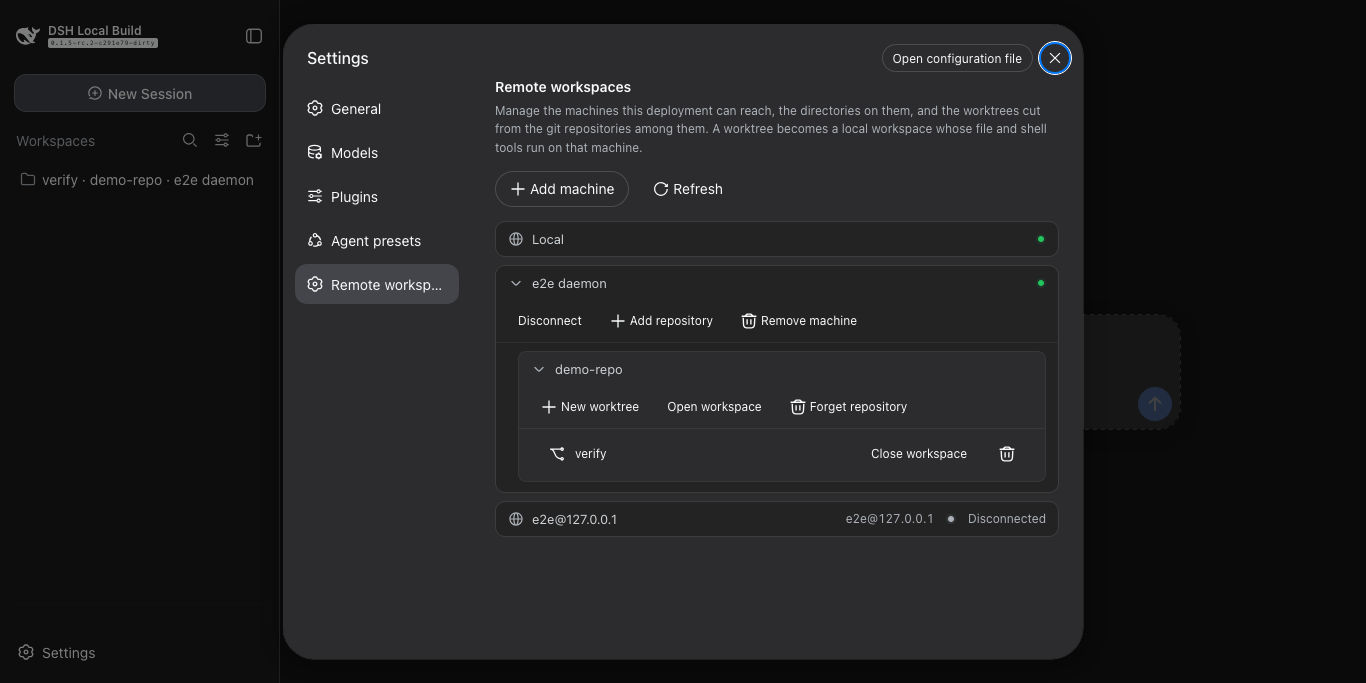
| Machines | Connected | A worktree |
|---|---|---|
 |
 |
 |
What it does
- Reaches a machine over SSH —
user@hostor a~/.ssh/configalias — and installs nothing there by hand. - Works on this machine with no setup at all: the built-in
Localmachine needs no agent and no connection, and manages repositories and worktrees here exactly as it does on a machine reached over SSH. - Cuts
worktree/<name>from any repository on it, and registers the checkout as a DSH workspace. - Opens a registered directory as a workspace in its own right, repository or not;
git inita plain one later and worktrees can be cut from it without registering anything again. - Runs read, write, edit, bash, grep, and terminal tools on that machine unchanged.
- Removes a worktree without losing work: the checkout goes, the branch stays unless you ask for it.
Install
Needs Node 22.19+ (or 24+) and ssh. The agent is a release download, so no Rust toolchain is required to use it.
git clone https://github.com/lengmoXXL/dsh-remote-workspace
cd dsh-remote-workspace && npm install && npm run build
dsh plugin --profile web add "$PWD"
dsh --profile web
Use it
Settings → Remote workspaces. Add a machine by its SSH destination and a token — any string, it is the daemon's shared secret. The plugin connects on load and retries a few times per machine; one that stays unreachable is left failed, with a Connect button to try again.
Local leads the list and is always there: it is this machine, so adding a repository to it needs no SSH destination and
no token. A remote machine reaches the same rows through the same form — its destination and token are the whole
configuration.
A repository is any directory on the machine. Each row opens, closes, or removes what it holds, and a directory that is not a git repository yet can still be opened as a workspace. That section is the whole interface: cutting a worktree is setup, so it happens here, and the session that follows just works in it.
How it works
- The plugin replaces the harness's
fs,subprocess, andshellseams with routing versions: a path under a remote anchor goes to that machine's agent, every other path stays local. - The agent is one statically linked Rust binary. It binds a kernel-assigned loopback port and publishes it in a state file, so a machine is configured by its SSH destination and a token alone — there is no port to agree on.
- The plugin installs and updates it: on connect it reads
uname, downloads the matching build from this repository's GitHub Releases, verifies it againstSHA256SUMS, uploads it over the same SSH connection, starts it detached, then forwards to the port it published. - Agent traffic reaches your machine through
ssh -L, so a connection has exactly the trust of your own SSH access.
Architecture
┌─ browser ──────────────────────────────────────────────────┐
│  plugin/client    the settings section                     │
└──────────────────────────────┬─────────────────────────────┘
                               │ management API over HTTP
┌─ plugin/   the DSH surfaces ─▼─────────────────────────────┐
│  api                          over the models              │
│  routing/  fs · subprocess · shell seams → the SDK         │
└──────────────────────────────┬─────────────────────────────┘
                               │
┌─ models/   the business semantics ─────────────────────────┐
│  worktrees · machines · autoconnect                        │
│  routing   which execution world a path belongs to         │
└─────────────┬───────────────────────────────┬──────────────┘
              │ state                         │ the SDK
┌─ storage/ ───────────────┐  ┌─ remote/   the SDK ──────────┐
│  durable state           │  │  channel · protocol          │
│  anchors · nodes · repos │  │  ssh · agent install         │
│  document: lock + atomic │  │  one channel per machine     │
└──────────────────────────┘  └───────────────┬──────────────┘
                                              │ ssh -L, JSON-RPC 2.0
                              ┌─ machines — one or more ─────┐
                              │  dsh-remote-agent (Rust)     │
                              │  random loopback port        │
                              └──────────────────────────────┘
Imports only ever point downward, and src/index.ts is the one file that assembles the layers. The settings section is
the other half — it runs in the browser and reaches the host through its management API.
Where the state lives
$DSH_HOME/remote-worktrees/ holds nodes.json, repos.json, one anchor directory per remote directory this plugin
addresses, and the agent builds downloaded for each platform. Removing the plugin leaves that directory behind;
deleting it forgets every machine.
License
MIT
No comments yet. Be the first to write one.