DSH Composer Layout
English · 简体中文







Overview · Install · Why side by side? · See it in DSH · Switch and resize · Features · Release checks · Contributing · 简体中文
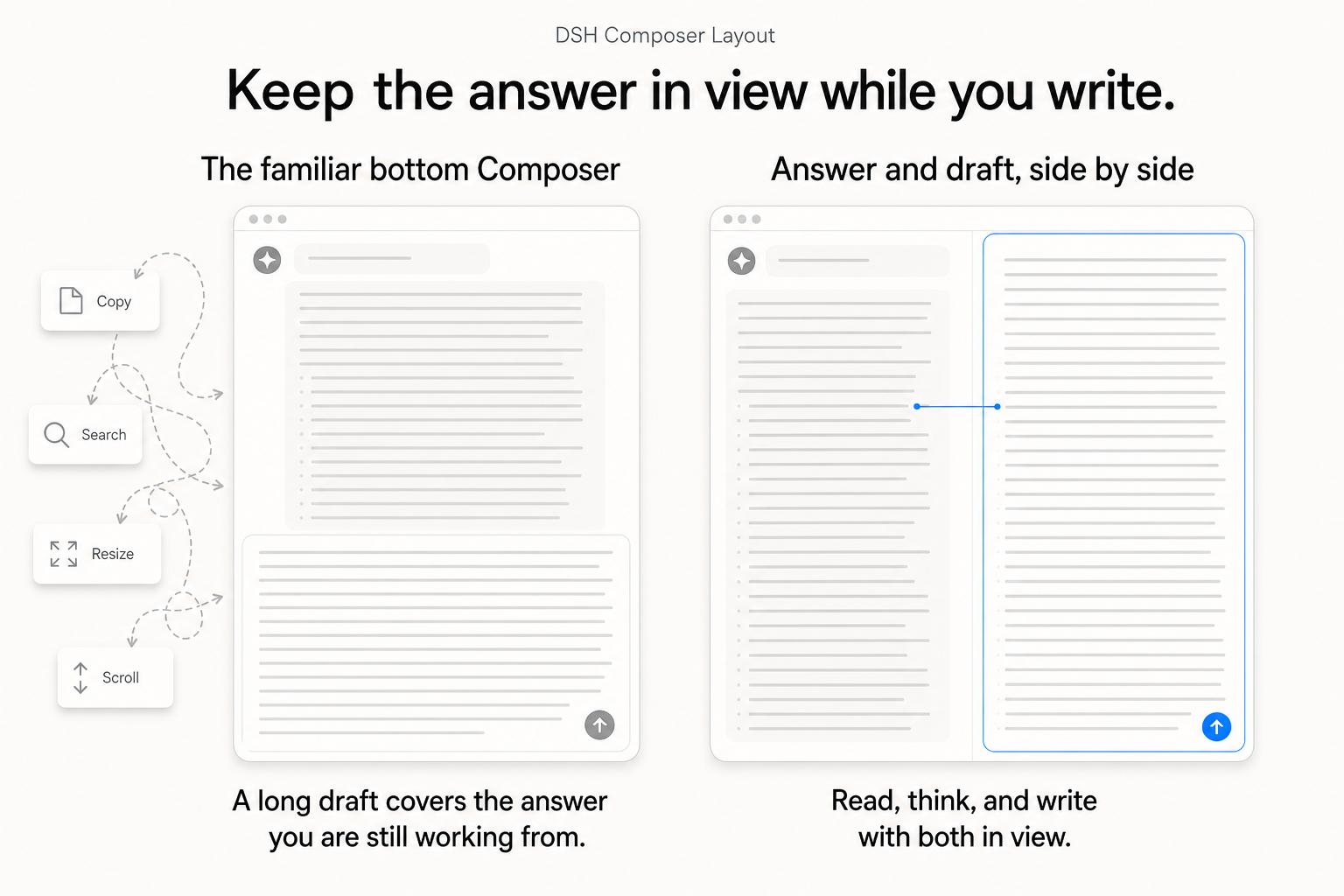
Keep the answer in view while you write. Dock Composer to the right so the answer and your growing draft can stay side by side.
DeepSeek Harness Web plugin that lets the Composer stay at the bottom or dock in a right-side column. The chat and Composer keep their own space, while the normal DSH model, permission, quota, session, and tool behavior remains intact.
Why a side-by-side Composer?
The familiar bottom Composer works well when both the answer and the next message are short. Once either one grows, they have to compete for the same vertical strip: a long answer pushes the input away, while a long draft hides the material it is supposed to reference. The work then turns into compensation—copy a detail out, resize the input, scroll back to recover context, search for the passage just read, and repeat.
This is especially wasteful on a desktop. Most desktop displays are wide; horizontal room is usually available, while the height shared by a growing answer, a growing draft, and browser chrome is scarce. A vertical layout spends the abundant dimension poorly and makes the constrained one do all the work.
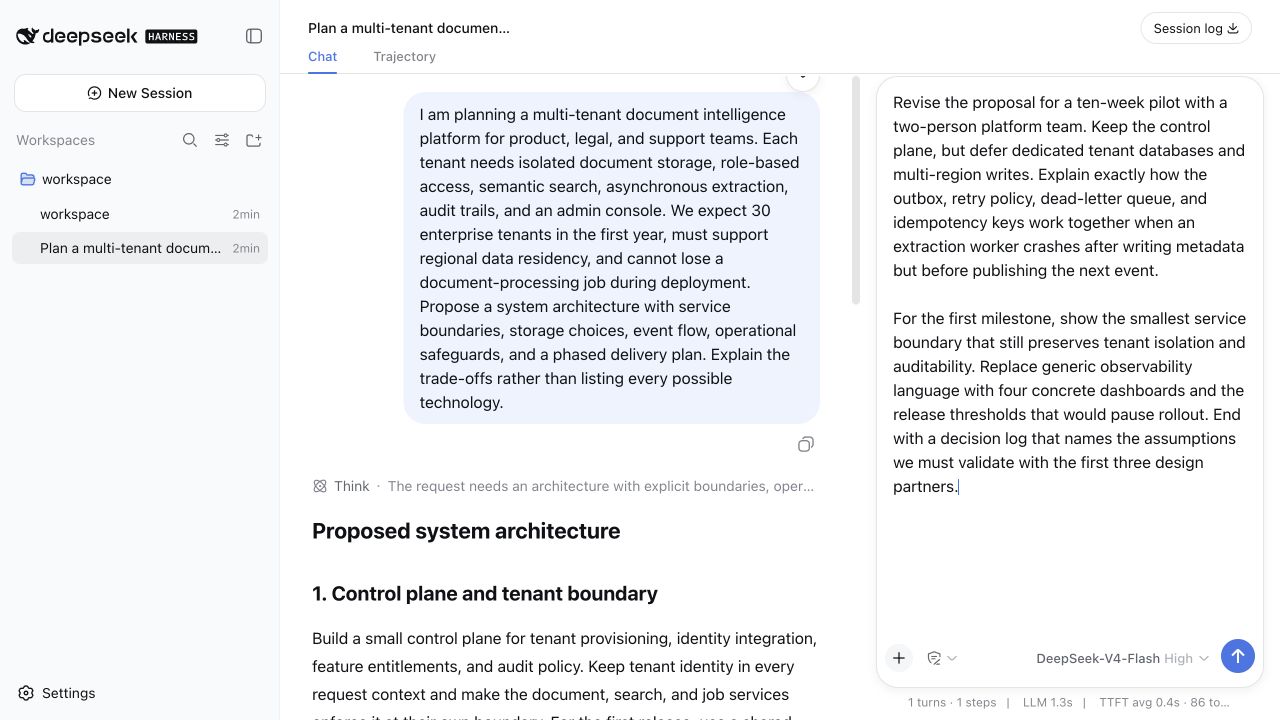
Docking Composer to the right gives reading and writing separate vertical space. The conversation can stay visible as it grows; the draft can become as detailed as the task requires. The important change is simultaneous access: read a passage, think through it, and shape the corresponding part of the next prompt without losing either surface. It is a small layout change that removes a recurring interruption from long-form work.
See it in DSH
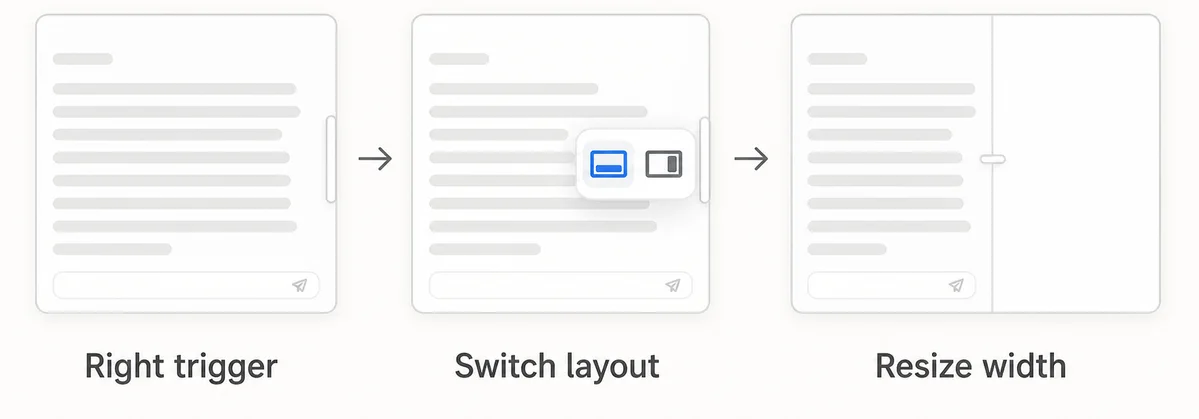
Switch and resize
What it adds
- Bottom, Right, and Automatic Composer placement from Settings → Plugins → Composer Layout. Automatic uses the main area's width-to-height ratio, with a threshold of 0.5–2 (default 1), and requires enough width for both columns.
- A docking handle shifted left away from the Composer input border; in the right layout it also resizes the Composer pane. When Right is unavailable, its disabled action explains the width requirement.
- Per-session placement and manually resized right-pane width when “Remember this session layout” is enabled.
- When the window cannot fit both columns, temporarily stack the Composer while retaining a layout rail; the remembered right-side layout returns automatically once width is available again.
- In the right-side layout, close slash/reference candidates before another Composer popup opens, so model, access, and context panels do not overlap them. Third-party right-slot controls collapse into an ellipsis popup when space is limited.
- Adapt to DSH's nested conversation scroll containers and bridge scroll events between the host container and Chat. See release checks for verification scope and the outstanding stream-end timing issue.
In the right-side layout, Chat uses the available left-column width and the plugin divider adjusts reading space. DSH's two native transcript-width handles are hidden to prevent them from overlapping Composer; independent transcript whitespace adjustment is unavailable in this mode. Returning to Bottom restores those handles and preserves DSH's saved width preference.
The plugin is presentation-only: it does not add model-facing tools, change prompts, or alter token accounting.
Install
Install from npm
The npm package contains the prebuilt plugin bundle. Stable, alpha, and legacy DSH releases are tested with their corresponding plugin versions in Chromium and WebKit. Consult the version-paired checks before choosing a package; a successful alpha test does not promise compatibility with future alpha releases. Users of older DSH versions can pin dsh-composer-layout@0.1.12. Check the current npm release with npm view dsh-composer-layout version.
dsh plugin --profile web add dsh-composer-layout@latest
dsh web --profile web
Install directly from GitHub
DSH installs the plugin bundle directly from a GitHub repository; the new release tag is v0.1.16 for DSH 0.1.2-rc.1. Users of older DSH versions can keep the v0.1.12 tag.
dsh plugin --profile web add "github:lavapapa/dsh-composer-layout#v0.1.16"
dsh web --profile web
Then open Settings → Plugins → Composer Layout and select Right side. Restarting the Web profile is required because DSH does not hot-reload profile patches.
The repository ships the prebuilt host and browser artifacts used by this command, so installation does not need an install-time build step. To confirm that DSH added the bundle to the intended profile:
dsh --profile web --dump-config
Update
To move an existing installation to the current npm release (check it with npm view dsh-composer-layout version first):
dsh plugin --profile web remove dsh-composer-layout
dsh plugin --profile web add dsh-composer-layout@latest
dsh web --profile web
Dependency declarations are in package.json; the DSH versions actually verified are recorded in release checks. The DSH compatibility workflow regularly checks the plugin against the current DSH release.
Development
The repository intentionally commits the generated lib/ artifacts used by GitHub installs. The plugin owns its implementation under src/; run pnpm typecheck, pnpm build, and pnpm test before publishing. Each release is also checked in a clean matching DSH checkout.
Related links
License
MIT. See LICENSE.
No comments yet. Be the first to write one.