design-studio
See your UI redesigned before anyone touches the code. Ask Claude Code for new directions for a screen, and compare them side by side as live previews on a local canvas.
No separate design tool and no design credits. The drafts are drawn by the model you already use, and the drafts and the canvas stay in your project.
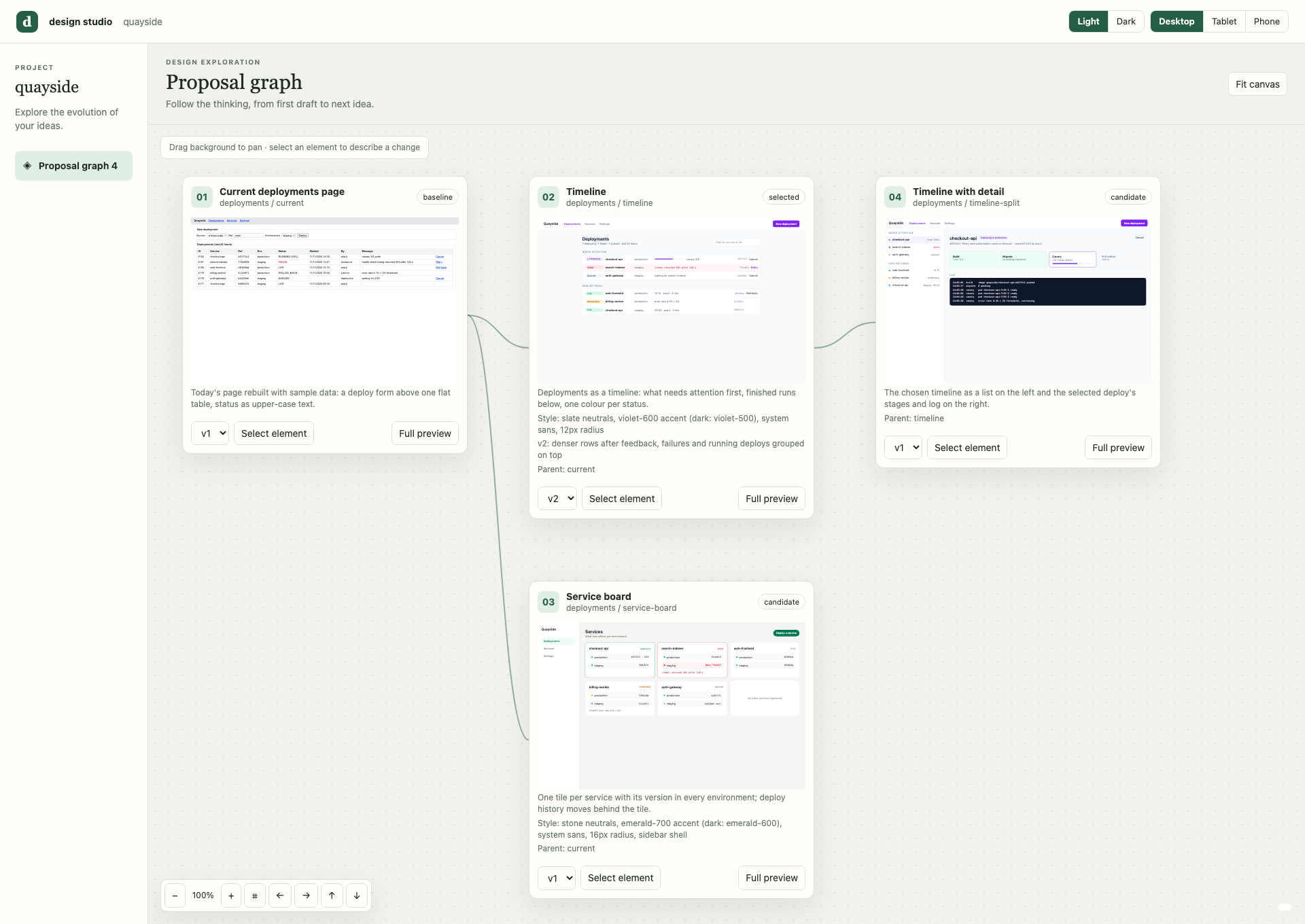
What you get
- Today's screen as a baseline. Claude rebuilds the current screen with sample data, so every idea is compared with what you have now.
- Two or three real directions. They differ in layout, navigation or density, and they use your labels, your data and every state it can be in.
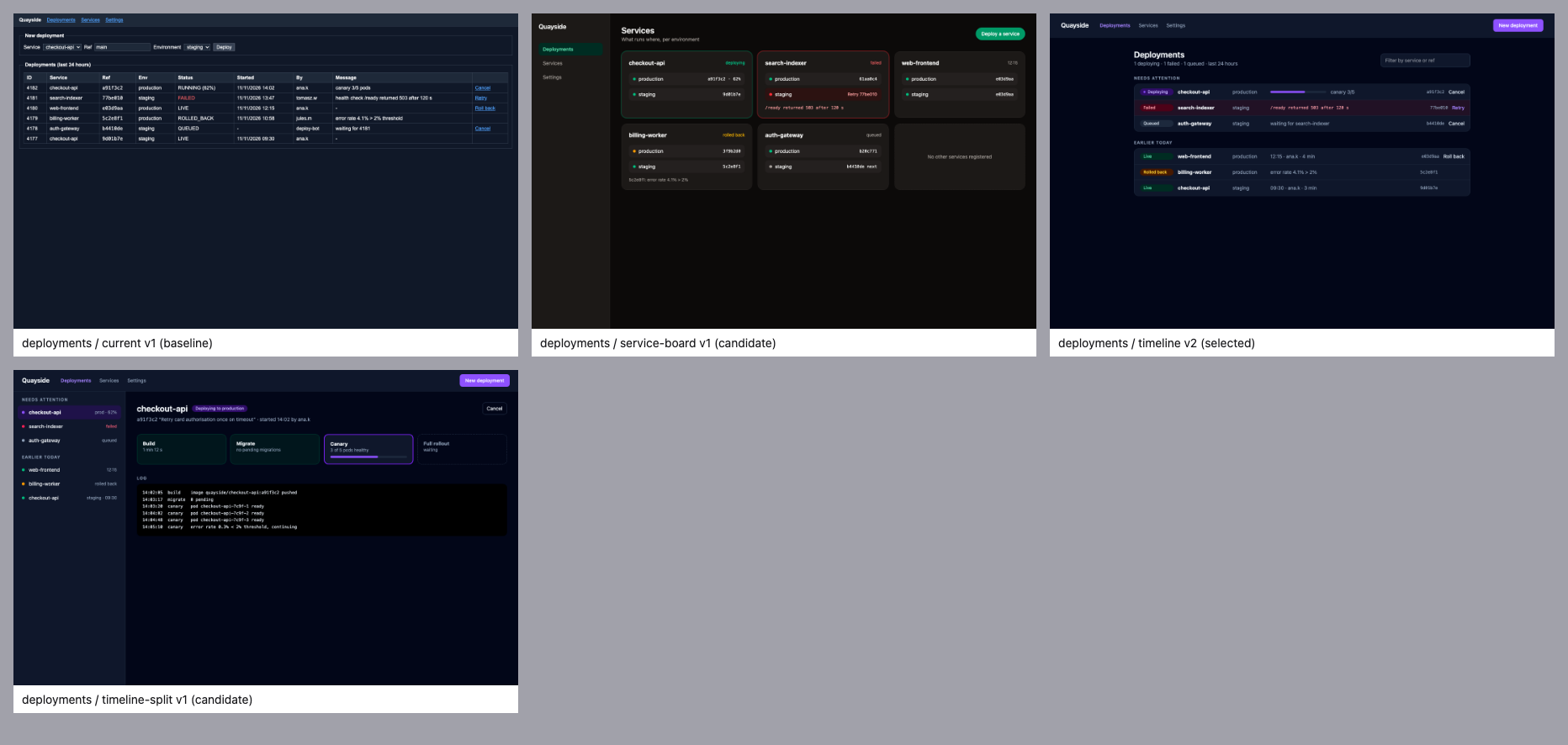
- Drafts that were checked. Claude renders each one in light and dark mode and fixes what looks wrong before you see it.
- One place to compare. Every draft and every version on one canvas, in light and dark, at desktop, tablet and phone size.
Your product code changes only when you say "implement it".
Install
You need Claude Code, Bun and Chrome (or Chromium, Edge or Brave).
claude plugin marketplace add kolezka/design-studio
claude plugin install design-studio@design-studio-local
Start a new Claude Code session, and you are ready.
Try it
In any project, ask for a design:
The settings page looks dated. Show me two directions before we change any code.
Claude looks at the screen's code, draws the drafts, checks them, and gives you a link to the canvas. Then keep talking:
- Compare the directions on the canvas.
- Refine: "go with the second one, but make the list denser". Claude adds a new version and keeps the old one.
- Pick: the style of the chosen draft becomes the rule for every later screen.
- Build: "implement it", and Claude turns the draft into code in your stack.
It works for new screens too: "design an onboarding screen in the same style as the dashboard".
Review on the canvas
Each draft is a card with a live preview. Lines show which idea grew out of which, and each card keeps every version one click away.
To ask for a change to one part of a draft, open Full preview and click that element. The canvas writes a request you can paste into the chat.
For a quick overview, Claude can also lay all drafts out on one image:
Good to know
- Everything is saved in
.design/in your project. Commit it to keep the design history, or add it to.gitignore. - Drafts are HTML. Turning the chosen one into your framework's components is the "implement it" step.
- Drafts load Tailwind from a CDN, so rendering needs an internet connection.
- Drafts can run scripts. Only open drafts from sources you trust.
- Draft quality depends on the model. It was tested with Claude Opus 5.5.
More
- User guide: the canvas in detail, the
.design/folder, the render and canvas scripts, updating and removing the plugin - DeepSeek Harness: using design-studio outside Claude Code
- How it was tested: what went wrong without the skill, and what it fixes
- Development: tests and refreshing the screenshots
The screenshots show Quayside, a fictional demo project. Not affiliated with Superdesign.
License
Copyright (c) 2026 Mariusz Rakus. All rights reserved. See LICENSE.
No comments yet. Be the first to write one.