dsh-deep-purge
DSH has archive, not delete. This adds the delete — and it clears every trace, not just the sidebar entry.
DeepSeek Harness can archive a session, but archiving only hides it. The transcript, the title cache, the SQLite index, the cost ledger and the bridge logs all stay on disk forever. dsh-deep-purge removes a session from all six locations, in one action, from a panel inside the app.
Windows only.
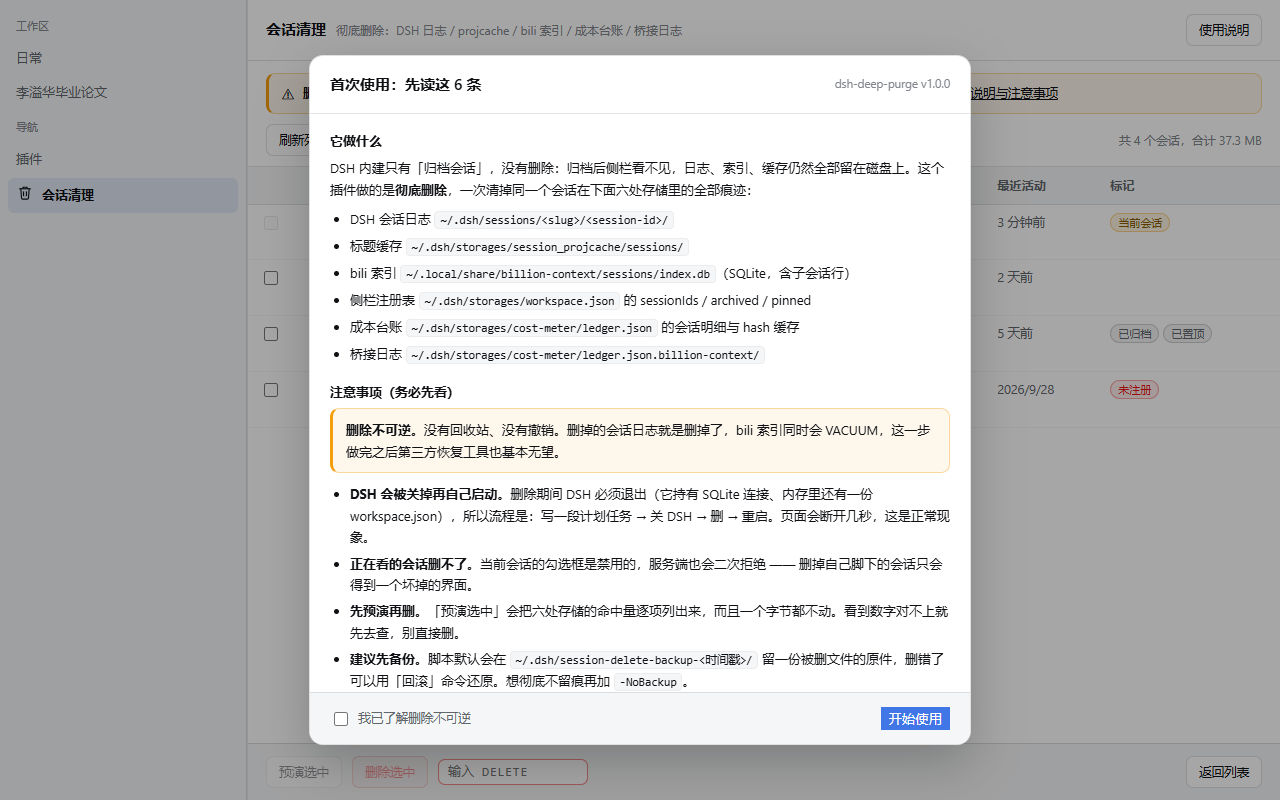
What it actually deletes
One session id touches six places. Most "delete" tools stop after the first one.
| # | Location | What lives there |
|---|---|---|
| 1 | ~/.dsh/sessions/<slug>/<session-id>/session.v4.jsonl.zstd |
The full conversation transcript (zstd compressed JSONL) |
| 2 | ~/.dsh/storages/session_projcache/sessions/<session-id>.json |
Cached title / project metadata |
| 3 | ~/.local/share/billion-context/sessions/index.db |
billion-context SQLite index — the session row and its |sub: sub-agent rows, followed by VACUUM |
| 4 | ~/.dsh/storages/workspace.json |
Sidebar registry: sessionIds, archivedSessionIds, pinnedSessionIds |
| 5 | ~/.dsh/storages/cost-meter/ledger.json |
Per-session token/cost detail rows, plus the hash caches that reference the id |
| 6 | ~/.dsh/storages/cost-meter/ledger.json.billion-context/ |
Per-call bridge logs (thousands of small JSONL files; matched by substring) |
The panel shows the hit count for each of the six before you commit, with a dry run that writes nothing.
Why it has to close DSH first
This is not laziness — there is no safe way to delete these files while DSH is running.
workspace.jsonis held in memory. DSH keeps the parsed object in its process and rewrites the whole file on any sidebar change. Delete the file underneath it and the next change resurrects the session. There is no file-watch reconciliation.index.dbis a WAL-mode SQLite database with a live connection.VACUUMneeds exclusive access.
So the flow is: arm a scheduled task → ask DSH to quit → delete the files → relaunch DSH. The helper runs outside DSH's process tree on purpose: DSH puts tool child processes in a Windows Job Object, so anything spawned from inside the session dies with it. The panel says so, and the page will drop for a few seconds while this happens.
Install
dsh plugin add dsh-deep-purge
Then restart DSH. The entry 会话清理 / Session purge appears in the left navigation bar, and 彻底删除会话 / Delete session permanently is added to every session's right-click menu.
Manual install: put the package under <profile>/node_modules/, add it to the profile's dependencies and to dsh.profile.bundles, restart.
Use
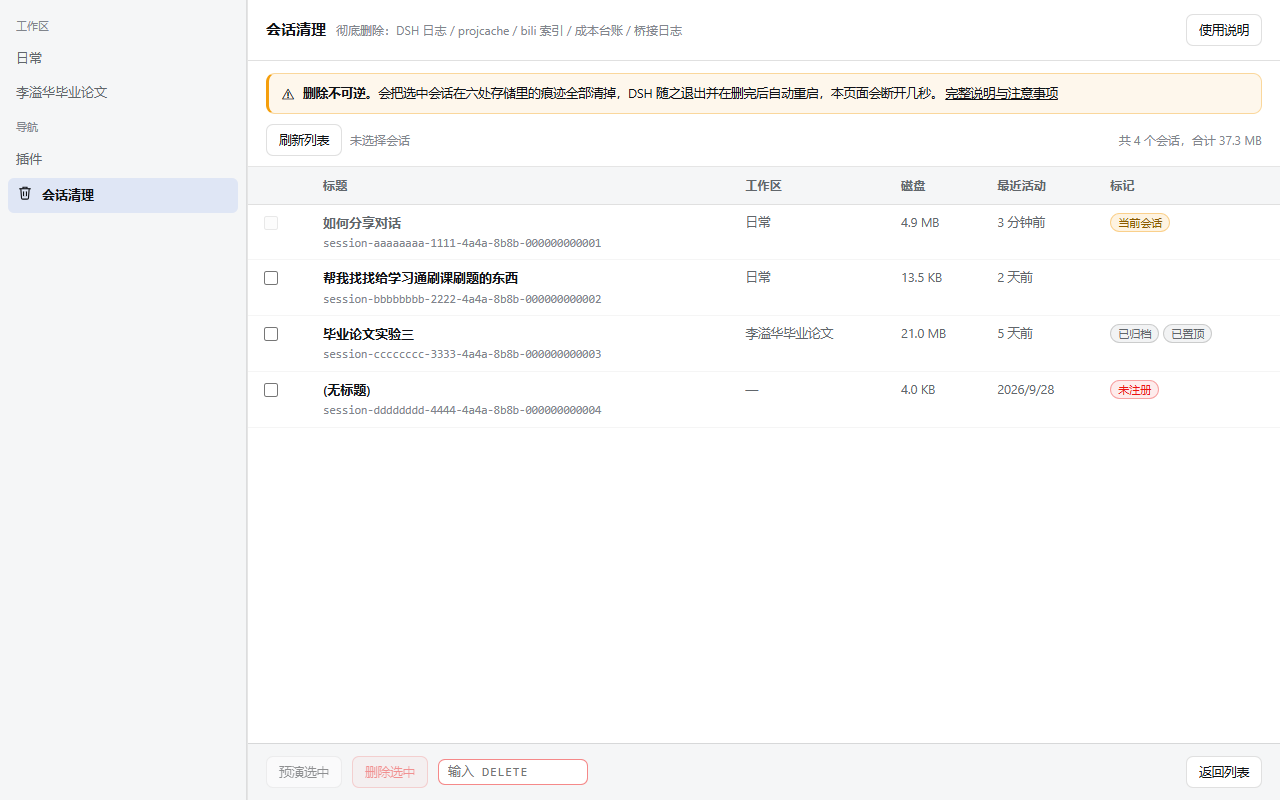
- Click 会话清理 in the left nav, or right-click any session → 彻底删除会话.
- Tick the sessions you want gone. Your current session is disabled on purpose — the server rejects it too.
- 预演选中 (Dry run) — lists hit counts for all six locations. Nothing is written.
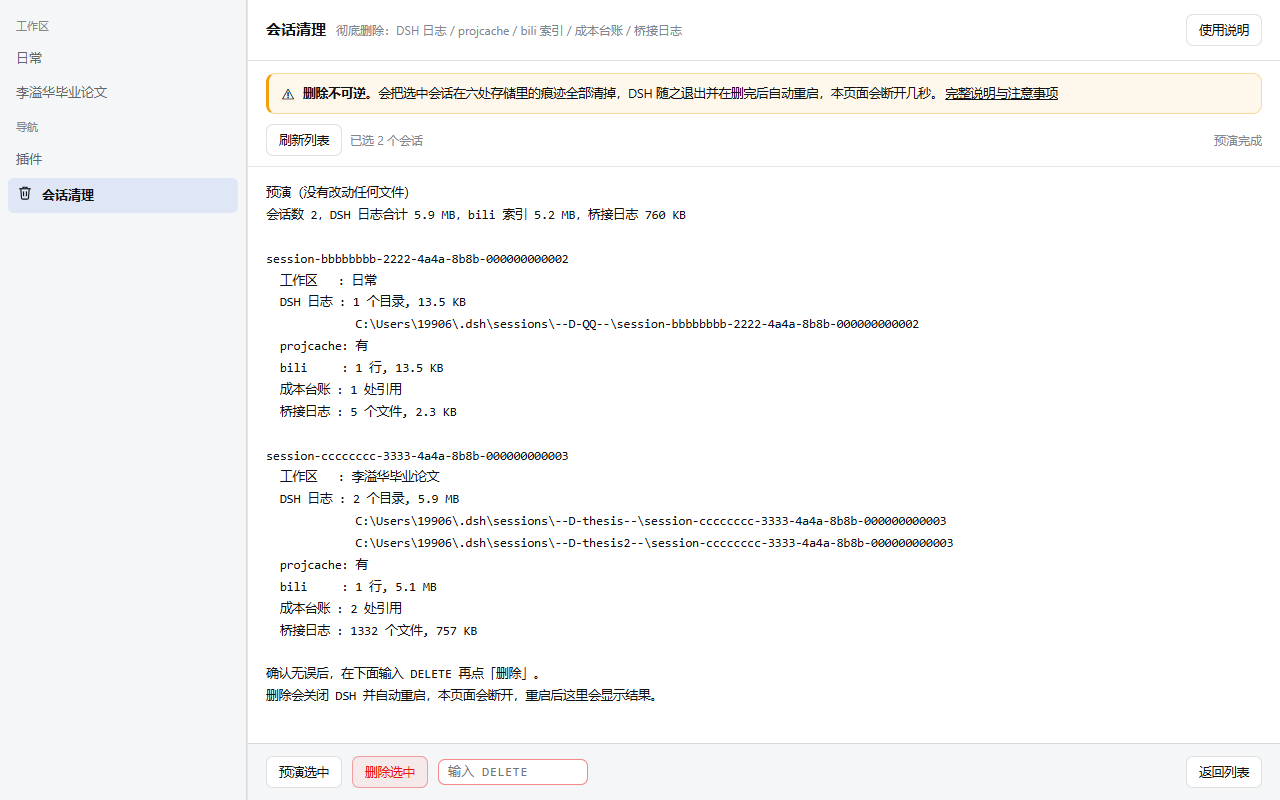
- Type
DELETEin the box (an anti-fat-finger phrase, not a password), then click 删除选中. - Confirm in the browser dialog. DSH exits within ~25 s, deletes, and relaunches itself.
- After the restart the panel shows the previous run's verdict at the top. Red means residue — click through for the per-step log.
Every deletion leaves a backup under ~/.dsh/session-delete-backup-<timestamp>/ unless you pass -NoBackup.
The two safety nets
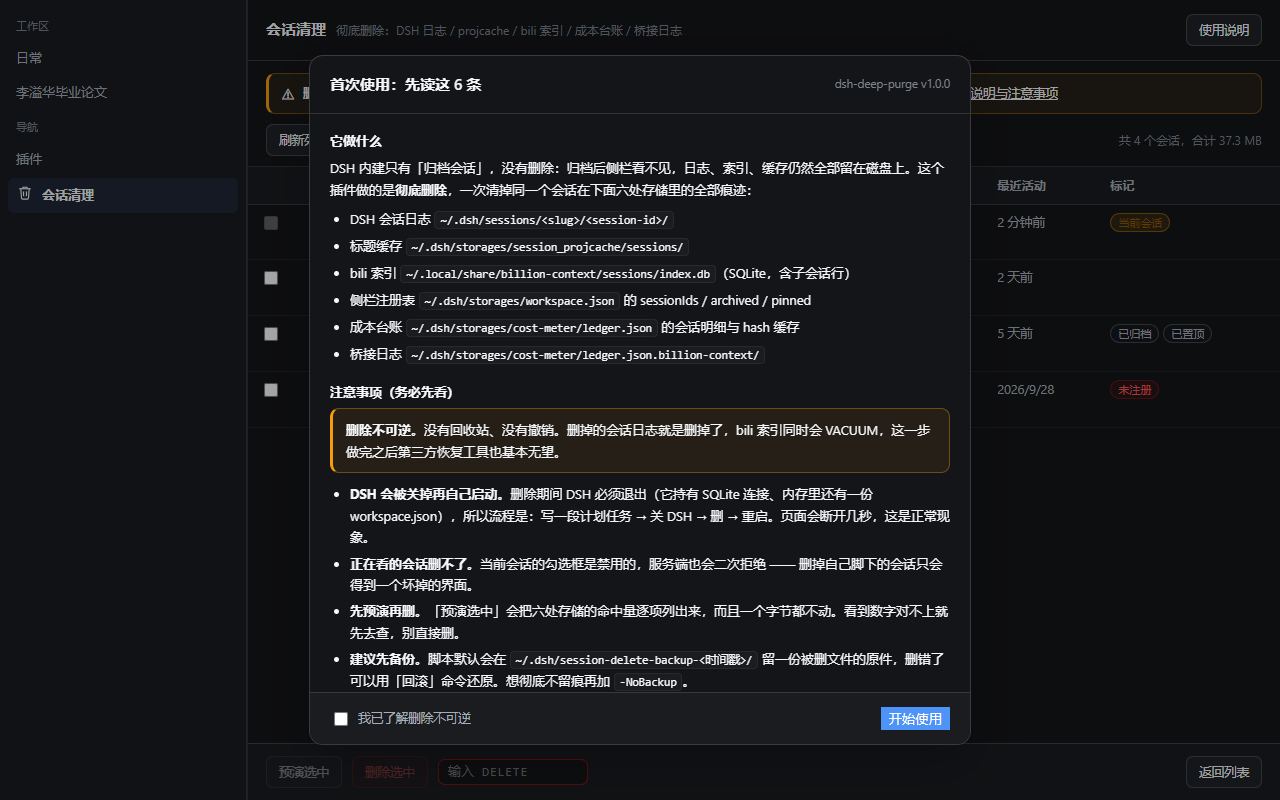
On first open a blocking guide appears: what gets deleted (all six paths), the risk
list, the five-step workflow, how to roll back, and how to uninstall. The start button
stays disabled until you tick "I understand deletion is irreversible" — Esc and
clicking the backdrop do not dismiss it. It re-appears after an update that changes the
text (GUIDE_VERSION bump), and 使用说明 in the header reopens it at any time.
Below the header, permanently, sits a warning bar with no close button: deletion is irreversible, DSH will quit and relaunch, the page drops for a few seconds. A dismissible warning is not a warning.
Theme
Every colour is a host design token (--dsw-alias-*), so the panel follows DSH's light and
dark themes without a separate stylesheet. Nothing is hard-coded:
Rollback
powershell -ExecutionPolicy Bypass -File "<plugin>\ps\dsh-session-cleanup.ps1" -Restore "<backup dir>"
Quit DSH first — otherwise the in-memory workspace.json overwrites what you just restored. The restore writes the backed-up files back; it does not touch sessions created after the deletion.
Command line
The panel is a front end; the real work is a standalone PowerShell script you can also run directly.
$ps1 = "<profile>\node_modules\dsh-deep-purge\ps\dsh-session-cleanup.ps1"

# inventory: what exists where, nothing is touched
powershell -ExecutionPolicy Bypass -File $ps1 -List

# dry run for specific sessions
powershell -ExecutionPolicy Bypass -File $ps1 -SessionId session-aaaa,session-bbbb

# real deletion (DSH must be closed, or add -AutoRestart)
powershell -ExecutionPolicy Bypass -File $ps1 -SessionId session-aaaa -Execute -AutoRestart
| Parameter | Meaning |
|---|---|
-List |
Inventory of all sessions across the six locations. Read-only. |
-SessionId <ids> |
Comma-separated ids to operate on. |
-Execute |
Actually delete. Without it you get a dry run. |
-AutoRestart |
Quit DSH, delete, relaunch. Requires -Execute. |
-Restore <dir> |
Restore from a backup directory. |
-NoBackup |
Skip the backup. Faster, irreversible. |
-SkipBiliGc |
Leave index.db as-is (no VACUUM). |
-WaitTimeoutSec |
How long to wait for DSH to exit (default 180). |
-DshHome / -HarnessExe / -DshProcessName |
Override auto-discovery. |
Exit codes: 0 clean, 1 residue left, 2 DSH running and no -AutoRestart, 3 timeout waiting for DSH to exit (nothing was touched).
Caveats
- Windows only. Needs PowerShell 5.1+, scheduled tasks, and Win32 window messages to close DSH gracefully.
- DSH will be closed and restarted. If the tray confirmation dialog appears, it needs one click.
- The current session cannot be deleted. Its checkbox is disabled and the server double-checks.
- Do not run two DSH windows against the same profile. Both hold
workspace.jsonin memory; last writer wins. - Disabling the tray icon does not stop the flow, but a DSH that ignores the close request will make the helper time out — and a timeout means nothing was deleted.
Uninstall
Disable or remove dsh-deep-purge in the plugin manager and restart DSH. The plugin keeps no state of its own; everything it touches is your own session data.
No comments yet. Be the first to write one.