dsh-pixel-crt
A dark CRT pixel skin for the conversation pane of the DSH Web GUI — hard 2px borders, block shadows, bitmap headings, scanlines. Scoped to the chat and composer regions only; the sidebar, title bar and other panels are untouched.
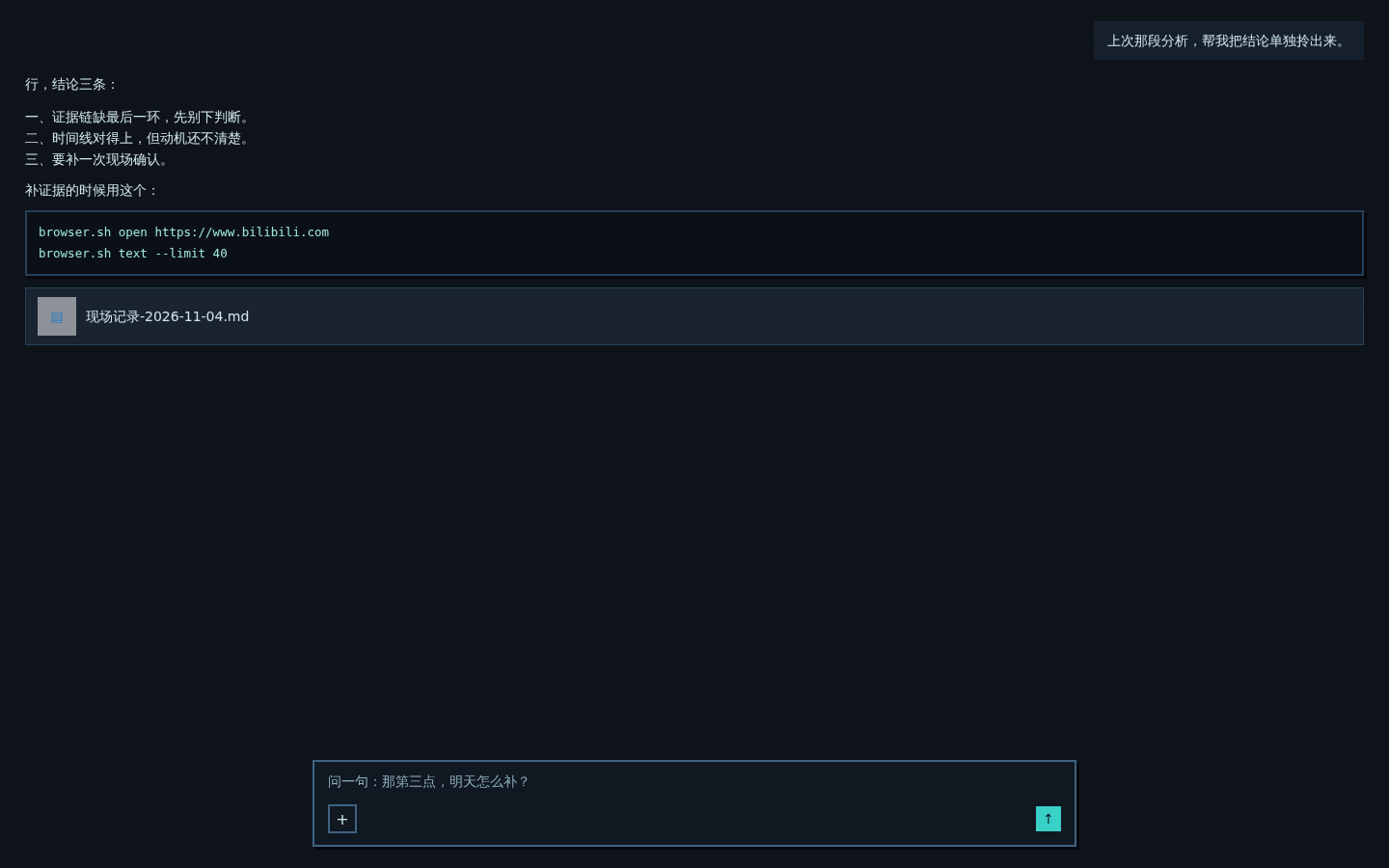
The screenshot is a demo render of the skin on a mock conversation, not a capture of a live session.
What it does
- Redefines the palette inside
[data-conversation-region="chat"]and[data-conversation-region="composer"]: near-black surfaces, cyan accents, zero border radius. Components that read the--dsw-alias-*variables follow automatically. - Adds the pixel furniture: 2px borders,
3px 3px 0block shadows, pressed-state offset, flat code blocks, square scrollbars, cyan caret, pixel selection. - Headings and buttons use a bitmap face (
Unifont/Zpix/WenQuanYi Zen Hei Sharp, whichever is installed). Body text stays at the normal 14px and keeps the system font — bitmap faces at small sizes just turn to mush. - Slight scanline overlay via a repeating gradient.
What it does not do
- It does not touch the sidebar or any panel outside the conversation.
- It does not change message layout, spacing or font size. Nothing moves; only the skin changes.
- It is a pure front-end bundle: no host routes, no config, no state, nothing written to disk.
Install
dsh plugin add <this-repo-url>
or point the plugin manager at a checkout:
dsh plugin install ./pixel-crt
Then reload the Web GUI. Uninstall by disabling or removing the dsh-pixel-crt bundle.
Why a contrast sweep
Some components hard-code their surfaces in local variables (--deliverable-fill) or color-mix(#fff 50%, transparent) instead of the alias tokens, so a dark palette leaves light cards with light text — usually a file name you can't read. The bundle runs a small, debounced sweep after each render: if an element sits on a light background and its text is light, the background is pushed dark. Dark surfaces and dark-on-light cards are never touched.
Known rough edges
- Small icon-only buttons look chunky at 2px.
- All headings collapse to one size (16px) — the bitmap face only reads cleanly on a 12/16px grid.
- Scanlines are one CSS rule; delete the
background-imageline if you don't want them.
License
MIT
No comments yet. Be the first to write one.