@dsh-external/dsh-session-archive
A DeepSeek Harness Web-plugin that surfaces the registry-global archived session set and lets you restore (unarchive) sessions.
The harness workspace registry keeps an archivedSessionIds list that hides
sessions from every grouping surface (workspace groups, Ungrouped, content
search, flat list), but ships no UI to view or restore them. This plugin adds
that missing capability as a sidebar-footer entry that opens a panel of
all archived sessions, each with a one-click Restore.
中文说明
一个 DeepSeek Harness Web 插件:把工作区注册表中的已归档会话呈现出来,支持查看、预览、恢复(取消归档)与删除。
harness 会把归档的会话从所有界面(工作区分组、未分组、内容搜索、平铺列表)中隐藏,却不提供任何查看或恢复入口。本插件在侧边栏底部添加一个入口,打开面板列出全部已归档会话:
- 按工作区目录分组(未分组排最后),分组可折叠,支持实时标题搜索
- 只读预览:点击会话标题打开弹窗,从磁盘日志渲染完整对话(用户/助手气泡、工具调用),不影响归档状态
- 一键恢复:会话重新出现在原分组中(幂等,经注册表写入链串行化持久化)
- 删除(带二次确认):永久移除归档记录并删除磁盘日志目录;活跃会话拒绝删除
安装(需 Web profile,dsh 与 pnpm 可用):
dsh plugin --profile web add https://github.com/kiligzzz/dsh-session-archive
安装后重启 Web profile 并刷新页面,侧边栏底部即出现「已归档会话」入口。
What it adds
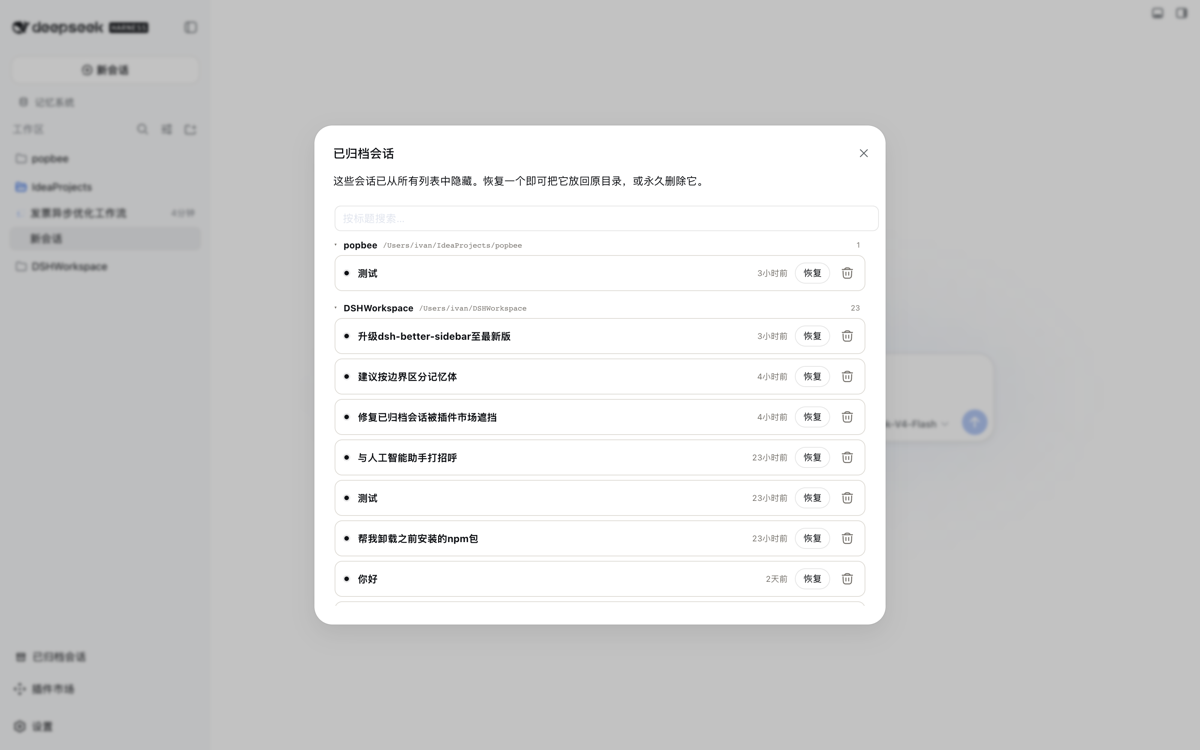
- Sidebar footer → “Archived sessions” — an icon entry that opens a wide, fixed-size panel listing every archived session, grouped by owning workspace directory (Ungrouped last), with collapsible directory groups and a live title search.
- Read-only preview per session — clicking a session title opens a large modal rendering the full conversation (user/assistant bubbles, tool calls) from the on-disk log. Purely observational: the archived state is never touched, so you can inspect contents before deciding to restore or delete.
- Restore per session — calls a same-origin host route that durably removes the id from the archived set (idempotent, serialized through the workspace-registry write chain); the session reappears in its grouping.
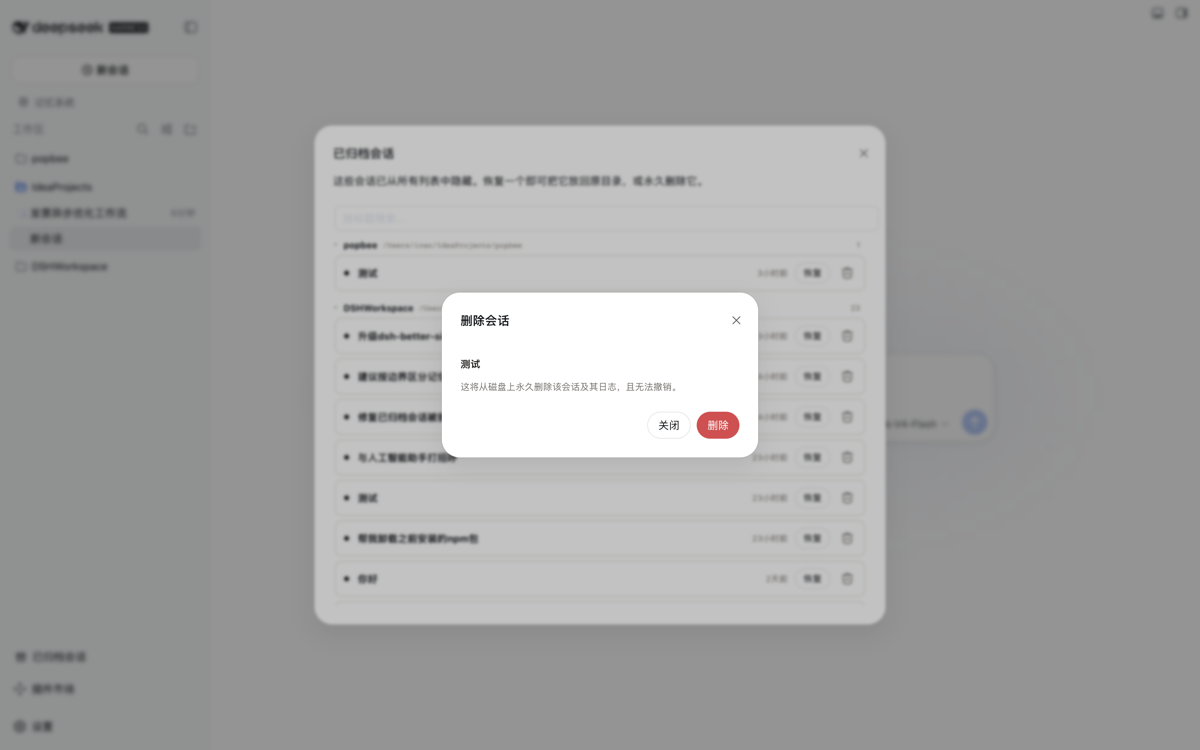
- Delete per session (with confirmation) — a trash action next to Restore opens a confirmation dialog; confirming permanently removes the session from the archived set, detaches its workspace accounting, and deletes its on-disk log directory. Live sessions are refused.
- Host service
workspaceArchive(list()/preview(sessionId)/restore(sessionId)/deleteSession(sessionId)) exposed to sibling host plugins.
Screenshots
Sidebar entry — the plugin adds a bottom-of-sidebar button alongside Cordis Plugin and the Plugin Marketplace.

Panel — archived sessions grouped by their owning workspace directory; each entry has a Restore button and a trash action.

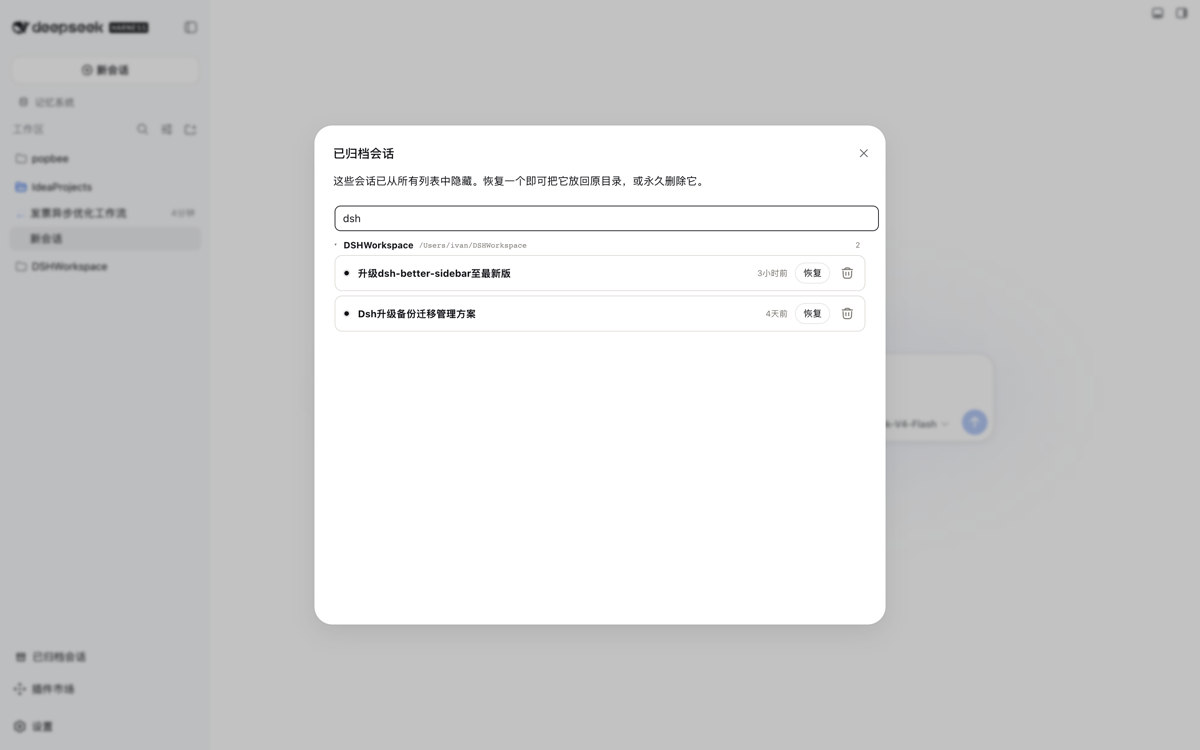
Live title search — typing in the search box filters the list across all groups as you type.

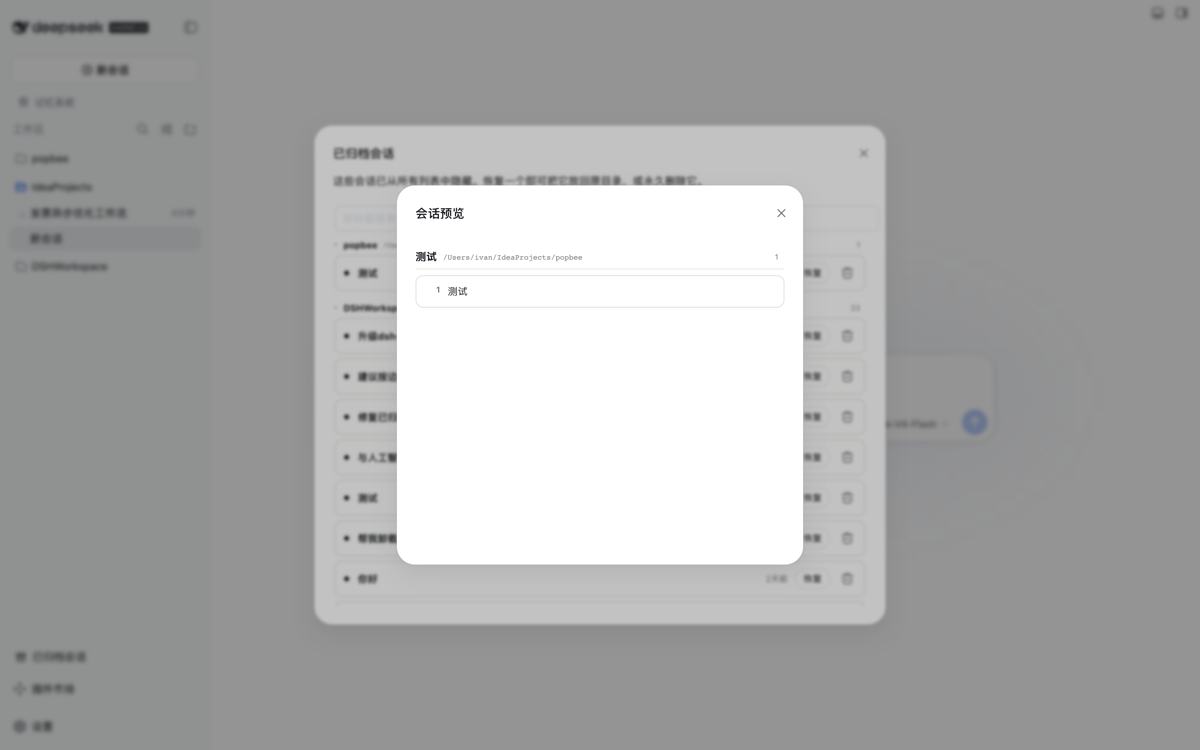
Read-only preview — clicking a session title opens a modal rendering the full conversation from the on-disk log. The archived state is never touched.

Install
Prereq: a DeepSeek Harness Web profile (dsh available, pnpm on PATH).
dsh plugin --profile web add https://github.com/kiligzzz/dsh-session-archive
Restart the Web profile (host and browser bundles are scanned at boot), then
refresh the page. Its bundle id appears in __DSH_BOOT__ and a
sidebar.footer.action entry appears at the bottom of the sidebar.
Install from a local checkout instead:
pnpm --dir <this-checkout> install # dev deps (esbuild) only if rebuilding
pnpm --dir <this-checkout> run build # optional — lib/ build artifacts are committed
dsh plugin --profile web add "$PWD"
Remove
dsh plugin --profile web remove @dsh-external/dsh-session-archive
How it works
- host (
src/index.ts): a cordis plugin injectingworkspaceRegistry(and optionallywebServer).WorkspaceArchive.restore()mirrors the registry’s ownarchiveSessionwrite path:enqueueOperation→requireState→setState({ ...state, archivedSessionIds: filtered }), so the change is serialized and atomically persisted to the workspace domain (~/.dsh/storages/workspace.json). A same-origin route/_dsh/session-archiveexposesGET(list) andPOST {action:'restore'}. - client (
src/client/index.tsx): registers asidebar.footer.actionentry; the panel readsarchivedSessionIds/ session titles from the shareduseWorkspaces/useSessionsstores and POSTs to the host route on restore, then the workspace baseline refreshes.
License
MIT
No comments yet. Be the first to write one.