DSH Pocket
Put DeepSeek Harness in your pocket — watch and steer the agent on your computer from a phone browser.
Approve a tool call, answer a question, send a message, stop a turn — without walking back to your desk.
dsh-pocket.a2hmarket.ai — open it on your phone, sign in, and your computer is there


English · 简体中文
If this is useful to you, a Star goes a long way
|
|
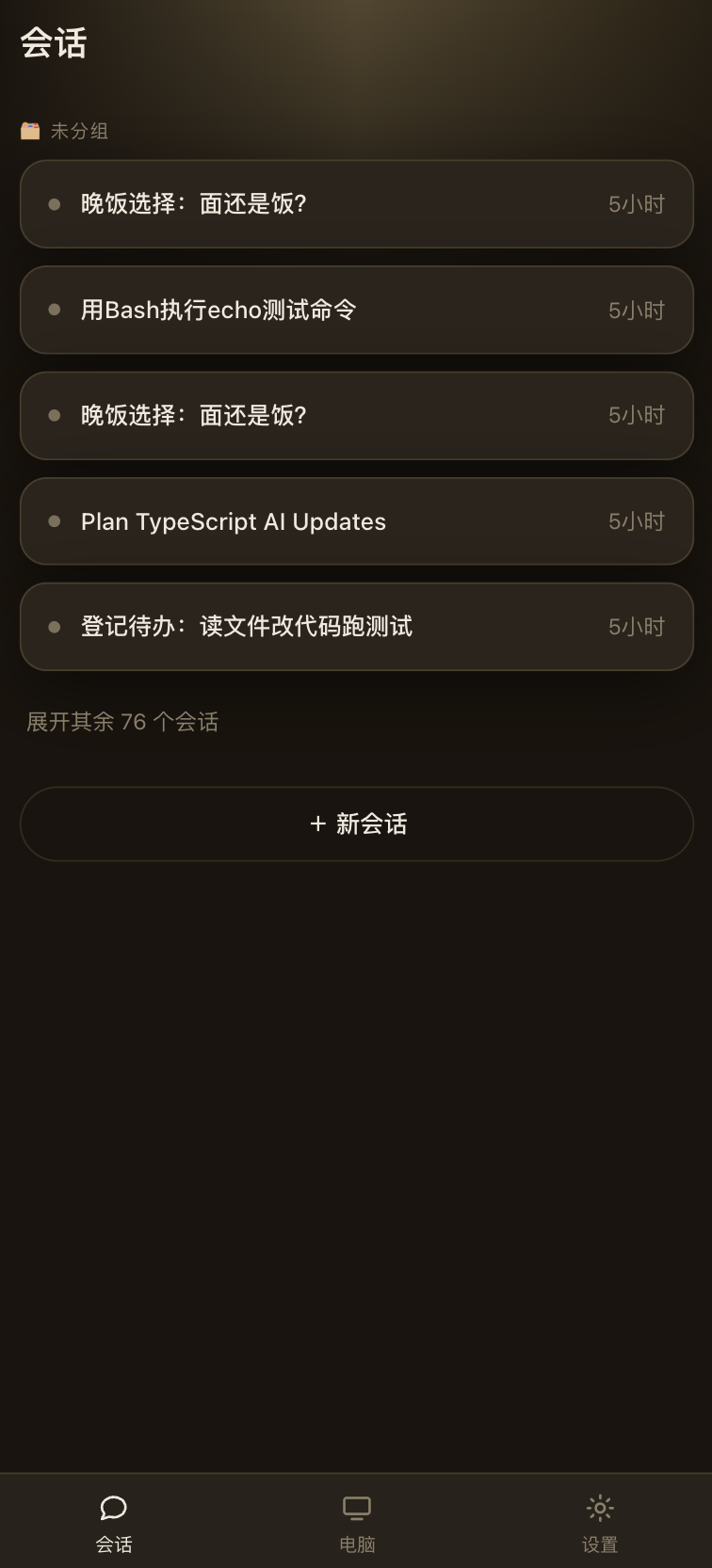
Every session, in your pocketThe sessions running on your computer, grouped the way dsh groups them. Tap one to open it, or start a new one from here. |
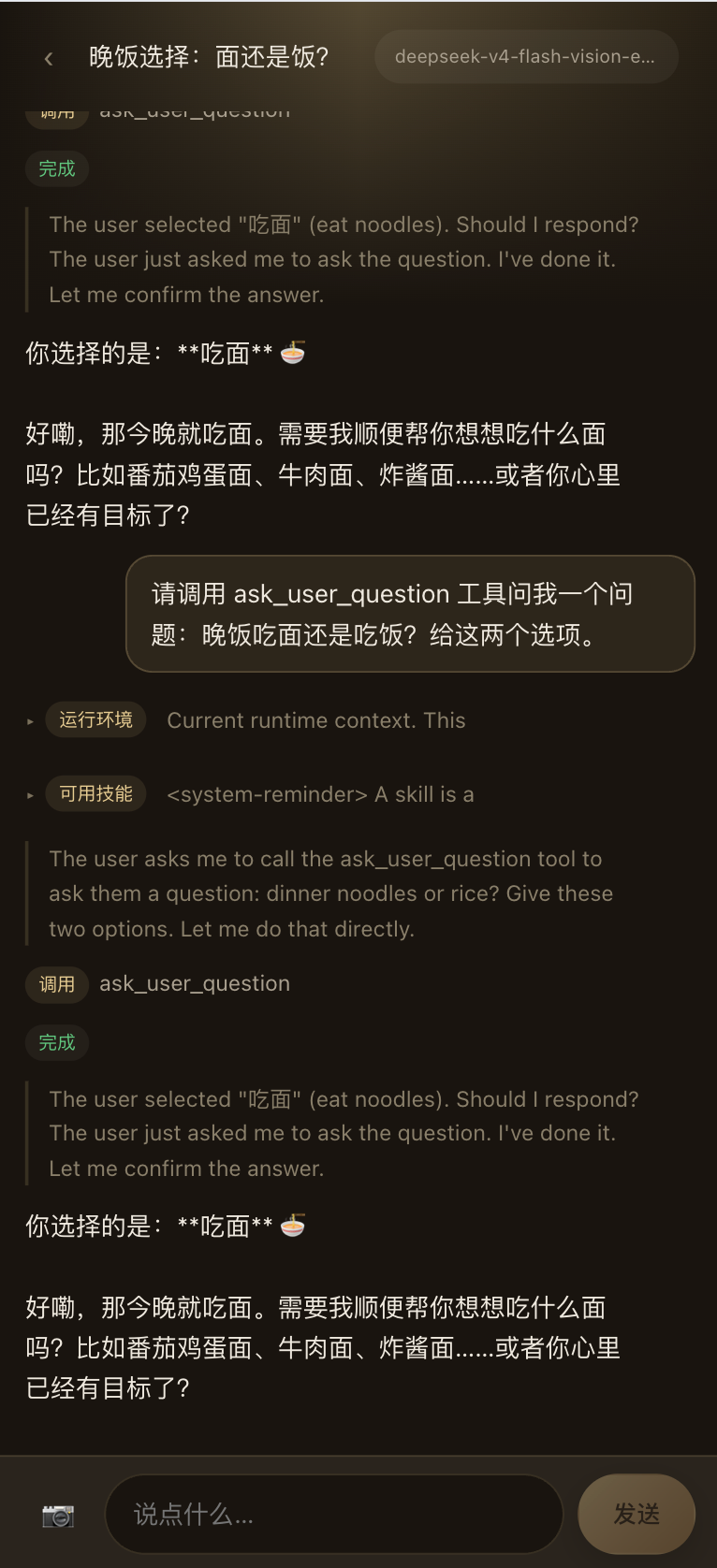
Watch and steerOutput streams live — reasoning and answer. Approve a tool call, send a message or a photo, stop a turn. The context dsh injects each turn folds away, so the conversation is what you read. |
Get started
1 · Install into the web profile and start dsh:
dsh plugin --profile web add -w github:keman-ai/dsh-pocket
dsh --profile web
-w is required — the profile is a pnpm workspace root. From a source checkout, use pnpm dsh.
2 · Turn it on. Pocket ships off by default — attaching a shell-capable machine to a public relay is your call. Enable it in $DSH_HOME/profiles/web/cordis.patch.yml and restart dsh:
- id: pocket
  config:
    enabled: true
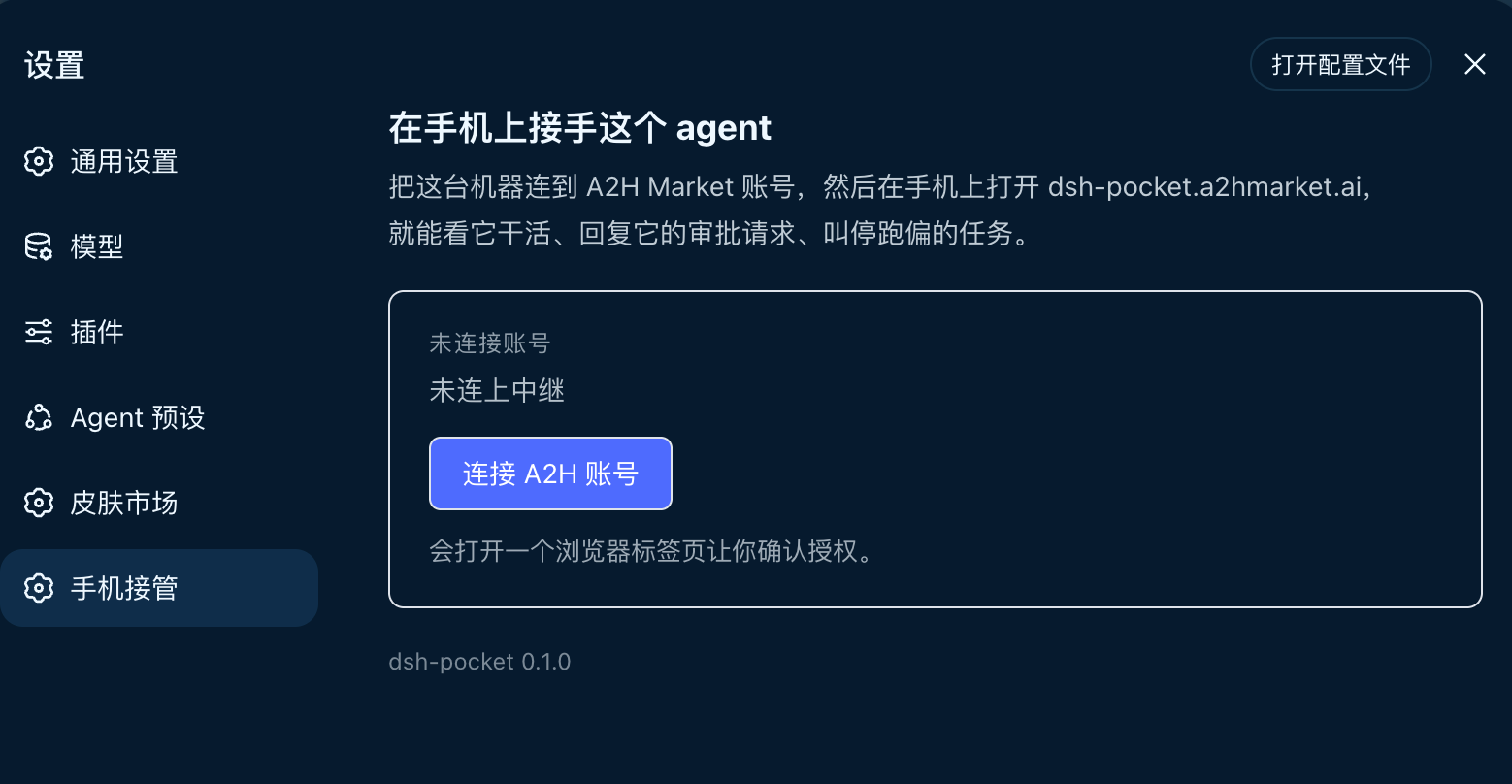
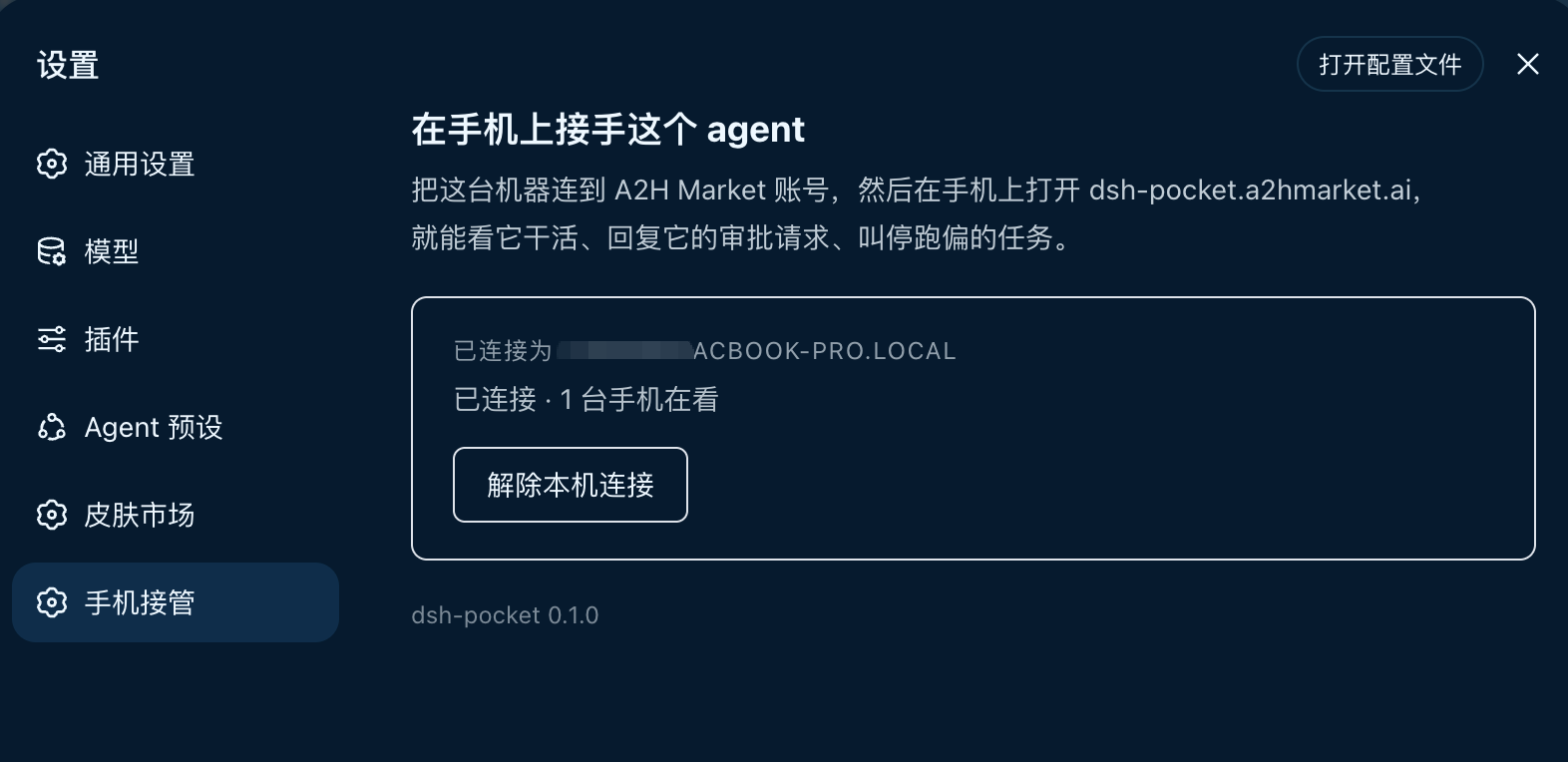
3 · Link an account. In dsh, open Settings → Pocket → Link an A2H account and approve in the tab that opens. The machine then shows as online.
|
|
4 · Open it on your phone. Go to dsh-pocket.a2hmarket.ai, sign in with the same account, tap your computer, and pick a session. The signing key for approvals is delivered automatically — nothing to scan or copy.
What you can do from the phone
- Watch the agent's output stream live — its reasoning as well as its answer, so you can tell thinking from stuck.
- Approve or refuse a tool call the instant it asks. The turn is blocked waiting on you; a tap releases it.
- Answer its questions when it stops to ask one.
- Send a message, or snap a photo and hand it straight to the agent — something you cannot do from the desk.
- Stop a turn that has gone the wrong way.
- Switch the model, edit preferences (language, appearance, default model, agent loop), and pick a skin — all without walking back.
Injected context — the runtime snapshot and the skill catalog dsh adds to every turn — is folded away, so the actual conversation is what fills the screen.
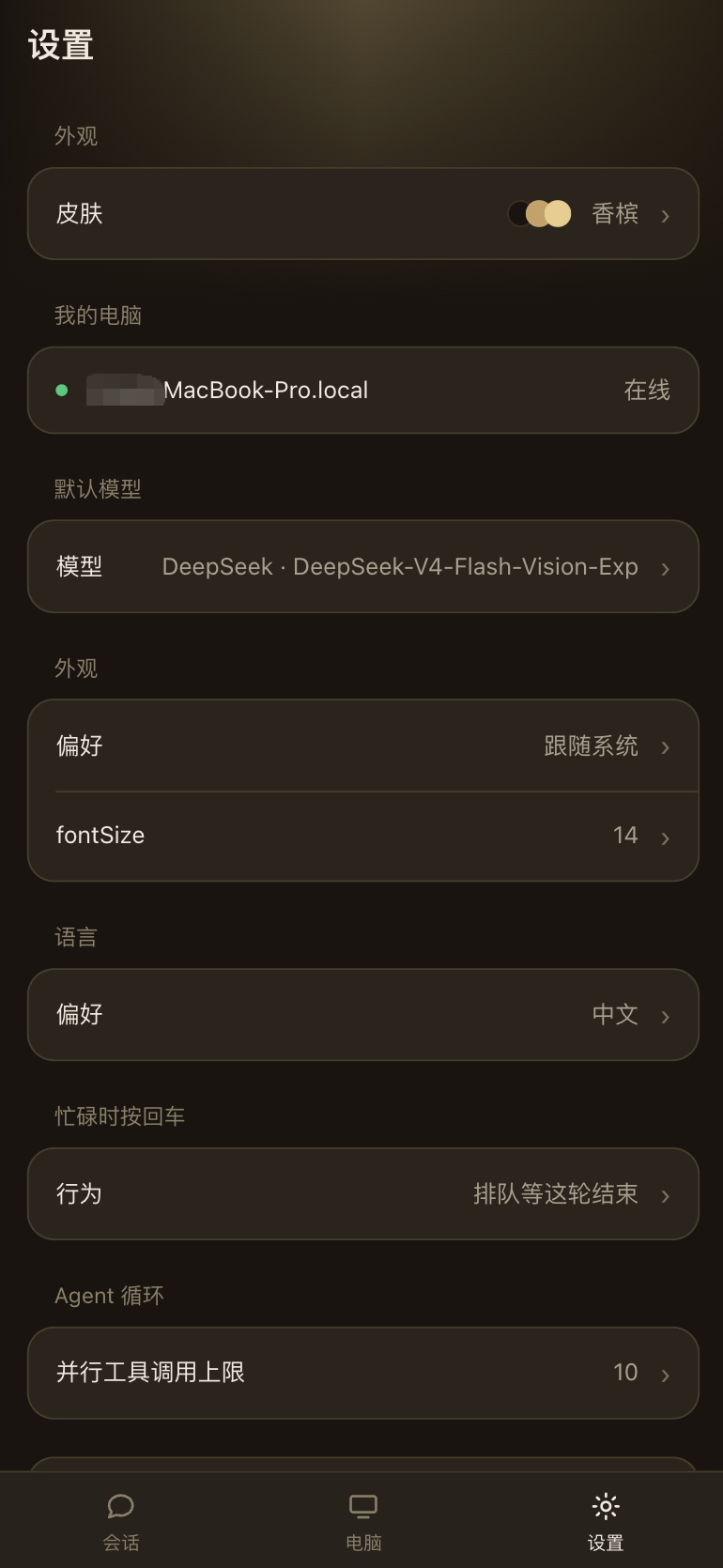
Skin, default model, language and agent-loop preferences — all editable from the phone
Security
- Off by default. Nothing connects until you switch it on and link an account.
- No inbound port. Both the plugin and the phone dial out to the relay, so reaching your machine needs no port forwarding, no tunnel, no NAT traversal — Pocket opens nothing new for anyone to connect to.
- Frames pass through the relay, not into it. Session frames are forwarded in memory; their content is neither stored nor logged.
Linking a machine lets any phone signed into that account approve commands on it. Treat the account as you would an SSH key.
Requirements
| Dependency | Requirement | What happens without it |
|---|---|---|
| DeepSeek Harness | 0.1.2+ |
Earlier versions lack the per-domain controllers and settings section this plugin uses, so it cannot mount |
| profile | The web profile | The linking UI and Settings panel are client UI; headless / tui bundles have no web app, so the plugin never activates |
| Node.js | >= 22.19 |
dsh's own floor; the relay link uses Node's global WebSocket, so the host half carries no runtime dependency |
| account | An A2H Market account | Linking is per-account, and the phone signs in with the same one |
| Network | account.a2hmarket.ai, dsh-pocket.a2hmarket.ai, and the relay (api-prod.a2hmarket.ai) |
All connections are outbound; the machine never listens |
Development
pnpm install
pnpm run check   # types
pnpm run test    # node --test
pnpm run build   # lib/index.js + lib/client.js
Install into a profile with pnpm's link: (not file:, which copies the package and hides later rebuilds):
cd ~/.dsh/profiles/<name> && pnpm add -w link:/path/to/dsh-pocket
lib/ is committed on purpose — git installs run no build step — so run pnpm run build and commit it with your change.
The harness types in types/dsh.d.ts are transcribed by hand — the @deepseek-ai/dsh-client-* chain is not fully published, and these modules are external at runtime anyway. Declare only what is used, and check there first when the host errors.
Related
| dsh-pocket.a2hmarket.ai | The phone frontend. Open it on your phone and sign in |
| dsh-skin-market | Sibling plugin: search and install dsh skins without leaving the browser |
License
MIT © 2026 Science Roam Limited
If this is useful to you, a Star goes a long way
No comments yet. Be the first to write one.