Side Reader
中文
Side Reader 是 DeepSeek Harness(DSH)的右侧栏阅读插件。在侧边栏里打开文档,划词后点按钮,把选中的文字翻译、解释、总结、复制,或直接发到输入框。
功能
- 阅读 PDF、EPUB、Markdown、TXT、XLSX、CSV。上传过的文件保存在浏览器本地,可从历史列表重新打开。
- PDF:缩放、适应宽度,文字可选。
- EPUB:保留书自己的样式和图片,有目录和字号调节。
- Markdown:可渲染(标题、表格、代码高亮、任务列表、脚注等),点眼睛图标切换为带
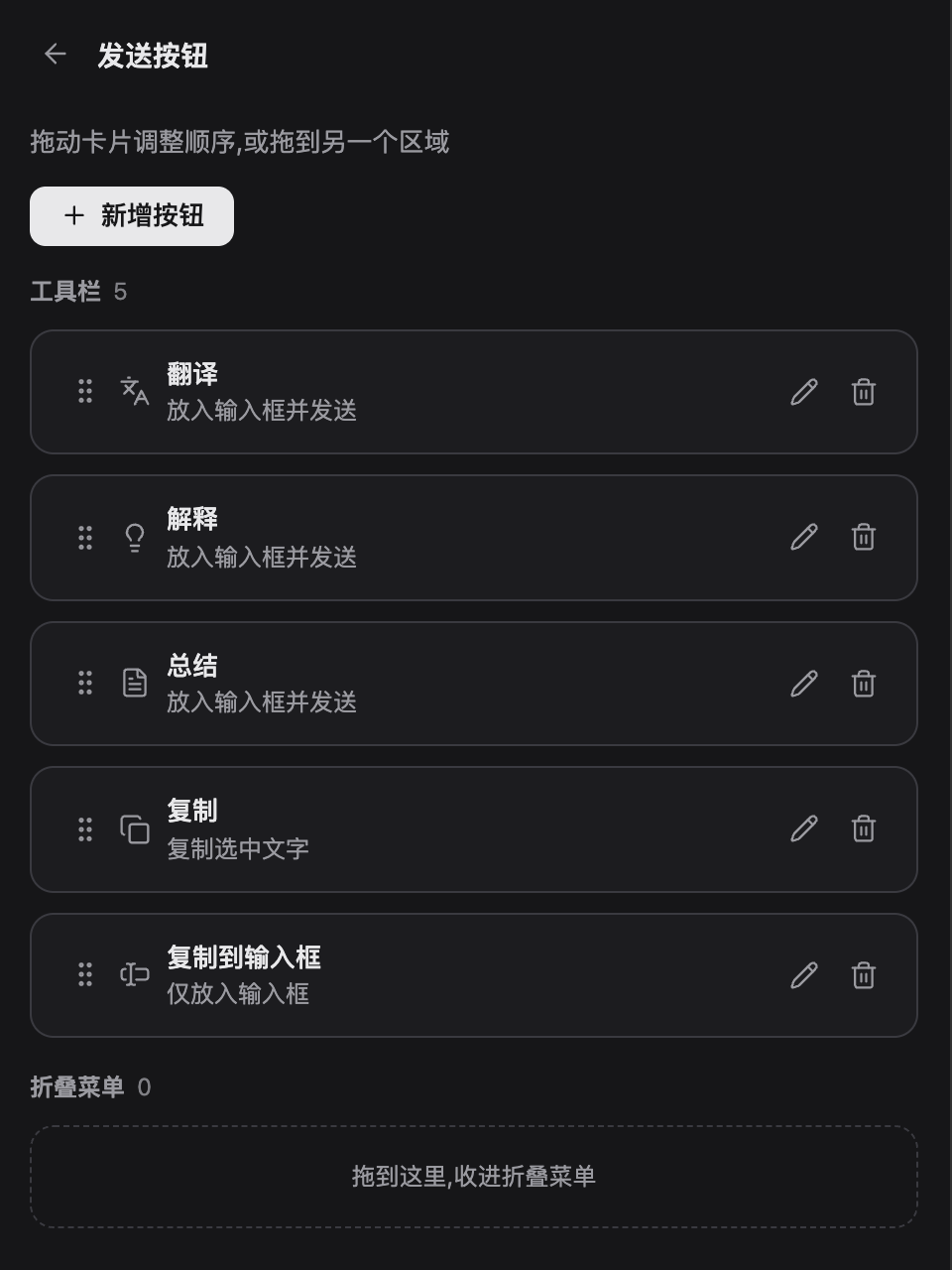
#的源码。 - 划词后弹出工具栏:翻译、解释、总结、复制、发到输入框。按钮可新增、删除、改图标、拖动排序,也可折叠到下拉菜单。
- 文件只在你的浏览器里处理,插件不会上传文件。
截图
| Markdown 渲染与划词 | EPUB 阅读 |
|---|---|
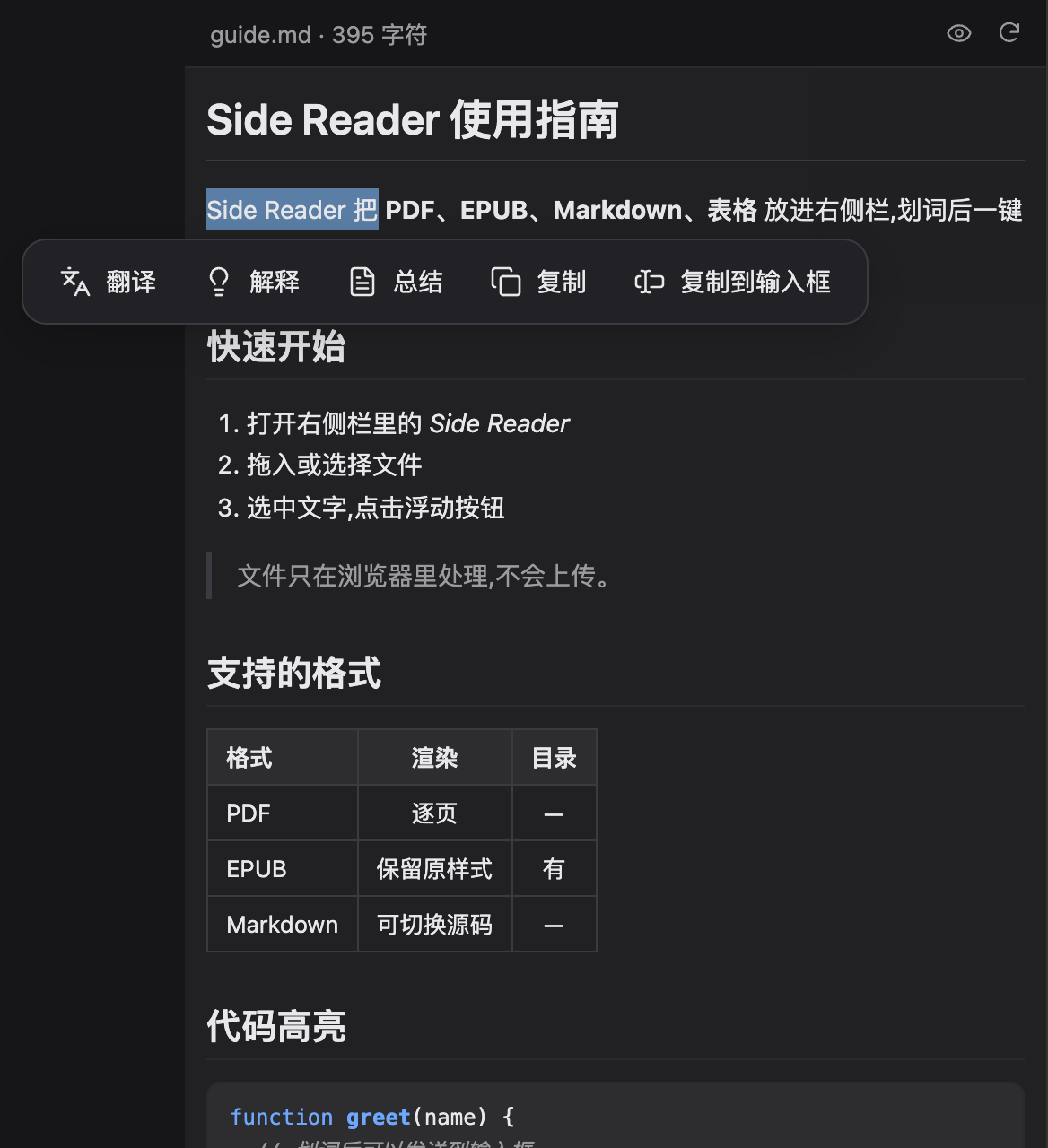 |
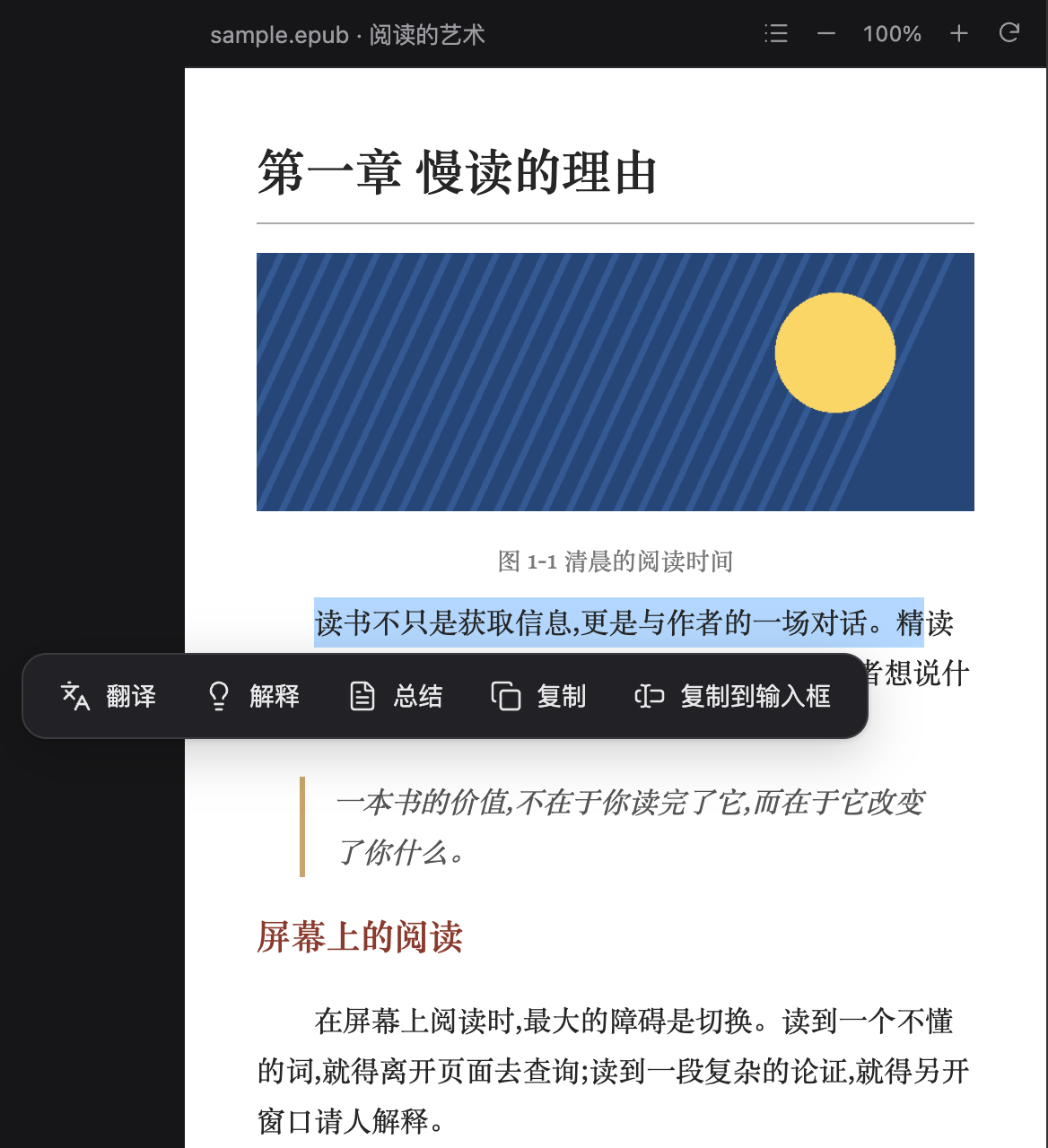 |
| PDF 划词 | 文件历史 | 自定义按钮 |
|---|---|---|
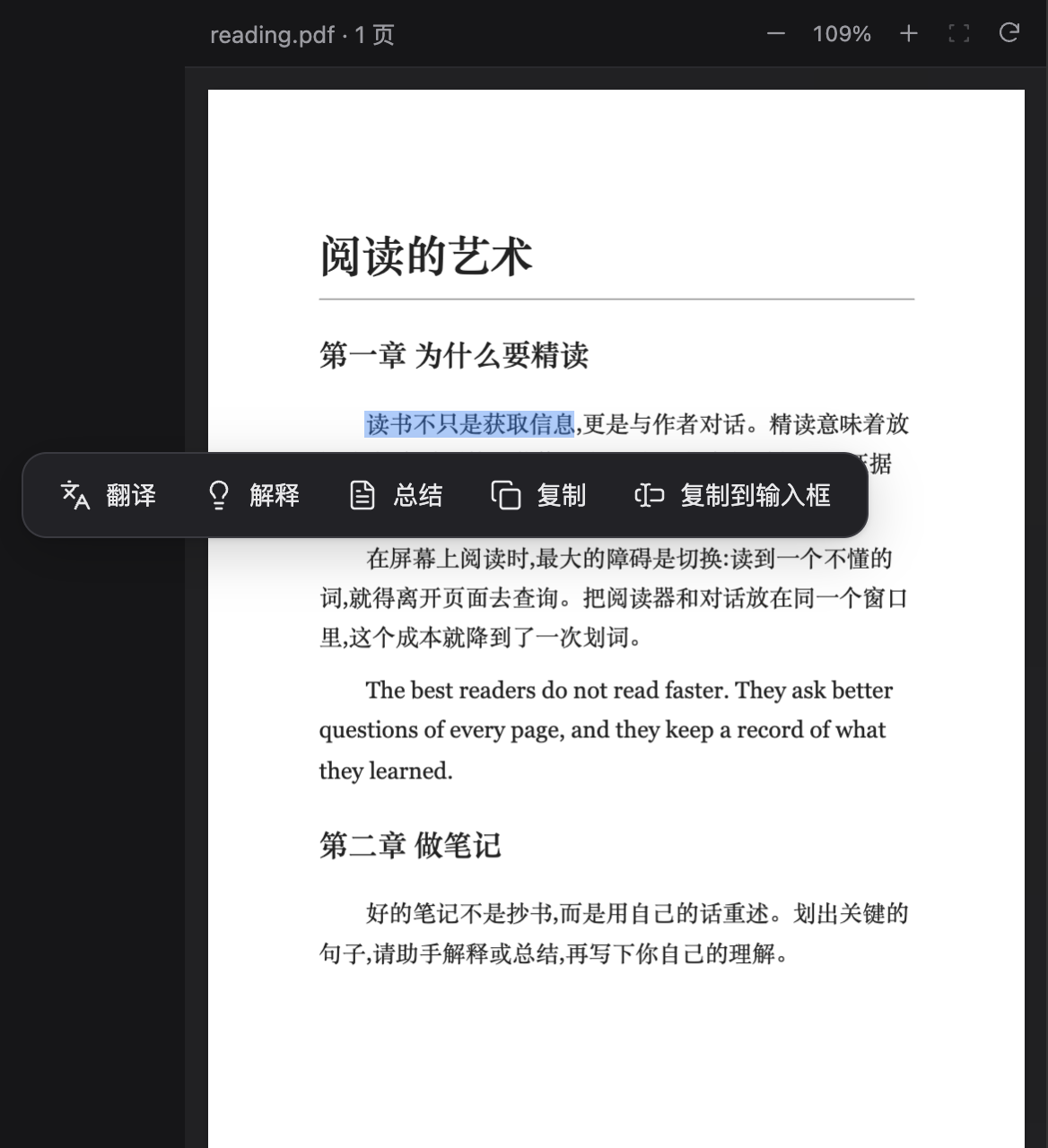 |
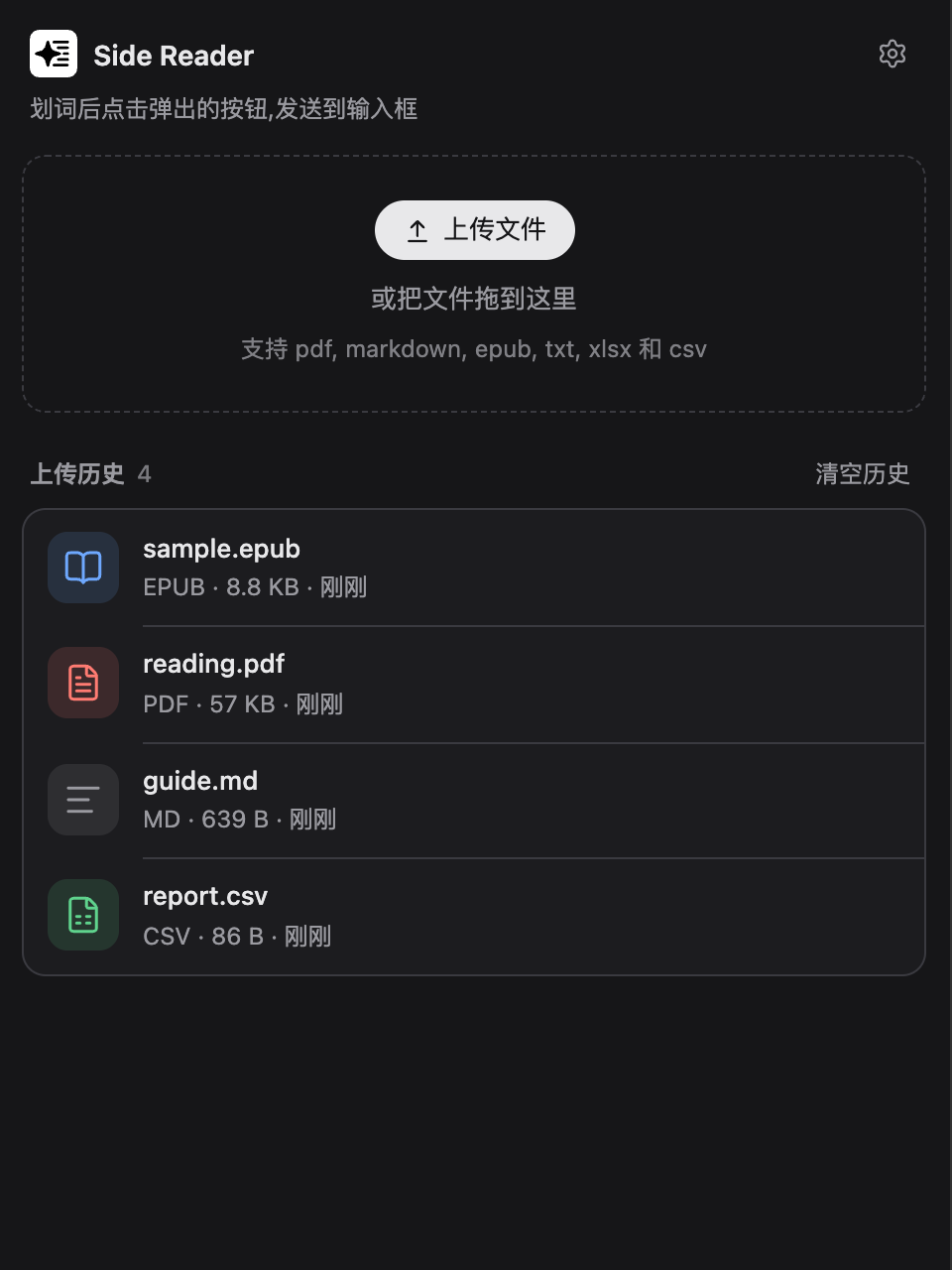 |
 |
安装
桌面版(推荐):打开侧边栏的 Plugins 页,在 Add plugin 里输入包名 dsh-side-reader,安装后启用。不需要命令行,也不用管 profile。
命令行:--profile 是必填项,填你自己的 profile 名。桌面版的保留 profile 叫 desktop,只有在用应用自带的 dsh 命令时才允许这么填:
dsh plugin --profile <你的 profile 名> add dsh-side-reader
从 GitHub 或 tarball 安装也可以,见 DSH 打包与安装文档。本插件不需要构建步骤。
装好后,在右侧栏的“Side Reader”入口里上传文件。Side Reader 不接管 *.pdf 的默认打开方式,只通过自己的入口打开文件。
限制
- 加密(DRM)的 EPUB、固定版式 EPUB 未测试。
- Markdown 不支持数学公式和 Mermaid 图。
- 旧版
.xls能打开,但上传框里没有列出。
许可
MIT,见 LICENSE。
内置的第三方代码保留各自的许可证,文件随包附带:
| 组件 | 用途 | 许可证文件 |
|---|---|---|
| PDF.js | PDF 渲染 | LICENSE.pdfjs.txt (Apache-2.0) |
| SheetJS CE | Excel / CSV 解析 | LICENSE.sheetjs.txt (Apache-2.0) |
| JSZip | zip 读取(以 MIT 许可使用) | LICENSE.jszip.txt |
| Lucide | 图标 | LICENSE.lucide.txt (ISC) |
| marked、marked-footnote、DOMPurify(以 Apache-2.0 使用)、highlight.js | Markdown 渲染 | LICENSE.markdown.txt |
| epub.ts | EPUB 渲染 | LICENSE.epub.txt (BSD-2-Clause) |
English
Side Reader is a right-sidebar reader for DeepSeek Harness (DSH). Open a document in the sidebar, select text, and translate, explain, summarize or copy it, or send it straight to the composer.
Features
- Reads PDF, EPUB, Markdown, TXT, XLSX and CSV. Uploaded files stay in your browser and can be reopened from the history list.
- PDF: zoom, fit to width, selectable text.
- EPUB: keeps the book's own styles and images, with a table of contents and font size control.
- Markdown: rendered view (headings, tables, syntax highlighting, task lists, footnotes and more). The eye icon switches to the raw source with
#marks. - Selection toolbar: translate, explain, summarize, copy, send to composer. Buttons can be added, removed, given another icon, reordered by dragging, or folded into a menu.
- Files are processed in your browser only. The plugin does not upload them.
Screenshots
| Markdown with selection toolbar | EPUB reader |
|---|---|
|
|
| PDF selection | File history | Custom buttons |
|---|---|---|
|
|
|
Install
Desktop app (recommended): open the Plugins page in the sidebar, enter the package name dsh-side-reader in Add plugin, then enable it. No terminal and no profile name involved.
Command line: --profile is required and takes your own profile name. The desktop app's reserved profile is called desktop, and only the dsh command shipped with the app accepts that name:
dsh plugin --profile <your-profile> add dsh-side-reader
Installing from GitHub or a tarball also works; see the DSH packaging guide. The plugin needs no build step.
After installation, upload files from the "Side Reader" entry in the right sidebar. Side Reader does not take over the default handling of *.pdf; files open only through its own entry.
Limits
- DRM-protected and fixed-layout EPUB files are untested.
- Markdown math and Mermaid diagrams are not supported.
- Legacy
.xlsfiles open but are not listed in the upload dialog.
License
MIT, see LICENSE.
Bundled third-party code keeps its own license; the license files ship with the package (table above).
No comments yet. Be the first to write one.