DeepSeek Harness Plugins
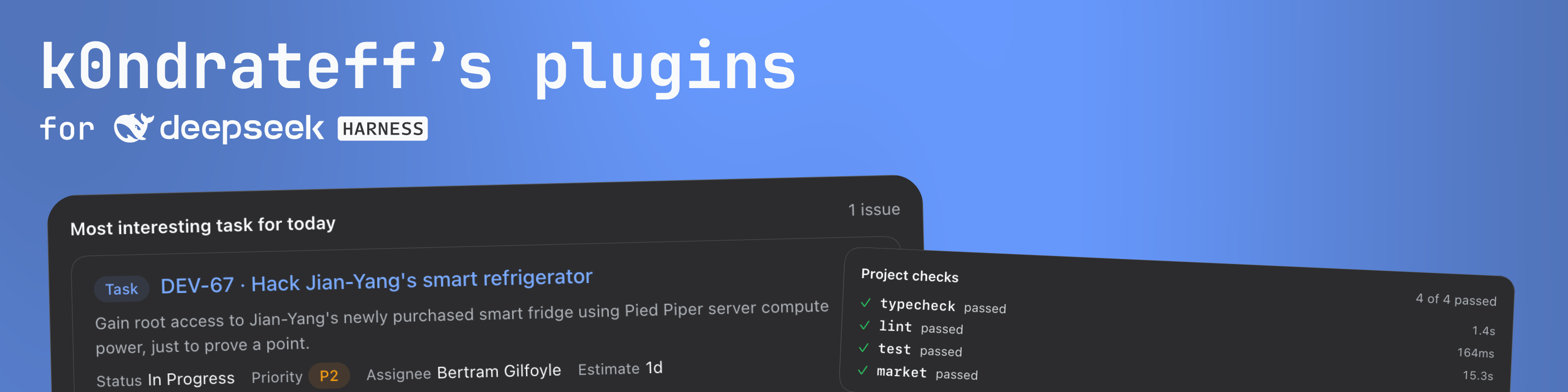
Plugins for DeepSeek Harness. Each one gives the agent a provider's tools and draws what it finds as cards and panels in the Web Client instead of raw JSON: Jira and Confluence, Sentry, GitLab, Figma, and a real browser for checking UI work.
A plugin connects however its provider allows — a browser OAuth flow, a personal
token the user pastes, or no credential at all for a server on the same machine.
Built against DSH 0.2.1-rc.2; every package is on npm.
Install
Install all plugins at once — Plugins → Add plugin → dsh-workflow-plugin.
Add the market index as a source — the sidebar Plugins page, then Discover, with
@deepseek-ai/dsh-experimental-plugin-market-bundle turned on:
https://k0ndrateff.github.io/dsh-plugins/market.json
dsh-workflow-plugin is the shortcut: it depends on seven bundles and
mounts a row for each, so one install gives you all of them. Install it
instead of the individual bundles, not beside them — two profile layers
inserting a row with the same id is a duplicate the loader refuses.
Or install one bundle straight from npm:
dsh plugin --profile <profile> add dsh-sentry-plugin
An individual bundle carries its own settings card. When the suite's Integrations
page is not installed, the card appears as its own Settings section instead; add
dsh-integrations-plugin to group every connection on one page.
Discover keeps the index it read, and the entry it holds names one exact version, so after a new release reload the page — otherwise it keeps offering the version it fetched.
[!WARNING] All plugins are in active development. Each version may contain breaking changes, be unstable, or have security vulnerabilities. Use them at your own risk.
Packages
| Package | What it is |
|---|---|
dsh-atlassian-plugin |
Jira and Confluence, over Atlassian's remote MCP server |
dsh-sentry-plugin |
Sentry errors, with an issue panel |
dsh-gitlab-plugin |
Merge requests, review threads and pipelines, over REST |
dsh-figma-plugin |
A frame, its variables and its Code Connect mapping, from the local Dev Mode server |
dsh-browser-plugin |
A real browser the agent drives to check its UI work, one browser per session, live in the side panel |
dsh-integrations-plugin |
The one Settings page the connection cards appear on |
dsh-devkit-plugin |
The project's own lint, typecheck, test and build recipes |
dsh-workflow-plugin |
Every bundle above behind one profile entry |
dsh-mcp-oauth |
OAuth for MCP servers, and the authenticated bridge |
dsh-integration-host |
Host-half shell: endpoint patch, sign-in state, settings route, slash command |
dsh-integration-ui |
Browser-half shell: panel body, result card, tool row, settings card, stylesheet |
dsh-plugin-build |
The build every plugin runs |
The last four are libraries: a plugin bundles them from source, so nothing installs them at runtime.
Plugins
Atlassian. The tools of https://mcp.atlassian.com/v1/mcp become ordinary
harness tools (mcp__atlassian__searchJiraIssuesUsingJql, getJiraIssue,
searchConfluenceUsingCql, …) with the normal permission and approval pipeline.
atlassian_present shows an issue, a shortlist or Confluence pages as a card;
clicking a row opens the issue in the right panel, where a status transition and
an assignee can be changed. /atlassian status|login|logout|sync.
Sentry. mcp.sentry.dev/mcp over the same OAuth library. sentry_present
shows a search or a list of issue ids with status, assignee and event counts;
clicking one opens the whole issue — stack trace, code location, suspect commit,
tags — with Resolve, Ignore, Reopen and Assign. /sentry status|login|logout|sync.
GitLab. The REST API with a personal access token, not MCP: GitLab's MCP
endpoint is off unless an Owner of the top-level group turns it on, and its tokens
carry the single scope mcp, which no REST call accepts. The agent reads GitLab
with gitlab_list_merge_requests, gitlab_get_merge_request (description, diff,
review discussions, newest pipeline), gitlab_get_job_log and gitlab_read for
any other GET — issues, commits, branches, search — instead of reaching for glab
and hunting for a token in the shell. gitlab_present shows merge requests,
review findings and failed jobs as a card; the panel has Overview, Diff,
Discussions and Pipeline sections. gitlab_review comments, replies, resolves and
approves — every one of those changes somebody else's merge request, so it answers
with the exact text it would post until the call carries confirm, and the panel
shows the same draft with a Send button. /gitlab status|login|logout|sync.
Figma. The Dev Mode MCP server the desktop app serves on
http://127.0.0.1:3845/mcp — no sign-in and no token, so the settings card
reports the connection instead of asking for one. figma_present answers the
model with a node's structure, variables and Code Connect mapping as text, and
shows the person the frame itself: a screenshot costs far more context than the
numbers beside it. The panel opens on the node by itself when a live call settles.
/figma status|login|logout|sync.
Checks. The project's own lint, typecheck, test and build commands become the
checks tool. Recipes live in dsh-checks.json at the project root, so the
repository owns the command and the agent only names it — checks, or checks test. A command line is never accepted; that is what bash is for. The card
carries each check's counts, duration and failures, and a failure row is a
file:line that opens the file in the panel. Parsers: tsc, biome, eslint,
vitest, jest, pytest, generic. /checks lists the recipes, /checks init
prints a draft from package.json without writing it.
Browser. A real Chrome the agent drives for one conversation: browser_open,
browser_snapshot, browser_act, browser_read, browser_run,
browser_screenshot and browser_close. The page shows up live in the right
panel as the agent works — frames, addresses, tabs and the commands behind them —
and the person at the panel can click, type, scroll and navigate on the same page.
/browser prints the state; the plugin is configured on the Plugins page under
its own row (executable, timeouts, a visible window, a reusable Chrome profile,
the CLI's domain allowlist and the live view's frame size).
Configuration
A bundle's patch inserts one row with its defaults; override it in
$DSH_HOME/profiles/<name>/cordis.patch.yml:
- id: atlassian
  config:
    endpoint: https://mcp.atlassian.com/v1/mcp
    redirectPort: 8143
    debug: false
- id: sentry
  config:
    endpoint: https://mcp.sentry.dev/mcp
    redirectPort: 8144
    debug: false
- id: gitlab
  config:
    endpoint: https://gitlab.com
    debug: false
- id: figma
  config:
    endpoint: http://127.0.0.1:3845/mcp
    debug: false
endpoint is the MCP resource or, for GitLab, the instance root every call is
made under. redirectPort is the first loopback port tried for an OAuth callback;
the next free one is used if it is taken. debug logs the raw payload of every
tool result.
Disable one plugin without uninstalling anything:
- id: figma
  disabled: true
Development
bun install
bun run build        # package, or the whole workspace from the root
bun run typecheck
bun run test
bun run format       # biome
From the root, bun run market rewrites docs/market.json and bun run market --check fails when the committed index no longer describes the packages. Publish
times are not compared: they move the moment a version is released, which is the
same moment the file is committed, so they would redden every push. Releases
go through changesets:
bun run changeset        # describe what changed
bun run version-packages # apply the bumps
bun run release          # publish, then regenerate the index
The libraries are published too: a published plugin's devDependencies name them
by version, and the versions a release records have to exist.
How to work in this repository — AGENTS.md. What is planned, and why, and what was measured on the way — docs/roadmap.md.
Limits
- The card and panel copy is English. It goes through neither the client locale service nor the provider's language. This is an accepted decision for now, not an oversight: a locale bundle is a separate release, and a half-English UI would be worse than one language everywhere.
- One tool name is deliberately short.
checkskeeps its product name rather than adsh_*prefix; the prefix is a namespace for provider tools, not a requirement for the suite's own tools. - The local
/dsh-*routes trust the machine. Cross-origin writes are refused by the page header and an origin check, but any local process can forge that header. These routes do write to providers: a Jira transition or assignee, a Sentry status, a GitLab review action, and clicks in the agent's browser. - GitLab's MCP server needs a group switch. It is off unless an Owner of the top-level group turns it on, and its tokens work only at the MCP endpoint; that is why this plugin drives REST.
- GitLab writes need the
apiscope.read_apicovers the reads only. - Figma's desktop app has to be running, and Figma is connected locally only:
the remote server's dynamic registration answers
403to anonymous callers, and its single scope is not one a self-made Figma app can request. - Code Connect shows what the file already has; the panel reads mappings and does not create them.
- A job's trace is cut to its last 64 KiB in the panel and 32 000 characters
for the agent, a diff is cut at 48 000 characters and
gitlab_readat 32 000 characters; and a merge request list carries no pipeline status — GitLab's list endpoint does not send it.
No comments yet. Be the first to write one.