READMESource: main@0f4fe86b
Context Bridge
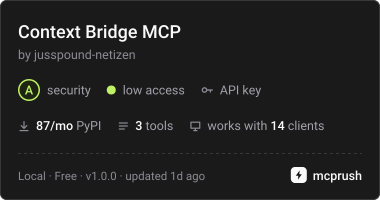
Context Bridge - one MCP endpoint for all your dev tools
Problem:
- Tool sprawl across Jira, Sentry, GitHub, and CI systems.
- Context fragmentation makes it hard for AI agents to operate across tools.
- AI agents are currently blind to critical development context (Jira tickets, Sentry alerts, CI status).
Setup:
pip install -r requirements.txt(or necessary dependencies)- Set required environment variables (e.g., API keys for Jira/Sentry).
- Add the running MCP server endpoint to your AI environment (e.g., Claude Code or Cursor) as a custom MCP server.
Quick Start
To run the server:
python server.py- Ensure required environment variables are set.
Example
A sample response from get_jira_ticket:
{"id": "PROJ-123", "summary": "Fix login bug", "status": "In Progress"}
Tools:
| Tool Name | Description | Status |
|---|---|---|
get_jira_ticket |
Fetches a Jira ticket by issue key via the Jira REST API. | Yes Implemented |
get_sentry_issues |
Lists unresolved Sentry issues by project slug. | Yes Implemented |
get_github_actions_runs |
Checks CI/CD status for a repo. | Yes Implemented |
License: MIT
Related projects
- ghost-tracer - local-first observability for AI agents
- ghost-reason - trace your agent's reasoning
- agent-cost-auditor - audit an agent's log for wasted tokens
- Agensi storefront - ready-to-use AI skills for Jira, Sentry, and DevOps
Ready-to-use Agent Skills
Want your AI agent to use these tools automatically? Get the Dev Context Connector skill on Agensi. It includes the exact setup instructions and configuration templates for Claude Code, Cursor, and other MCP clients.
No comments yet. Be the first to write one.