DSH Build Servers
English | 中文
A DeepSeek Harness bundle for working with remote build machines from inside a conversation: bind one server to the current session, upload local source, run configure → build → install → test, watch the result, and open an SSH shell without leaving the chat.
Status: v1.2.0. The bundle is tested against a Red Hat Enterprise Linux 8 build host from Windows. It is not a CI system; it is a small, inspectable bridge to one machine at a time.
Features
- Network-only server panel — name, SSH target/alias, port, authentication mode, enable/disable, live OS/IP probe. No paths or commands are stored on the server entry.
- Key or password authentication — key mode uses ssh-agent and your SSH config by default, or one key file picked per server from
~/.ssh(or typed as a path) and passed as-iwithIdentitiesOnly=yes. Password mode hands the password to OpenSSH through a short-livedSSH_ASKPASShelper in a private temp directory, so it never appears on a command line; the password itself is stored as plaintext in the local config file and is never returned to the browser. - Per-session binding — each conversation binds one server. New sessions start as Local; pick a server from the composer picker next to the permission control. A workspace still records the last server used, but no longer inherits it automatically.
- Session compile settings — local source directory, sync path (where the source is copied), build path (where the stage commands run, defaulting to
<sync path>/build), upload excludes, and theconfigure/build/install/testcommands are stored per session. Empty stage commands fall back tocmake ..,cmake --build . -j$(nproc),cmake --install ., andctest. - Upload → configure → build → install → test — local
tarpiped intossh … tar -x, followed by the configured stages throughbash -lc; stops at the first failure and can be stopped mid-stage. Live stage status, exit codes, durations, and output. - SSH terminal — a persistent
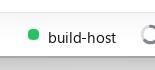
ssh -tt … bash -lper server, shared by the UI, the terminal tabs, and the agent tools. Line mode (no full-screen TUI). The right sidebar guide also has a New remote terminal card that opens this session's build-server shell in a tab. - Conversation status chip — appears only when a server is bound: the original green status light plus the current state (Ready, Upload, Configure, Build, Install, Test, Reconnecting, Disconnected); clicking opens an in-place status popover with load, memory, disk, uptime, and a state strip. Local sessions show no chip.
- Agent tools —
build_server(status/run/pipeline/stop) andremote_terminal(list/open/send/read/close), so the model can drive the same server and shell as the UI.
Architecture
flowchart LR
  subgraph Page["DSH Web page"]
    Panel["Build servers panel<br/>network entries + probe"]
    Chip["Composer status chip<br/>+ status popover"]
    Picker["Composer server picker<br/>Local / build server"]
  end
  subgraph Host["dsh Host process"]
    Route["HTTP route /build-servers"]
    State["Server store<br/>session bindings<br/>session settings"]
    Jobs["Probe cache<br/>pipeline jobs<br/>terminal sessions"]
    Tools["Agent tools<br/>build_server · remote_terminal"]
  end
  Build["Remote build host<br/>OpenSSH + POSIX shell"]
  Page -->|same-origin fetch| Route
  Route --> State
  Route --> Jobs
  Tools --> Jobs
  Jobs -->|ssh / tar| Build
The browser never talks to SSH directly: every operation goes through a same-origin Host route, and the Host owns the server list, probes, pipelines, and terminals.
Requirements
- A DeepSeek Harness installation with the Web UI and
plugin_manager(this bundle targets the 0.2.x bundle API). - A local OpenSSH client (8.4 or newer for
SSH_ASKPASS_REQUIRE; the Windows system OpenSSH 9.x works). Key authentication usesBatchMode=yeswith your ssh-agent, your SSH config, or the key file selected for that server, and needs a known host key; password authentication uses a one-shotSSH_ASKPASShelper and trusts a new host key once (StrictHostKeyChecking=accept-new) but still rejects a changed one. taron the local machine and on the build host.- A POSIX shell on the build host (
/proc,hostname,sed,awk,find,df,gitare used opportunistically).
Install
From npm (follows the newest stable release):
plugin_manager install_bundle
  target: dsh-build-servers@latest
From a checkout of this repository:
plugin_manager install_bundle
  target: D:\path\to\dsh-build-servers
Or, after pushing a commit:
plugin_manager install_bundle
  target: git+https://github.com/ji-tz/dsh-build-servers.git#<commit>
If the package lives in a subdirectory of a larger repository, append &path:/build-servers to the Git spec.
The plugin is enabled immediately. If the sidebar or composer does not show the new entries, reload the page once (Ctrl+R); the client half is served as a bundle.
From a plugin market index
This repository ships a format-1 market index at market/index.json. Add its raw URL in Settings → Plugins → Discover (the experimental plugin-market bundle must be enabled):
https://raw.githubusercontent.com/ji-tz/dsh-build-servers/main/market/index.json
The index points at the npm registry version.
Use
- Open the left sidebar's Build servers panel and add a server: display name, SSH target (alias /
user@host/ IP), optional port, and authentication — SSH key (keep the default, pick a key discovered under~/.ssh, or type a custom path) or an SSH password. - In a new session, use the compact picker next to the permission chip in the composer toolbar to choose a build server (Local by default). Open Compile settings from the status popover: local source path (defaults to the current workspace), sync path, build path (defaults to
<sync path>/build), upload excludes, and the stage commands. - With a server bound, a status chip appears below the composer showing the status light plus Ready / Upload / Configure / Build / Install / Test / Reconnecting / Disconnected. Local sessions have no chip. Click it for load/memory/disk and the state strip; its Compile settings button opens this session's project settings.
- Compile settings is also one click away on the right of the bound server row in the composer picker menu. Build-server network entries live only in the left Build servers panel. Agent tools use the same binding.
Storage
The plugin keeps its state under ~/.dsh (or %USERPROFILE%\.dsh on Windows):
| File | Contents |
|---|---|
build-servers.json |
Network entries: id, name, target, port, enabled, auth, the selected identityFile for key auth, and — for password auth — the plaintext password |
build-server-bindings.json |
Per-session bindings and per-workspace last-used server |
build-server-settings.json |
Per-session paths, excludes, and stage commands |
The password is write-only through the HTTP route: GET /servers reports hasPassword, never the value. Leaving the password field empty while editing keeps the stored password; switching the server back to key auth deletes it.
Nothing is written to the remote machine except the uploaded source and whatever the configured commands do.
Security
- All SSH traffic uses your local OpenSSH configuration and agent for key auth. The Host reads
~/.sshonly to list candidate key filenames, types, and passphrase flags for the picker — key material is never sent to the browser — and the selected path is passed tossh -iwithIdentitiesOnly=yes. In password mode the Host writes a0600password file plus a one-shotSSH_ASKPASSscript under a private temp directory, passes only the script path to OpenSSH, and deletes both when the connection ends. The password is stored as plaintext in~/.dsh/build-servers.jsonand is never sent back to the browser, so protect your profile directory. - Password mode accepts an unknown host key on first use (
StrictHostKeyChecking=accept-new); if you need strict first-connect verification, pre-trust the host withssh user@hostbefore adding it. - The Host route is bound to the same local Web server as the UI, requires a same-origin marker header for mutations, and is not reachable from other origins.
configure/build/install/testand the terminal run arbitrary commands with your SSH identity. Only add machines you trust, and keep the stage commands and shell contents under review.- The
remote_terminalandbuild_servertools execute without an extra approval prompt. If you need approval, add actx.tools.guard()or gate the tools in the preset.
Limitations
- The terminal is line-oriented; full-screen applications (
vim,top) are not supported. - Password auth trusts a new host key on first use (
StrictHostKeyChecking=accept-new) and writes it to your normalknown_hosts; a changed key fails with a clear error. Passwords cannot contain newlines or NUL bytes. On Windows the temporary askpass helper is a.cmdin%TEMP%and is removed after the connection closes. - Selected keys must be OpenSSH-format files. A passphrase-protected key is listed with a
passphrasemarker but cannot be used unattended (BatchMode=yes): load it into ssh-agent and keep the default key option, or point the server at an unencrypted key. - The status popover and the build dialog use frame-level overlays; they are positioned from the chip's bounding box and close on outside click /
Escape. - The bundle is published as
dsh-build-serverson npm;1.2.0is the current stable release (it includes the password-authentication work from1.1.0, which was not published;1.0.1declaredengines.dsh,1.0.0was the first). The GitHub repository remains the source of truth. - Host helper tests run with Node; the UI has no automated tests.
Development
The bundle is plain JavaScript; there is no build step.
| File | Role |
|---|---|
index.js |
Host half: HTTP prefix route /build-servers, SSH probes, upload, pipeline, terminals, agent tools |
client.js |
Browser half: sidebar panel, status chip, dialogs, menus, terminal UI |
cordis.patch.yml |
Loader row inserted into the profile |
DESIGN.md |
Architecture and design notes |
market/index.json |
Format-1 plugin market index for the Discover tab |
test/host.test.js |
Node tests for the pure Host helpers |
docs/status-chip.png |
Status chip screenshot used above |
locale/*.json |
Plugin Manager metadata (title/description) |
icon.svg |
Bundle icon |
Run the tests with:
npm test
After editing, reload the plugin from Plugin Manager (toggle it off/on) and refresh the page. The Host reads index.js at activation; the browser reads the served Client bundle on page load.
License
MIT — see LICENSE.
No comments yet. Be the first to write one.