Amadeus QQ

简体中文 · Detailed configuration · Issues
QQ conversations with persistent DSH Sessions and explicit Scene permissions.
Target package: @fg-lab/amadeus-qq@1.2.1. Tested runtime baseline: official DSH Desktop 0.2.1-rc.3. MIT licensed.
Release status
1.2.1 is published: GitHub Release · npm. Install the pinned version and verify the release checksum. Later main changes do not change this immutable archive. See publishing policy.
What you can do
- Connect an existing local NapCat instance to authorized groups and private chats, each with a persistent DSH Session in your Workspace.
- Continue a current conversation using read, wait, mark-read and guarded sends; deduplicate delivery attempts and preserve Session history across ordinary configuration edits.
- Handle supported text, mentions, replies and media through capability-specific checks. Provider-dependent features remain conditional.
- Choose Observe, Safe Chat, Enhanced or Autonomous Social presets; trusted administrator private chats may use Owner Agent. Global denials and QQ platform permissions always apply.
- Manage account/profile operations and optional QQ Space capabilities on their separate account page. Availability depends on the actual provider and configured grants.
- Pause NapCat listening for handoff to another application. QQ owns current conversations; optional Life owns long-term wake scheduling.
Example: authorize a test group in Observe, inspect inbound status, then select Safe Chat when ready to allow replies. Use the Web Console to inspect effective permissions instead of assuming that a preset grants every tool.
NapCat is not bundled: this plugin does not install, log in to or host NapCat. An unconfigured installation sends nothing. Dangerous tools are not enabled by default. Memory, Life, State and Persona are optional; QQ does not grant access to their private data merely by receiving a message.
Install and configure
Install the prebuilt .tgz with the official DSH plugin manager into your selected Profile. No local source build is required. Follow installation instructions; do not copy configuration into a running Profile by hand.
Connect NapCat, choose a Workspace, set the Owner QQ number and authorize individual Scenes. Start with Observe.
The other Amadeus plugins are optional. Install only the integrations you need.
Interface
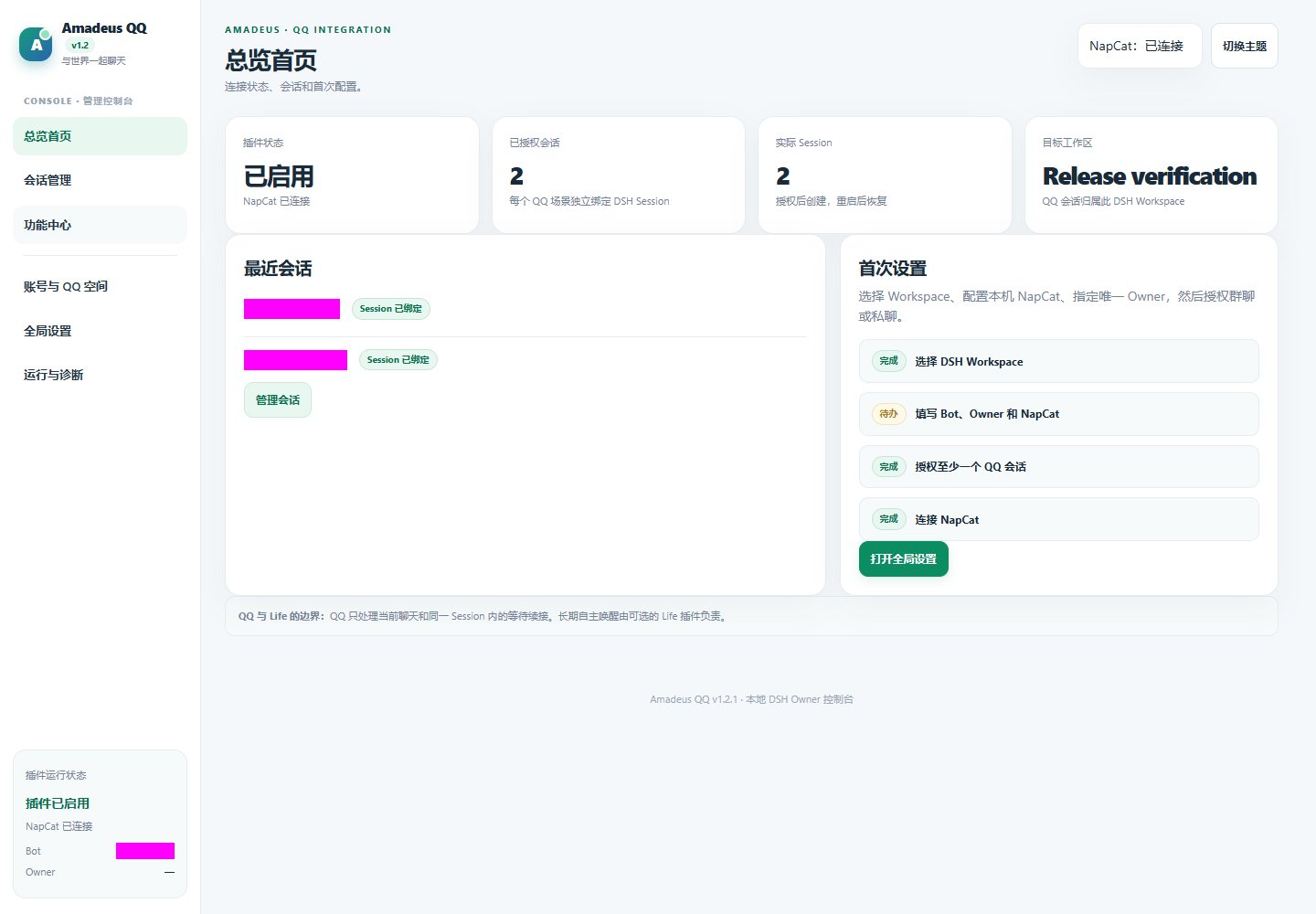
This is a recorded interface screenshot, not evidence that every real platform capability passed the current release gate. See the detailed reference and verification reports for limitations.
Upgrade and recovery
Back up user data before upgrading. Code, persistent user data and recovery backups are separate. Disable stops functionality; uninstall is intended to retain external data. Restoring old code alone does not reverse a database migration.
Ecosystem and license
The 2026-11-06 development increment adds conservative recovery of a persisted scene binding only when the official Host confirms its Session is missing. See current verification; lookup errors and Workspace mismatches never trigger an identity rebuild.
No comments yet. Be the first to write one.