dsh-version-plugin
English | 中文
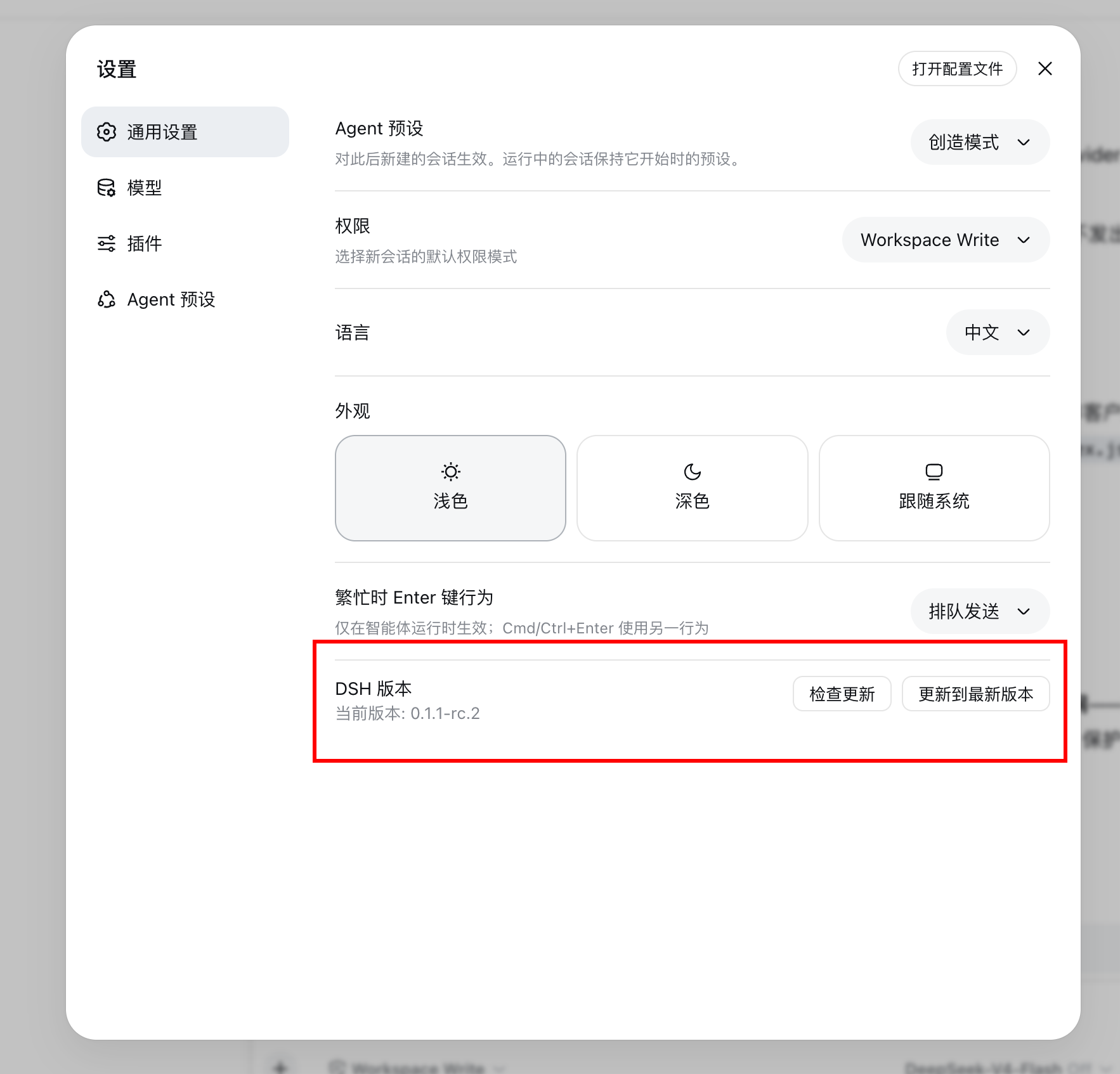
A DSH (DeepSeek Harness) web-mode plugin: shows the current DSH version at the bottom of the settings dialog's "General Settings", with buttons to check for updates and update to the latest version.
Installation
Install from npm (recommended)
The published npm package ships prebuilt browser assets, so no local build permission is required:
dsh plugin --profile web add dsh-version-plugin
Install from GitHub
You can also install the source directly from the git repository. The prepare script builds the browser assets automatically after install:
dsh plugin --profile web add github:hotpot-labs/dsh-version-plugin
pnpm ≥10 blocks build scripts of git dependencies by default. After the first add fails, authorize this package's build in the profile's pnpm-workspace.yaml, then re-run the add command above:
allowBuilds:
  dsh-version-plugin: true
Authorizing
allowBuildsallows this package's source to execute build scripts on your machine during install. Consider pinning to a specific commit:github:hotpot-labs/dsh-version-plugin#<sha>.
Install locally
From the directory containing this plugin, install it into the profile as a local bundle:
dsh plugin --profile web add ./dsh-version-plugin
Usage
After installation, start in web mode:
dsh --profile web web
Open the settings dialog → General Settings, and you will see a "DSH Version" row at the very bottom:
- Check for updates: queries the npm registry for the latest version of
@deepseek-ai/dsh. - Update to latest: runs
npm install -g @deepseek-ai/dsh@latestand shows the command output.
Features
- Reads the installed
@deepseek-ai/dsh'spackage.jsonon the host side to get the current version. - Adds a "DSH Version" row at the bottom of Settings dialog → General Settings in dsh web mode.
- One-click query of the latest
@deepseek-ai/dshversion on the npm registry. - One-click global update, with the command output shown faithfully in the UI.
Development
How it works
- The host side (
src/index.ts) reads the installed@deepseek-ai/dsh'spackage.jsonfor the current version, and exposes three RPC endpoints viactx.connection.rpc.handle('/dsh-version', ...):getInstalledVersion,getLatestVersion,updateToLatest. - The browser side (
src/client.tsx) renders the "DSH Version" row at the bottom of General Settings, calling the host-side endpoints over the RPC channel for queries and updates.
Directory structure
dsh-version-plugin/
├── package.json          # Plugin metadata, dsh.client/dsh.bundle declarations
├── cordis.patch.yml      # Plugin layer registration
├── src/index.ts          # Host entry: version reading + /dsh-version RPC channel
├── src/client.tsx        # Browser source: General Settings row
├── lib/                  # Build output (gitignored)
│   ├── index.js
│   └── client.js
├── scripts/build.mjs     # Build script
├── tests/safety.mjs      # Structure and export checks
└── tsconfig.json         # TypeScript config
Build and test
npm install
npm run build       # emits output to lib/
npm run typecheck   # type checking
npm test            # structure and export checks
npm pack --dry-run  # confirm the tarball only contains lib/ + patch + README
FAQ
Q: After clicking "Update to latest", the dsh in my workspace didn't change?
"Update to latest" uses the global install command npm install -g @deepseek-ai/dsh@latest. If your current dsh runs from a pnpm workspace or local source, that command only updates the global npm package and won't touch the workspace source; the UI faithfully returns npm's output.
Q: Error or missing build output when installing from GitHub?
pnpm ≥10 blocks build scripts of git dependencies by default. Authorize allowBuilds for this package in the profile's pnpm-workspace.yaml and reinstall (see "Installation → Install from GitHub").
Q: The version shown in the UI didn't change after updating?
Restart the web process, refresh the page, then click "Check for updates" once more to confirm.
No comments yet. Be the first to write one.