dsh-prompt-history-plugin
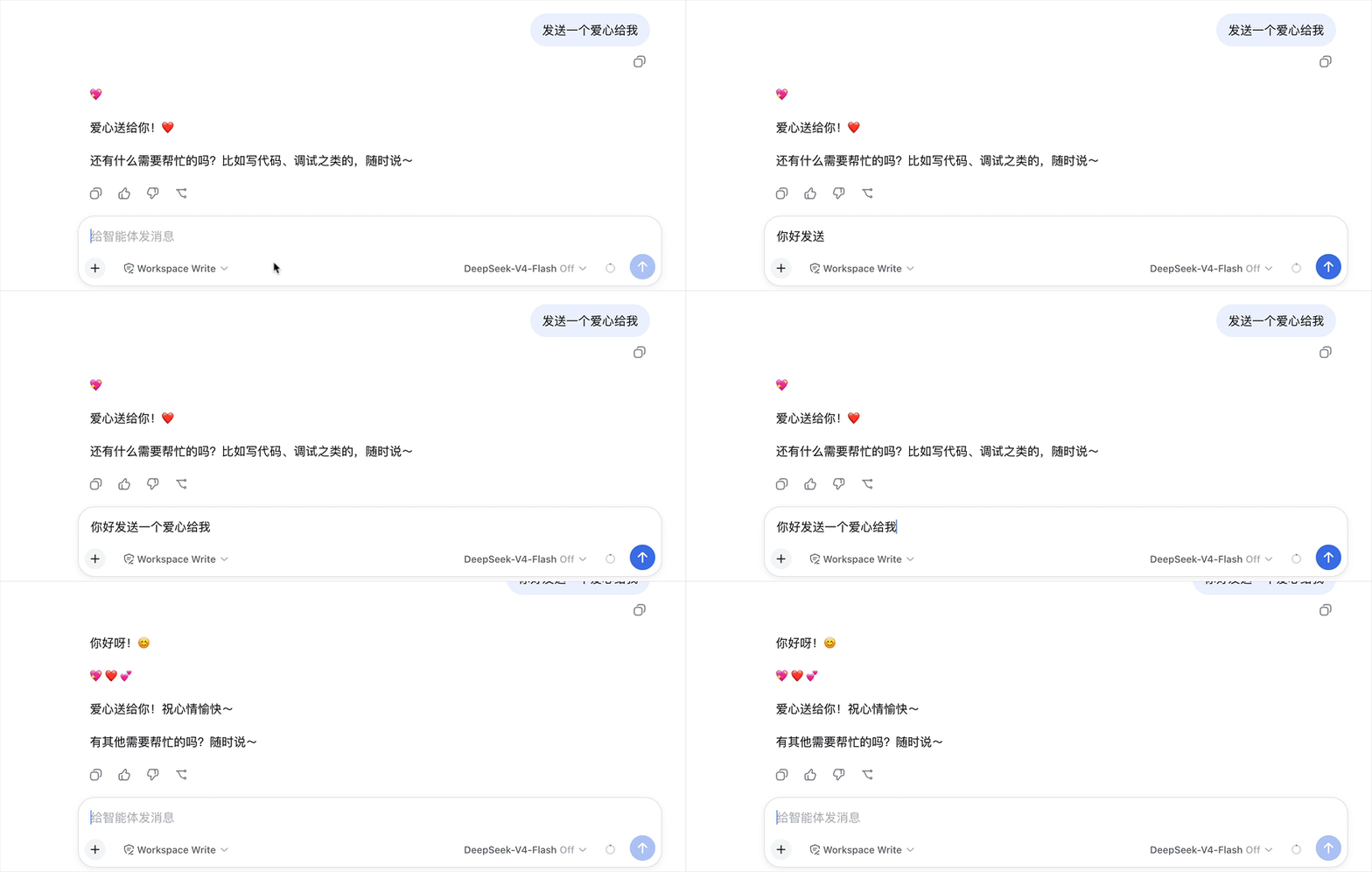
Prompt history navigation for DeepSeek Harness (dsh) web. In the conversation composer, press ↑ / ↓ to browse prompts you have submitted before and fill them back into the input — just like shell history. History is stored locally in your browser (localStorage) and shared across sessions.
Installation
From npm (recommended)
dsh plugin --profile web add dsh-prompt-history-plugin
From GitHub
dsh plugin --profile web add github:hotpot-labs/dsh-prompt-history-plugin
Usage
- Open any conversation in dsh web.
- With the composer empty — or with the caret at the very beginning — press ↑ to fill in your most recent prompt; keep pressing ↑ to walk further back, and ↓ to walk forward again.
- With text in the composer, the first ↑ simply moves the caret to the beginning (default behavior); press ↑ again to enter history navigation. Your unfinished draft is stashed on entry.
- Press ↓ past the newest entry to restore the stashed draft (or an empty composer) and leave history navigation.
- While navigating, pressing any printable key, Enter, Backspace or Escape exits navigation mode (the key itself still works as usual).
Features
- Shell-style history navigation: ↑ for older, ↓ for newer, with readline-style stashing — your in-progress draft survives a round trip through history.
- Automatic recording: every prompt actually accepted by the host is recorded — regardless of whether you submitted it with Enter or the send button.
- Cross-session persistence: history lives in
localStorage(keydsh-prompt-history:v1), capped at 100 entries, deduplicated with most-recent-use first. - Zero conflicts: navigation only starts from an empty draft or with the caret at the very beginning, so it never steals ↑/↓ from the
/and@trigger menus or from normal caret movement in a multi-line draft. IME composition input is always left untouched. - No UI chrome: the plugin renders nothing visible; it only adds behavior to the existing composer.
Development
How it works
The plugin is a pure web client bundle. Its client entry registers a component (rendering null) into the conversation.composer.dock slot, which grants access to the session-scoped standard props:
useConversation(newer cohorts) oruseSession(0.1.1-rc.2, whose snapshot is the sameConversationSnapshot) — subscribed to diff newly appearedusernodes; their text blocks are extracted and pushed into the history store. Only submissions accepted by the host are recorded.useInput— mirrors the current draft so the key handler can read it synchronously.inputActions.setDraft(text)— writes a history entry back into the composer.
A document keydown listener in the capture phase intercepts ↑/↓ before the host's own handlers whenever the focus is inside the composer (newer cohorts: the [data-composer-input] Lexical contenteditable; 0.1.1-rc.2: the native <textarea> inside [data-composer-card]) and the navigation preconditions are met.
Build and test
npm install
npm run build       # host (tsc) + client (tsdown, lazy-CJS wrapper)
npm run typecheck
npm test
npm pack --dry-run  # verify the tarball only contains lib/ + patch + READMEs
Local install into a dsh profile:
dsh plugin --profile web add ./dsh-prompt-history-plugin
FAQ
The first ↑ just moves my caret to the beginning — is that expected?
Yes. With text in the composer, ↑ keeps its default caret movement until the caret reaches the very beginning; the next ↑ enters history navigation. This keeps ↑/↓ from ever conflicting with caret movement or the / and @ trigger menus. Your in-progress draft is stashed on entry and restored when you press ↓ past the newest entry.
Where is my history stored?
In your browser's localStorage under the key dsh-prompt-history:v1. Clearing site data removes it. Nothing is sent anywhere else.
Are slash commands recorded too?
Yes — any message that appears as a user node in the conversation is recorded, including messages starting with /.
No comments yet. Be the first to write one.