READMESource: main@092ff782
dsh-notify — 提醒泡泡(Reminder Bubbles)
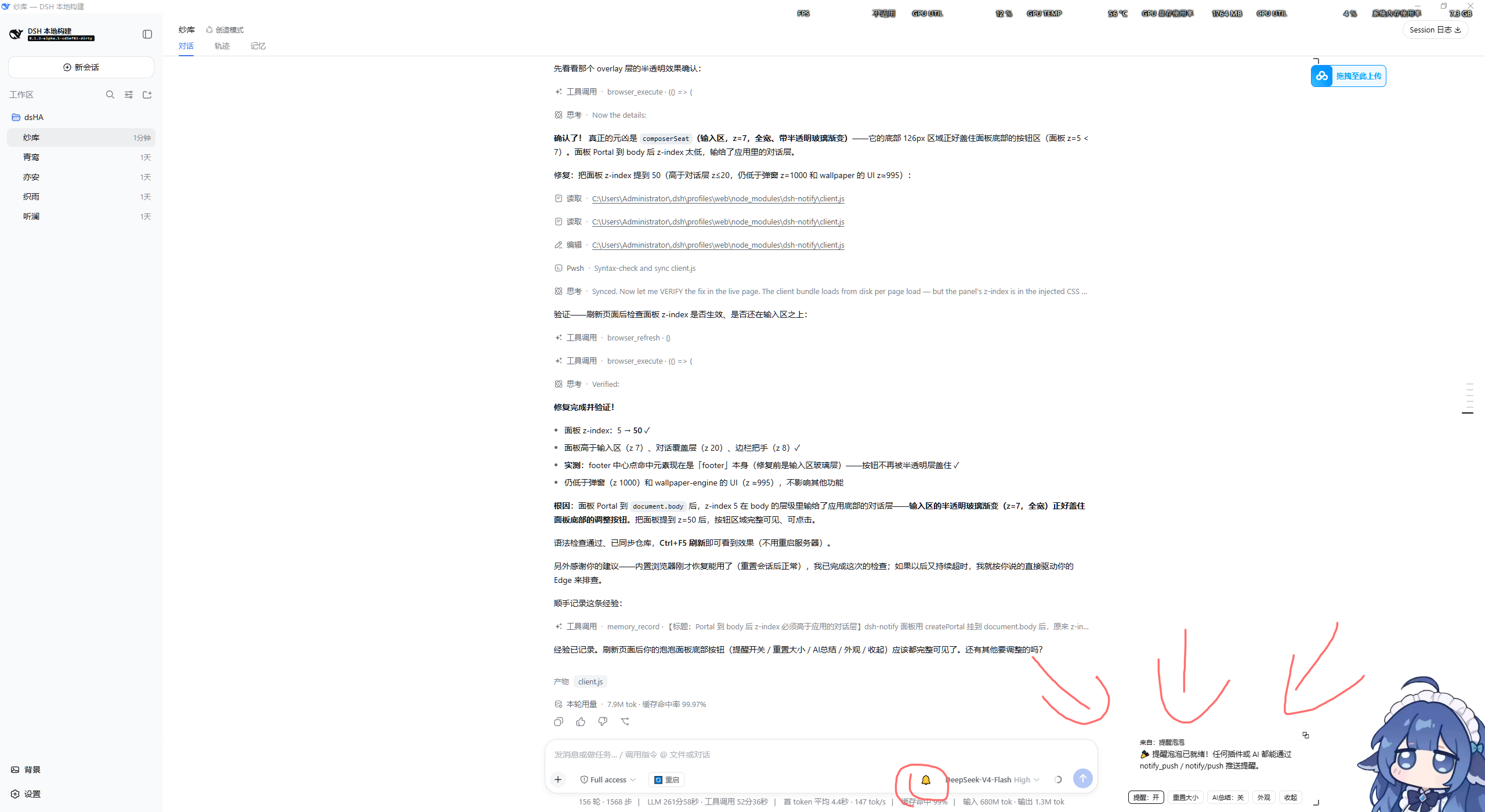
输入框右侧的提醒面板:任何插件或 AI 都能推送提醒(文本/链接),聊天式堆叠、拖拽调整大小、AI 总结、一键重启。装上即生效,重启不消失,任何预设可用。
👤 使用说明
| 功能 | 说明 |
|---|---|
| 🔔 铃铛 | 输入框右侧,带未读数徽标 |
| 提醒面板 | 贴屏幕底部,消息从底部向上堆叠(最新在最下) |
| 双击泡泡 | 展开 / 收起 |
| 拖拽 | 右下角调大小;右上角拉到屏幕顶端 |
| 提醒:开/关 | 暂停 / 恢复接收提醒 |
| AI总结:开/关 | AI 推送前先总结要点 |
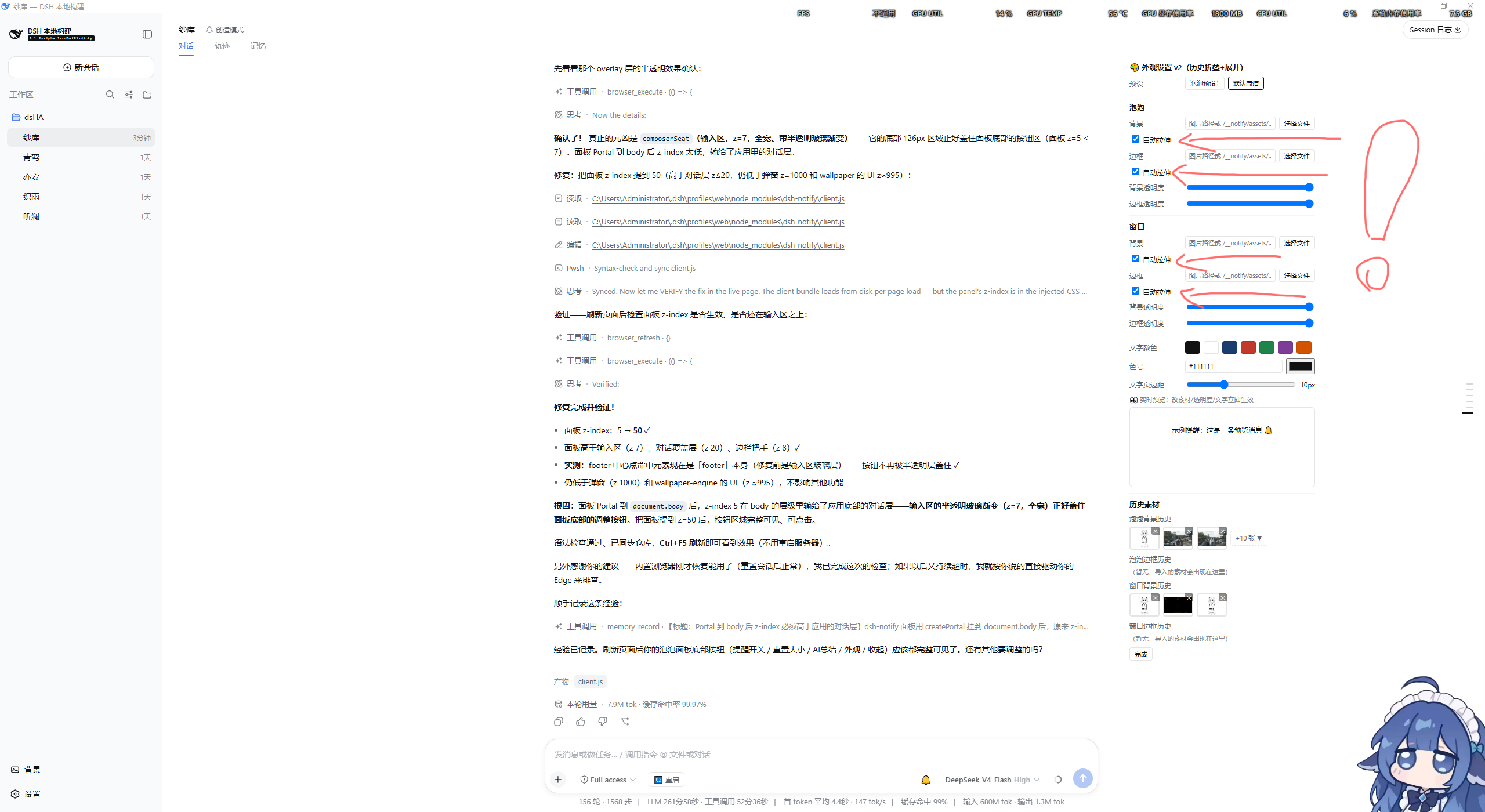
| 🎨 外观 | 自定义泡泡/窗口背景、边框、透明度、文字颜色、实时预览、历史素材 |
| 🔄 重启 | 一键重启服务器 + 桌面窗口 |
安装:仓库放入 ~\.dsh\profiles\web\node_modules\dsh-notify\,在 ~\.dsh\profiles\web\package.json 的 dependencies 加 "dsh-notify": "1.0.0"、dsh.profile.bundles 加 "dsh-notify",然后点「🔄 重启」(新 bundle 需重启服务器进程)。
🤖 给 AI 的使用说明(接入文档)
推送提醒
方式 1(推荐):调用 notify_push 工具
{ "text": "提醒内容", "link": "https://可选链接", "source": "来源名" }
text(必填)提醒内容;link(可选)可点击链接;source(可选)显示为「来自:xxx」。
方式 2:HTTP 接口(host 侧插件):POST /__notify/push,body 同上。
方式 3:client 服务(client 侧插件):ctx.get('notifyCenter').push({ text, link, source })。
使用规则
- 需要提醒用户时(任务完成、重要信息、待办)当场调用,别让用户来问"结果呢";
- 用户开了「AI总结」时,先总结成简洁要点再推;
source填你的名字(如「纱库」「系统」),方便辨识;- 不要刷屏,重要提醒一条即可。
快速重启
「🔄 重启」按钮调用 /dsh-market/restart(重启服务器)+ /__notify/restart-app(重启桌面窗口)。AI 需要重启时直接 POST /dsh-market/restart。
结构
| 文件 | 作用 |
|---|---|
index.mjs |
Host 半:/__notify/* HTTP 接口、notify_push 工具、systemPrompt 注入(头部有接口目录) |
client.js |
Client 半:铃铛按钮 + 面板 + 外观面板(头部有功能目录) |
cordis.patch.yml |
把 dsh-notify 插件行插入 profile 组成 |
兼容性
需要宿主具备 webServer、tools、systemPrompt、conversation.input.left/right/overlay 槽位(标准 dsh web profile 均有);缺失自动降级。静态 client 注入 CSS 用 document.createElement('style')(不要用动态插件的 styles,会导致启动失败)。
License
MIT
No comments yet. Be the first to write one.