dsh-git-sidebar
🌐 项目主页:https://hennychen.github.io/dsh-git-sidebar/ · 插件市场索引:https://hennychen.github.io/dsh-git-sidebar/market/index.json
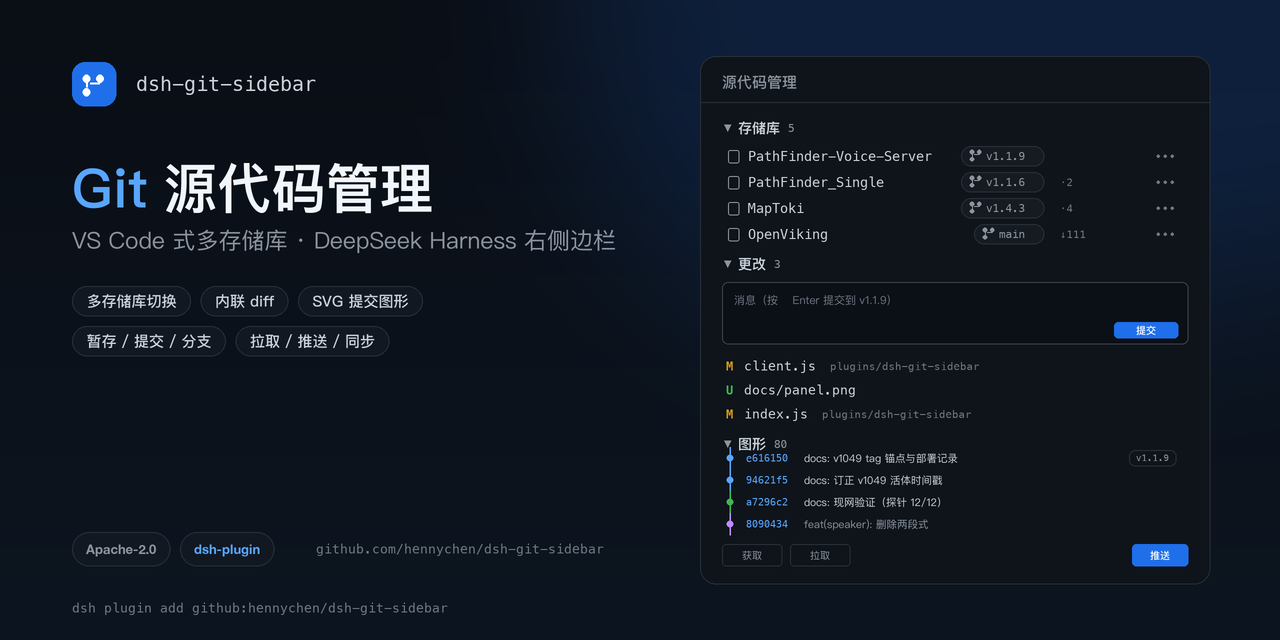
VS Code Source Control 风格的 Git 面板,装在 DeepSeek Harness 桌面端 Web GUI 的右侧边栏里。
三张封面由
scripts/make-cover.py(Pillow)生成;GitHub 社交预览需在仓库 Settings → Social preview 手动上传docs/cover.png(1280×640)。
封面变体
| 用途 | 文件 | 尺寸 |
|---|---|---|
| README 横幅 / GitHub 社交预览 | docs/cover.png | 1280×640(16:9) |
| 3:2 卡片(文章头图、演示) | docs/cover-3x2.png | 1200×800 |
| 方形(社交头像、聊天预览) | docs/cover-square.png | 1080×1080 |


三张图由 scripts/make-cover.py 统一生成(Pillow):python3 scripts/make-cover.py docs。
预览
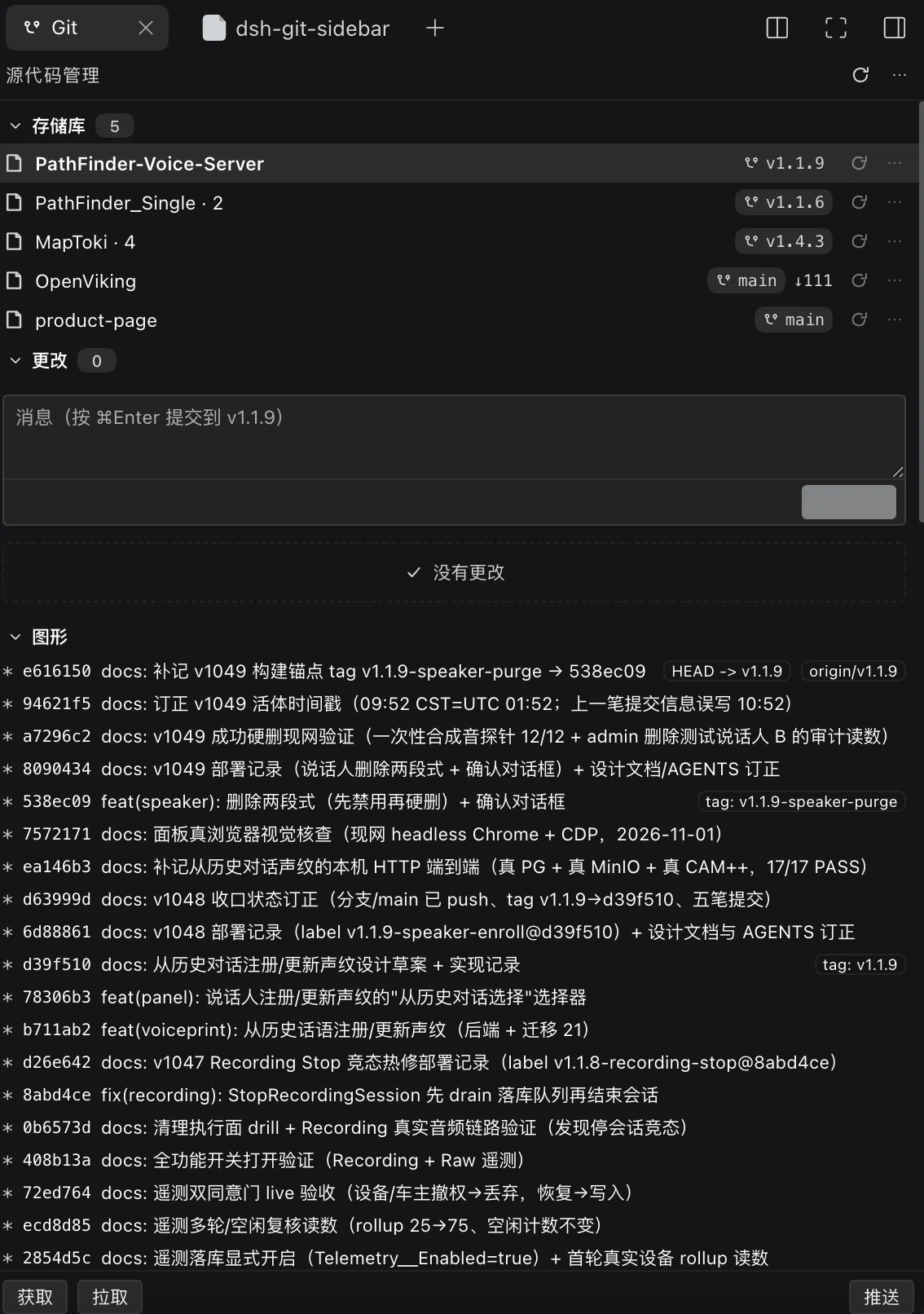
面板分三段,对齐 VS Code 的 Source Control 布局:
- 存储库:自动发现会话目录、嵌套仓库与已注册工作区中的 Git 仓库;每行显示分支、领先/落后、同步与仓库菜单(获取/拉取/推送/设为当前),点分支胶囊可切换/新建分支。
- 更改:当前存储库(多选模式下按仓库分块)的提交框与「更改 / 暂存的更改」分组,支持逐文件暂存、取消暂存、放弃和内联 diff。
- 图形:提交历史与分支走向(v0.6.2 起为 SVG 车道图)。
插件市场(官方索引 format 1)
本仓库自带一份符合官方规范的插件市场索引,可直接作为「发现」的索引源:
https://hennychen.github.io/dsh-git-sidebar/market/index.json
添加:设置 → 插件 → 实验性插件 → 更多 → 打开「自定义插件市场」,然后在 发现 → 添加索引源 粘贴上面的 URL。安装确认框会显示 Git 来源(hennychen/dsh-git-sidebar)与固定提交。
索引规则对照(DSH 会拒绝违反任意规则的整个索引):
| 规则 | 本仓库的实现 |
|---|---|
format: 1,UTF-8 JSON,静态 https,2xx 无重定向 |
docs/market/index.json,经 GitHub Pages(https://hennychen.github.io) |
每个版本声明 dsh.bundle |
每个列出的 tag 的 package.json 都有 dsh.bundle.patch |
每个版本 engines.dsh 非空且从该版本 manifest 原样复制 |
声明为 >=0.2.0-rc.2 <0.3.0,由生成器从 tag 的 manifest 读取 |
publishTimestamp 为该提交的 committer 时间(秒) |
生成器用 git log -1 --format=%ct <commit> |
git source:规范 https URL + 40 位小写 commit,仓库根目录(无 path) |
https://github.com/hennychen/dsh-git-sidebar + tag commit |
title / description 为 LocalizedText(必须含 en) |
中英双语,取自 locale/*.json |
icon 相对索引 URL 解析且为 https(内联 data: 时 ≤32 KiB) |
icons/dsh-git-sidebar.svg(icon.svg 副本) |
| 引用的 category/label/sortKey 必须已声明 | 只声明并使用 development 分类 |
重新生成索引(新增版本后):
git tag v0.6.4            # 先给含 engines.dsh 的版本打 tag
node scripts/market-index.mjs
git add docs/market && git commit -m "chore: update market index"
生成器会跳过不满足
dsh.bundle+engines.dsh的 tag(本仓库v0.6.1–v0.6.3即为这种情况),因此索引只列出v0.6.4及之后的版本。
安装
本仓库是一个 DSH profile bundle(dsh.bundle.patch + dsh.client),右侧边栏的「源代码管理」标签由客户端半注册。
# 方式一:从 GitHub 安装到 profile(pnpm 拉取本仓库)
dsh plugin --profile desktop add github:hennychen/dsh-git-sidebar

# 方式二:本地开发挂载(改代码即时生效)
dsh plugin --profile desktop add link:/path/to/dsh-git-sidebar
安装后在 设置 → 插件 里确认该 bundle 已启用(也可由插件管理器的 install_bundle 完成注册),再重启一次 dsh。
右侧边栏 + 里会出现「源代码管理」。
打开
右侧边栏 → + → 源代码管理。侧栏里会有一个 Git 标签。
- 若当前会话目录本身是 Git 仓库,直接显示它。
- 若目录只是包含多个项目仓库的父目录(例如
/Users/pm/PathFinder_Source下有PathFinder_Single、PathFinder-Voice-Server、OpenViking、product-page),会向下扫描 3 层发现仓库,默认打开最近有提交的那个,并在仓库名旁显示子目录仓库。 - 若目录下没有任何仓库,则回退到第一个已注册且是 Git 仓库的工作区(本机为
/Users/pm/MapToki),显示工作区标记。 - 点仓库名 / 分支胶囊可随时在「选择仓库」列表里切换(列表含会话目录、子目录仓库、已注册工作区);选择按会话记在
localStorage。
多存储库布局(v0.6)
面板分三段,和 VS Code 左侧 SCM 视图一致:
- 存储库:自动发现会话目录、其下嵌套仓库、以及已注册工作区里的所有 Git 仓库(本机 5 个:PathFinder-Voice-Server、PathFinder_Single、OpenViking、product-page、MapToki)。每行显示分支、
↑ahead ↓behind、⇅同步、⋯(获取/拉取/推送/设为当前);点分支胶囊可切换/新建分支。 - 更改:单选模式下显示当前存储库的提交框 + 更改/暂存分组;多选模式下按存储库分块,每块有自己的提交框和改动列表。
- 图形:
git log --graph --all的提交图形(graph 字符 + hash + subject + refs)。
顶部 ⋯ 菜单:存储库选择(单个/多个)、排序(发现时间/路径/名称)、分区显示开关、刷新全部。选择与模式按会话记在 localStorage。
功能(对照 VS Code Source Control)
| VS Code | 本插件 |
|---|---|
| SOURCE CONTROL 标题栏 + 刷新 / 更多 | 同左 |
| 仓库 + 分支 + ahead/behind | 同左(点仓库名切换仓库) |
| 提交信息框 + Commit(⌘Enter) | 同左,仅在已暂存且有信息时可用 |
| Changes 分组(暂存全部 / 放弃全部) | 同左,可折叠,含逐文件 + 暂存与 ↺ 放弃 |
| Staged Changes 分组(全部取消暂存) | 同左,可折叠,含逐文件 − |
| 点击文件看 diff | 行内展开统一 diff(+/- 着色、hunk 头、未跟踪文件合成新增 diff) |
| 分支切换 / 新建分支 | 分支列表勾选当前分支,点击切换(确认);+ 新建 |
| Commit 历史 | 最近 20 条,可折叠 |
| Pull / Push / Sync | 底部 获取 / 拉取 / 推送,⋯ 菜单含 同步 |
状态字母与配色沿用 VS Code 语义:M 修改(warn)、A/U 新增(success)、D 删除(error)、R 重命名(brand)、! 冲突(error);文件名按扩展名着色(Seti 风格)。
实现
index.js:宿主半。注册/git-sidebar路由,仓库由会话目录推导(活动会话 → 工作目录服务;否则 → 会话日志 header 的cwd),root参数只接受会话目录或已注册工作区内的路径。execFile固定 argv、校验 pathspec、限制输出大小。client.js:客户端半。用sidebarRightTabs.register注册git类型 + guide 卡片,在sidebar.right.pane.tab/.title注册面板。渲染包在ErrorBoundary里,失败时显示可见错误卡而不是空白。
自诊断
客户端会向自身宿主路由发 op=client-event 心跳(mount / apply / auto-pick / info / render / render-error)。排查"面板空白"时可读:
curl -s 'http://127.0.0.1:<port>/git-sidebar/api?op=client-events&sid=<sessionId>'
curl -s 'http://127.0.0.1:<port>/git-sidebar/api?op=client-asset&sid=<sessionId>'   # 客户端模块是否在 boot graph
开发
目录以 link: 方式挂在 desktop 配置里:
- 改
client.js/index.js后,用plugin_manager把dsh-git-sidebar的 bundle 关再开,即可热重载客户端与宿主模块(不必重启 App)。 - 客户端模块 id 必须等于包名:
dsh-git-sidebar。
No comments yet. Be the first to write one.