dsh-cloud-workspaces




Remote Linux workspaces over SSH for DeepSeek Harness (DSH).
Compatibility matrix
Plugin DSH version Notes 0.4.x ^0.2.1-rc.5(0.2.x only)Settings-namespace removal, push jobs producer, dual-pane picker, ssh_tunnel0.3.x ^0.1.1-rc.2(0.1.x)Last line for DSH 0.1.x: remote background jobs 0.2.x ^0.1.1-rc.2(0.1.x)0.2.1 on npm; 0.2.2 was the security-hardening release DSH 0.2.x cannot run plugin 0.3.x, and DSH 0.1.x cannot run plugin 0.4.x. Check
dsh --versionbefore installing.
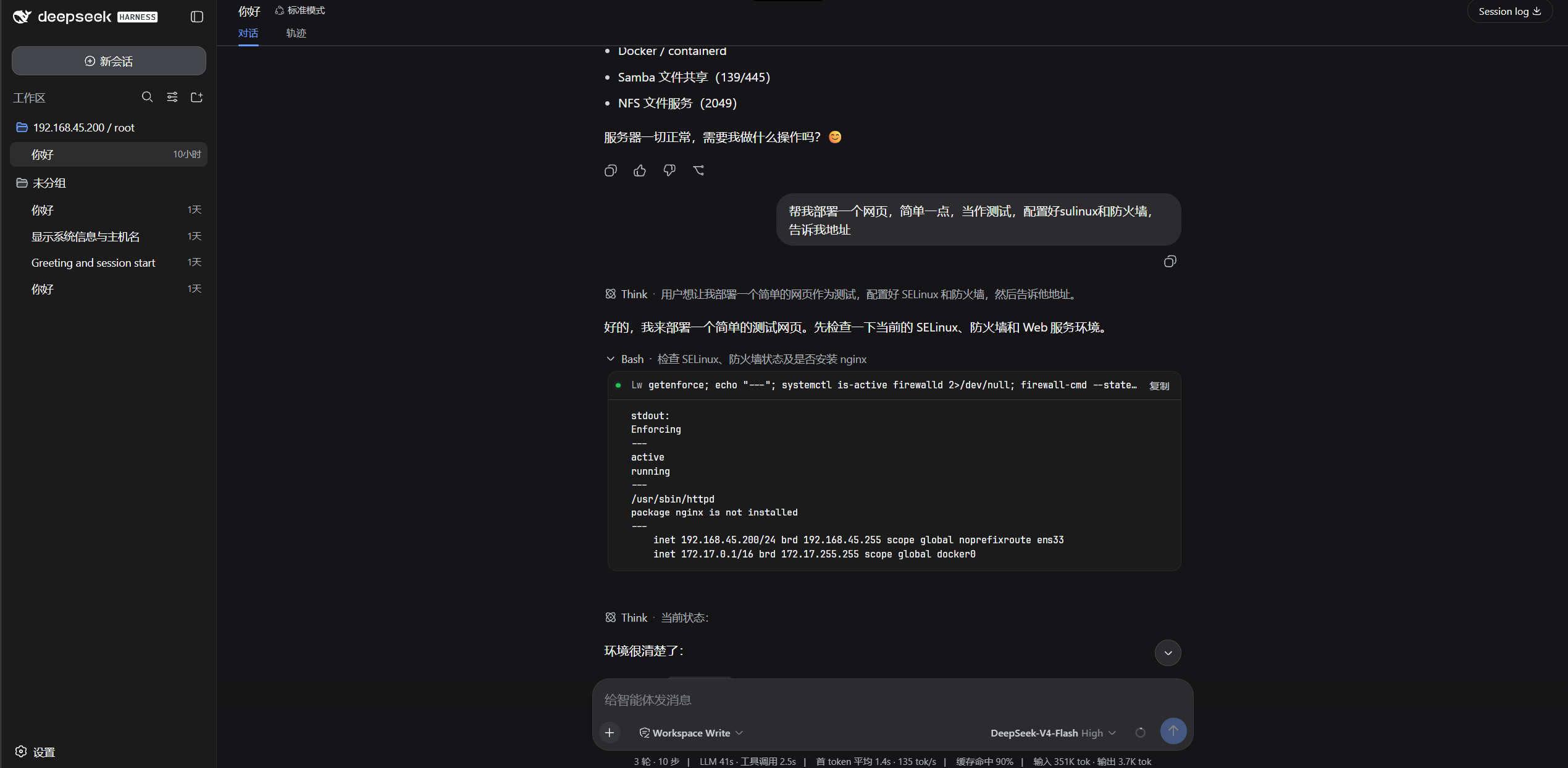
Pick Cloud (SSH) in DSH's workspace picker, and the coding agent works directly on your Linux server: bash, read, write, edit, glob, grep — the entire built-in toolset — transparently execute over SSH. Files, search, editing and terminal all live on the remote box.
Zero install on the server. No vscode-server-style remote agent, no daemon, nothing to download — a standard OpenSSH server is all it takes.
中文文档:README.zh-CN.md
Why
DSH's agent runs on your local machine. When your code, data or production box lives on a remote Linux server, you either SSH in separately or fight with sync tools. Competing remote solutions ship a fat remote component (hundreds of MB) that must be downloaded to the server on first connect.
dsh-cloud-workspaces takes a different route: everything rides standard SSH channels (exec / SFTP / PTY via ssh2). The server needs nothing beyond what it already has.
Features
Cloud workspaces (the headline)
- Dual-pane workspace picker — a source rail (this machine / recent workspaces / SSH hosts) beside a directory pane with breadcrumbs, an editable path, empty/error states and inline folder creation; cloud workspaces are adopted by DSH's official workspace registry and show up in every session picker as
host / path. - Transparent toolset redirect — when a session's cwd falls under a cloud placeholder, the plugin registers same-named
bash/read/write/edit/glob/grep/read_imagetools into that session's own agent scope, so the agent keeps calling the tools it already knows while every call executes on the server. Local sessions are untouched — the shadowing is per session, and falls back to the official local tools the moment a session isn't a cloud one. - Shadow tools with official UI — session-scoped remote
bash/read/write/edit/glob/grepregister in the agent's scope only, and implement the officialpresentCall/presentResultpresenters, so chat rows render as real terminal / read / search cards — expandable, copyable, native. - Background jobs —
run_in_background: trueonbash/ssh_execstarts the command as a first-class DSH job (job_output/job_list/job_kill, completion notices, jobs UI): installs, builds and test suites run on the server without ever hitting an exec timeout. - Port forwarding —
ssh_tunnel startmaps127.0.0.1:<port>through the connection to a host reachable from the server (remote web previews, loopback-only databases, internal hosts).stop/listmanage live forwards; they close when the connection drops.
SSH settings card (in DSH Settings → SSH Connections)
- Host manager — display name, host, port, user; password auth (keyboard-interactive aware — works with PAM/Ubuntu servers that never offer the plain
passwordmethod) or private key (path to a key file). - Connection test — one-click probe with latency; saved credentials are reattached server-side (the browser only ever sees a redacted view).
- Remote directory browser — list, navigate, create and delete folders on the server; then bind any directory as a cloud workspace in one click.
- ProxyJump — jump-host chains, per-hop credentials.
Agent tools
ssh_list/ssh_exec/ssh_ls/ssh_read/ssh_write/ssh_workspace/ssh_tunnel— explicit remote access from any session, local or cloud. They take an optionalalias; without one they follow the most recently activated connection.ssh_workspace— create a cloud workspace binding from chat.
Connection layer
- ssh2 connection pooling with keepalive, broken-connection detection and transparent rebuild.
- Per-host latency-tested
testendpoint reused by both the settings card and the picker.
Security
- Host configuration lives in a private per-user file under
~/.dsh/with owner-only permissions (0600, plus a restrictive ACL on Windows). Passwords are never written to DSH's settings store — they go only to that file. A legacydsh-remote-ide-hostssection left insettings.yamlby earlier versions is read once and left untouched: plugin 0.4.x does not rewrite or delete it, so remove that section manually after confirming the hosts appear in the settings card (seedocs/upgrade-to-0.2.md). The settings card sees a redacted view and can never read a stored credential back. - Remote sessions are scoped: shadow tools exist only inside sessions bound to a cloud workspace. Local workspaces are never affected.
- Server host keys use trust-on-first-use (TOFU). The first successful handshake records the server's
SHA256:fingerprint in the private host file; later connections to that host must present the same key. A changed key fails the handshake by default with an error that warns about a possible man-in-the-middle attack and names the recorded and presented fingerprints; after confirming the server really was re-keyed, delete and re-add the host or remove itshostKeyfield from~/.dsh/dsh-remote-ide.jsonto trust the new key. Changing a host's hostname or port drops the old fingerprint (a different endpoint). Pooled connections are verified once per connection, as OpenSSH does. The record is local to this plugin and is not shared with~/.ssh/known_hosts. - Remote file reads are capped at 2 MiB: a larger file is read as a stream of its first 2 MiB and returned with
truncated: true, never buffered whole in the host process. Binary files (NUL byte in the head) are rejected instead of rendered as text.
Install
Requires DSH (web profile), Node ≥ 22, and a reachable SSH server.
From npm
dsh plugin --profile web add dsh-cloud-workspaces
From source
git clone https://github.com/harryopo/dsh-cloud-workspaces.git
cd dsh-cloud-workspaces
pnpm install
pnpm build

# link into the DSH web profile (use a junction on Windows if the path has spaces)
dsh plugin --profile web add link:C:\path\to\dsh-cloud-workspaces
Restart dsh web after installing or rebuilding (the host half loads in the Node process).
Usage
- Add a host — Settings → SSH Connections → Add host → fill credentials → Test → Save.
- Bind a cloud workspace — Add workspace → Cloud (SSH) tab → pick host → browse to your project → Use this directory as workspace.
- Open a session on that workspace — the agent now runs entirely on the server. Ask it:
run pwd, then list the files hereand watchbashexecute remotely. - Or drive it explicitly:
use ssh_exec to run docker ps on web-1.
Architecture
DSH host process (Node)
┌────────────────────────────────────────────────────────────┐
│  agent/created hook                                        │
│    └─ cloud-placeholder session?                           │
│         └─ register shadow bash/read/write/edit/           │
│            glob/grep/read_image into THAT agent's ctx      │
│                          │                                │
│  global ssh_* tools  ─────┤  (any session, explicit alias) │
│                          ▼                                │
│  SshRuntime (ctx.ssh) — single connection owner           │
│   └─ SshEngine (ssh2)                                      │
│      ├─ connection pool / keepalive / rebuild              │
│      ├─ exec · SFTP CRUD · PTY                             │
│      └─ ProxyJump hops                                     │
└──────────────┬─────────────────────────────────────────────┘
               │ SSH (exec / sftp / pty)  — nothing else
        ┌──────▼──────┐
        │ Linux server │  stock sshd. zero remote install.
        └─────────────┘

Browser (dsh web GUI): settings card + cloud-workspace picker
speak to the host over the official Typert remote bridge.
- Host half (
src/, TypeScript):SshEngine+SshRuntime, shadow-tool registration for cloud sessions, the globalssh_*tools, Typert remote endpoints, background-job producer. - Client half (
client/, plain ESM React viacreateElement): settings section + dual-pane workspace picker injected through official slots (settings.section,workspace.*). No JSX build step,--dsw-*design tokens only.
Development
pnpm build        # tsc d.ts + tsdown bundle
pnpm typecheck    # tsc --noEmit
pnpm test         # vitest — 110 unit tests
node scripts/e2e-real-server.mjs   # 25 E2E checks over a real SSH server
Runtime artifacts & dependencies
lib/(host runtime + type declarations) is committed on purpose: the DSH STORE fixed-commit contract checks the repository as-is and does not runprepare/build. Runpnpm buildand commit the refreshedlib/whenever source changes.- Runtime dependencies are only ssh2 (SSH transport) and js-yaml (one-time import of legacy settings). Everything
@deepseek-ai/*is a peer resolved from the host profile, never bundled. - On pnpm 10+/11 a fresh DSH profile may list
ssh2's install script as ignored (ERR_PNPM_IGNORED_BUILDS). Approve it in the DSH plugin manager's build-approval prompt (orpnpm approve-builds); the script only builds an optional native crypto acceleration and ssh2 falls back to pure JS without it. - Network activity is outbound SSH to hosts the user configures. No telemetry, no third-party services.
ssh_tunnellisteners bind127.0.0.1only. - Secrets live in
~/.dsh/dsh-remote-ide.json(0600 + Windows ACL); they are never written to settings, logs, tool output, or the browser. - Failure boundaries: SSH/exec errors propagate as tool errors; background jobs report exit codes, cancellation, and a possible remote orphan when the transport drops;
glob/grepfail loudly on timeout instead of returning an empty result.
Roadmap
- SSH engine: pooling, keepalive, broken-connection rebuild, ProxyJump
- Cloud workspaces: dual-pane picker, placeholder dirs, official adoption
- DSH 0.2 SDK migration (settings-namespace removal, push jobs producer)
- Transparent toolset redirect (shadow tools registered per cloud session)
- Shadow tools with official terminal/read cards
- Background remote jobs (
ctx.jobsproducer):run_in_background+job_output/job_list/job_kill - Settings card: hosts, password/key auth (keyboard-interactive), test, remote dir browser
- Remote search tuning (ripgrep detection on the server)
- SSH tunnel (local port forwarding)
- npm first release (
dsh-cloud-workspaces@0.2.1)
Star History
Acknowledgements
- DeepSeek Harness — the harness and its official plugin SDK (
@deepseek-ai/dsh-*); this plugin builds only on official npm SDK packages. - dsh-ssh (Apache-2.0) — UI patterns for the settings card and workspace placeholder design.
- ssh2 (MIT) — the SSH transport.
No comments yet. Be the first to write one.