dsh-spotlight



A Spotlight-style command palette for DeepSeek Harness.
Press Cmd/Ctrl+Shift+P anywhere, or / outside a text field, then search and
run settings, plugins, sessions, shortcuts, themes, and any command another
client plugin registers.
English | 中文
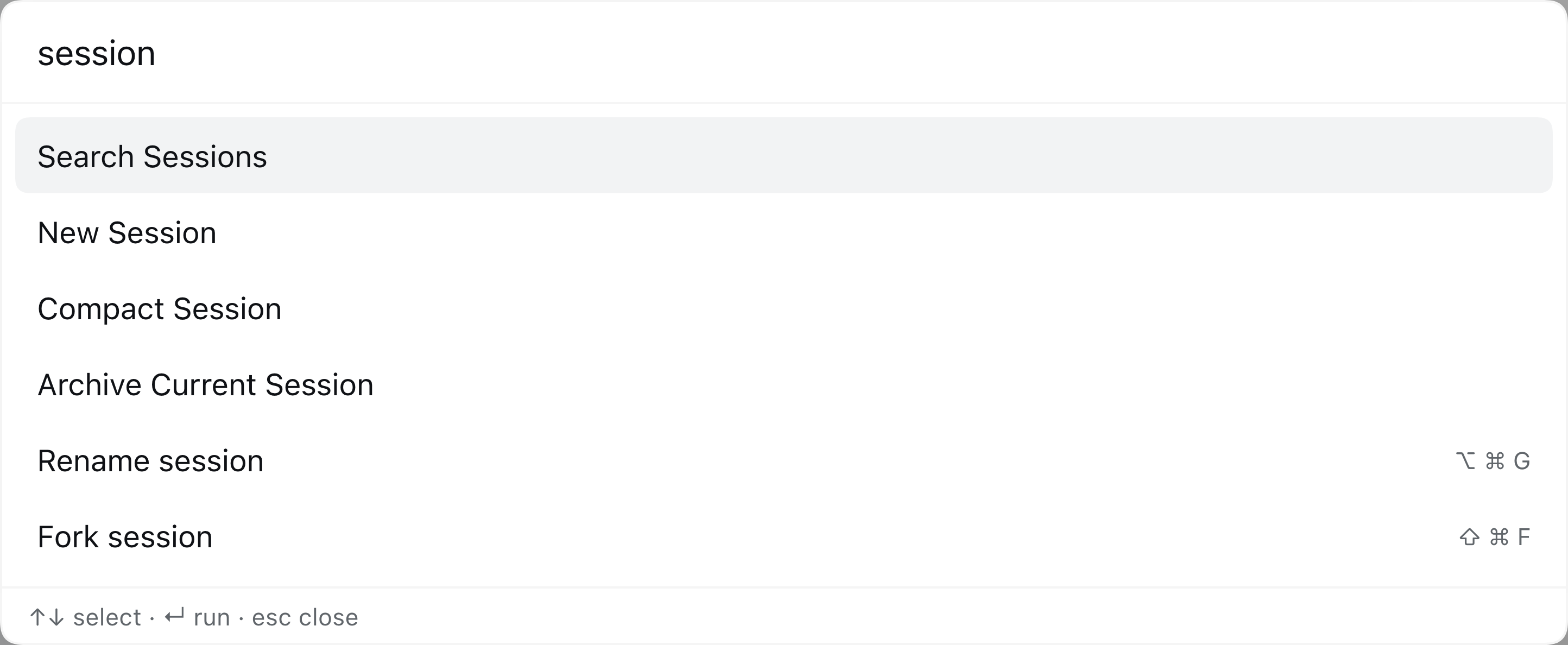
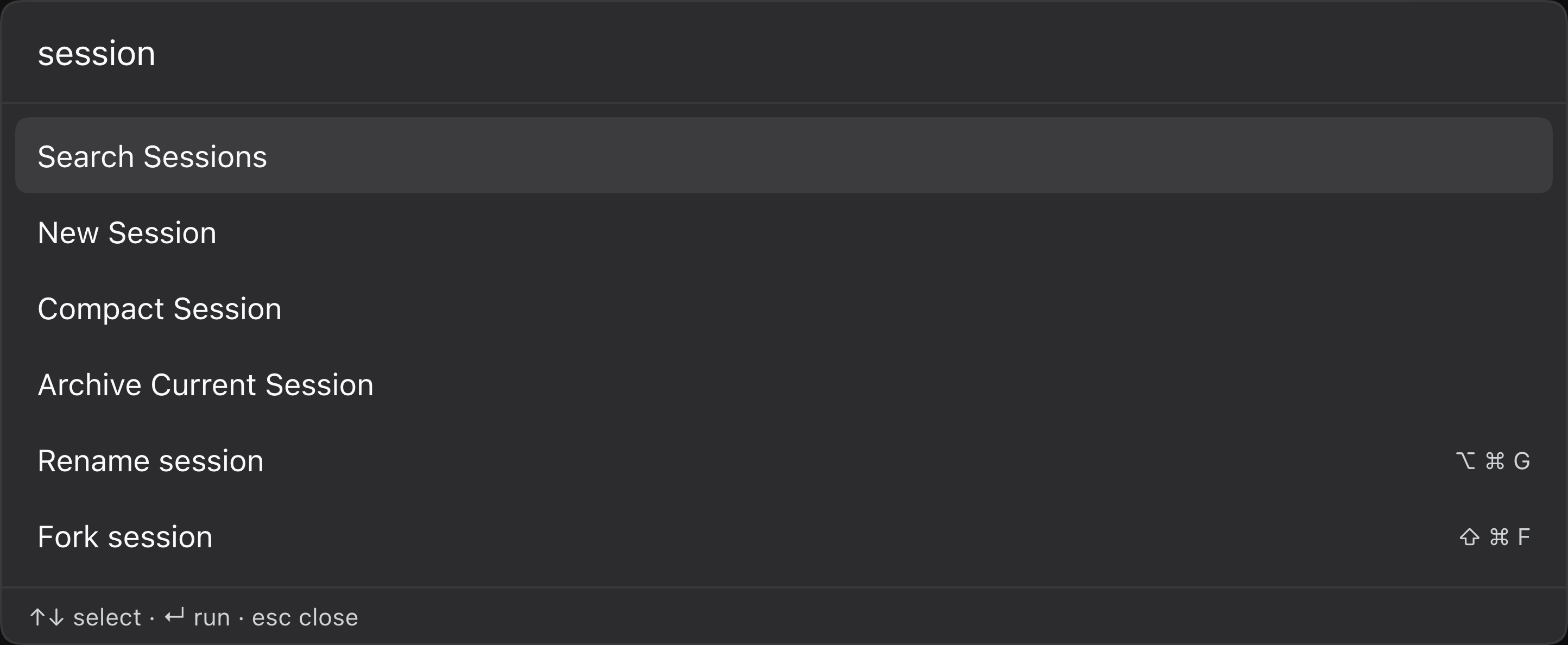
Table of contents
- What it does
- Requirements
- Install
- Use
- Extending the palette
- How it works
- Compatibility and limits
- Troubleshooting
- Development
- License
What it does
- Global palette. One overlay entry in
shell.overlay, opened by keyboard or by any registered command. - First-class commands. Settings, Plugins, Search Sessions, Add Workspace, Keyboard Shortcuts, New Session, Archive Current Session, Compact Session, Toggle Sidebar, Toggle Right Sidebar, Workspace Files, theme (dark / light / system), and language (English / 中文).
- Shortcut mirror. Every remaining configurable shell shortcut appears in a Shortcuts group with its effective keycaps. Running one goes through the shell's own shortcut resolution, so rename, fork, split, fullscreen, terminal, and future feature commands participate without plugin-specific wiring. Window/page close and delete/remove actions are deliberately excluded.
- Extensible registry. Other client plugins contribute commands through the
spotlightservice. Titles, groups, keywords, and hints are searchable in English and Chinese. - Owned resources. The stylesheet is injected during bundle materialization and claimed by the module system; the locale dictionary, command registry, shortcut entries, and overlay slot are registered as Cordis effects, so disable / HMR teardown removes them.
Requirements
| DeepSeek Harness | 0.2.x (developed and verified against 0.2.1-rc.5) |
| Surface | Web client (dsh-web-app) or the desktop app |
| Node.js | not needed for the plugin itself; the test suite runs on Node 20+ |
| Build | none — the browser bundle is hand-written JavaScript |
Install
The package is a DSH bundle: package.json declares dsh.bundle.patch and
dsh.client, and cordis.patch.yml inserts the host row.
From GitHub
dsh plugin --profile desktop add github:hakulat2023/dsh-spotlight#v1.0.1
Omit #v1.0.1 to track the default branch.
From a local checkout
plugin_manager install_bundle target: /absolute/path/to/dsh-spotlight
# or
dsh plugin --profile desktop add /absolute/path/to/dsh-spotlight
The installer must leave dsh-spotlight in the profile's
dsh.profile.bundles list, not only in dependencies. A dependency without a
bundle selection never composes the host row, so the client half never reaches
the module graph.
Restart the application after installing or updating. The host half is a Node module and the running process keeps the module generation it already loaded; the client module graph also snapshots each bundle before publication, so a page reload alone can keep serving the previous bundle. A restart guarantees the new client half and re-registers the palette shortcut with the native keyboard bridge.
Use
| Shortcut | Effect |
|---|---|
Cmd/Ctrl+Shift+P |
Toggle the palette (a real ctx.shortcuts command; rebindable) |
/ (outside inputs) |
Open the palette |
↑ / ↓ |
Move the highlight |
Enter |
Run the highlighted command |
Esc |
Close |
The opener is registered through the shell's shortcut service. It appears in Settings → Shortcuts, honors user overrides, and works on Desktop through the native keyboard bridge.
Cmd/Ctrl+Shift+/ is intentionally not the default: macOS reserves it for the
Help menu's search field, so Electron consumes it before the page can see a
keydown. It may still work on Windows/Linux, but it is not reliable on macOS.
Use Cmd/Ctrl+Shift+P.
The palette does not open while another modal layer is open: a modal marks the rest of the application inert, so a palette input could not receive focus. Escape and Tab are handled by the palette, and focus returns to the element that was active before it opened.
Built-in commands
| Group | Commands |
|---|---|
| Navigate | Open Settings, Open Plugins, Search Sessions, Add Workspace, Keyboard Shortcuts |
| Session | New Session, Archive Current Session, Compact Session |
| View | Toggle Sidebar, Toggle Right Sidebar, Workspace Files |
| Appearance | Theme: Dark, Theme: Light, Theme: System, Language: English, Language: 中文 |
Archive Current Session uses the shell's session.archive shortcut, so it
inherits the running-work confirmation and the archive/undo notice.
Compact Session executes the Host's /compact command through
remote.commands.execute; it requires an idle agent and compactable history.
Workspace Files and Toggle Right Sidebar use their shell shortcuts first
and fall back to the sidebarRight controller.
Shortcuts group
The palette mirrors the shell's configurable shortcut directory. Each row shows the command's localized label and its effective keycaps. This is how commands without a public client service — rename, fork, split, fullscreen, terminal, and future feature commands — become runnable from the palette.
The mirror uses the shell's own resolve() path, so a command can be blocked
when there is no current session, focused page, or idle agent. The palette
closes before the command runs and does not intercept that reason. Window/page
close and delete/remove actions are filtered out of the mirror.
Extending the palette
Other client plugins register commands through the spotlight service:
export const inject = ['spotlight'];

export function apply(ctx) {
  ctx.effect(() => ctx.spotlight.register({
    id: 'my-plugin.do-something',
    title: 'Do something',           // literal fallback
    titleKey: 'cmd.doSomething',      // optional key in the spotlight namespace
    group: 'My plugin',
    hint: '⌘⇧D',                     // optional right-aligned hint
    keywords: ['something', '做事'],
    run: (ctx) => { /* ... */ },
  }), 'my-plugin: spotlight command');
}
register() requires a non-empty id and a run function. It returns a
disposer; attach it to a Cordis effect so disabling the contributing plugin
removes the command.
titleKey is looked up in the dsh-spotlight locale namespace. Commands from
other namespaces should pass a literal title (or leave titleKey out) so the
fallback is their own text. keywords accepts any searchable terms; Chinese and
English are both indexed.
The service surface is:
interface SpotlightService {
  register(command: SpotlightCommand): () => void;
  list(): SpotlightCommand[];
  open(): void;
  close(): void;
  toggle(): void;
  isOpen(): boolean;
}
How it works
- Host half (
index.js) is a no-op Cordis row. Its only job is to make the package a loader entry; the client half is what users see. - Client half (
client.js) is onewindow.__ModuleLoader__.load({ id, factory })module. It requires onlyreactfrom the shared platform table. - One stylesheet. The CSS is inserted during bundle materialization and
claimed by the module system (
data-plugin-css), so disable/HMR teardown removes it without a manual listener. - One overlay slot. The palette registers into
shell.overlayand returnsnullwhile closed, so it costs one inert slot entry when unused. - Owned effects. Locale dictionaries, built-in commands, the
spotlightservice, the keyboard listener, and the shortcut registrations all live inctx.effect, which makes repeated apply/dispose safe. - Shortcut registration.
Cmd/Ctrl+Shift+Pis a normalctx.shortcutscommand. The service may mount after this plugin, so registration waits withctx.inject(['shortcuts'], ...)instead of racingctx.get(). - Shortcut mirror. The palette subscribes to
ctx.shortcuts.catalog, mirrors its non-curated rows into a Shortcuts group, and invokes a row via the shell registry. Web keeps a synthetic-key fallback for versions where that registry is unavailable.
No build step, no runtime dependencies, and no imports from @deepseek-ai/*
packages: a third-party plugin cannot resolve the DSH package tree at runtime.
Compatibility and limits
- The bare
/opener is a raw capture listener because the shortcut service rejects modifier-less defaults; it is not rebindable.Cmd/Ctrl+Shift+Pis the normal, rebindable command. - The legacy
Cmd/Ctrl+Shift+/listener remains as a convenience where the OS delivers the event (Windows/Linux); macOS consumes it for Help menu search. - The Shortcuts mirror calls
ctx.shortcuts.registry.invoke(), an internal member of the shortcut service rather than a documented public API. Every step is guarded. If the registry is absent, Web replays the effective binding and Desktop keeps only the first-class commands. - A mirrored command runs through the shell's own
resolve()and can be blocked without a current session, focused page, or idle agent. The palette closes before the command runs and does not show a blocked reason. - Compact Session requires an idle agent; the Host's refusal is logged to the browser console.
- Window/page close and delete/remove actions are excluded from the mirror.
- Empty groups render no heading; commands without a group/title fall back to their id.
- The palette is keyboard-first, but the list is not a full ARIA combobox; it exposes a dialog, a listbox, and option roles.
Troubleshooting
The palette does not appear after install
Confirm dsh-spotlight is in dsh.profile.bundles:
{
  "dsh": {
    "profile": {
      "bundles": ["@deepseek-ai/dsh-base", "@deepseek-ai/dsh-web-app", "dsh-spotlight"]
    }
  }
}
Then restart the app. A package in dependencies without a bundle selection
does not compose the host row.
Cmd+Shift+P does nothing
Open Settings → Shortcuts, search for Spotlight, and check its binding. Another command may claim the same combination; rebind it there. On Desktop the native keyboard bridge applies the saved binding.
Cmd+Shift+/ does nothing on macOS
Expected: macOS assigns it to the Help menu search. Use Cmd+Shift+P.
A mirrored shortcut closes the palette but nothing happens
The shell rejected the command: there may be no current session, the focused page may not support the action, or the agent may be busy. Use the command from its native surface once the preconditions are met.
Development
npm test
test/verify.mjs evaluates client.js in a VM with DOM, React, and Cordis
context doubles. It asserts that apply registers one owned stylesheet, one
locale namespace, the built-in commands, the spotlight service, the keyboard
listener, and the shell.overlay entry; it then renders the palette, filters
it, runs first-class and mirrored commands, and closes it.
The test suite has no dependencies. It runs on Node 20+ and is exercised by the
GitHub Actions workflow in .github/workflows/test.yml.
For manual verification, boot any profile that composes the bundle:
dsh plugin --profile web add github:hakulat2023/dsh-spotlight#v1.0.1
dsh --profile web --no-open --port 0
Then open the printed URL, press Cmd/Ctrl+Shift+P, and check Settings,
Workspace Files, Toggle Right Sidebar, Archive Current Session, and Compact
Session.
License
MIT © 2026 hakulat2023
No comments yet. Be the first to write one.