READMESource: main@296b3c14
dsh-desktop-host-switcher
在 Windows DSH Desktop 的左上角标题栏切换本机 DSH 与 WSL DSH 界面。
Windows/WSL 两个 DSH 实例同时运行,两侧的工作区、会话、配置保持独立,互不影响。
本插件不会影响 Windows 与 WSL 两侧的任何 DSH 数据,不会试图同步您的配置或会话。轻量丝滑,代码量 < 1000 行,无副作用。
工作原理
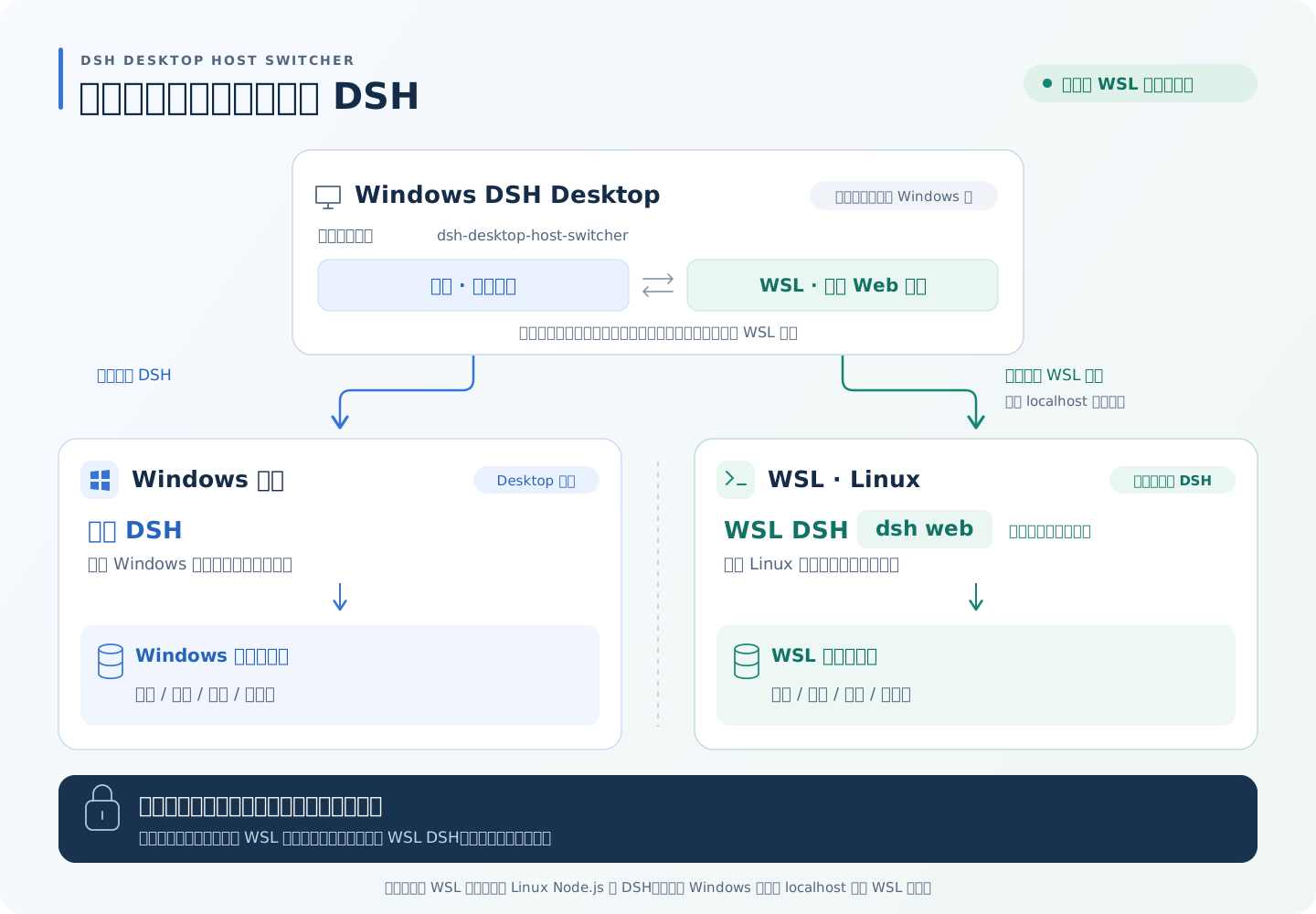
两端可同时运行,在桌面端标题栏切换显示;切回本机不会停止 WSL 服务。WSL 内需单独安装 Linux Node.js 和 DSH,首次选择 WSL 时由插件自动启动 dsh web。
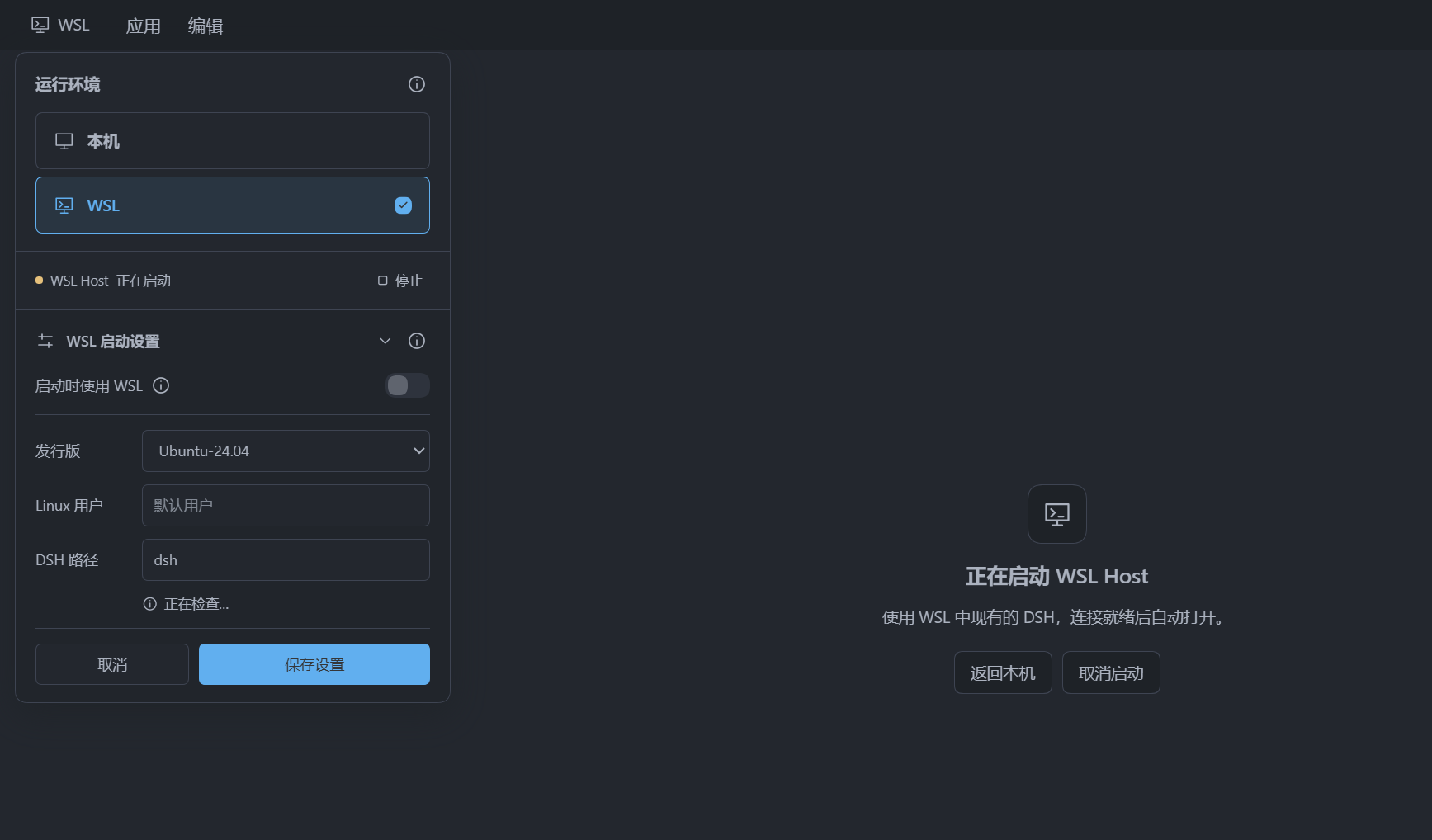
本插件所依赖的环境说明
- Windows DSH Desktop 提供
browser.acquire/release;当前基线为0.2.1-rc.2。 - WSL 2 已安装 Linux Node.js 和 DSH,默认 Bash / Zsh 的交互式登录环境可以找到它们。
- Windows 能通过 localhost 转发访问 WSL 服务。
安装方式
本插件只安装在 Windows 侧,WSL 不需要安装本切换器。可通过 DSH 内置的插件管理器直接输入 github:habaneraa/dsh-desktop-host-switcher 安装。
在 Windows PowerShell 中通过打包安装到 desktop profile:
$cli = "$env:LOCALAPPDATA\Programs\DeepSeek Harness\resources\runtime\cli\bin\dsh.cmd"
& $cli plugin --profile desktop add 'dsh-desktop-host-switcher-0.2.1.tgz'
也可以通过 DSH CLI 从 GitHub 安装到 desktop profile:
dsh plugin --profile desktop add github:habaneraa/dsh-desktop-host-switcher
Windows 文件浏览器打开会话目录
WSL 页面内,独立 Explorer 目录按钮由新插件 dsh-wsl-directory-opener 提供。
开发与验证
npm ci
npm run build
npm run check
npm test
npm pack --pack-destination dist
npm run test:package
No comments yet. Be the first to write one.