DSH Ox-Horse Office


English | 简体中文
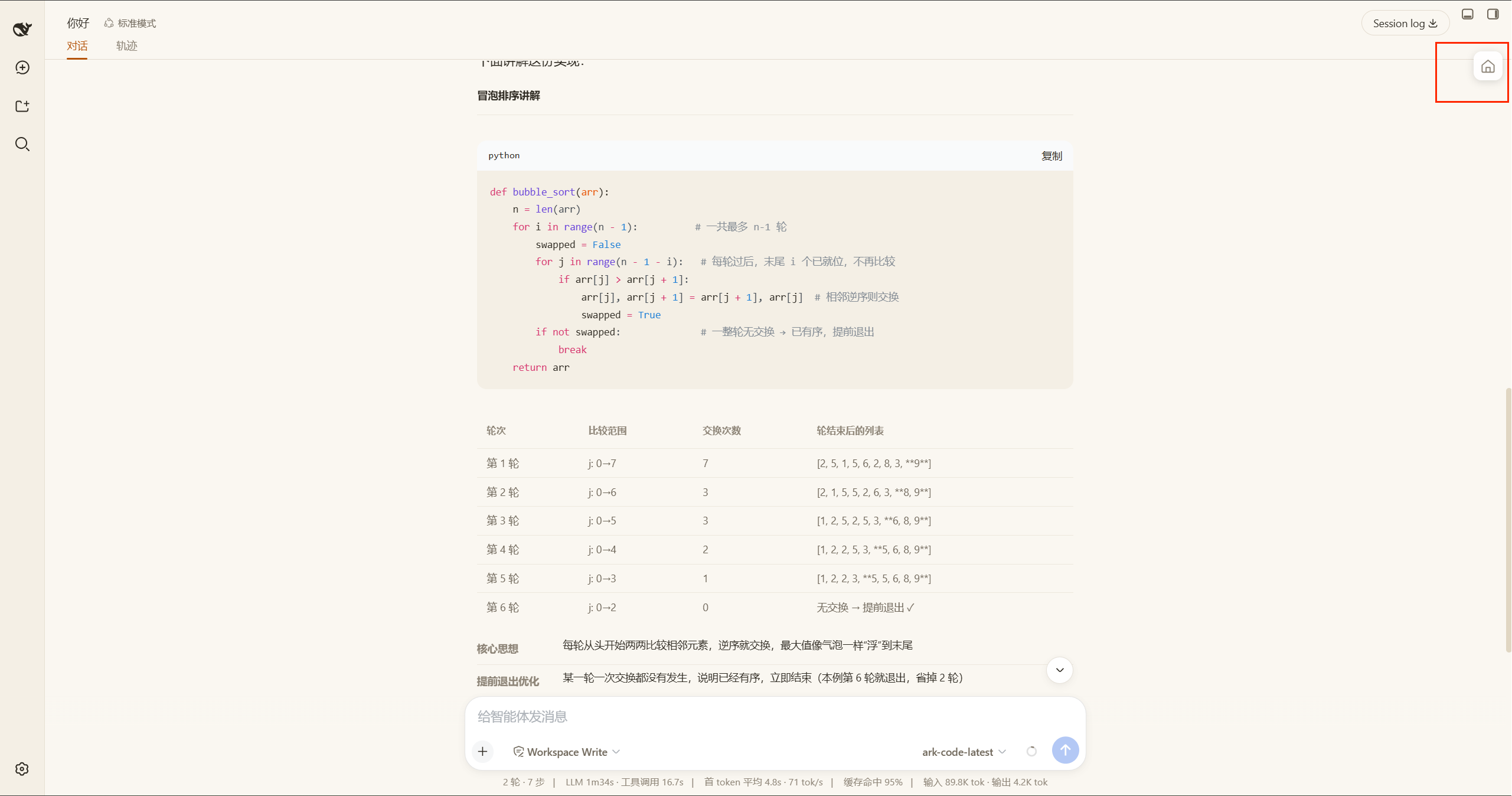
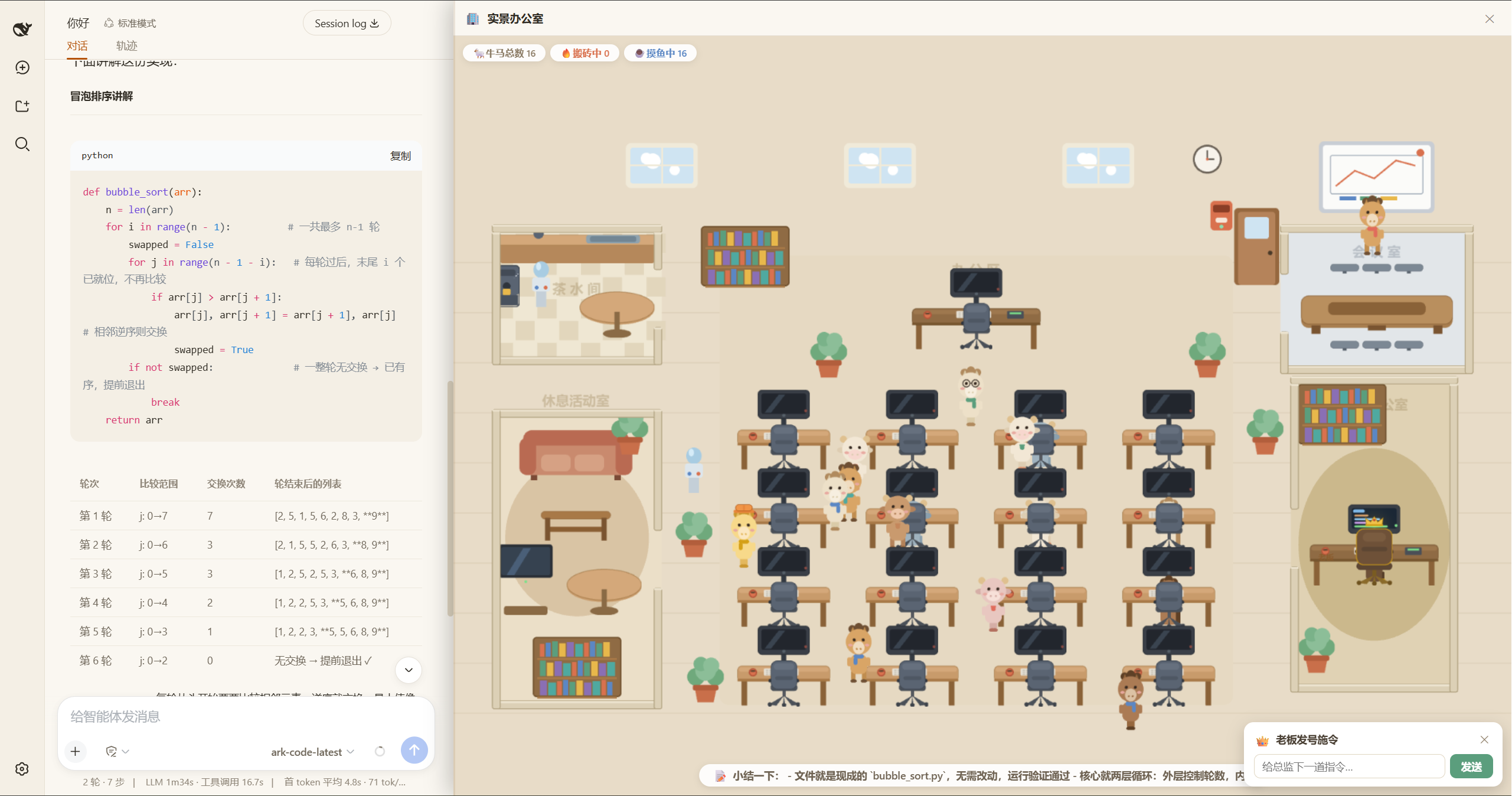
DSH Ox-Horse Office is a Web UI plugin for DeepSeek Harness (dsh) that renders the live activity of your multi-agent sessions as a pixel-art office. Every agent session becomes an ox/horse worker with its own badge -- running agents type at their desks, idle ones wander and nap, and you are the boss, sitting in the corner office wearing a crown.
🌟 If this project made you smile or helped you out, please give it a Star -- it really helps, thank you!
Cast
| Role | Who | Where | Looks |
|---|---|---|---|
| The Boss | You, the user | Private corner office (bottom-right) | Dark-brown suit coat, gold trim, glasses, golden crown |
| The Supervisor | The current session (the agent you are talking to) | Supervisor desk above the open office floor | Golden coat + orange foreman helmet |
| Workers | All other sessions (subagents included) | 4×4 desk grid | Randomly ox or horse; coat and accessories are stable per session id |
The office holds up to 16 workers (supervisor included); overflowing running sessions show up as "queued" and take a seat as earlier ones finish.
Features
Live office activity
- Working / slacking: a running session types at its desk with a scrolling-code screen and a blue glow; an idle one just sits, and after a while falls asleep at the desk (Zzz bubbles).
- Speech bubbles: streaming output, tools in flight, and latest reports surface as short bubbles. When the supervisor receives your new instruction it shouts "老板发话了,都给我干起来!" ("The boss has spoken -- back to work, everyone!") and calls every wandering worker back to their desk.
- Idle wandering: idle workers get up for coffee in the pantry, the whiteboard in the meeting room, or the sofa in the lounge -- with a one-liner like "grab a coffee" when they arrive.
- Dashboard: live counts of total / working / idle / queued workers.
Click interactions
Click a worker: an info card with species, status, title (supervisor / worker), and what it is doing right now.
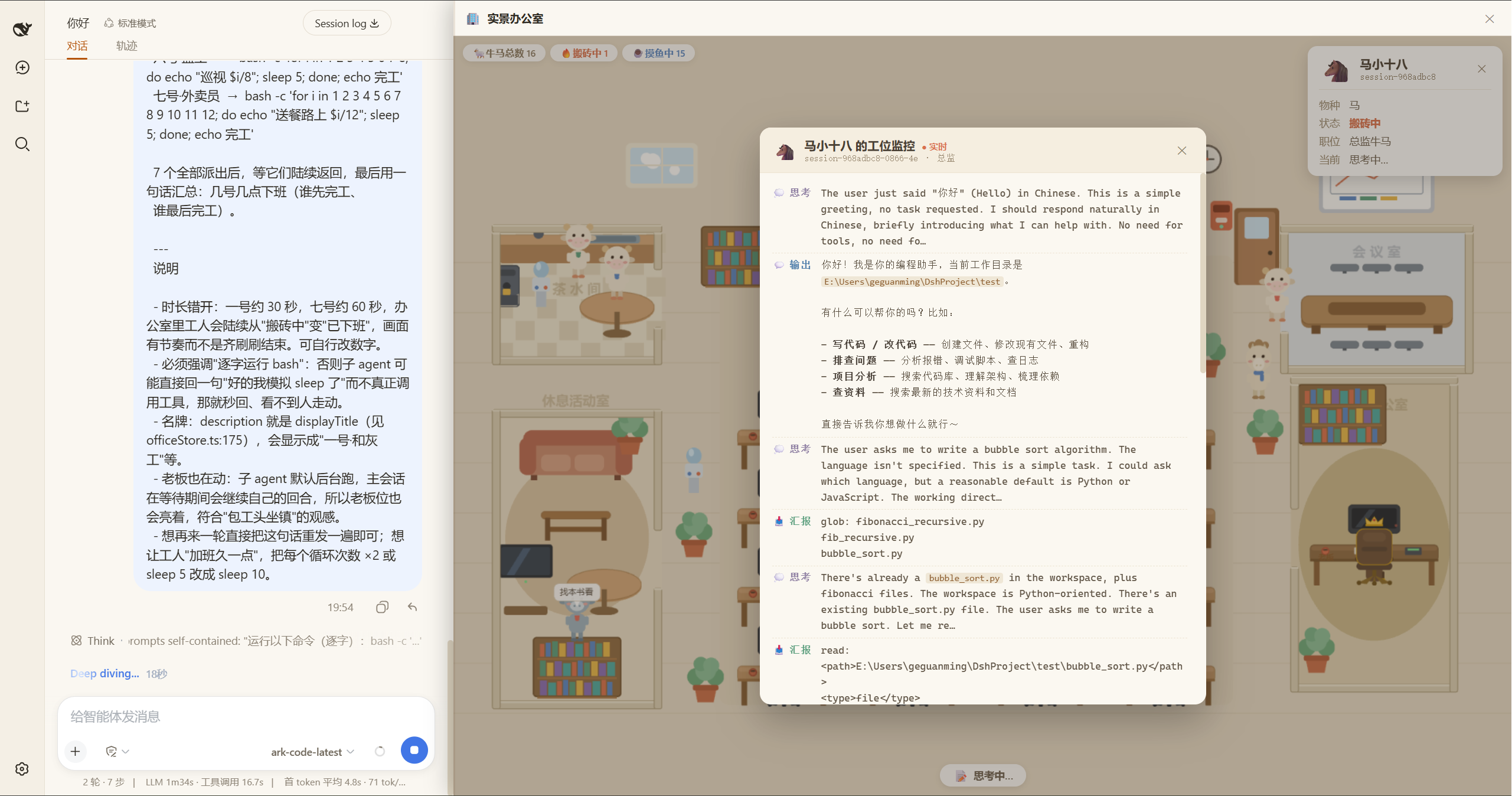
Click a working worker's screen: opens the work monitor window streaming that agent's activity -- thinking, output, tool calls, and reports -- with inline markdown (bold / inline code) support.
Click the boss: opens a mini input bar to issue orders directly to the current session (the supervisor) over the same channel as the main chat input. On success the bar collapses and the supervisor immediately shouts the order out; on failure the error shows inline in red and your draft is kept for retry.
Pending approvals
Whenever a session has a tool call awaiting approval, a question, or a plan review:
- that worker periodically bubbles "🙋 waiting for a decision";
- the office pops an approval card: approve / reject in place for approvals, or a "go handle" button that jumps to the native panel for questions and plan reviews;
- dismiss it with ✕ and that particular item stays quiet until it resolves; new items pop again.
The corner office and the boss's daily routine
The boss (you) has a private office: an executive desk, a monitor, a gold-trimmed high-back chair, a bookshelf, plants, and a rug. The boss mostly works, with regular slacking:
- typing with a scrolling screen and a breathing golden glow while working;
- periodically napping face-down on the desk with lines like "☕ slacking off, do not disturb" or "let the workers run for a while";
- occasionally strolling inside the office -- flipping through files, checking reports, watering plants, eavesdropping at the door -- but never stepping out, and no worker ever wanders in.
Camera
- Drag to pan, wheel to zoom (cursor-anchored), double-click to reset to full view;
- auto-fits when the panel resizes.
Installation
Prerequisite: the dsh CLI with the web profile (dsh web).
# From npm (recommended)
dsh plugin --profile web add dsh-office-plugin

# From a local path
dsh plugin --profile web add ./office-plugin

# From a prebuilt tarball on GitHub Releases (no allowBuilds needed)
curl -LO https://github.com/geguanming/dsh-office-plugin/releases/latest/download/dsh-office-plugin.tgz
dsh plugin --profile web add ./dsh-office-plugin.tgz

# From git (requires allowBuilds in the profile's pnpm-workspace.yaml, see below)
dsh plugin --profile web add github:geguanming/dsh-office-plugin
Restart dsh web after installing (the plugin graph is read at startup). An "Office" entry appears at the top-right of the browser; click it to open the office panel on the right side while the conversation stays in the center column.
Note: only
dsh plugin --profile web addfully activates the two-half plugin;--patchwith a file:/// URL loads the host half only and the browser code is never discovered.
Installing from git pulls source and builds on install via the bundled
preparescript; pnpm ≥10 blocks install-time build scripts. The first install attempt fails by design: the error prints an exact key (with the git source) to add to thepnpm-workspace.yamlin your profile directory (~/.dsh/profiles/web) before re-running the install command:allowBuilds: dsh-office-plugin@git+ssh://git@github.com/geguanming/dsh-office-plugin.git#<commit>: trueReplace
<commit>with the hash printed in the error. Note that the bare package name (dsh-office-plugin: true) does not work. To avoid the allowBuilds dance entirely, use the npm or tarball method above -- prebuilt artifacts, no on-install build.
Uninstallation
dsh plugin --profile web remove dsh-office-plugin
Restart dsh web. If the office entry still shows up afterwards, also remove the "dsh-office-plugin" line from the bundles list in ~/.dsh/profiles/web/package.json and restart again.
Usage guide
- Start
dsh webwith the plugin installed, then click the office entry at the top-right; - The left session sidebar auto-collapses for a wider view and restores when you close the panel;
- Read the room: the dashboard plus lit/dark screens tell you the global state at a glance;
- Click a worker for its info card; click a lit screen for the work monitor;
- Click the boss to issue an order, or handle approvals right from the pop-up card;
- Double-click the canvas any time to return to the full view.
Development
pnpm install
pnpm run build       # tsdown dual config: host half -> lib/index.js, browser half -> lib/client.js
pnpm run watch
pnpm run typecheck
This is a dsh "two-half" plugin:
- Host half (
src/index.ts): exists only to appear in the host's cordis load table; - Browser half (
src/client/): discovered via thedsh.clientdeclaration inpackage.json, served by the loader as a single file at/plugins/<id>/client.js.
Two hard constraints (read CLAUDE.md before changing the build):
client.jsmust be a single-file CJS bundle wrapped in thewindow.__ModuleLoader__.loadbanner (inlineDynamicImports: true-- pixi.js has dynamic imports that would otherwise split chunks and 404);- the external list in
tsdown.config.tsmust trackPLATFORM_MODULESfrompackages/client/web/src/platform.tsin the dsh repo, andsrc/client/runtimeTypes.tsis a hand-aligned local type face of@deepseek-ai/dsh-client-runtime.
Acknowledgements
- pixi.js (MIT) -- WebGL rendering
- Inspired by every agent earnestly grinding away in the office
No comments yet. Be the first to write one.