README来源: main@61a5f4e6
dsh-msg-rewind
English | 中文
Conversation rewind commands for DeepSeek Harness web.
/undo— roll the chat back one full turn (drop the last real user message and everything after it)/rewind— pick a past user message from a dialog and cut the conversation back to it- Visual rewind — hover a user message bubble in the chat and click the ⤺ undo button to rewind to that point
Both the model context and the visible transcript are truncated, and the durable JSONL artifact is rewritten so the cut survives a restart.
Screenshots
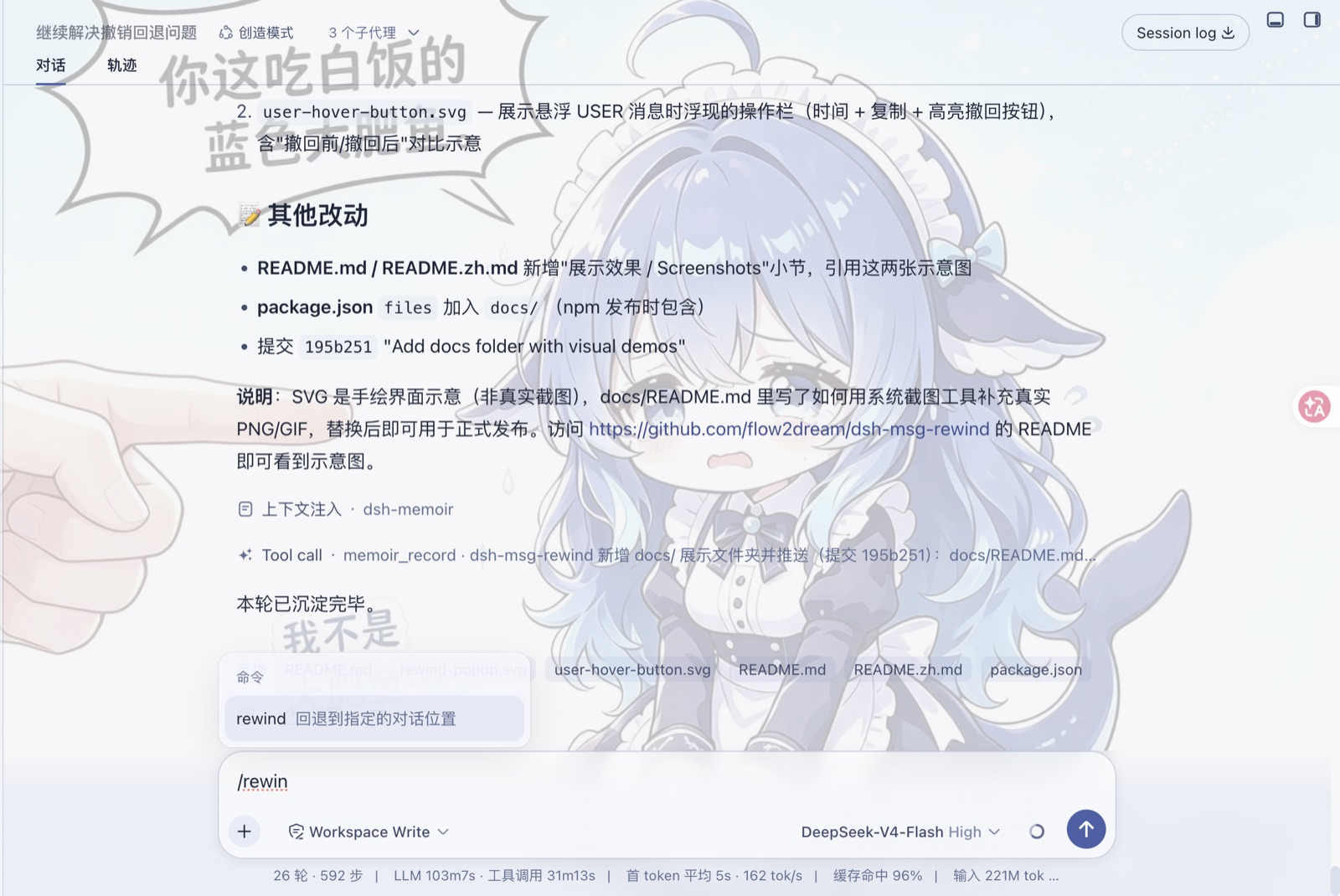
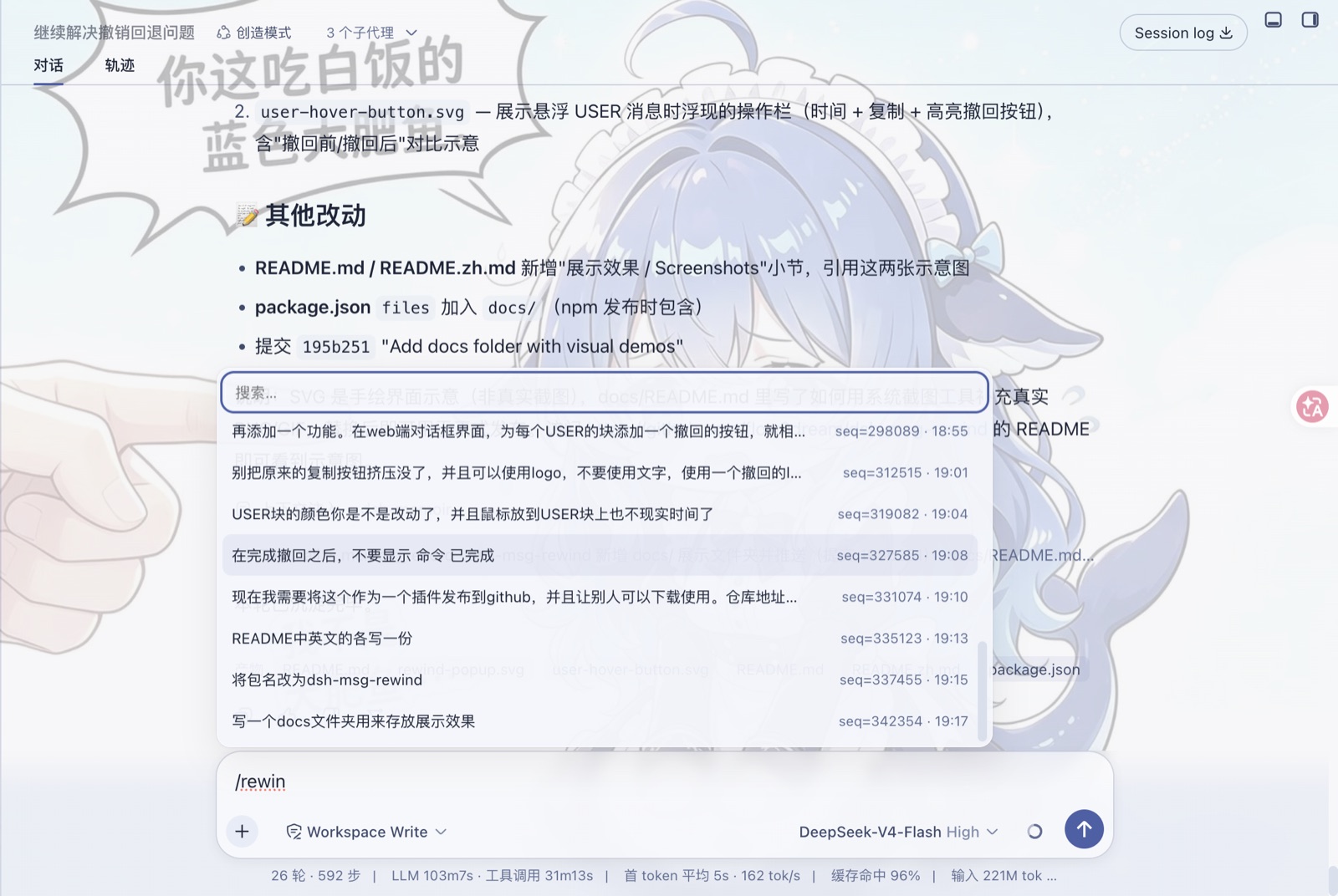
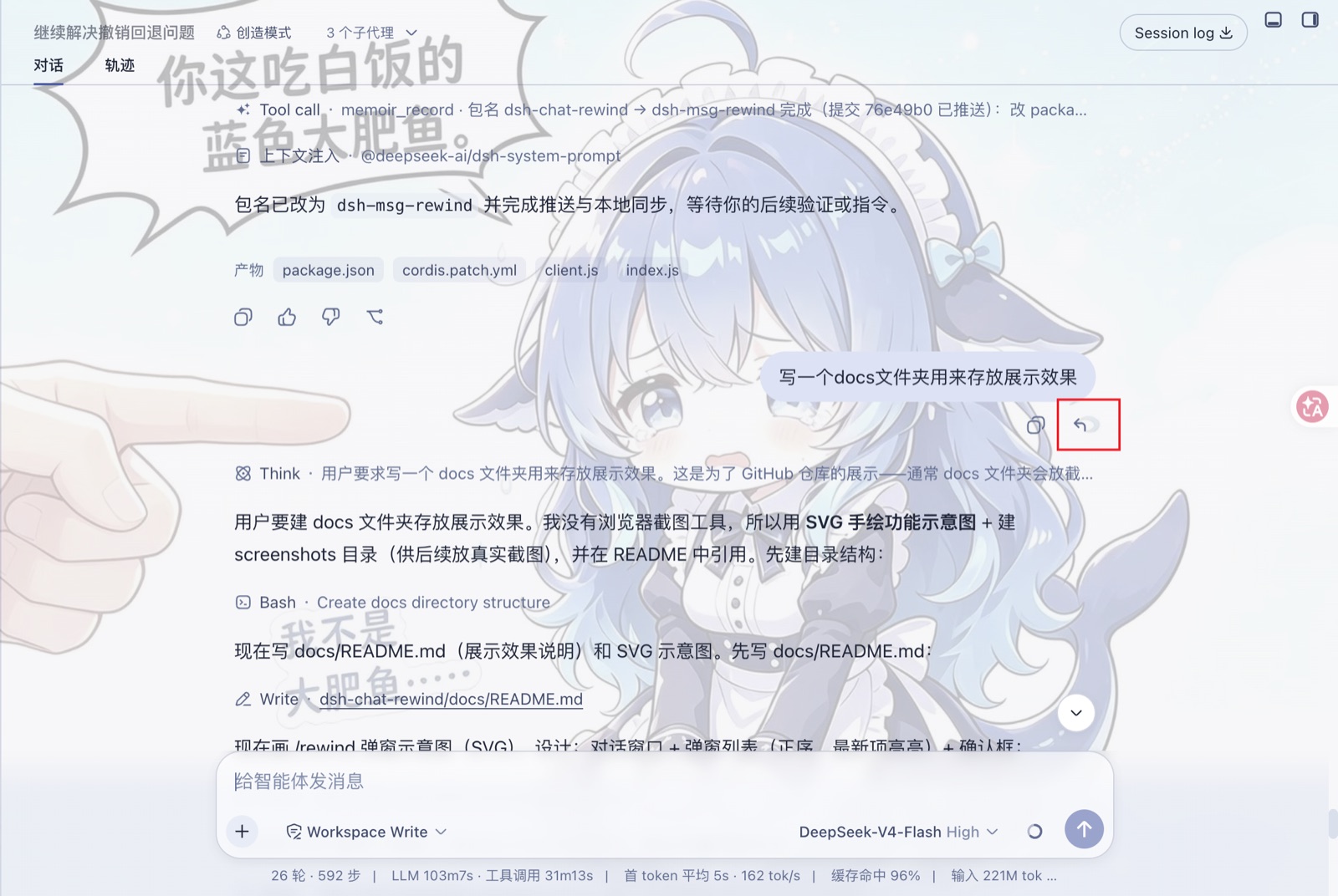
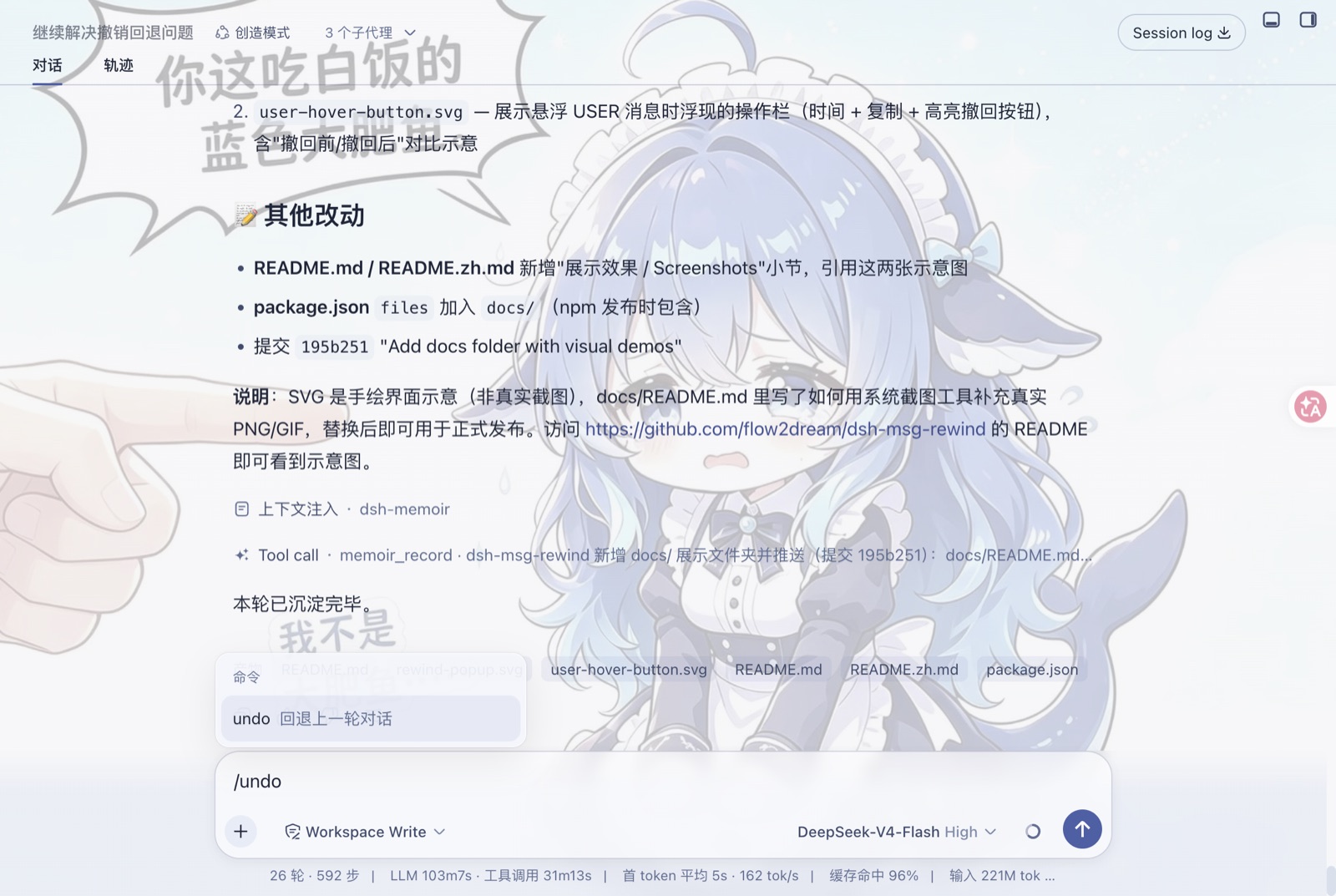
Real screenshots from dsh web.
Features
| Capability | Detail |
|---|---|
/undo |
Reverts the previous turn: deletes the last real user message and all events after it |
/rewind (bare) |
Opens a dialog listing every user message (chronological, most recent preselected); pick one to rewind there |
/rewind <seq> |
Directly rewinds to the given message seq |
| Visual rewind | Hover any user bubble → click the undo icon (shown with time + copy) to rewind to that message |
| Durable | Rewrites the session's JSONL+zstd artifact; the cut survives a restart |
| Clean UI | No "command completed" noise cards after a rewind |
Requirements
- DeepSeek Harness web (dsh web)
- Node
^22.19.0 || >=24.0.0
Install
Via npm (recommended)
dsh plugin --profile web add @flow2dream/dsh-msg-rewind@0.1.2
Then restart the web profile:
dsh web
Via GitHub
dsh plugin --profile web add dsh-msg-rewind@github:flow2dream/dsh-msg-rewind
Then restart the web profile:
dsh web
Manual
Add the dependency and bundle to your web profile:
// ~/.dsh/profiles/web/package.json
{
  "dependencies": {
    "@flow2dream/dsh-msg-rewind": "0.1.2"
  },
  "dsh": {
    "profile": {
      "bundles": ["@flow2dream/dsh-msg-rewind"]
    }
  }
}
Then install and restart the web profile:
cd ~/.dsh/profiles/web
pnpm install
dsh web
Usage
In any conversation:
- Type
/undo— the chat rolls back one turn. - Type
/rewind— a dialog opens with every user message; the most recent one is preselected. Arrow keys navigate, Enter rewinds. - Hover a user message bubble — a small undo icon appears next to the copy button; click it to rewind to that message.
The rewind target is the real user message (system injections such as runtime-context and skill-catalog snapshots are never treated as user turns).
How it works
- Host (
lib/index.js) registers the/undoand/rewindcommands. A rewind drains the persistence coordinator, splices the live session log, resets every derived cache, rewrites the JSONL artifact, resets the agent's request-header anchor, and broadcastssession/rewind. - Browser (
lib/client.js) listens forsession/rewind, resyncs the target session's window from the host, and injects the hover undo button into user bubbles. - The
session/rewindevent is allowlisted indsh-api-remotes's forwarded events.
Development
# from your web profile
npm install /path/to/dsh-msg-rewind
Source lives in lib/:
lib/index.js— host half (commands + truncation)lib/client.js— browser half (resync + visual rewind)
License
MIT
还没有评论,来写第一条。