READMESource: main@353b5781
Skins — global skin pack for DeepSeek Harness


A skin switcher inside Settings, not the sidebar: two global palettes for DeepSeek Harness, switched in one click, with no feature changes.
| Paper (default, light) | Ink (dark) |
|---|---|
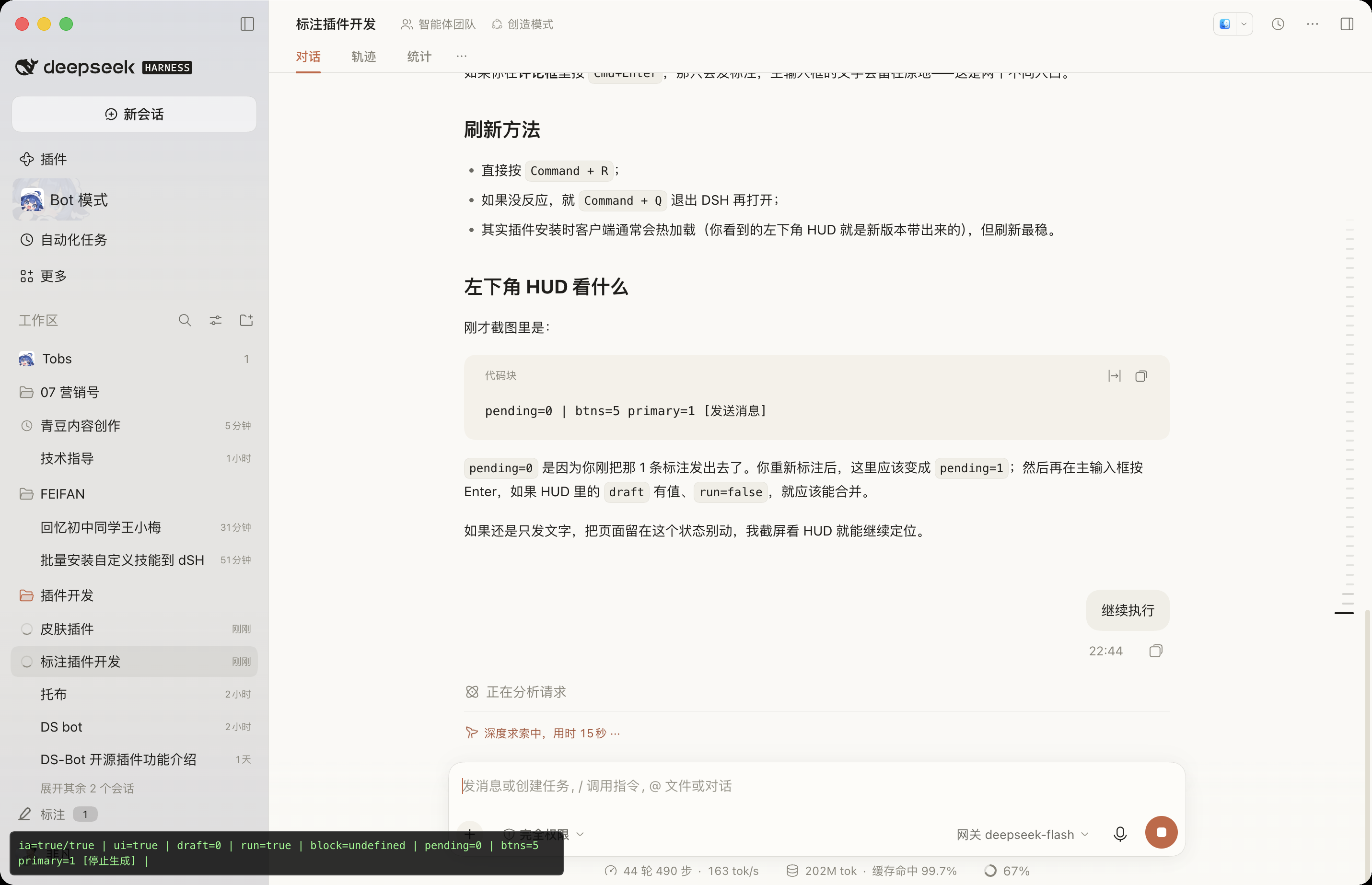 |
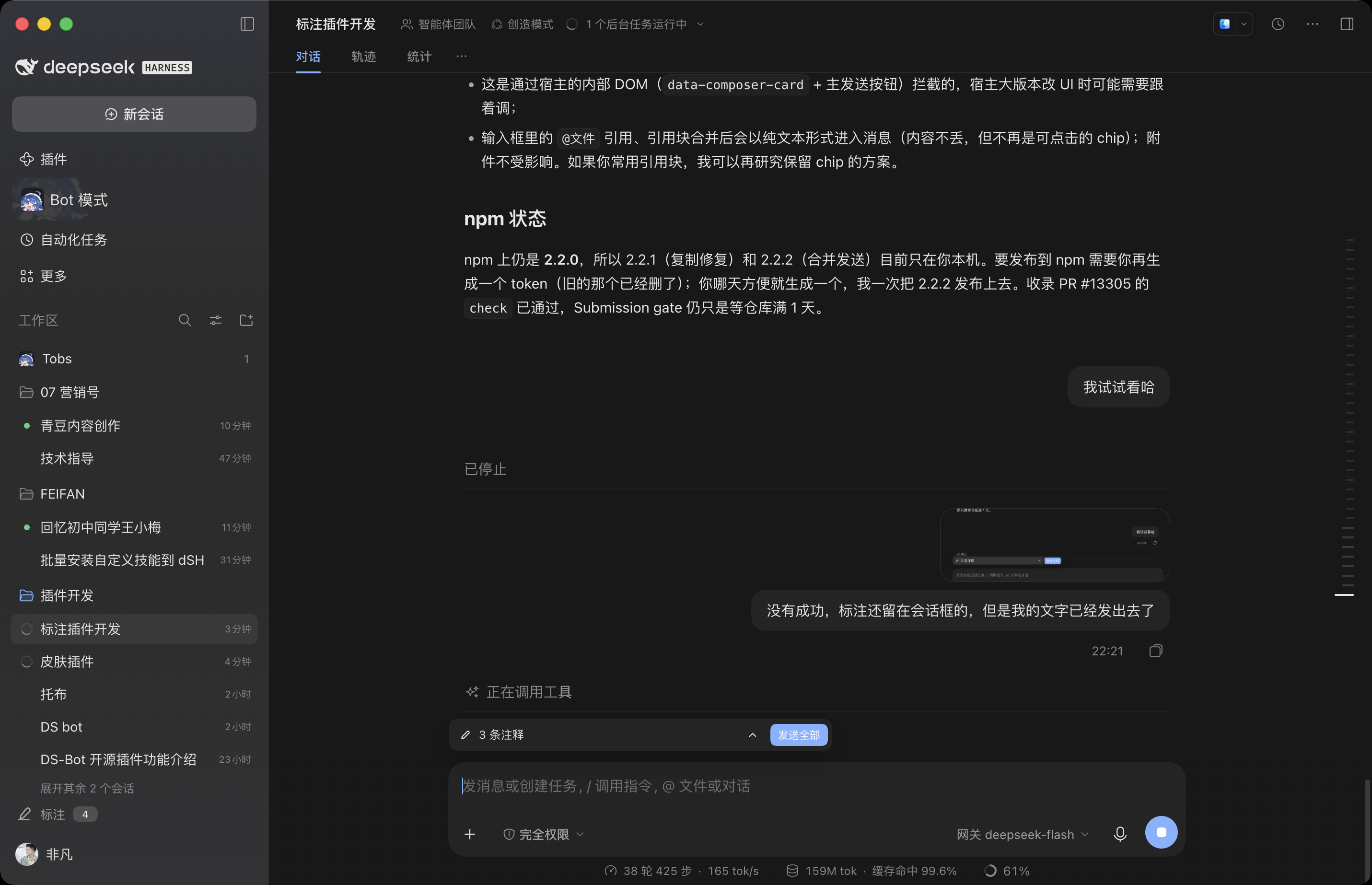 |
Usage
Settings → General → Skin (between “Language” and “Appearance”):
| Choice | Result |
|---|---|
| Paper | Ivory #faf9f5, beige sidebar, warm ink #1f1e1b, terracotta #c96442 |
| Ink | Charcoal #181818, warm neutral greys, terracotta accent |
| Off | Restores the shipped DSH theme |
| After switching | Applies instantly; survives reload and restart (localStorage: dsh-skins:active) |
Each skin ships both a light and a dark palette, so Settings → Appearance (light / dark / system) still applies. The skin only owns colour; it does not take over the appearance preference.
How it works
- Token-only: each skin re-points ~106
--dsw-*design variables (palette ramps, semantic aliases, scenario tokens). No component replacement, no DOM reads, no feature changes. - Reading comfort: body text keeps the highest contrast; tool rows, timestamps and telemetry step back through
secondary / tertiary / caption; hairlines fade; content leading +1px. - Cold-start safe: selectors sit one step above the base sheets (
html[data-dsh-skin="paper"] body…), so the host’s later-injected base styles cannot override the skin. - One stylesheet: switching only moves the
<html data-dsh-skin>attribute — no style rebuild, no page reload.
Install
Ask the DSH agent:
install @fanfan4589/dsh-skins
or:
plugin_manager install_bundle @fanfan4589/dsh-skins
From a local checkout:
plugin_manager install_bundle /path/to/dsh-skins
Compatibility
- Requires
dsh >= 0.2.1-rc.1(web client). - On macOS the sidebar is system vibrancy (the shipped CSS makes it transparent under
[data-platform=darwin]), so its base colour is the OS material; tokens still control the sidebar’s inner elements and every non-darwin platform. - Mutually exclusive with other skin plugins (all write
data-dsh-skin) — keep one enabled at a time.
Development
No build step: client.js is a browser-loadable module (window.__ModuleLoader__.load) with the CSS inlined.
dsh-skins/
├── client.js          # both palettes + the Settings row component + switching/persistence
├── index.js           # host half (empty; the bundle row must resolve)
├── cordis.patch.yml   # inserts the `skins` row
├── locale/{zh,en}.json
├── icon.svg
└── docs/              # screenshots
Editing client.js takes effect on the next page load (the plugin is link-installed).
License
MIT © 2026 feifandiv
No comments yet. Be the first to write one.