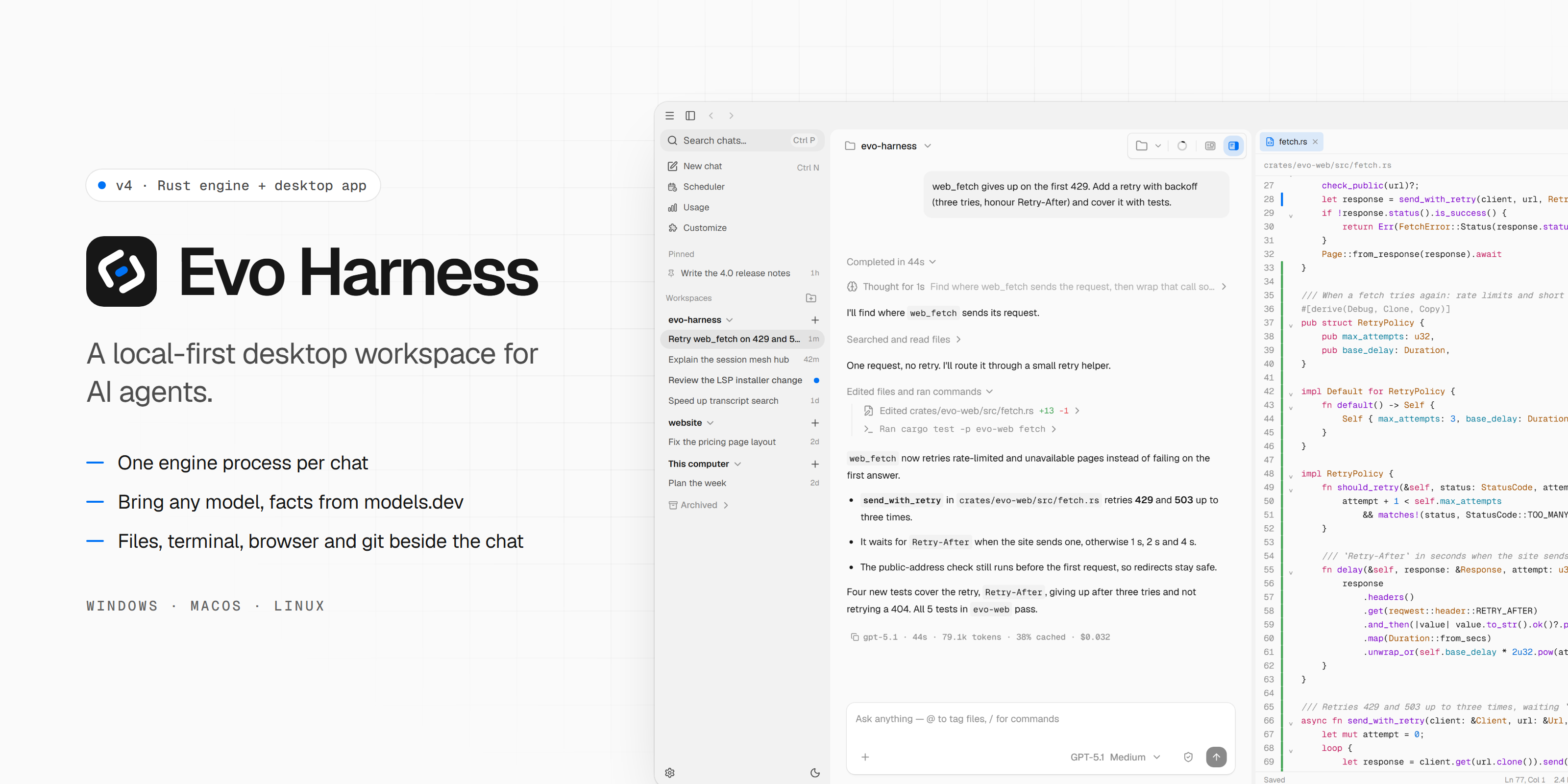
A local-first desktop workspace for AI agents.
Evo Harness brings agent chats, files, terminal, browser, git, connectors and skills into one desktop app. A headless Rust engine runs every chat on your machine; the desktop app is a thin shell around it.




Highlights
- One engine process per chat. A crashing chat, tool or plugin does not take the window down, and sessions are saved as they run and resume after a crash.
- Bring your own model from hosted, cloud or local providers. Models, limits, costs and thinking options come from models.dev, not from code.
- Subagents and nested sessions for delegated work, with read-only explore and plan agents, background agents and isolated Git worktrees you review before applying.
- Workspace tools beside the chat: Files with a code editor and Git changes, Terminal, a built-in Browser the agent can drive, and a side chat.
- Customize with skills, connectors (MCP, with OAuth), plugins from marketplaces, hooks and native plugins.
- Office documents: Word, PowerPoint and Excel open as pages in Files, and bundled skills create and edit them.
- Code intelligence through language servers for 21 languages.
- Local control with permission prompts, a sandbox, project trust, and a history of usage and cost per response.
- Memory, Scheduler, web search and web fetch are built in.
Download
Download the latest desktop release from
GitHub Releases.
Packages are available for macOS (Intel and Apple Silicon), Windows and
Linux. Each package includes the evo-engine sidecar.
Linux packages should be installed through the system package manager, for example:
sudo apt install ./Evo*_amd64.deb
The LibreOffice runtime for Office document previews is optional. The app offers to install it the first time you open an Office file.
Run from source
Requirements
- Rust (the toolchain is pinned in
rust-toolchain.toml; MSRV 1.89) - Bun
- Tauri prerequisites for your operating system
- On Windows, NASM for a clean build
Setup
git clone https://github.com/evoelsewhere/evo-harness.git
cd evo-harness/apps/desktop

bun install
Start the development app with:
# Build evo-engine, stage it as the sidecar, then run the Tauri app
bun run dev:app
Use bun only in apps/desktop; do not use npm, pnpm or yarn there.
bun run build:app builds a release with installers for the current
platform. The engine and library crates build and test from the repository
root:
cargo build --workspace
cargo test --workspace
On first launch, connect a model provider in Settings → Providers, then open a folder and start a chat.
Documentation
The README stays intentionally high-level. Detailed contracts and guides live
under docs/:
- Documentation index
- Architecture (ADD) and decisions (ADRs)
- Feature catalogue: specs, plans and tasks (Spec-Driven Development)
- Desktop UI map and source layout
- Visual design language
- Contributor and agent guide
Architecture at a glance
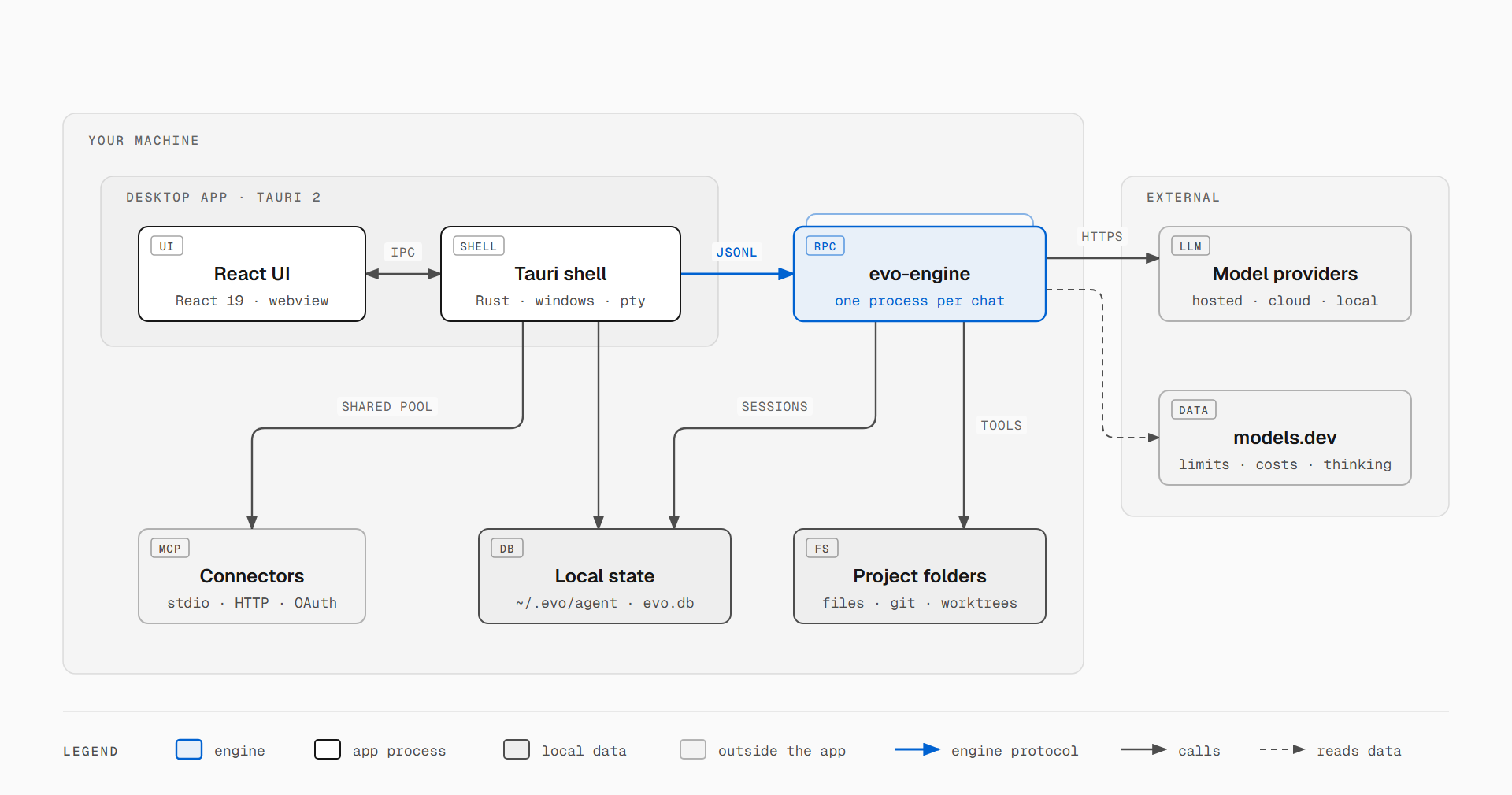
The engine owns agent behaviour: the agent loop, tools, sessions, compaction, skills, hooks, memory, model selection and credentials. The shell owns native features (windows, terminals, files, browser webviews, the MCP connection pool, plugins) and relays the protocol. Model providers are replaceable, while the harness handles context, tools, permissions, memory and verification.
Project layout
crates/         Rust workspace: engine, protocol, agent loop, tools, providers
apps/desktop/   Tauri 2 shell (src-tauri/) and React 19 UI (src/)
examples/       minimal native plugin used by extension tests
scripts/        Office runtime build, README screenshots
docs/           architecture (ADD, ADRs) and feature spec / plan / tasks
The crates are released together and depend only on the layers below them:
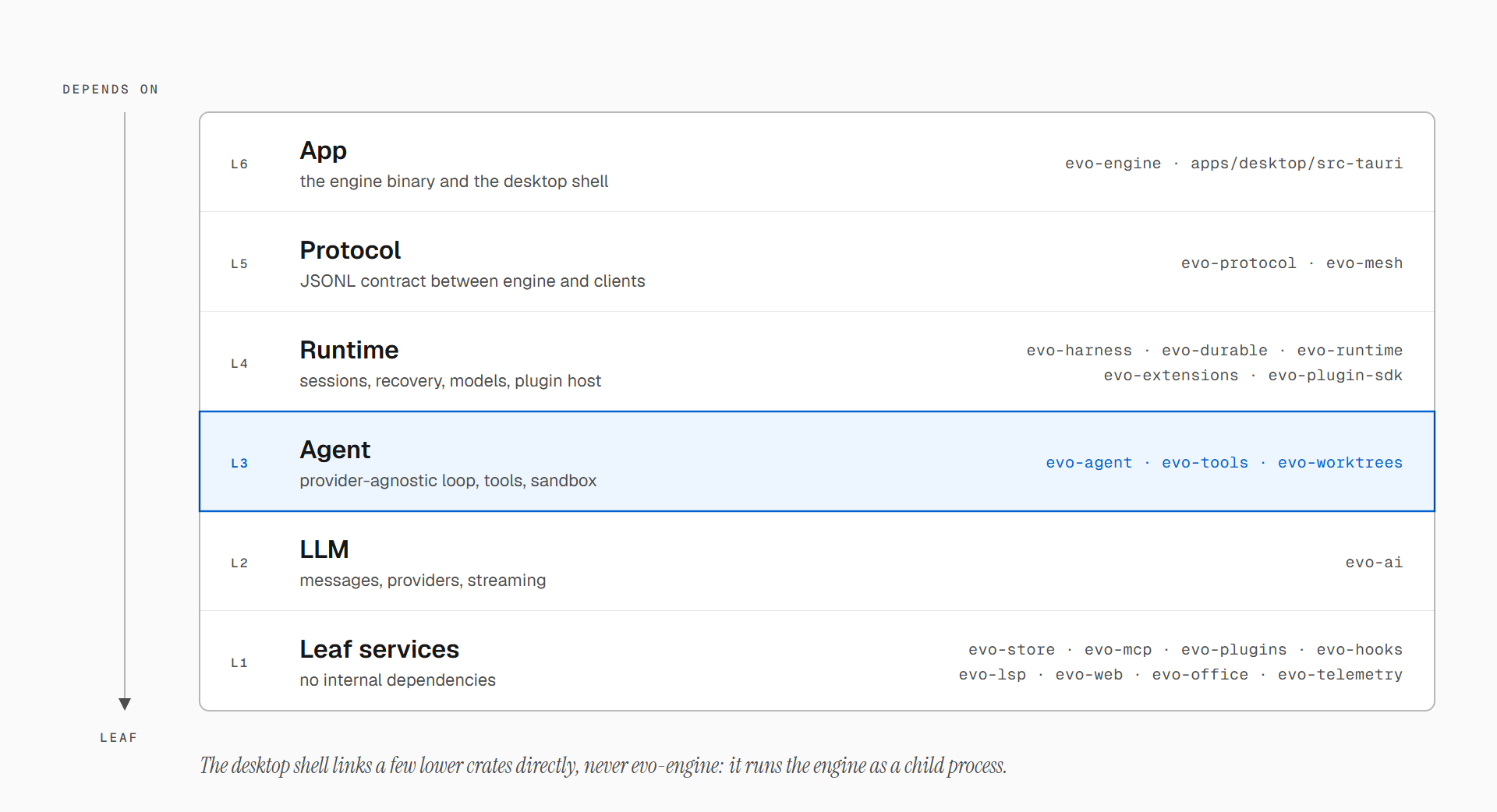
Diagram and banner sources are in docs/assets/readme/;
scripts/readme-shots/ regenerates the screenshots.
Contributing
Issues and pull requests are welcome. Keep changes focused and include the smallest relevant test run. AGENTS.md lists the checks for each layer and the design-document workflow. Report vulnerabilities privately through GitHub Security Advisories.
License
Evo Harness is released under the Apache License 2.0. Parts of the
evo-* crates are derived from MIT-licensed upstream work; see
NOTICE.
No comments yet. Be the first to write one.