dsh-workspace-ide


A VS Code-like workspace panel plugin for DeepSeek Harness (DSH): browse the workspace, search it, and read its git state without leaving the conversation.
It is published on npm as dsh-workspace-ide
(the npm badge above shows the current version), and every release is built and published
by GitHub Actions through npm trusted publishing (OIDC) with a signed provenance statement.
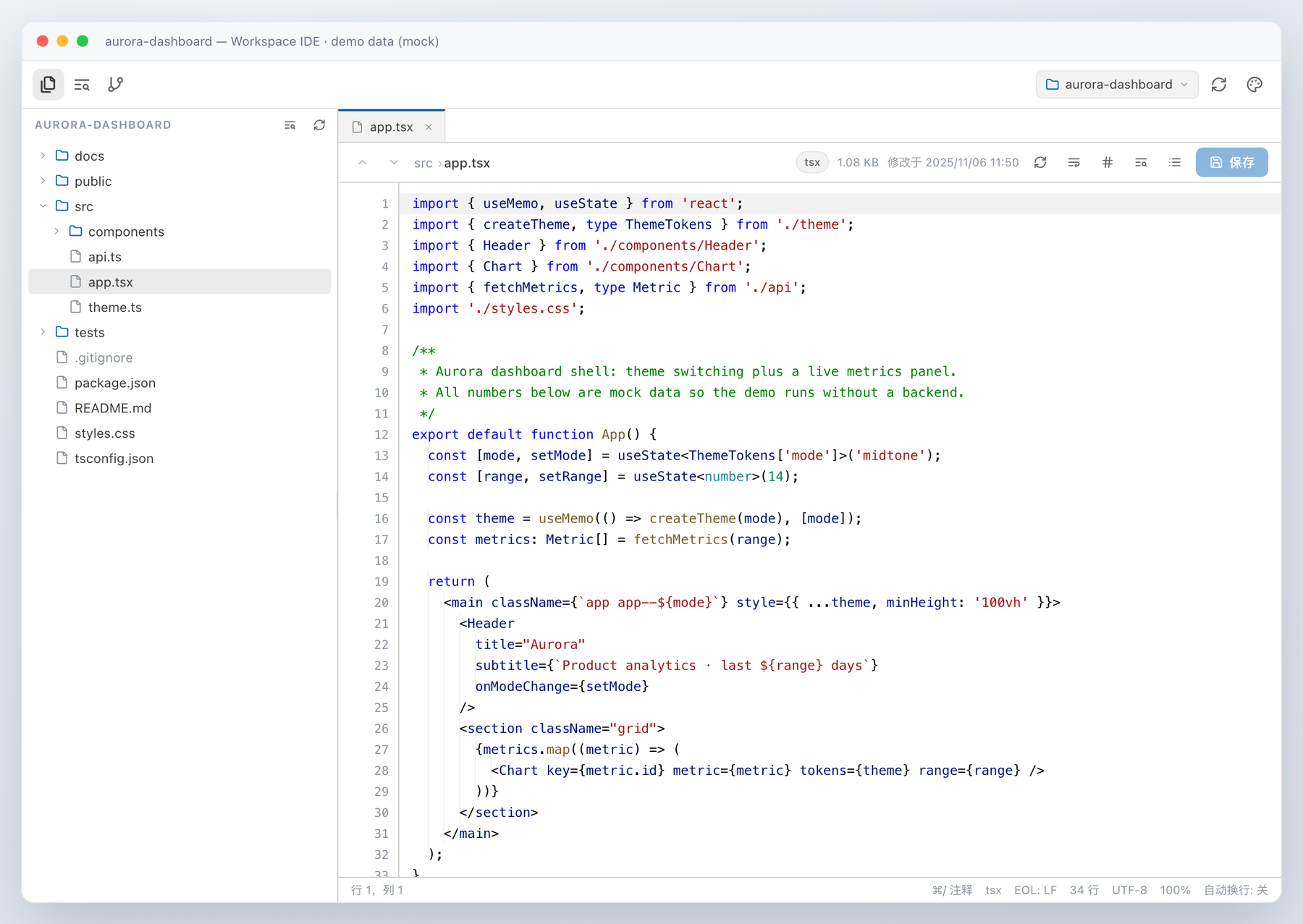
| Surface | What it does |
|---|---|
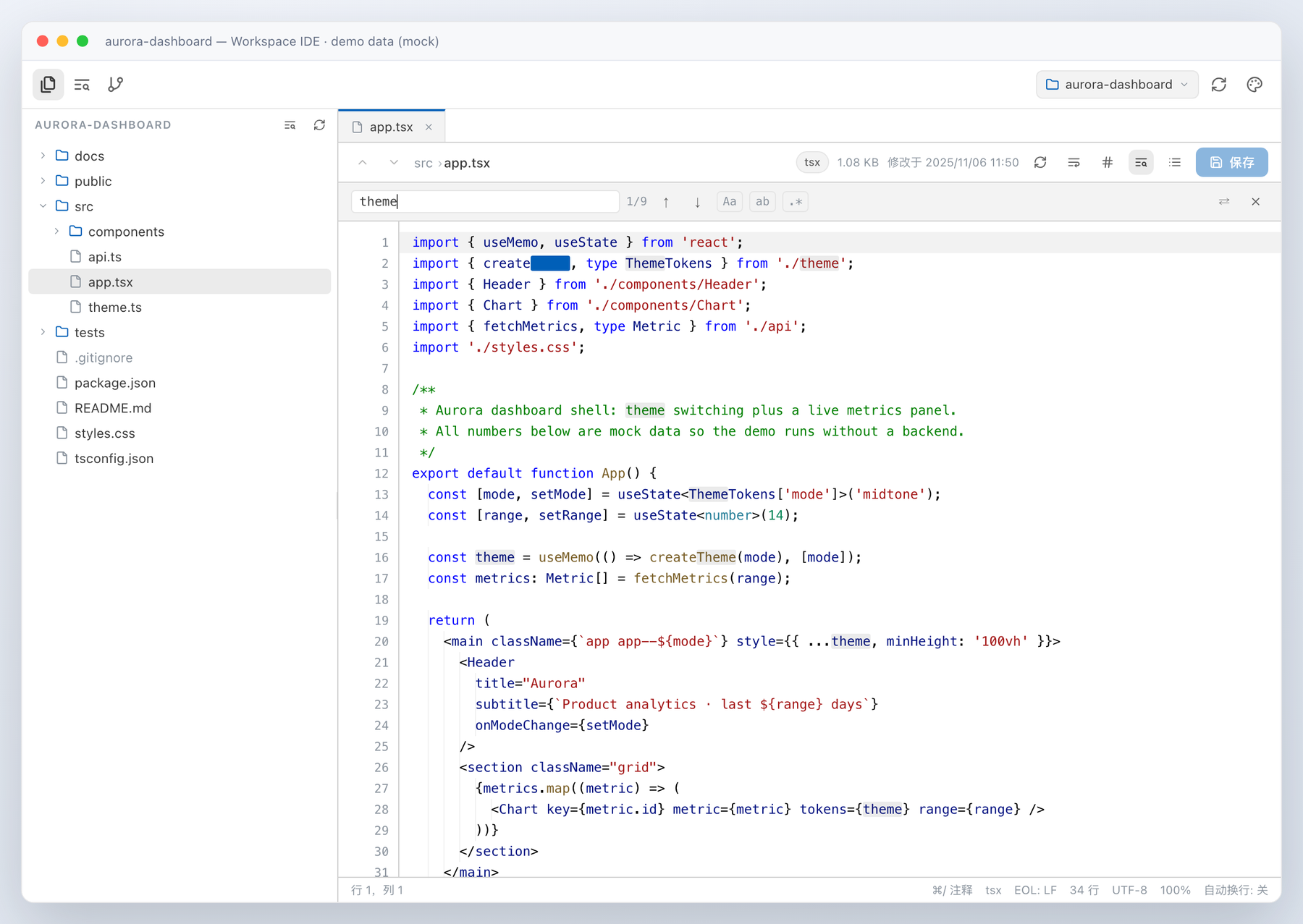
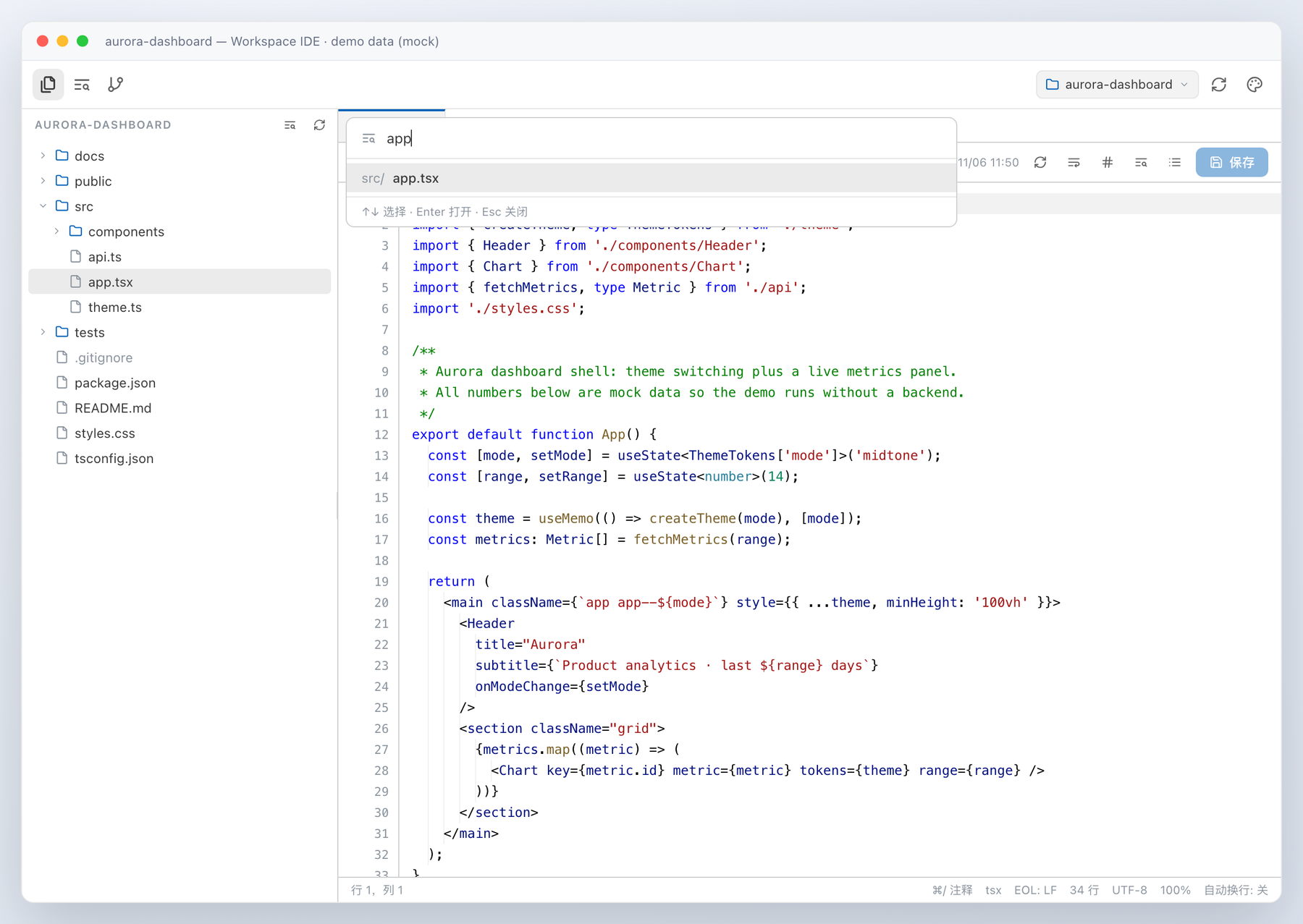
| Files | Lazy directory tree for the whole workspace, resizable split, line-numbered syntax-highlighted code viewer with git change marks in the gutter, clickable breadcrumbs, soft-wrap (Alt+Z), go-to-line (Ctrl/Cmd+G), in-file find & replace (Ctrl/Cmd+F / Ctrl/Cmd+H, case/whole-word/regex, all-match highlight), quick open (Ctrl/Cmd+P), multi-tab editing with per-tab drafts and unsaved-change guards (Ctrl/Cmd+W closes), back/forward navigation (Ctrl/Cmd+Alt+←/→) a JetBrains-style status bar and editor zoom (Ctrl/Cmd+= / -, Ctrl/Cmd+0 resets), inline editing with Ctrl/Cmd+S save, selection-aware Tab indentation, Ctrl/Cmd+D duplicate-line, Alt+Shift+↑/↓ move-line, Ctrl/Cmd+Shift+T reopen-closed-tab, bracket matching / auto-pair / smart indent / indent guides / current-line highlight and Cmd/Ctrl+/ comment toggling, rendered Markdown preview with source toggle, image / SVG preview, large-file/binary guards |
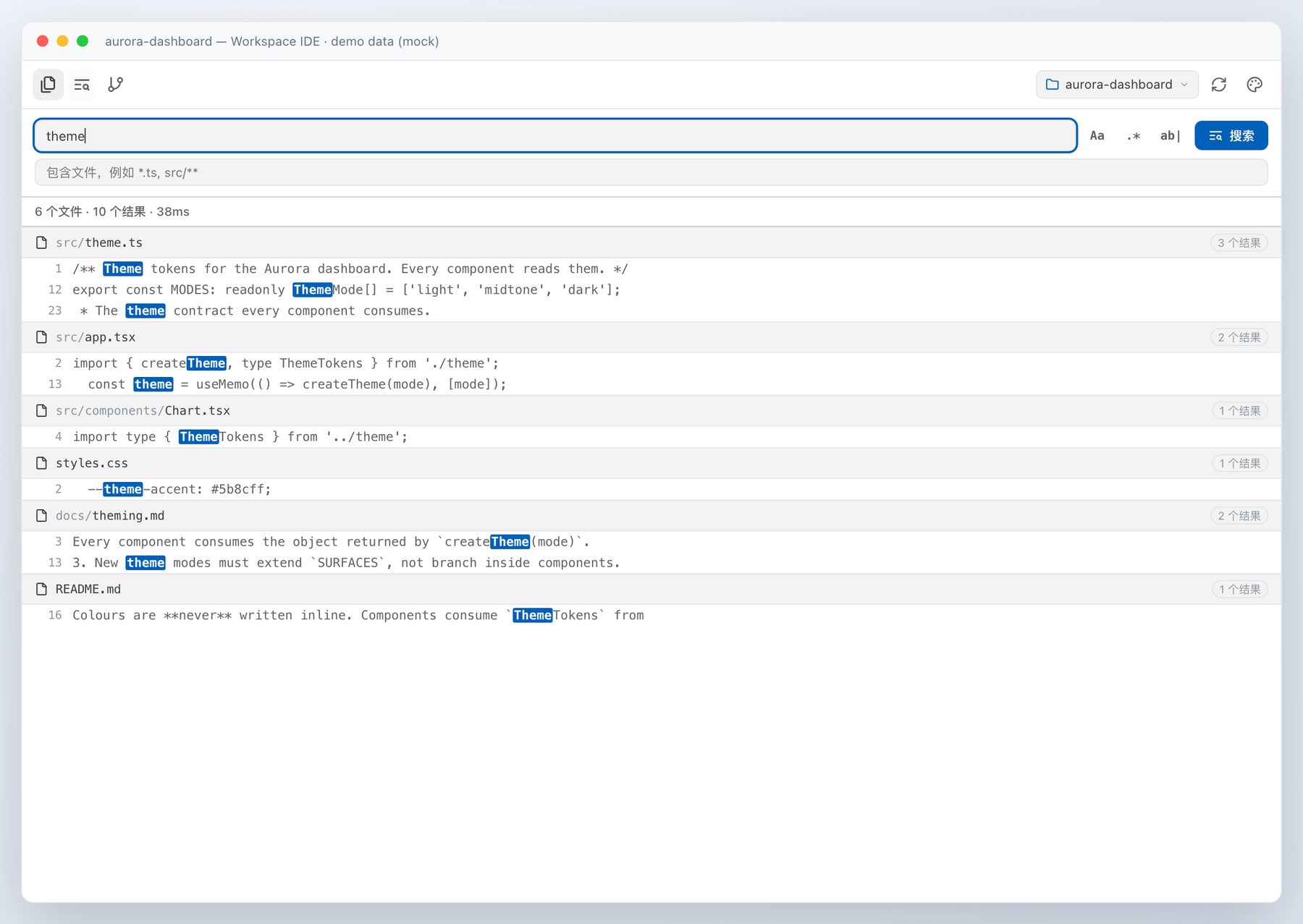
| Search | Full-text workspace search with case / regex / whole-word toggles and an include filter; hits are grouped per file, highlighted, and jump straight to the matching line in the viewer |
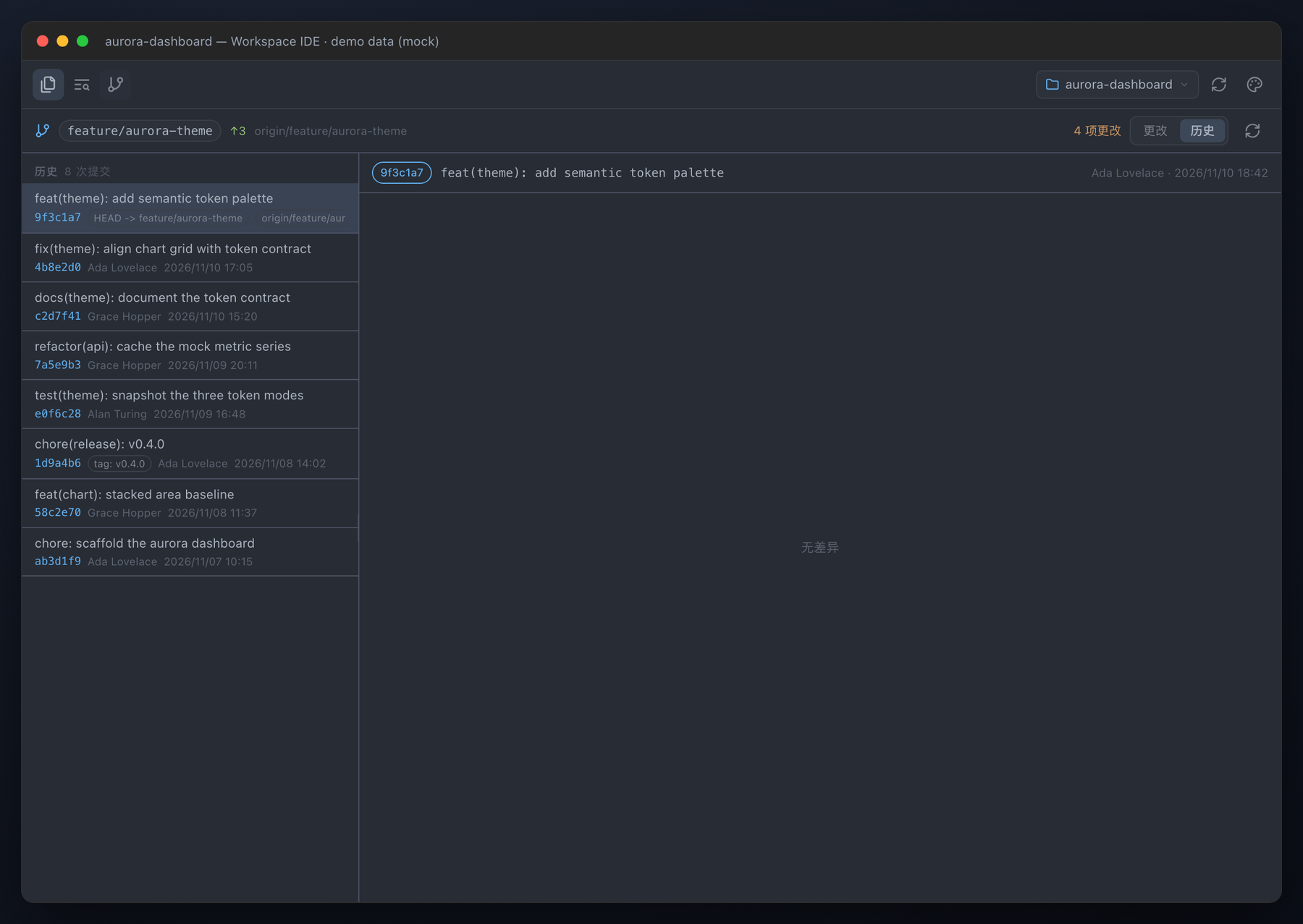
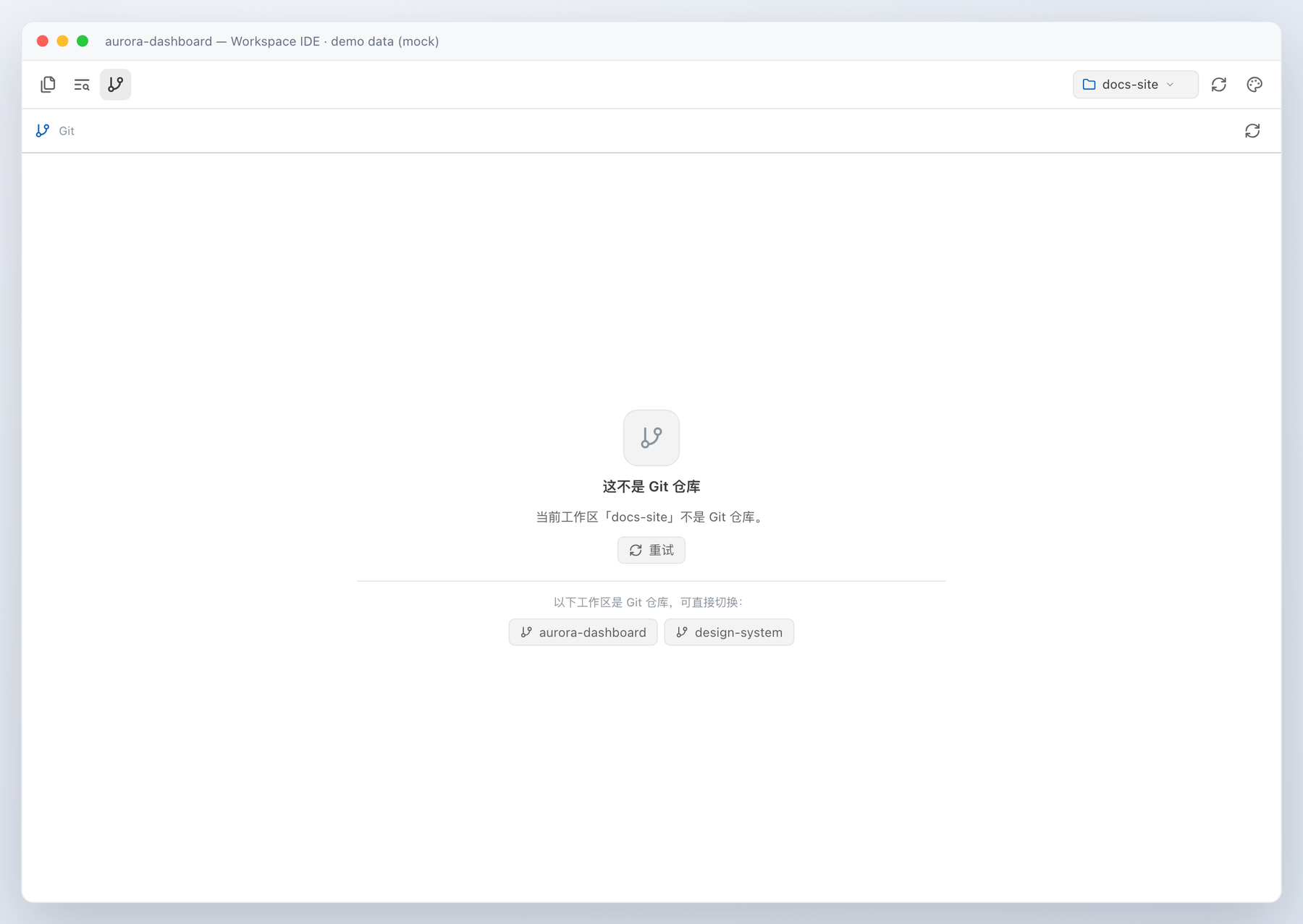
| Git | Current branch with ahead/behind, staged / unstaged / untracked / conflicted groups with colourised unified diffs, and a commit history with per-commit diffs; status/log refresh silently while the tab is open (single-flight, 5 s floor, backs off on slow scans, pauses when hidden, immediate on window focus), gutter marks refresh after each save, and a non-git workspace lists other git workspaces for one-click switching |
Colour themes
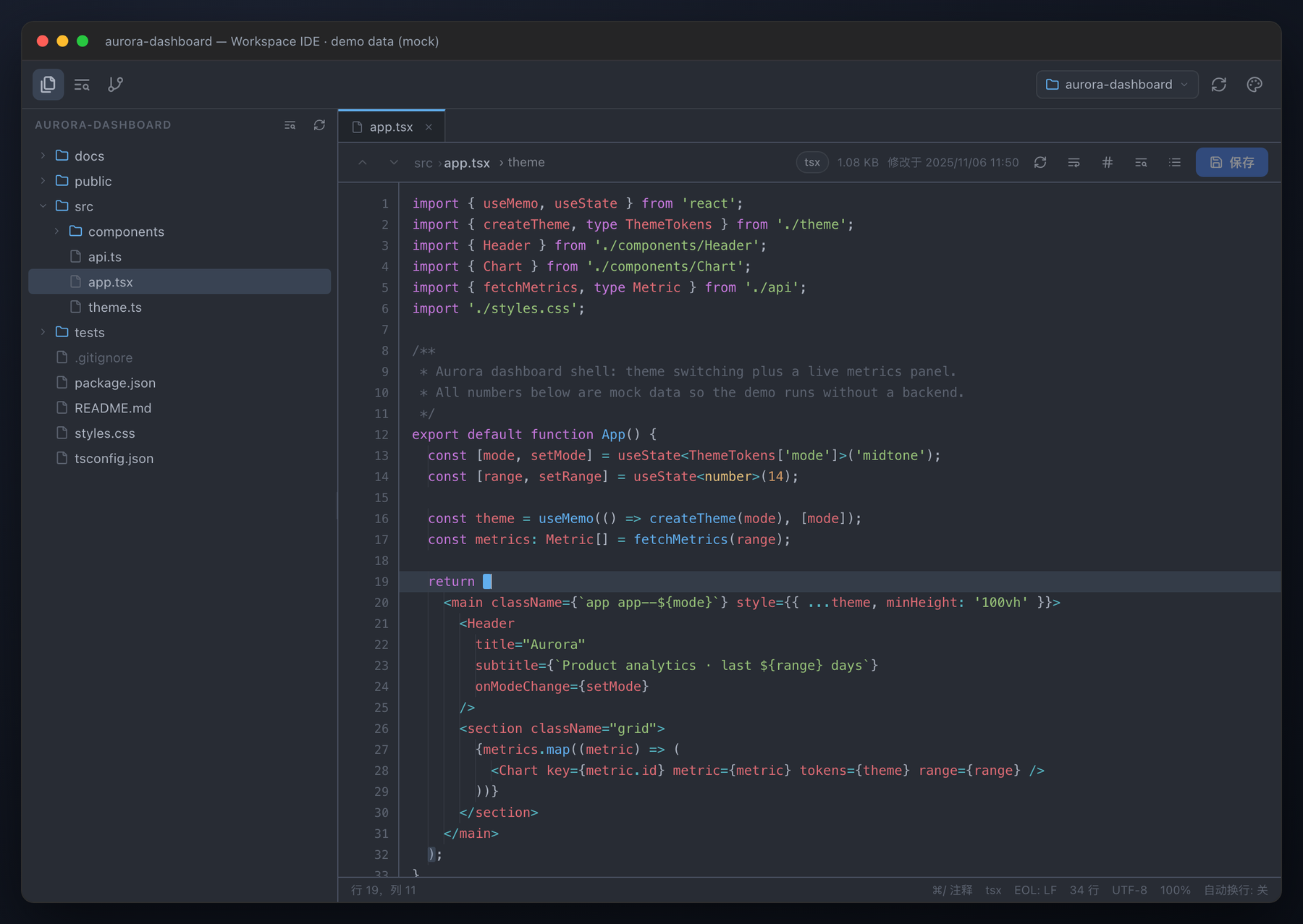
The panel ships the mainstream VS Code palettes and switches between them without touching the rest of the DSH UI:
| Selection | Palette |
|---|---|
| Follow DSH theme (default) | the live --dsw-alias-* values, so it matches the app light/dark theme |
| Dark+ | VS Code's default dark palette |
| Light+ | VS Code's default light palette |
| One Dark Pro | Atom's One Dark |
| Dracula | the official Dracula palette |
| GitHub Dark | GitHub's dark palette |
| Solarized Light | Ethan Schoonover's Solarized Light |
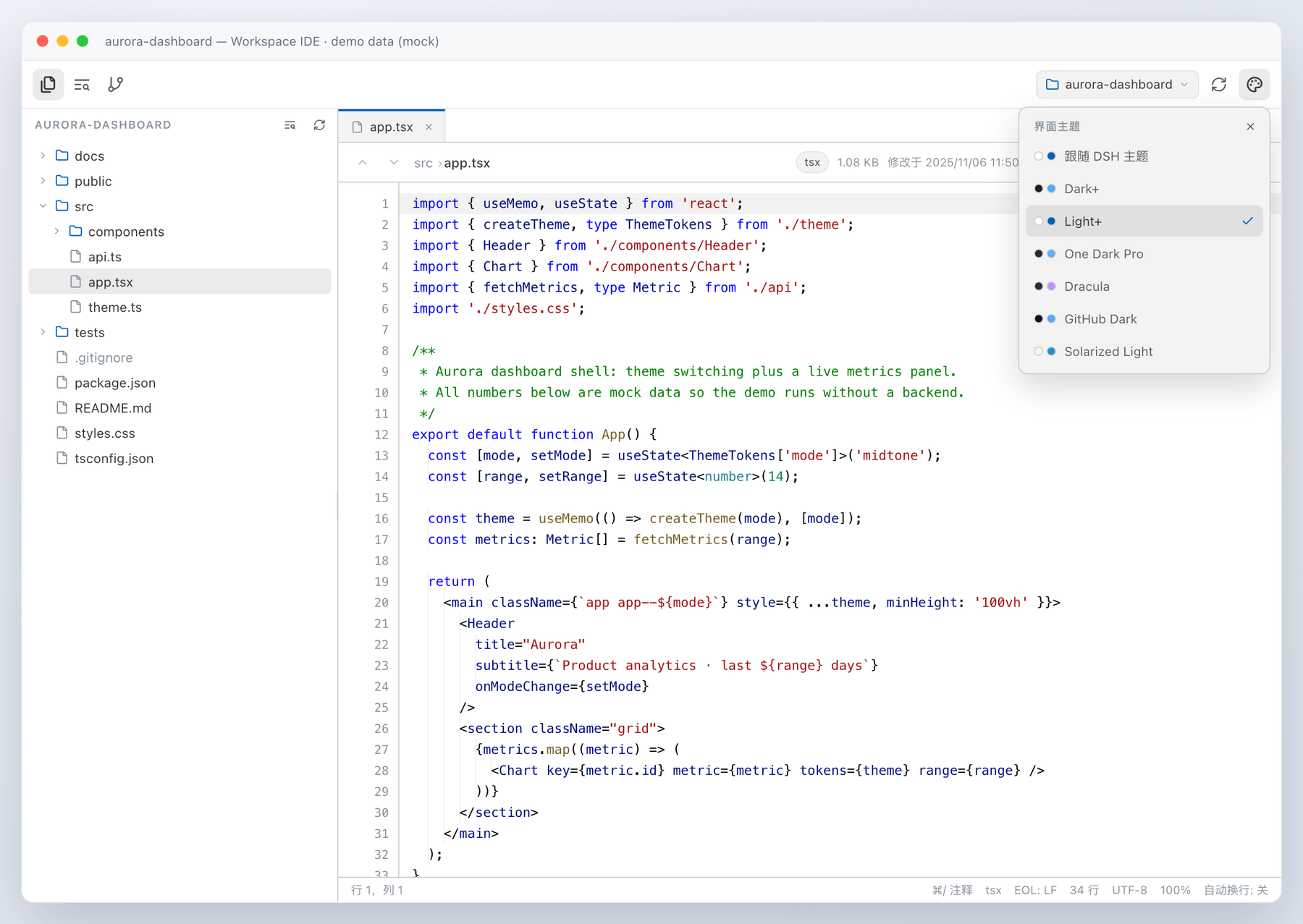
All screenshots in this README are rendered from a synthetic demo workspace (
aurora-dashboard) with mock files, git history and diffs — never real user data. They are generated reproducibly byscripts/screenshots/build-screenshots.py, which mounts the real client bundle against a stubbed fetch layer.
Each theme is a table of --dsw-alias-* custom-property overrides scoped to the panel root;
every surface (tree, editor gutter, search highlights, git diff colours, scrollbars) follows
the selection, and the choice is remembered in localStorage. The toolbar glyphs are
borderless — an inactive tab is just the icon, the active tab is a rounded background, and
the focus ring appears only for keyboard navigation.
Syntax highlighting
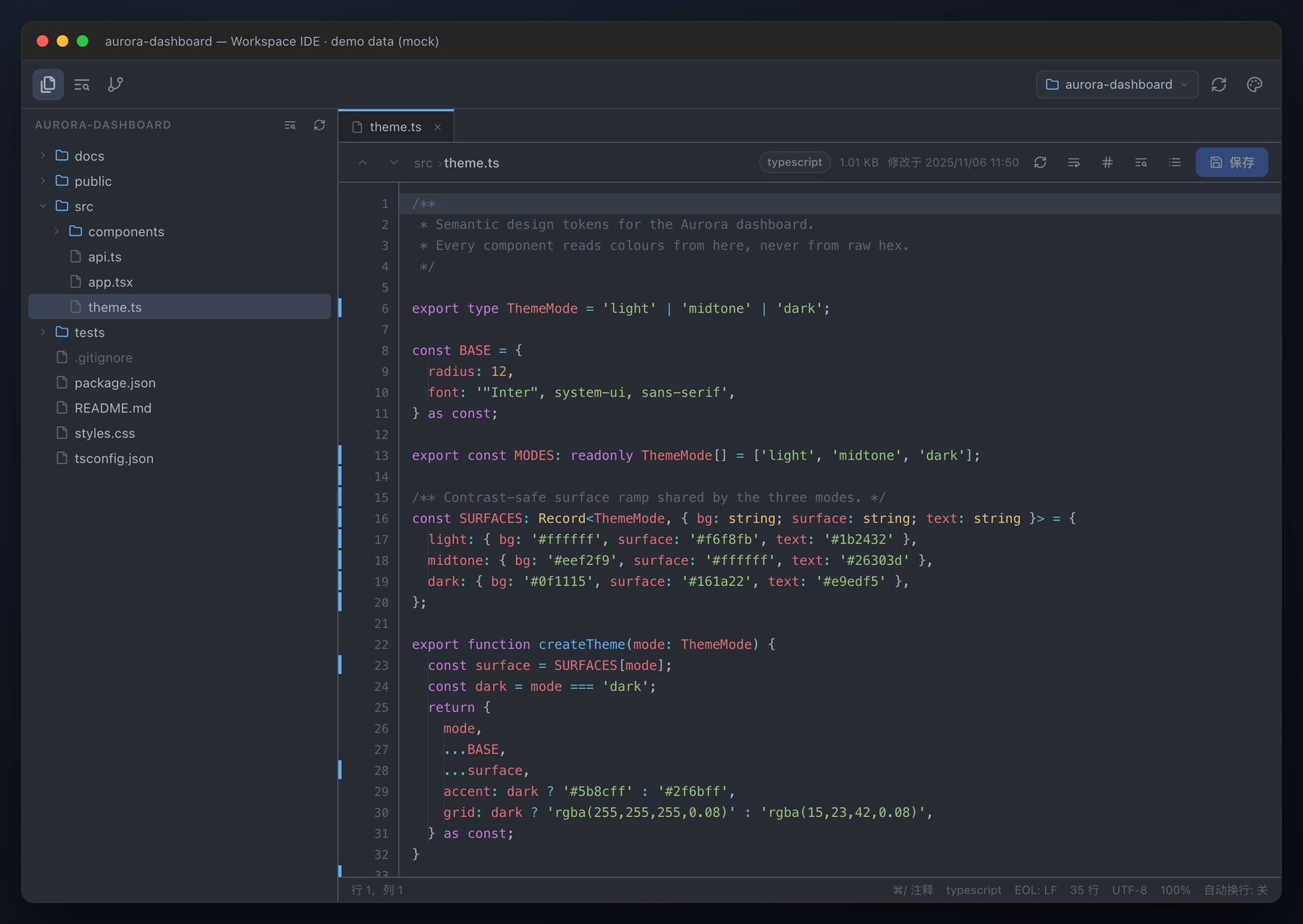
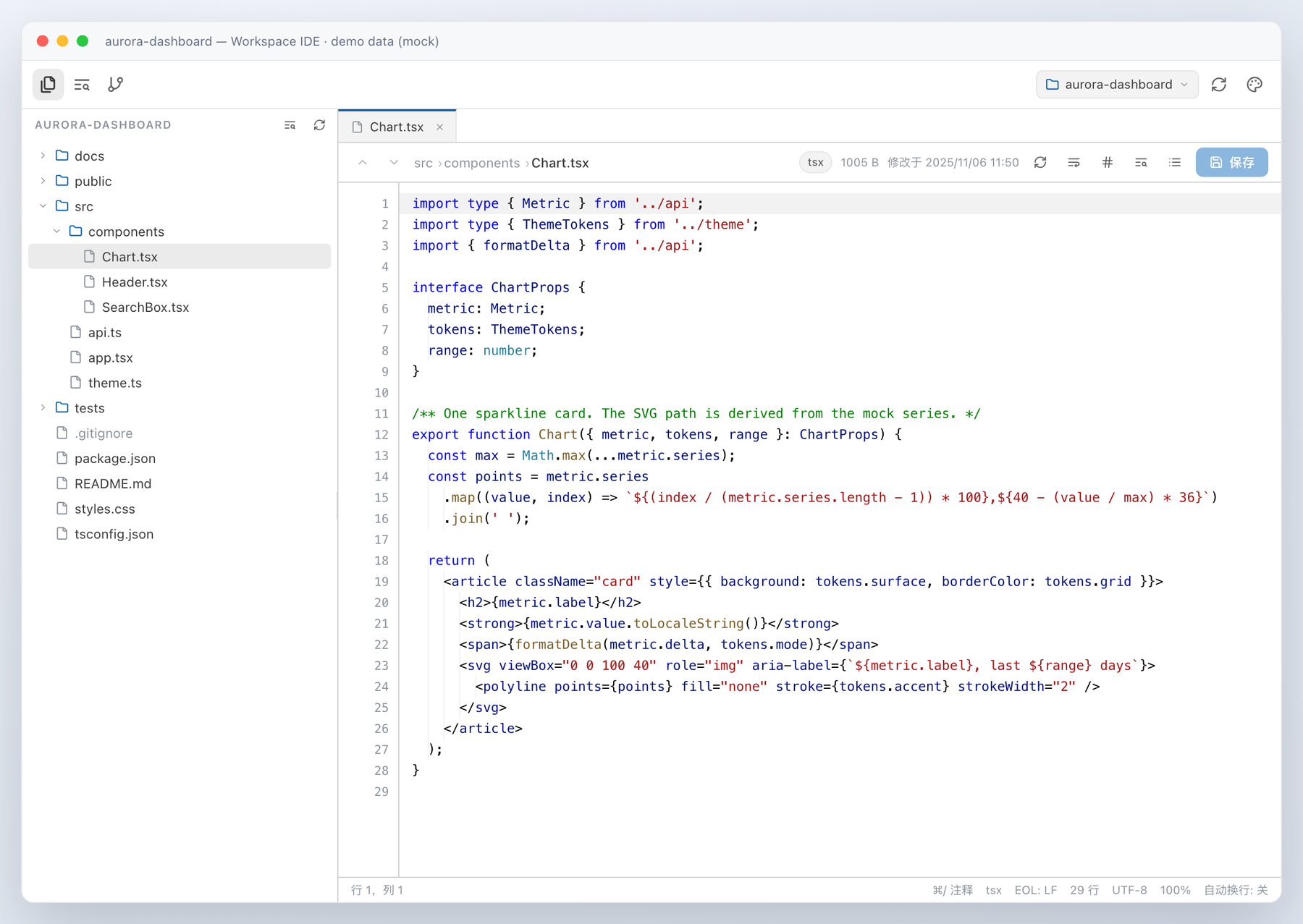
The editor colours code with a small, dependency-free highlighter written for this panel —
no Shiki/Prism bundle and no extra runtime dependency (the whole browser half still only
requires react). It covers every language the Host reports: JavaScript / TypeScript /
JSX / TSX, JSON, Markdown, CSS, HTML/XML, Python, Go, Rust, Java, Kotlin, Swift, C/C++, C#,
Ruby, PHP, Shell, PowerShell, YAML, TOML, INI, SQL, GraphQL and the tag level of
Vue/Svelte; unknown files and files over 300 KB fall back to plain text for rendering speed.
Token colours follow the selected palette: Follow DSH theme inherits the app's own
--shiki-token-* colours (so it matches the surrounding light/dark UI), and each VSCode
theme ships its own keyword / string / comment / number / function / type / variable table.
The editor stays editable while highlighted: a transparent-text textarea sits over the
syntax-coloured layer, with caret, selection, both scroll axes and the line-number gutter
kept in sync. Read-only previews reuse the same coloured rendering.
Editing keeps the VSCode muscle memory: Cmd/Ctrl+/ toggles comments for the current
line or every selected line (the per-language token table covers //, #, --, ; and
/* */ / <!-- --> block wrapping for CSS, HTML, XML, Markdown, Vue and Svelte), and the
toggle is reversible, indent-preserving and leaves blank lines untouched.
Editor: JetBrains-style workflow
Beyond editing and saving, the viewer follows the interactions JetBrains IDEs made standard:
- Find & replace (
Ctrl/Cmd+F/Ctrl/Cmd+H) with match counter, previous/next, case / whole-word / regex toggles, Replace and Replace All, and a highlight layer that paints every match behind the text. - Quick Open (
Ctrl/Cmd+P) ranks the whole workspace file index locally with a fuzzy subsequence score; Go to Symbol (Ctrl/Cmd+Shift+O) jumps to functions, classes, types, constants and (in Markdown/JSON) headings or keys in the current file (Alt+↑/↓walks symbols; the header shows the enclosing symbol); Recent Locations (Ctrl/Cmd+Shift+E) reopens any earlier file:line, bookmarks (F11/Shift+F11) mark and revisit lines, and case toggle / join lines round out the editing shortcuts. - Tabs keep one tab per open file with dirty markers; unsaved drafts and carets survive tab switches, and closing a dirty tab asks before discarding.
- Bracket matching / auto-pair / smart indent / current line / indent guides make the same gestures feel native: matched brackets highlight, openers auto-close, Enter inherits indentation, and Shift+Tab outdents.
Markdown preview
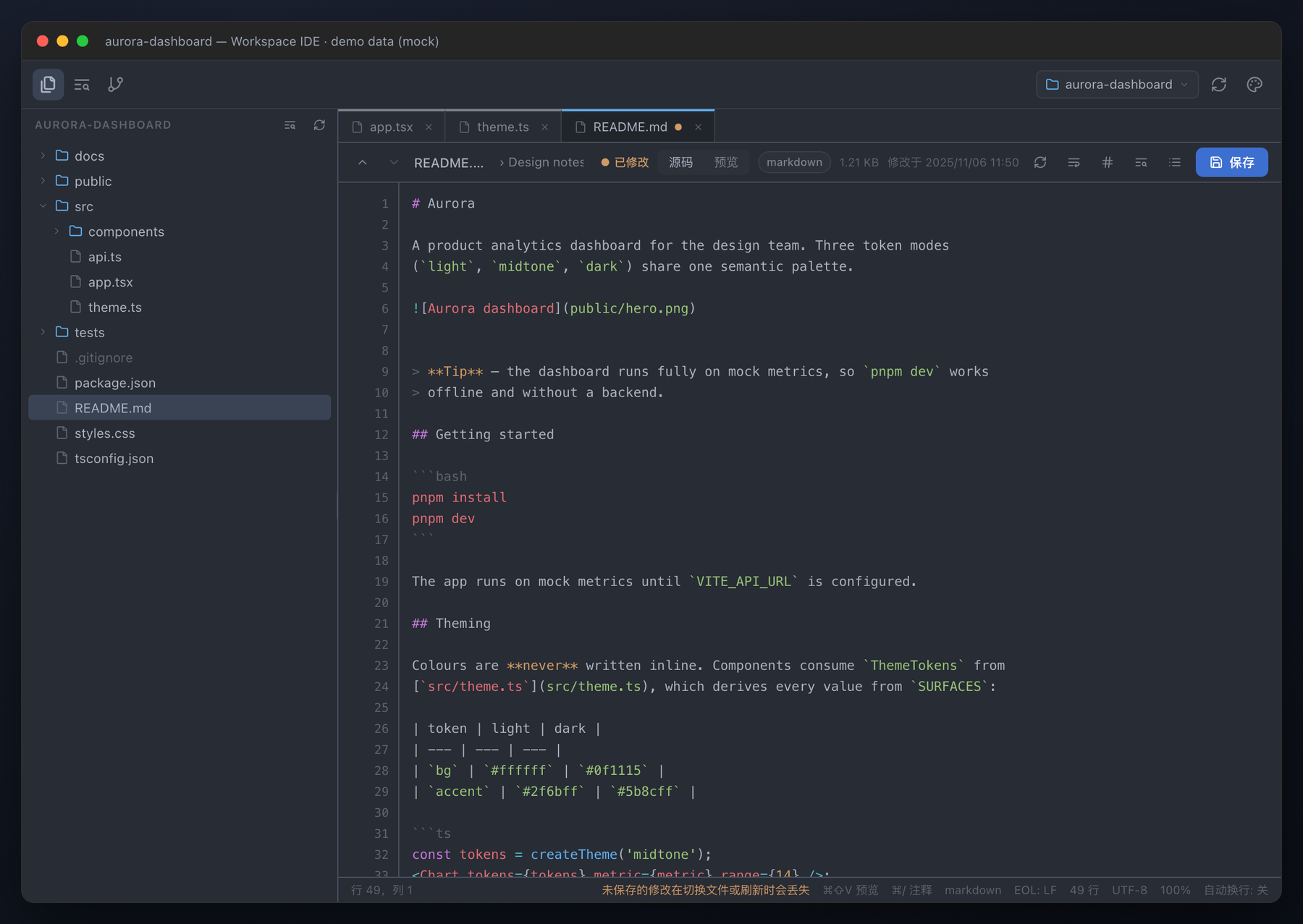
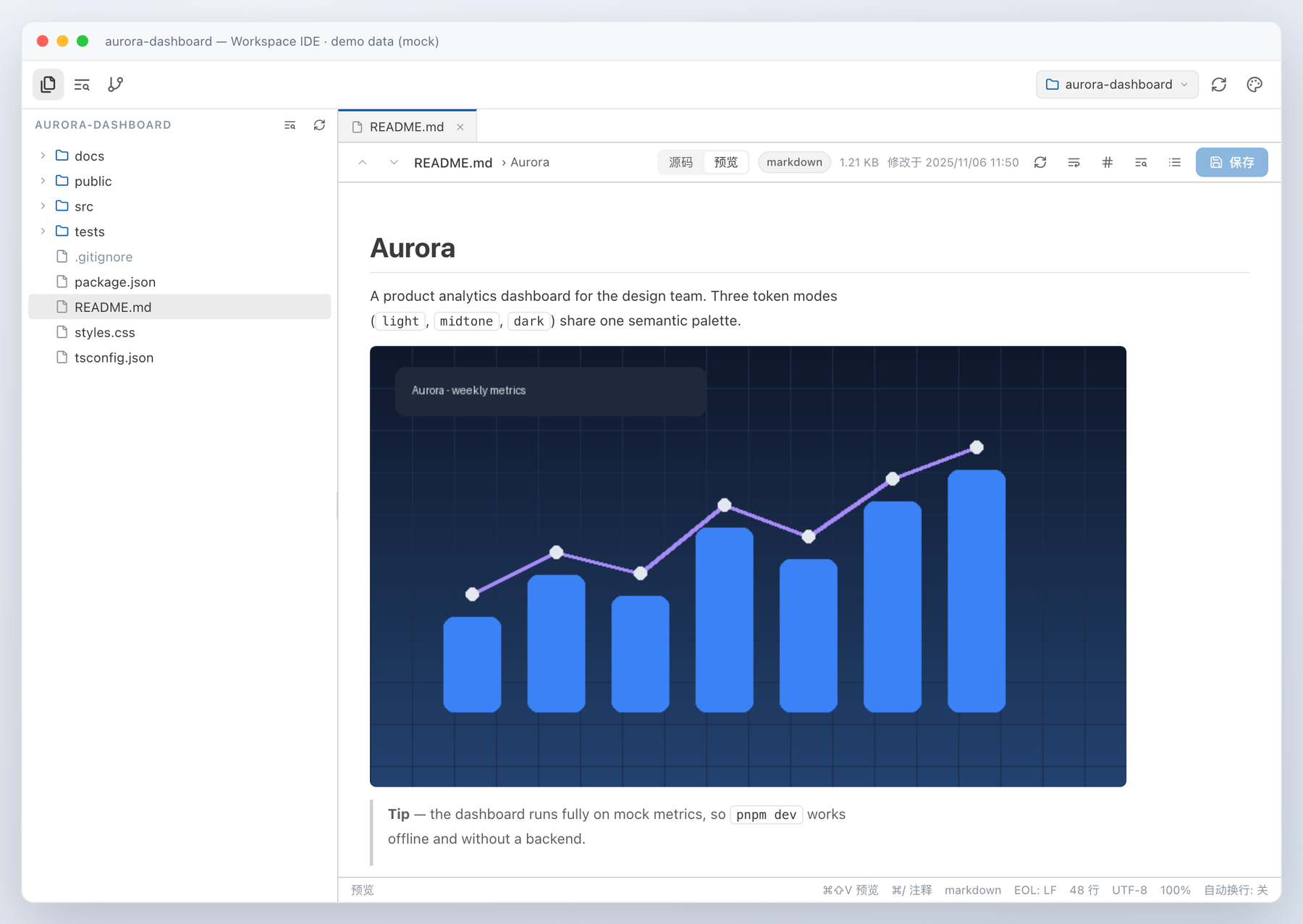
.md files switch between editable source and a rendered preview from the file header, or
with Cmd/Ctrl+Shift+V. The preview is built from React elements — never injected HTML — and
covers headings, fenced code blocks (highlighted by the same engine, in the selected theme),
ordered/unordered and task lists, blockquotes, GFM tables, links, images and rules;
javascript:/data: URLs are dropped. Relative images are resolved against the
Markdown file's folder and served through the authenticated Host image route, so
 renders a real workspace file in the preview; remote https:
images keep their direct URL, and paths escaping the workspace are rejected. It renders
the current draft, so unsaved edits preview immediately, and read-only/oversized Markdown
files still preview.
Images and SVG
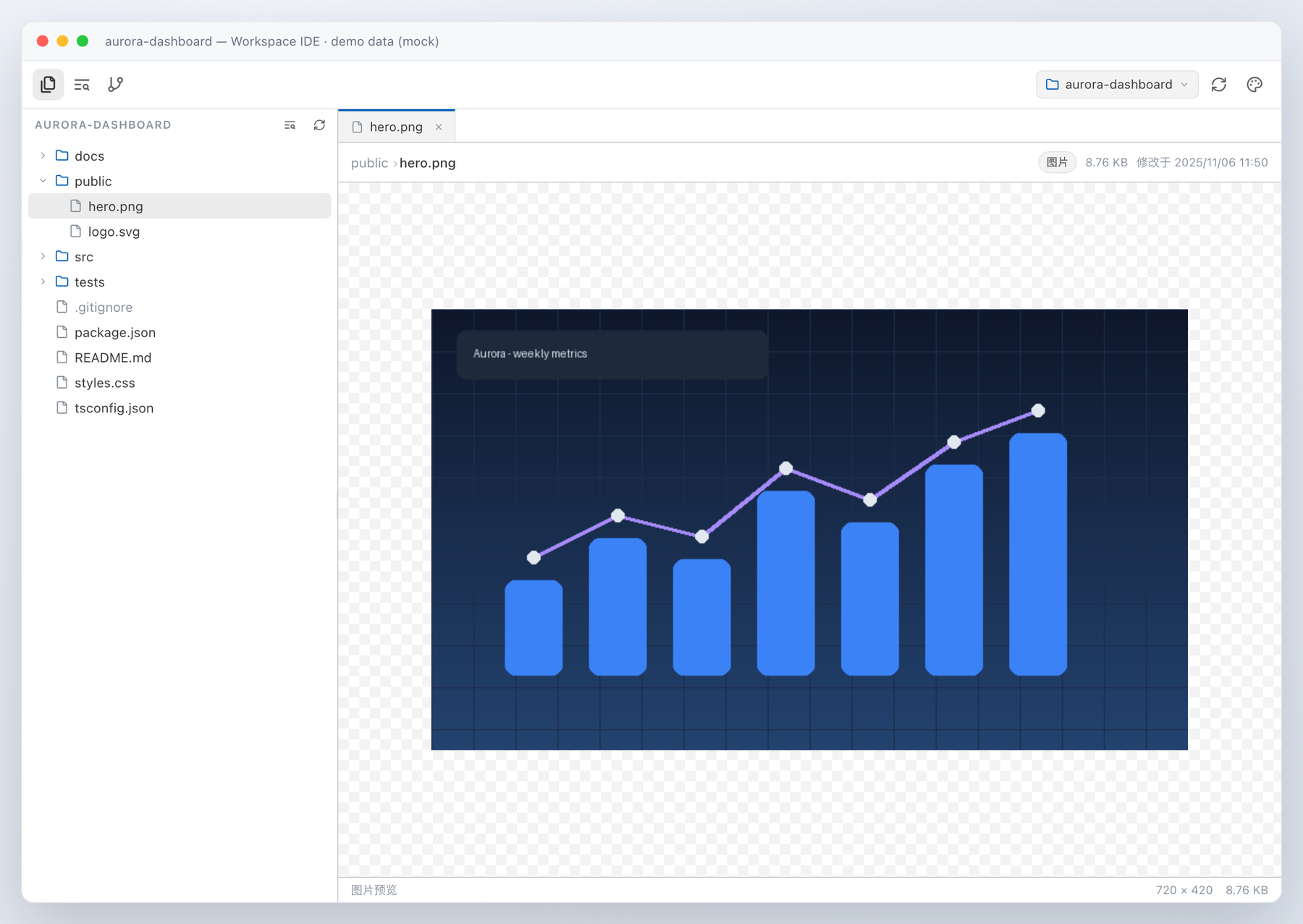
Raster images (PNG, JPEG, GIF, WebP, BMP, ICO, AVIF) open in a centred preview over a
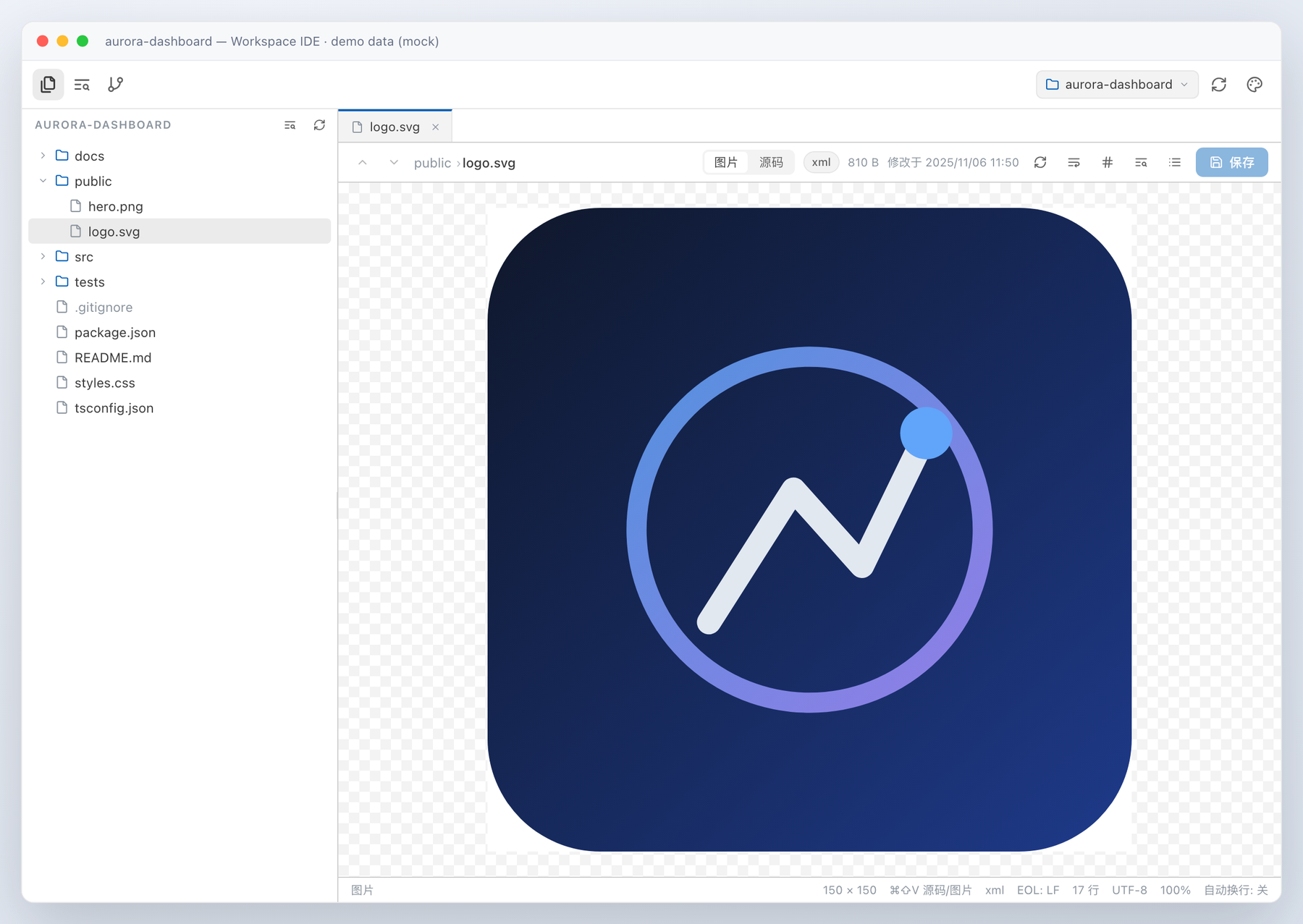
checkerboard surface, with the file's natural dimensions and size in the status bar. SVGs
get both a rendered preview and editable source, switchable with the 图片 / 源码 toggle or
Cmd/Ctrl+Shift+V; the preview is rendered from the current source, so editing the SVG
updates the picture immediately. Image bytes come from a dedicated Host route that verifies
every file against its magic number and caps reads at 8 MiB.
The panel opens from the left rail (工作区 / Workspace, next to Plugins, Scheduled tasks, Usage stats). The three-icon strip at the top switches between Files / Search / Git — the file-copy, list-search and git-branch activity icons. The workspace picker on the right follows the session the app is currently viewing, and a manual pick sticks for that session.
Install
Plugin Manager (recommended)
From a DSH session, install the published npm package (version-pinnable):
plugin_manager {
  action: "install_bundle",
  target: "dsh-workspace-ide"
}
Or install straight from GitHub — main or a pinned release:
plugin_manager { action: "install_bundle", target: "echoVic/dsh-workspace-ide" }
# or pin a release tarball:
plugin_manager { action: "install_bundle", target: "https://github.com/echoVic/dsh-workspace-ide/archive/refs/tags/v1.8.7.tar.gz" }
Set target to the package name for the npm build, or to the GitHub repository/tarball
when you want an unreleased commit.
Local checkout
For plugin development, install the working directory (absolute path required):
plugin_manager {
  action: "install_bundle",
  target: "/absolute/path/to/dsh-workspace-ide"
}
The bundle is profile-wide and survives restarts. application: "applied" in the result
means it activated immediately; client-side changes are picked up by DSH's client HMR,
host-side changes load on the next Host start.
Releases
Pushing a v* tag runs .github/workflows/publish.yml:
the tag must match package.json, then npm publish runs through GitHub OIDC trusted
publishing (no npm token in the repository) and npm records build provenance. The matching
trusted-publisher configuration on npmjs.com grants Allow npm publish for repository
echoVic/dsh-workspace-ide and workflow publish.yml.
How it works
- Host half (
lib/index.js,lib/host/*.js): registers nine authenticated fetch routes throughctx.connection.fetch.register—workspaces,list,files,file,image,search,git,save,ping. Filesystem access is path-checked (absolute paths,..escapes, symlink escapes and roots outside known workspaces are rejected); everything is read-only exceptsave(atomic overwrite of an existing regular file only) andping(one diagnostic line in$DSH_HOME/workspace-ide/status.jsonl, used by the client to prove it executed). Git runs throughchild_process.execFilewith bounded output; a non-repository root is a normal answer, not an error. - Client half (
lib/client.js, generated fromsrc/client/*.js+ compiled TypeScript fragments byscripts/build-client.mjs): onewindow.__ModuleLoader__.load(...)browser module that registers asidebar.panellisticon and the matching keyedmainpanel. It only usesrequire('react'), the--dsw-alias-*theme tokens (dark and light), a built-in zh/en dictionary, and the DSH frame's--dsh-frame-*chrome insets; the page is wrapped in an error boundary. The panel follows the viewed session's workspace via the slot kit'suseWorkspaceshook, and falls back safely when that hook is absent. - Icons: the whole toolbar/tree/git/theme icon set is the open-source
Lucide set (ISC, with Feather-derived glyphs under MIT). Its SVG
node data is vendored at authoring time in
src/client/05-icons.ts— no runtime icon dependency — and renders through one factory so every glyph shares the 24px grid, round caps andcurrentColorstroke. Licenses:THIRD_PARTY_NOTICES.md,licenses/lucide-LICENSE.txt.
Development
npm ci                                 # dev-only tooling: TypeScript type checker
npm run typecheck                      # tsc --checkJs, strict, over lib/ + src/client + scripts + tests (no emit)
npm run typecheck:host                 # lib/ additionally under noImplicitAny (see tsconfig.host.json)
npm run typecheck:client               # all client sources under noImplicitAny (tsconfig.client.json)
node scripts/build-client.mjs          # rebuild lib/client.js from src/client/ (.js + compiled .ts)
node scripts/build-client.mjs --check  # fail when lib/client.js is stale
node --check lib/client.js
node --test test/host/                      # Host route unit tests (node:test, 122)
node test/smoke/client-smoke.mjs            # headless client module/face smoke test (43 checks)
python3 scripts/check-screenshots.py        # README screenshots are non-blank renders
node --test test/review/*.test.mjs          # independent adversarial + contract suites (78)
python3 scripts/screenshots/build-screenshots.py   # rebuild docs/ screenshots (mock data)
TypeScript is used only as a dev-time type checker: sources stay plain JavaScript with
JSDoc annotations, and tsc --noEmit --checkJs checks lib/, src/client/, scripts/ and
the tests with strict: true (the one deferred strict flag is noImplicitAny, see
CONTRACT.md). types/client-globals.d.ts declares the shared factory scope and the React
element alias; types/dsh-services.d.ts declares the optional Host context/services.
There is still no client bundler, no build step for the Host and no runtime dependency —
npm ci installs typescript, @types/node and @types/react into devDependencies only.
The client half is authored in TypeScript: script-style fragments in
src/client/*.ts compiled by tsc into build/client-parts/ (never shipped,
git-ignored) and concatenated into one plain script — still no bundler, and
lib/client.js keeps its exact loader contract.
lib/client.js is served directly by the Host and DSH's client HMR watches installed
bundle artifacts, so saving a rebuilt lib/client.js updates an open Harness page without
a restart.
Layout
lib/index.js             Host plugin entry (`apply`, `inject`, `name`)
lib/host/                filesystem / search / git route implementation
lib/client.js            built browser module (committed)
tsconfig.json            dev-only type checker config (allowJs + checkJs, strict, no emit)
tsconfig.host.json       Host-only config adding noImplicitAny
tsconfig.client.json     all client sources under noImplicitAny
types/                   ambient declarations: client factory scope + Host context/services
src/client/              browser sources (TS): core, icons (vendored Lucide), highlighter,
                         shell, files, search, git, module face
THIRD_PARTY_NOTICES.md   icon license attribution
licenses/                full third-party license texts
scripts/build-client.mjs  concatenating build + staleness check
test/host/               node:test suites (122 tests)
test/smoke/              headless client-module smoke test (43 checks)
test/review/             independent adversarial + client-contract suites (78 tests)
docs/                    screenshots
Changelog
Release history and feature milestones: CHANGELOG.md.
License
MIT © 2026 echoVic.
The vendored Lucide icon set (and the Feather-derived glyphs inside it) keep their own licenses — full texts and attribution are in THIRD_PARTY_NOTICES.md and licenses/.
No comments yet. Be the first to write one.