dsh-cap-manager
One panel for MCP servers, skills & Claude Code plugins in the DeepSeek Harness Web UI.




English | 简体中文
A DeepSeek Harness (dsh) plugin that adds an MCP & Skills panel to the Web UI sidebar:
- 🔌 MCP servers — cards grouped by scope (global / profile / project) with live
connection status and tool counts. Add, edit, toggle, and delete with immediate effect;
import
mcpServersJSON from Claude / Cursor / Cline / Roo / VS Code; export back. - 🧠 Skills — every writable skill root (project + user) in one searchable list. Edit
in place, import
.ziparchives or URLs, one-click export, trash with restore, and.cap-bakbackup history. - 🧩 Claude Code plugins — browse Anthropic's official
claude-plugins-officialmarketplace (315+ plugins) inside dsh: install, update, uninstall, and toggle. Plugin skills light up through a native skill provider; pluginmcpServersmount as live MCP connections.
Full design & compatibility notes: DESIGN.md. Current release: v1.1.1 (adds the Claude Code plugin source).
🖼️ Screenshots
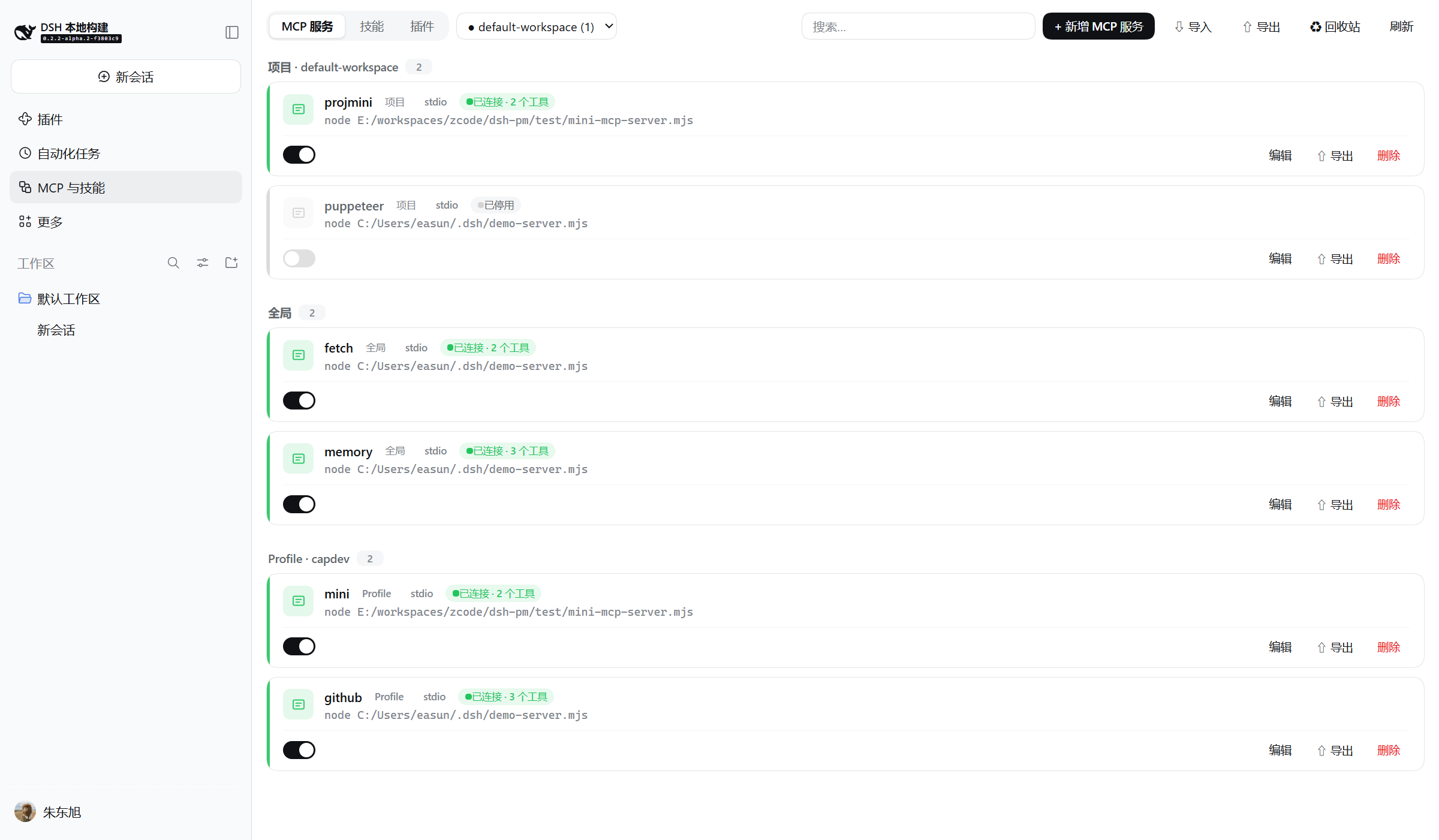
The panel appears in the sidebar as MCP & Skills. Below: the MCP tab showing all three scopes — project servers, global servers, and profile servers, each card with live status, tool count, and an enable switch (a disabled row keeps its config but does not mount).
 |
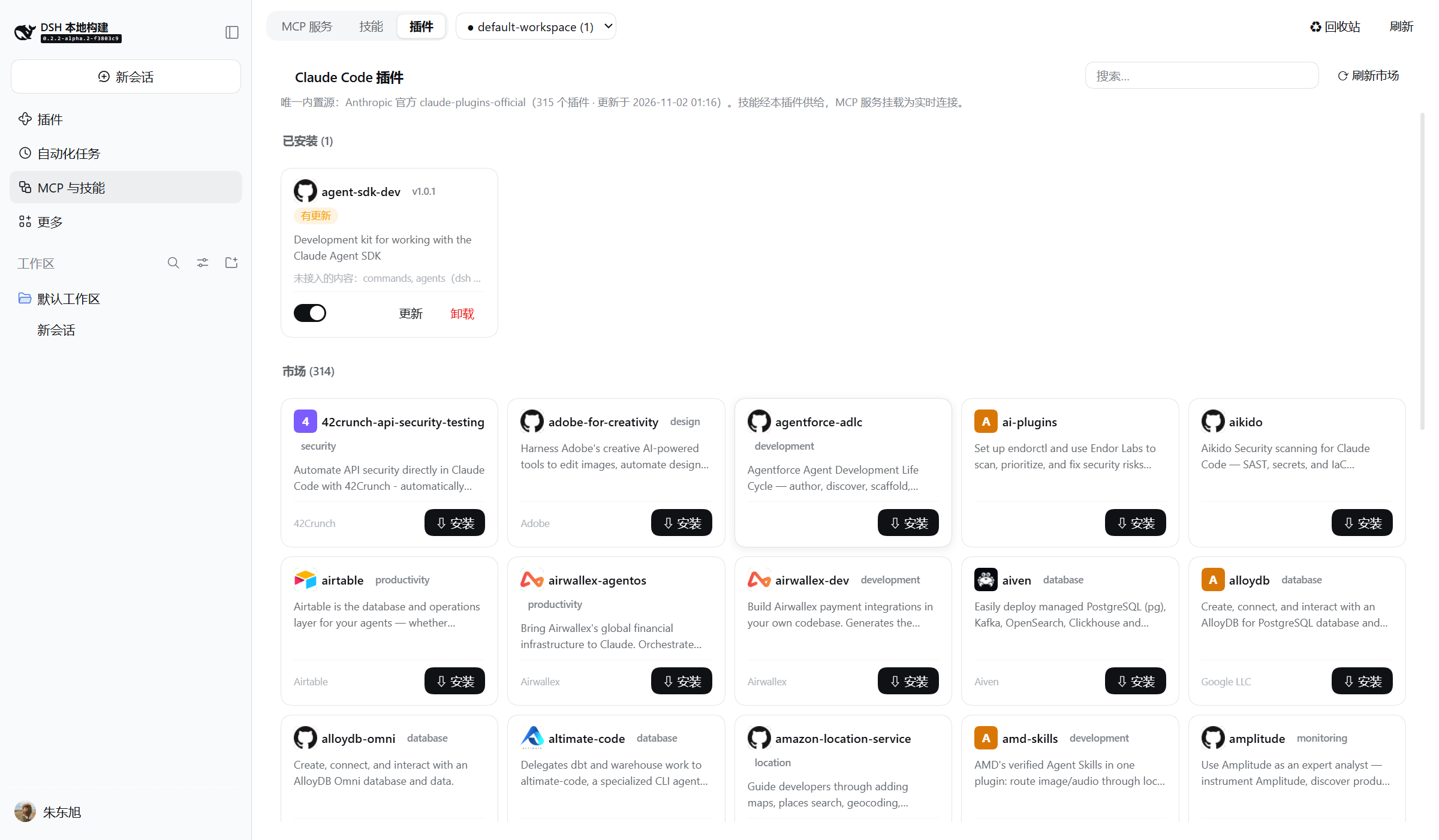 |
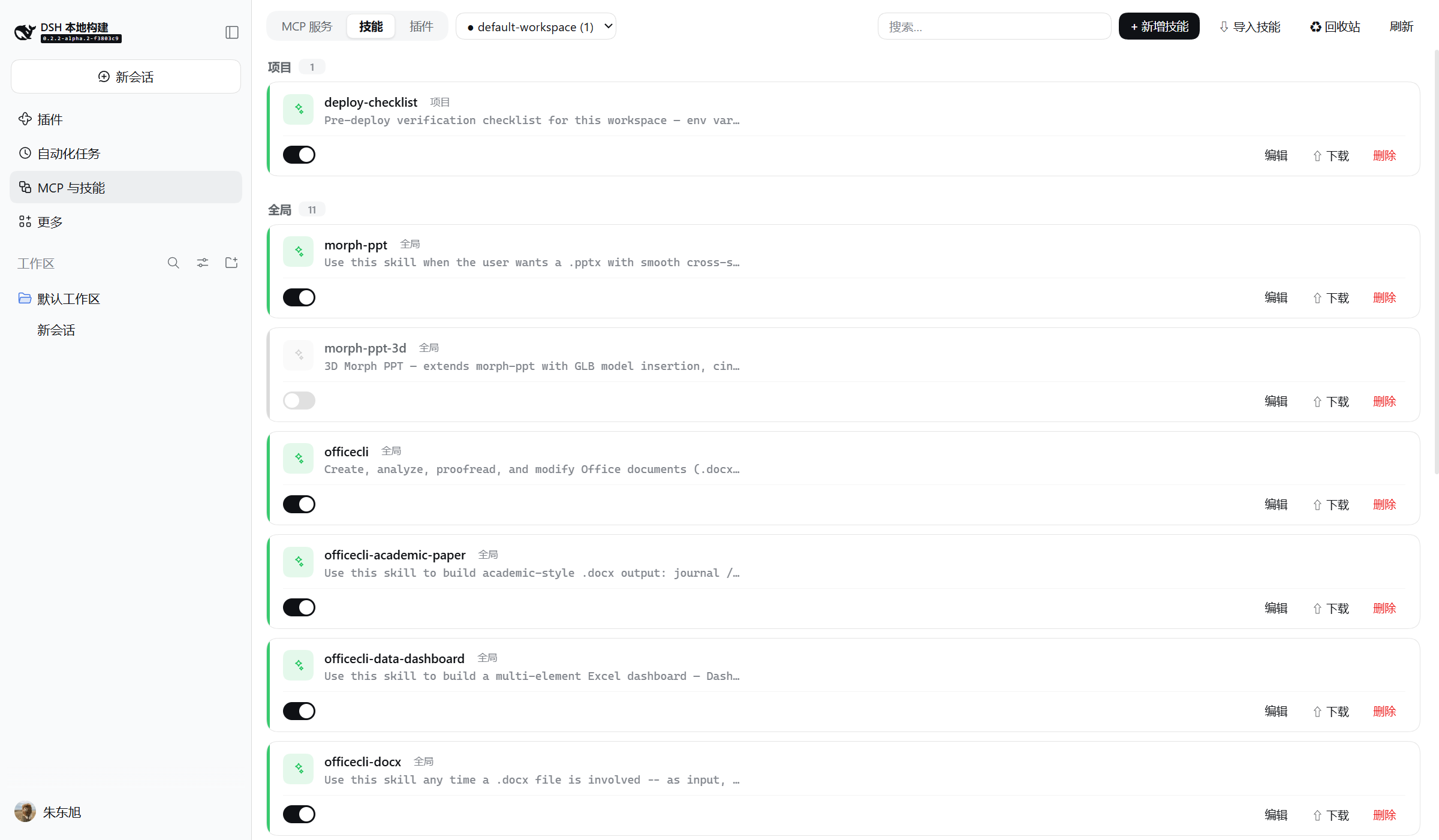
| Skills tab — project / global groups plus a read-only plugin-provided group | Plugins tab — installed cards + the official market (315+) |
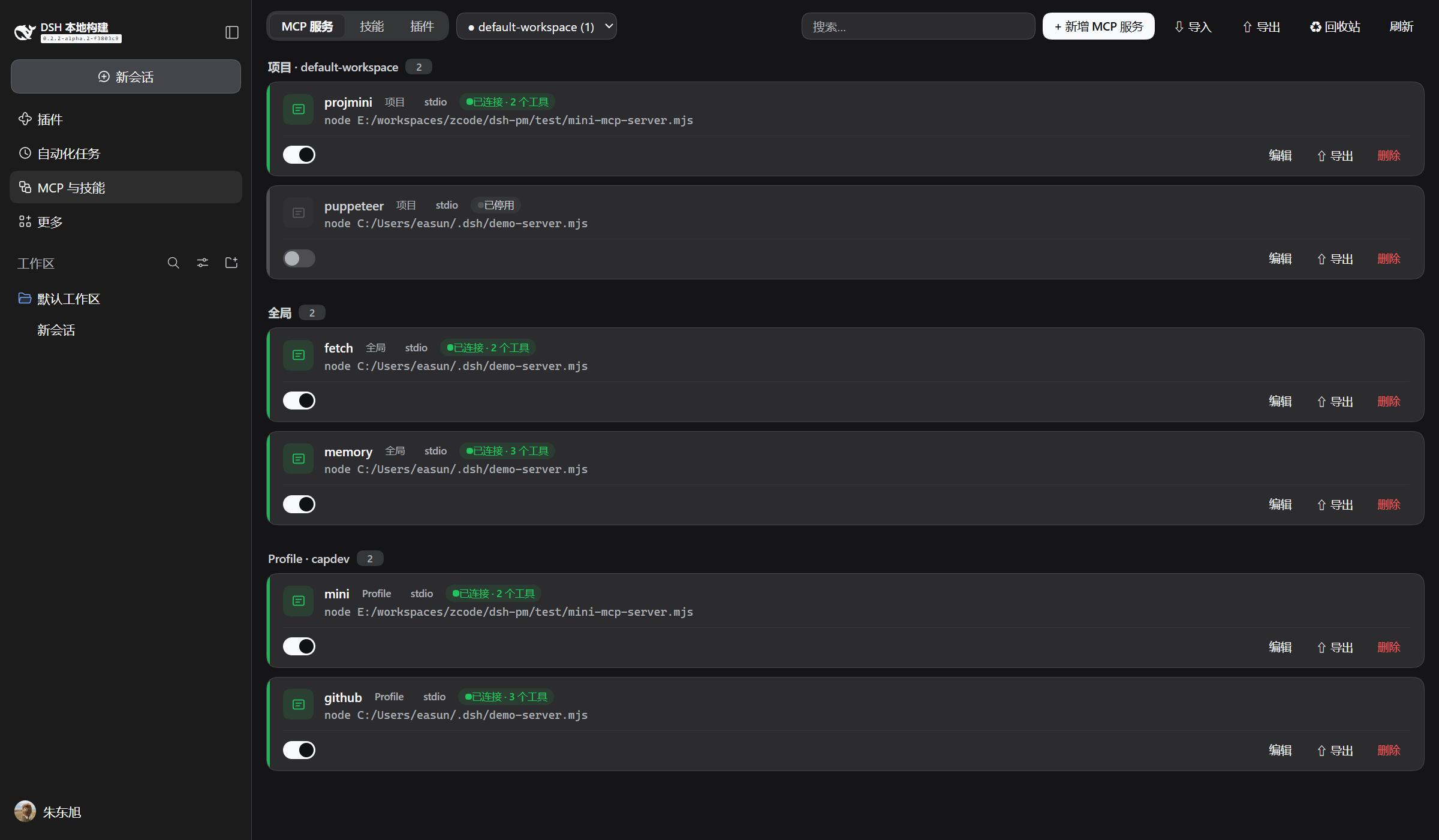
Dark mode follows the host theme automatically
📦 Install
Prerequisite: DeepSeek Harness ≥
0.2.1-rc.2 (dsh installed globally, or run everything through npx -y @deepseek-ai/dsh).
No build needed — install straight from the GitHub Release tarball:
# Web UI
dsh plugin --profile web add https://github.com/easun-zhu/dsh-cap-manager/releases/download/v1.1.1/dsh-cap-manager-1.1.1.tgz
# Desktop client
dsh plugin --profile desktop add https://github.com/easun-zhu/dsh-cap-manager/releases/download/v1.1.1/dsh-cap-manager-1.1.1.tgz
Replace web / desktop with your own profile name, restart dsh, then open
MCP & Skills in the left sidebar.
Once the package is on npm:
dsh plugin --profile web add dsh-cap-manager
If pnpm's release cooldown resolves an older release, pin the version explicitly:
dsh plugin --profile web add dsh-cap-manager@1.1.1. (Thegithub:git shorthand builds from source — the repository ships no compiledlib/; prefer the Release tarball or npm.)
From a local checkout:
pnpm install && pnpm build      # produces lib/index.js + lib/client.js
dsh plugin --profile web add /absolute/path/to/dsh-cap-manager
dsh --profile web               # restart to load the plugin
Optional: install through the plugin market
Host market/index.json anywhere http(s) reachable (GitHub Pages, a raw
GitHub URL, your own server), then add the URL to the dsh Discover page (or the
plugin-market indexes setting). The index pins engines.dsh >= 0.2.1-rc.2 and installs
from npm. Validate it any time with the upstream validator:
node --experimental-strip-types test/m5-smoke.ts # includes market/index.json validation
🔌 MCP servers
Each project may carry a .dsh/mcp.yml (hand-edited or managed from the panel):
mcpServers:
  projmini:
    enabled: true               # false = keep config, don't mount
    transport: stdio
    command: node
    args: [./scripts/mcp.mjs]
    env:
      TOKEN: !!js process.env.MY_TOKEN   # evaluated at mount time
- The file is the only source of truth: while the project has a live session (or is selected in the panel's project picker), its enabled servers are mounted; external edits are picked up live (watcher + diff mount).
serverNamemust stay unique across all layers — conflicts are rejected before mount.- URL import (⇩): fetch an
mcpServersJSON document or a skill.zipdirectly by URL. The browser does the fetching, so the target must send CORS headers (GitHub raw and most static hosts do); the payload then flows through the exact same preview / unpack pipeline as pasted text or local files. - The add form ships a template dropdown (filesystem, memory, sequential-thinking, fetch, github, puppeteer) for one-click starter configs.
🔁 Import / export
- Import (MCP tab → ⇩): paste, upload, or fetch an
mcpServersJSON document — VS Code's JSONC dialect (comments, trailing commas) is tolerated,sseentries map tostreamable-httpwith a warning, invalid keys are auto-slugged and flagged.${VAR}/${env:VAR}references become!!js process.env.VARexpressions (backtick templates when embedded); VS Code${input:…}placeholders render a credential form whose values are substituted at apply time. Preview lists every conversion, rename, and failure; applying reuses the normal write path (shared validation, HMR live effect). - Export (MCP tab → ⇧): merges every managed row plus the selected project's file into a
standard
{"mcpServers": …}document;!!jsexpressions fold back to${VAR}. Disabled rows are skipped (the format has no disabled flag). Secrets are exported in clear text — the UI says so. - Skills import (Skills tab → ⇩): a
.ziparchive (an extra wrapper directory is fine — skill roots are discovered bySKILL.mdlocation), a folder, loose.mdfiles, or a zip URL; archives up to 10 MB / 200 files, zip-slip paths rejected, macOS junk dropped. Files land verbatim; same-name skills are skipped unless overwrite is checked. - Skill export (⇧ on a card): directory skills download as
.zip(assets included), file skills as.md. - Trash & backups (♻): deleted skills list with their original path and restore
one-click; every
.cap-bak-*copy beside the managed files (patches, projectmcp.yml, SKILL.md — 5 kept per file) can be restored over its target or deleted.
🧠 Skills
The Skills tab scans the four writable roots (<project>/.dsh/skills,
<project>/.agents/skills, ~/.dsh/skills, ~/.agents/skills) with the provider's own
rules and resolves same-name duplicates by its rank order (project wins over user);
shadowed entries and unparsable files surface with badges instead of vanishing. Edits write
SKILL.md atomically (unknown frontmatter keys and comments preserved, toggles normalized to
true/false); deletion moves the directory into ~/.dsh/cap-manager/trash/ (with
trash-meta.json recording the origin) and warns when a shadowed twin surfaces.
🧩 Claude Code plugins
The panel's third tab manages Claude Code plugins from Anthropic's official
claude-plugins-official marketplace — the only built-in source.
| Market | 315+ plugins, cached 10 min on the host, refresh button forces a refetch, with search |
| Install | downloads the pinned GitHub tarball (codeload), unpacks with a strict tar reader (traversal paths rejected, symlinks skipped), stores under ~/.dsh/cap-manager/plugins/store/<name>/<version>/ |
| Skills | skills/*/SKILL.md served live through a ctx.skills provider — they appear in the Skills tab under a read-only plugin group the moment the plugin is enabled (ranked below your own skills, so a same-name user skill wins) |
| MCP servers | mcpServers from each plugin's manifest mount as live connections — the same converter and diff/mount discipline as project-level servers, including the cross-layer serverName precheck; the card shows live status and tool counts |
| Toggle | flips skills and MCP servers on/off instantly |
| Precise updates | "Refresh market" also fetches the marketplace repo's HEAD commit sha, so every installed plugin — external git sources (entry sha) and in-repo path sources (HEAD sha) — gets an exact "update available" verdict; sha-pinned sources show an update badge. Clicking Update downloads and byte-compares first: identical content only adopts the new pin (no reinstall), changed content reinstalls |
| Uninstall | disposes mounts, deletes the store directory, and clears the registry (atomic registry.json with .cap-bak history) |
| Timeouts | all network calls are time-bounded (20 s index / 120 s tarballs); a failed refresh serves the cached index |
Content dsh has no equivalent for (commands/, agents/, hooks/) is kept on disk and
honestly labeled as not wired up on the installed card.
🛠️ Development
pnpm typecheck— tsc oversrc/pnpm build— host half (esbuild ESM, packages external) + client half (esbuild CJS in thewindow.__ModuleLoader__.loadregistration contract, with a build-time contract assertion)- Smoke tests:
node --experimental-strip-types test/m4-smoke.ts(converters),test/m5-smoke.ts(templates + market index),test/m6-smoke.ts(tar reader, subtree download, manifest conversion) - Harness packages are
peerDependencies; at runtime the profile links them to the running dsh's copies, so never bundle them.
From a repo checkout
A deepseek-harness source checkout must complete pnpm run build:artifacts once before it
can serve the Web client: the boot scans every graph package that declares dsh.client and
fails on any missing lib/client.js. A checkout that only built server artifacts will hit
ENOENT .../lib/client.js on startup.
⚠️ Never point
--from-default-profileat an existing profile: it resets the profile'spackage.json, patch, and node_modules — wiping plugin installs. Use plain--profilefor boots;--from-default-profileis a one-shot initializer only.
📁 Project layout
| Path | Role |
|---|---|
src/index.ts |
host half entry (mounts CapabilityManagerService) |
src/service.ts |
capabilityManager Typert Remote service (patch + project + skills routing) |
src/scopes.ts |
adapter: profile patch composition + scope attribution |
src/config-view.ts |
raw row config ↔ masked wire view, !!js tagging (shared) |
src/patch-writer.ts |
comment-preserving edits of cordis.patch.yml layers |
src/project-config.ts |
<project>/.dsh/mcp.yml parse (incl. !!js evaluation) + writes |
src/project-mounter.ts |
session-following + watcher + diff mount of project servers |
src/skills-store.ts |
skill roots scan, frontmatter read/write, trash (+meta), archive import/bundle |
src/import-mcp.ts |
mcpServers JSON → wire config conversion + export inversion |
src/cc-market.ts |
claude-plugins-official marketplace cache + safe tar.gz reader |
src/cc-store.ts |
plugin registry, skill provider (rank 550), MCP mounts |
src/status-tracker.ts |
adapter: fiber states (numeric FiberState) + mcp__ tool counts |
src/client/index.ts |
browser half entry (locale + remote $mount + slots) |
src/client/CapabilitiesPage.tsx |
the panel (cards, tabs, search, project picker) |
src/client/McpEditor.tsx |
MCP form editor (templates + catalog prefill) |
src/client/SkillEditor.tsx |
skill form + markdown body editor |
src/client/ImportWizard.tsx |
mcpServers JSON import wizard (paste/file/URL) |
src/client/SkillImport.tsx |
zip/folder/.md/URL skill import |
src/client/catalog.ts |
template-dropdown starter data |
src/client/CcPluginsPanel.tsx |
Claude Code plugin market + installed cards |
src/client/TrashPanel.tsx |
trash restore + .cap-bak backup browser |
src/client/files.ts |
base64/zip codecs (fflate), downloads, URL fetching |
market/index.json |
plugin-market format-1 index for the Discover page |
test/ |
node smoke checks (m4 converters, m5 templates + market index, m6 tar/manifest) |
📤 Publishing (maintainers)
- Replace the
OWNERplaceholder inpackage.json(repository,homepage) andmarket/index.json(homepage,repository.url) with the real GitHub owner; add aLICENSEfile (the package declares MIT). pnpm typecheck && pnpm build && node --experimental-strip-types test/m4-smoke.ts && node --experimental-strip-types test/m5-smoke.ts— all must pass.npm publish(the package shipslib/+cordis.patch.yml; harness packages stay peerDependencies).- Add the
dsh-pluginGitHub topic to the repository (community discovery convention, e.g. awesome-deepseek-harness lists by it). - Host
market/index.json(GitHub Pages or a raw URL) and share the URL; bumppublishTimestamp/ add a version entry for each release.
No comments yet. Be the first to write one.