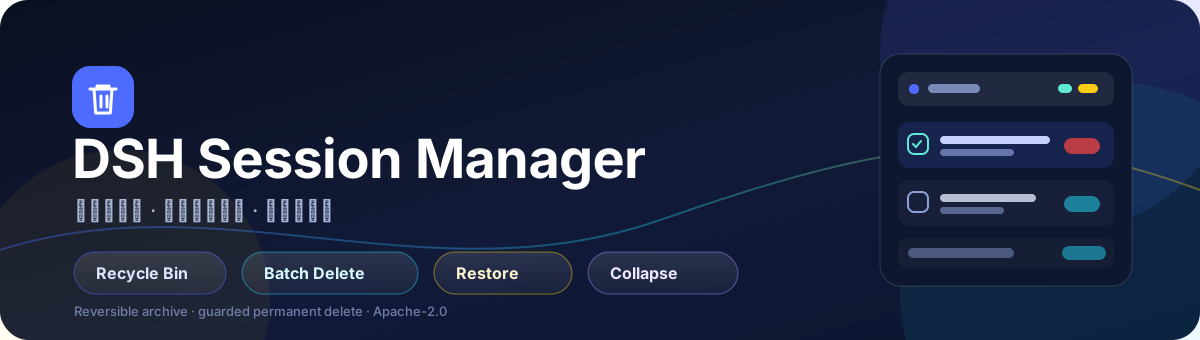




会话管理器 · DSH Session Manager
删得安心,找得回来,清得干净。
给 DeepSeek Harness 的左侧会话栏加上回收站、多选批量删除、会话折叠与安全彻底清理。
如果你经常在 DSH 里积累几十上百个会话,原生侧栏的「归档」很快就不够用了:归档会话混在筛选里、批量整理很麻烦、想彻底释放磁盘又怕误删。
会话管理器把这件事做成了一套顺手的侧栏工作流:删除先进回收站,随时恢复;确认不要了,再批量彻底删除。所有操作都在本机完成,不上传任何会话内容。
✨ 为什么值得装
- 删除不再心慌:普通删除只是移入回收站,日志仍在本机,随时恢复。
- 批量整理很快:在会话列表和回收站里都能多选,批量归档 / 批量彻底删除。
- 侧栏更清爽:会话列表可以一键折叠;回收站向下展开,自动让出空间。
- 彻底删除有护栏:只删除确认属于该会话的日志目录,校验路径、会话根目录和内存占用。
- 开箱即用:一个 GitHub 安装命令,无额外运行时依赖。
🚀 功能亮点
| 功能 | 说明 |
|---|---|
| 🗑️ 会话回收站 | 侧栏底部独立区域,默认折叠;展开后从标题行向下铺开,内容占满剩余高度并内部滚动;归档后的会话行会从会话列表隐藏,即使原生筛选开着“显示已归档” |
| ✅ 选择模式 | 标题栏搜索按钮左侧的勾选按钮进入;空闲会话行左侧出现圆框,勾选后显示对号 |
| 🧺 批量归档 | 选中多个会话,一键移入回收站;运行中的会话会先停止当前工作 |
| 🧹 回收站多选 | 回收站每行左侧勾选框,支持全选 / 取消全选 |
| 💥 批量彻底删除 | 「彻底删除所选」二次确认后批量物理删除,成功 / 失败数量如实提示 |
| ♻️ 恢复 | 回收站单条恢复,回到原工作区 |
| 📉 会话折叠 | 标题文字后的折叠按钮,只隐藏会话列表,保留标题、搜索和操作行 |
| 🧭 旧数据迁移 | 首次启用时自动导入旧版 sessions-manager-trash 的删除记录,迁移只执行一次 |
| 🔒 本地优先 | 不联网、不上传;只在 Host 本机操作 DSH 会话数据 |
🖼️ 界面一览
文字示意,实际界面随 DSH 主题自动适配。
┌─ 会话 ─────────────────────────  ⌄   ☑   🔍 ─┐
│   ●  会话 A                                  │
│   ●  会话 B                                  │
│   ●  会话 C                                  │
│                                              │
├─ 会话回收站 16 ──────────────────────────────┤
│   ☑  会话 D                     [恢复] [彻底删除] │
│   ☐  会话 E                     [恢复] [彻底删除] │
│   [全选]              已选 1 个        [彻底删除所选] │
└─ Settings ───────────────────────────────────┘
⌄:折叠 / 展开会话列表☑:进入 / 退出选择模式🔍:DSH 原生搜索- 回收站展开时,上方会话列表自动折叠;Settings / Cordis 保持可见
📦 安装
方式一:GitHub 直装(推荐)
dsh plugin --profile desktop add "github:dsh-pluggin-free/session-manager"
如果你同时使用 Web profile:
dsh plugin --profile web add "github:dsh-pluggin-free/session-manager"
安装完成后重启 DSH,或刷新 Web 页面。侧栏底部出现「会话回收站」即安装成功。
方式二:本地 link(开发调试)
git clone https://github.com/dsh-pluggin-free/session-manager.git
cd session-manager
dsh plugin --profile desktop add "link:$PWD"
Windows PowerShell:
git clone https://github.com/dsh-pluggin-free/session-manager.git
cd session-manager
dsh plugin --profile desktop add "link:$PWD"
更新
dsh plugin --profile desktop add "github:dsh-pluggin-free/session-manager"
重新执行安装命令会拉取最新版本;也可以先移除再安装。
卸载
dsh plugin --profile desktop remove dsh-session-manager
🧭 使用指南
1. 删除会话
- 在会话列表多选后点「删除」,或在会话行菜单里归档。
- 删除只会把会话移入回收站(DSH 原生归档),不会立刻从磁盘消失。
- 归档后的会话会立即从会话列表隐藏(即使原生视图开着“显示已归档”),只出现在回收站里。
- 运行中的会话会先停止当前工作,再归档。
2. 从回收站恢复
- 展开「会话回收站」,在目标会话行点「恢复」。
- 会话会回到原工作区,日志保持完整。
3. 彻底删除
- 单条:回收站行「彻底删除」→ 二次确认。
- 批量:勾选多条 →「彻底删除所选」→ 二次确认。
- 彻底删除会移除该会话的本地日志目录与投影缓存,不可恢复。
- 部分失败时会提示成功 / 失败数量,失败项仍保留勾选,方便重试。
4. 折叠会话列表
- 点「会话 / 工作区」文字后的折叠按钮,只隐藏列表,保留标题栏。
- 展开搜索时会自动恢复列表,避免搜索结果被折叠。
- 打开回收站时会自动折叠列表;关闭回收站后恢复原来的折叠状态。
🛡️ 数据安全
- 软删除 = DSH 原生归档:日志不移动、不删除,归档状态可撤销。
- 彻底删除前做多层校验:
- 日志路径必须属于该会话(目录名 = 会话 ID,或历史扁平布局中文件名包含完整 ID);
- 路径必须位于
$DSH_HOME/sessions内; - 会话不能在内存中仍被安全占用;无法安全移除时拒绝并提示。
- 只清理该会话自己的文件:会话日志目录 +
session_projcache对应记录;不会删除项目目录或其他会话。 - 不直接改
workspace.json:归档、恢复、工作区关联都通过 DSH 官方服务完成。 - 本地运行:插件不发起任何网络上传,不读取与回收站无关的会话内容。
⚠️ 彻底删除不可撤销。第一次使用建议先拿一个不重要的会话试一遍。
🔧 工作原理
flowchart LR
  A[删除会话] --> B[DSH 原生 Archive]
  B --> C[会话回收站]
  C --> D[恢复]
  C --> E[彻底删除]
  E --> F{路径 / 根目录 / 占用校验}
  F -->|通过| G[删除日志目录 + 投影缓存]
  F -->|拒绝| H[报错并保留]
  G --> I[解除归档与工作区关联]
- Host 半:
/session-recycle/*JSON 路由、旧回收站迁移、路径守卫、物理删除。 - Client 半:侧栏标题栏控制、会话回收站、选择模式、批量操作、确认框。
- 数据仍由 DSH 原生 Session / Workspace 服务持有;插件只通过公开能力读写。
📁 项目结构
.
├── index.js             Host 半:路由、迁移、彻底删除与安全校验
├── client.js            Web 半:侧栏 UI、标题栏控制、回收站
├── path-guard.js        会话日志路径归属校验
├── cordis.patch.yml     DSH profile 插件行
├── locale/              中英文界面文案
├── icon.svg             插件图标
├── assets/banner.svg    README 横幅
├── test/                路径、删除、SSR 与布局测试
└── README.md
🧪 开发与测试
npm install
npm test
测试覆盖:
- 路径守卫:目录布局 / 扁平布局 / 子串碰撞 / 根目录边界
- 隔离临时根目录中的真实目录删除、投影缓存清理、解归档与 workspace detach
- 客户端组件 SSR 渲染
- 客户端多选 / 批量归档 / 批量彻底删除状态流转
- 标题栏按钮注入、会话折叠、回收站向下展开与样式恢复(jsdom)
❓ FAQ
删除会话会立刻释放磁盘吗?
不会。普通删除只是移入回收站;只有「彻底删除」才会移除本地日志。
为什么左侧圆框只出现在部分会话行?
这是 DSH 官方行插槽的挂载规则:左侧 16px 席位只在会话主状态为「空闲」时渲染;运行中 / 等待确认的会话由状态圆点占用该位置。选择模式仍可正常使用,批量操作只针对可见会话。
会破坏 DSH 的数据吗?
不会直接修改 workspace.json。所有归档 / 恢复都走 DSH 服务;物理删除前会校验路径归属、会话根目录和内存占用。
旧版 sessions-manager 删除的会话怎么办?
首次启用时会读取 $DSH_HOME/sessions-manager-trash/index.json,把其中的删除记录导入原生归档集合,只执行一次。之后可以在新回收站里恢复或彻底删除。
需要联网吗?
不需要。插件只在本机读写 DSH 会话数据。
支持哪些平台?
Windows / macOS / Linux 上只要能运行 DSH 即可;主要在 Windows + DSH 0.2.2-rc.1 实测。
⭐ 支持这个项目
如果这个插件帮你省下了整理会话的时间,点一个 Star 就是最好的支持。
也欢迎提交 Issue 或 PR:更快的批量清理、更多筛选维度、跨后端适配都值得做。

Session Manager for DeepSeek Harness
Delete safely. Restore instantly. Clean permanently.
A recycle bin, multi-select batch delete, collapsible session list, and guarded permanent cleanup for the DSH sidebar.
If you use DeepSeek Harness every day, your sidebar eventually fills up with sessions. Native archive is safe, but it is not a workflow: archived rows hide in a filter, batch cleanup is tedious, and freeing disk space without deleting the wrong thing is risky.
Session Manager turns that into a simple sidebar flow: deleted sessions go to a recycle bin, can be restored at any time, and can be permanently removed in batches only after an explicit confirmation. Everything stays local.
✨ Why you'll love it
- Delete without anxiety — a normal delete only archives the session; its log stays on disk and can be restored.
- Clean up in batches — multi-select works in both the active session list and the recycle bin.
- A calmer sidebar — collapse the session list; open the recycle bin and it expands downward while the list makes room.
- Guarded permanent delete — validates that the log path belongs to the session, lives under the session root, and is not held in memory.
- Install in one command — no extra runtime dependencies.
🚀 Features
| Feature | What it does |
|---|---|
| 🗑️ Recycle bin | A collapsible section at the sidebar bottom; expands downward and fills the available height with its own scroll; archived rows disappear from the session list even when the native filter shows archived rows |
| ✅ Selection mode | A checkbox button left of the search button; idle session rows show a circle that becomes a checkmark |
| 🧺 Batch archive | Select multiple sessions and move them to the recycle bin; running sessions are stopped first |
| 🧹 Recycle-bin multi-select | A checkbox on every trash row, with Select all / Clear selection |
| 💥 Batch permanent delete | "Delete selected" asks for confirmation, then physically deletes the selected logs and reports success / failure counts |
| ♻️ Restore | Restore one trash item to its original workspace |
| 📉 Collapse sessions | A collapse button after the section title hides only the list, keeping the header and search row |
| 🧭 Legacy trash import | On first run, imports the old sessions-manager-trash deletion records into the native archive set; one time only |
| 🔒 Local-first | No upload, no network calls; only the local DSH session data is touched |
🖼️ At a glance
Text sketch only; the real UI follows the active DSH theme.
┌─ Sessions ───────────────────────  ⌄   ☑   🔍 ─┐
│   ●  Session A                                 │
│   ●  Session B                                 │
│   ●  Session C                                 │
│                                                 │
├─ Recycle bin 16 ────────────────────────────────┤
│   ☑  Session D                    [Restore] [Delete] │
│   ☐  Session E                    [Restore] [Delete] │
│   [Select all]          1 selected       [Delete selected] │
└─ Settings ──────────────────────────────────────┘
⌄— collapse / expand the session list☑— enter / leave selection mode🔍— native DSH search- Opening the recycle bin collapses the session list; Settings / Cordis stay visible
📦 Installation
GitHub install (recommended)
dsh plugin --profile desktop add "github:dsh-pluggin-free/session-manager"
For a Web profile as well:
dsh plugin --profile web add "github:dsh-pluggin-free/session-manager"
Restart DSH or refresh the Web page. The "Recycle bin" row at the sidebar bottom means it is installed.
Local link (development)
git clone https://github.com/dsh-pluggin-free/session-manager.git
cd session-manager
dsh plugin --profile desktop add "link:$PWD"
Windows PowerShell:
git clone https://github.com/dsh-pluggin-free/session-manager.git
cd session-manager
dsh plugin --profile desktop add "link:$PWD"
Update
dsh plugin --profile desktop add "github:dsh-pluggin-free/session-manager"
Re-running the install command pulls the latest version. You can also remove and re-add the plugin.
Uninstall
dsh plugin --profile desktop remove dsh-session-manager
🧭 How to use
Delete a session
- Select sessions and click Delete, or use the session row menu's archive action.
- The session goes to the recycle bin (native DSH archive); the log is not removed from disk yet.
- Archived rows disappear from the session list immediately (even when the native view shows archived sessions); they only appear in the recycle bin.
- Running sessions are stopped before being archived.
Restore from the recycle bin
- Open Recycle bin, click Restore on a row.
- The session returns to its original workspace with its complete log.
Permanently delete
- Single: Delete on a trash row → confirm.
- Batch: check multiple rows → Delete selected → confirm.
- This removes the session's local log directory and projection-cache record. It cannot be undone.
- On partial failure, the result shows how many were removed and how many failed; failed rows stay selected for retry.
Collapse the session list
- Click the collapse button after the "Sessions / Workspaces" title. Only the list is hidden; the header and search stay.
- Expanding search automatically restores the list so search results remain visible.
- Opening the recycle bin collapses the list automatically; closing it restores the previous collapse state.
🛡️ Data safety
- Soft delete = native DSH archive. The log is not moved or removed; the archive state is reversible.
- Permanent delete checks, in order:
- the log path belongs to this session (session directory name equals the session ID, or a legacy flat file name contains the complete ID);
- the path is inside
$DSH_HOME/sessions; - the session is not still safely held in memory; if it cannot be safely detached, deletion is refused.
- Only the session's own files are removed: its log directory and the matching
session_projcacherecord. Project directories and other sessions are never removed. workspace.jsonis not edited directly. Archive, restore and workspace membership go through the official DSH services.- Local only. No network upload and no reading of unrelated session content.
⚠️ Permanent deletion is irreversible. Try it on a disposable session first.
🔧 How it works
flowchart LR
  A[Delete session] --> B[Native DSH archive]
  B --> C[Recycle bin]
  C --> D[Restore]
  C --> E[Permanent delete]
  E --> F{Path / root / ownership checks}
  F -->|Pass| G[Remove log directory + projection cache]
  F -->|Refuse| H[Error, item retained]
  G --> I[Clear archive and workspace membership]
- Host half:
/session-recycle/*JSON routes, legacy trash migration, path guards, permanent deletion. - Client half: header controls, recycle bin, selection mode, batch actions, confirmation dialog.
- Session and workspace data remain owned by the native DSH services.
📁 Project layout
.
├── index.js            Host: routes, migration, permanent delete, safety guards
├── client.js           Web: sidebar UI, header controls, recycle bin
├── path-guard.js       Session log path ownership checks
├── cordis.patch.yml    DSH profile plugin row
├── locale/             Chinese / English UI strings
├── icon.svg            Plugin icon
├── assets/banner.svg   README banner
├── test/               Path, delete, SSR and layout tests
└── README.md
🧪 Development and tests
npm install
npm test
Coverage:
- Path guards: directory layout / flat layout / substring collisions / root boundary
- Real deletion in an isolated temporary root: log directory, projection cache, unarchive, workspace detach
- Client component SSR rendering
- Client multi-select / batch archive / batch permanent delete state transitions
- Header button injection, session collapse, downward recycle-bin layout and style restoration (jsdom)
❓ FAQ
Does deleting a session free disk space immediately?
No. A normal delete only moves it to the recycle bin; Delete permanently removes the local log.
Why does the left circle only appear on some rows?
That is the official DSH row-slot rule: the 16px leading seat only renders when the row's primary state is idle. Running / waiting rows use the status dot in that seat. Selection mode still works for the visible rows.
Can it corrupt DSH data?
It never edits workspace.json directly. Archive and restore use the native services; permanent deletion validates the path, session root and in-memory state first.
What about sessions deleted by the old sessions-manager?
On first run it reads $DSH_HOME/sessions-manager-trash/index.json, imports those records into the native archive set, and does this only once. They can then be restored or permanently removed here.
Does it need network access?
No. It only reads and writes local DSH session data.
Which platforms are supported?
Windows, macOS and Linux wherever DSH runs. Primary testing: Windows with DSH 0.2.2-rc.1.
⭐ Support the project
If this plugin saves you time, a Star is the best way to support it.
Issues and PRs are welcome — faster bulk cleanup, more filters, and additional backend support are all good directions.
No comments yet. Be the first to write one.