dsh-better-workspaces
English · 简体中文 · 日本語 · Français · 한국어
Git worktrees, full diff inspection, pull requests, and issue references inside the DeepSeek Harness Web GUI. Give each task its own isolated branch and directory—navigate, review, and ship without switching tabs or opening a terminal.
Features
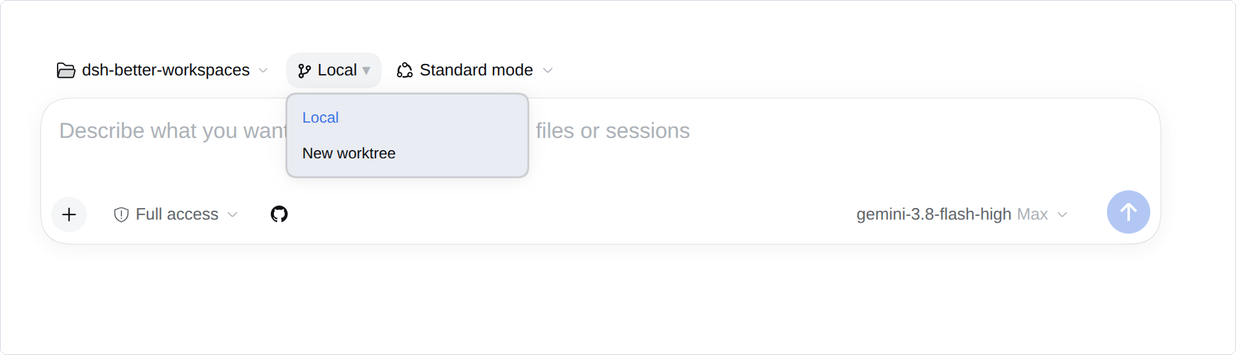
1. Workspace mode right in the composer
Toggle between Local and New worktree directly above the prompt box. Keep simple edits in Local; switch to New worktree whenever a task needs its own branch and isolated directory, preventing parallel tasks from colliding.
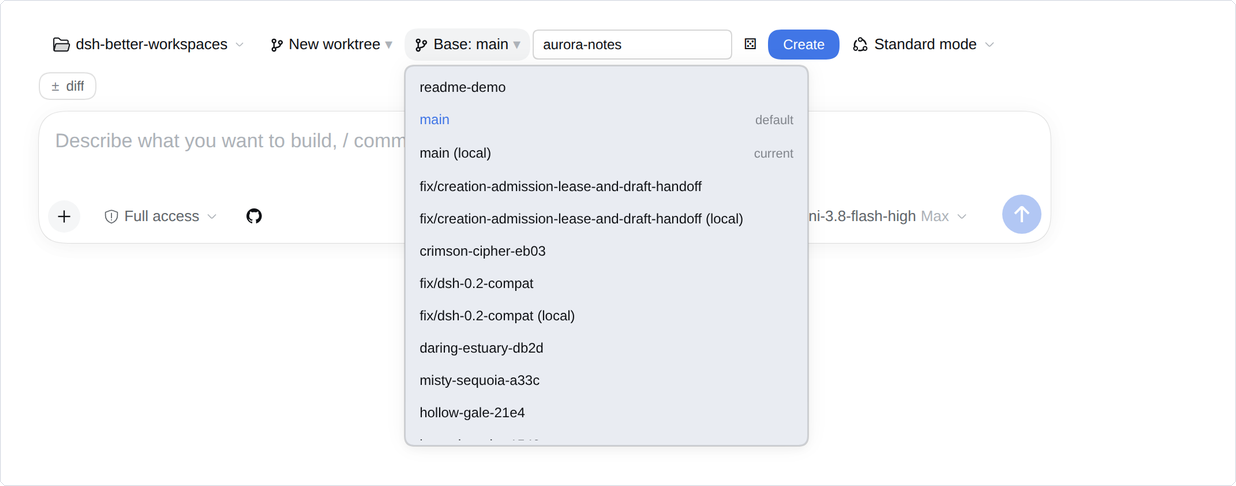
2. Fast branch setup from branches or PRs
Enter a branch name or click the dice to generate one. Base your worktree on any local branch, remote branch, or open pull request. Clicking Create spins up an isolated workspace with a ready session immediately.
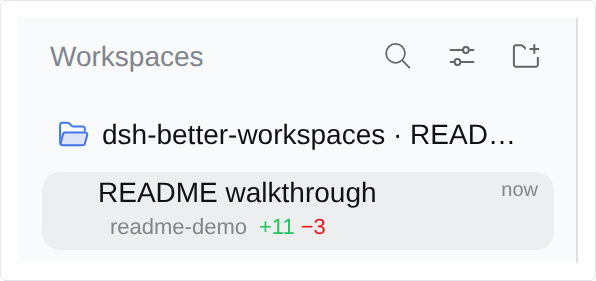
3. Session status and diff size at a glance
Every session card in the sidebar displays its active branch and diff volume (+11 −3). When a pull request is open or CI checks are running, their status joins the same row—no need to run git status in the terminal.
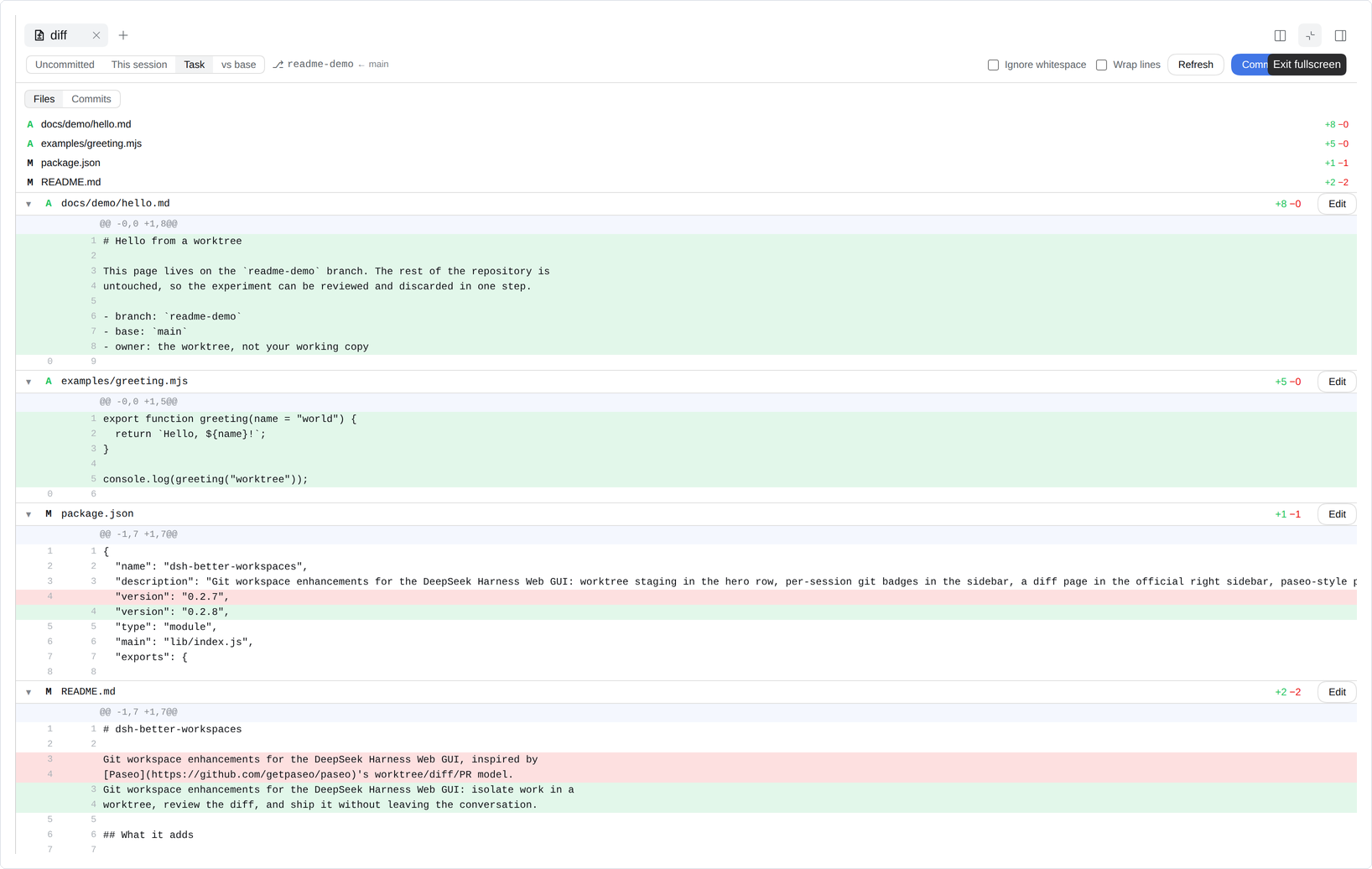
4. Full-page diff review in the sidebar
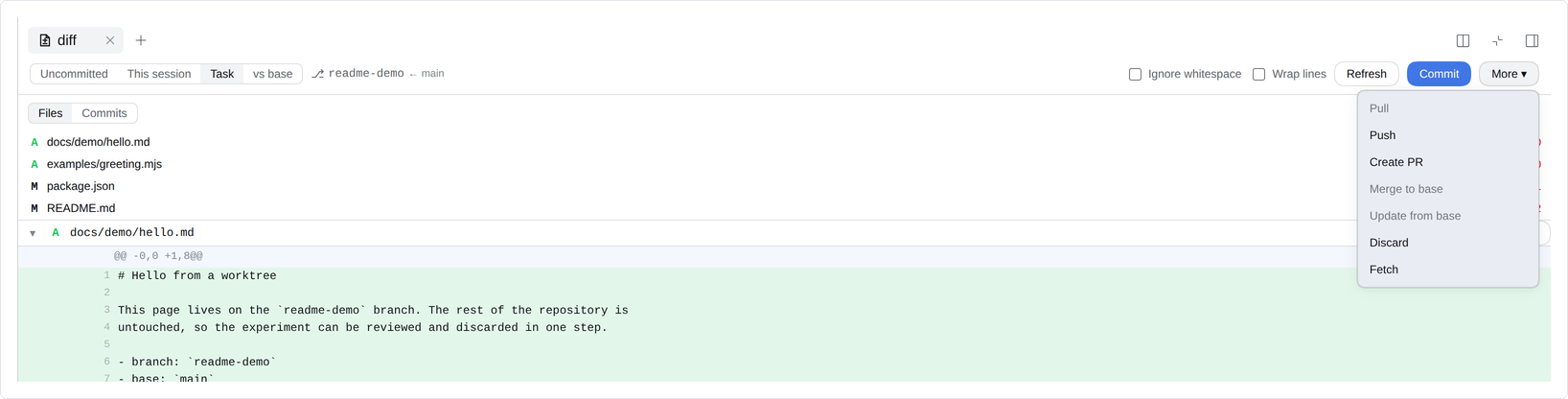
Click the ± badge to open the diff drawer. Switch smoothly across uncommitted changes, current session changes, task scope, or base branch comparisons. Expand hunks line-by-line, edit files in place, and inspect recent commits.
5. Git actions without leaving the page
Run essential git actions straight from the diff view: Commit, Pull, Push, open a PR, merge, update from base, or discard changes. Inapplicable actions clearly explain prerequisite states.
6. Attach GitHub PRs and issues to prompts
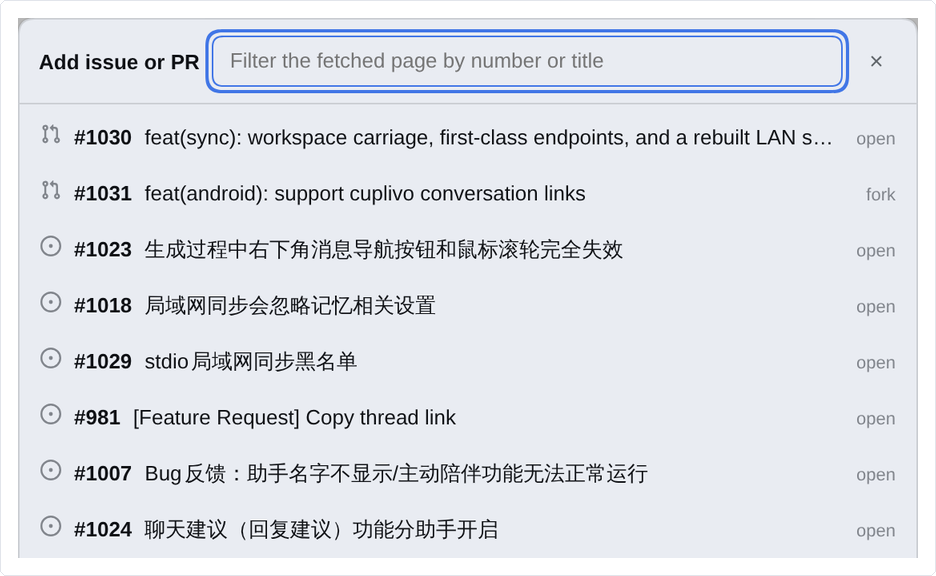
The GitHub button beside the composer lists open pull requests and issues from your repository. Select any item to attach it directly to your prompt.
7. Compact composer chips, complete model context
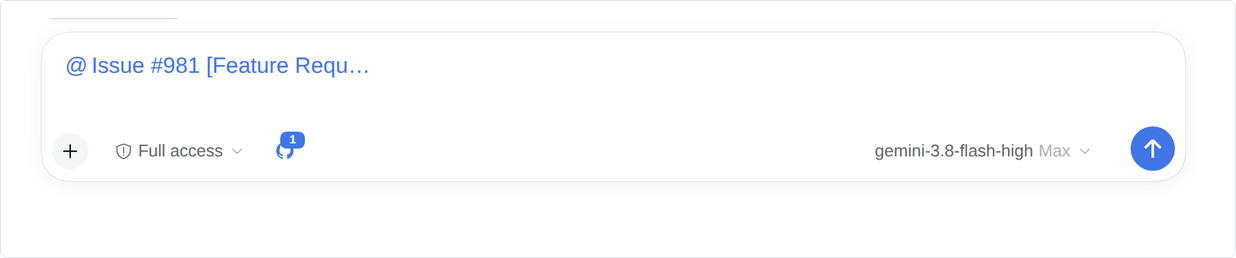
Prompts stay clean with a compact reference chip in the input box. On send, it automatically expands into the full title, issue/PR body, branch details, and URL so the agent receives exact context.
Quick Workflow
- Start a session: Open any git workspace in DeepSeek Harness.
- Choose your scope: Select
Localfor quick in-place edits orNew worktreefor an isolated branch. - Develop & review: Use the GitHub picker to reference issues, check progress via sidebar badges, and click
±to review line-by-line diffs. - Ship: Commit, push, or open a pull request directly from the diff view.
Installation
Install from npm with one command:
dsh plugin --profile web add @ds-hu/dsh-better-workspaces
Restart dsh --profile web once to activate.
Or install from the DSH Web GUI:
- Open Plugins in the sidebar.
- Click Add plugin.
- Enter
@ds-hu/dsh-better-workspacesand choose Official npm registry as the source. - Click Install, then Enable now when the installation finishes. If a restart is requested, restart
dsh --profile web.
Requirements
- DeepSeek Harness: ≥ 0.2.0
- Node.js: ≥ 20.19
- Tools:
git,pnpm(available onPATH) - GitHub CLI (optional): Authenticated
ghenables PR and issue picker features. Worktrees, sidebar badges, and diff review work fully without it.
Notes
- Compatible with Linux, macOS 13+, and Windows 10+.
- All operations run within the current browser tab.
Documentation
- docs/TECHNICAL.md — Architecture, design records, security model, upgrade notes, and manual operations.
- docs/adr/ — Architecture Decision Records detailing core design choices.
License
MIT. Third-party notices and licenses are documented in NOTICE and LICENSES/.
No comments yet. Be the first to write one.