dsh-plugin-agy-bg
A DeepSeek Harness Web UI plugin that paints the mouse-following WebGL particle background from antigravity.google behind the interface.
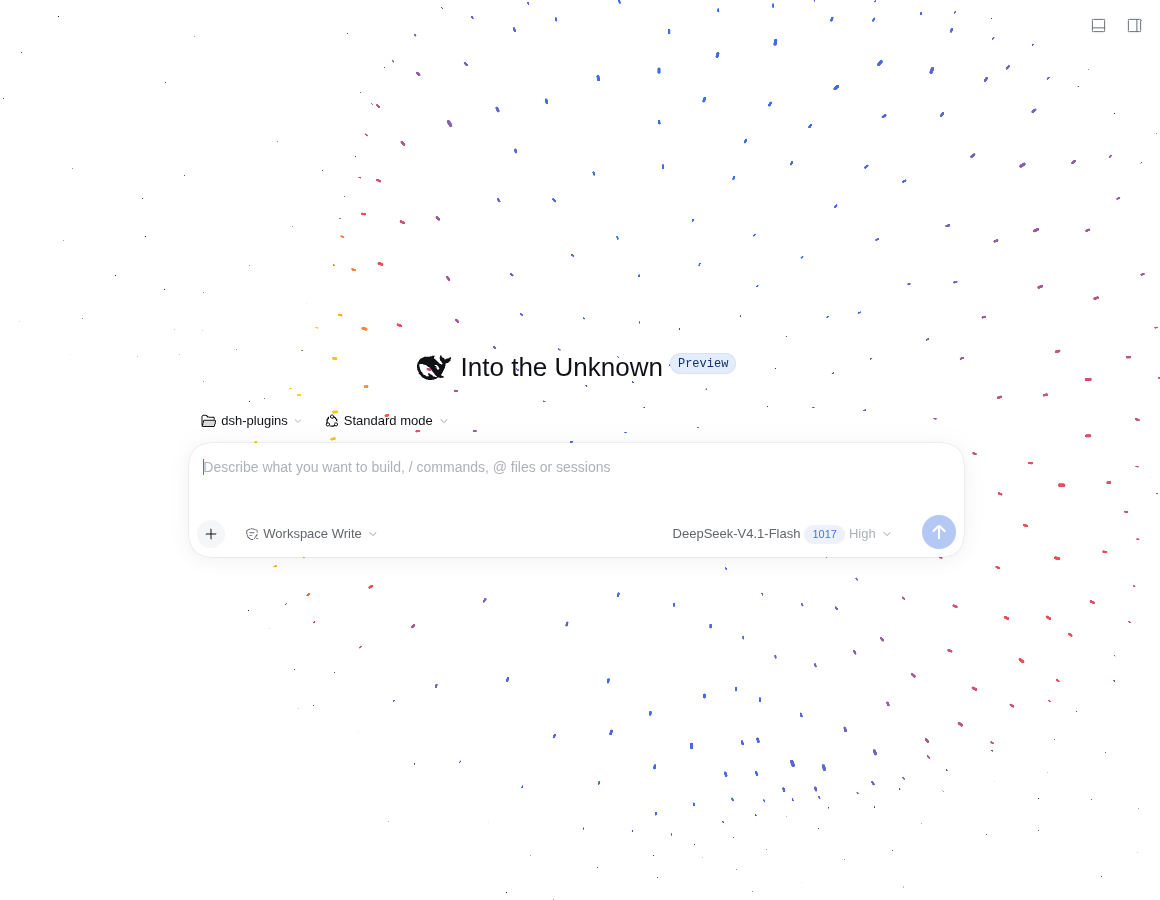
- The shell's full-page surfaces become transparent so the particle field shows through the workspace, while the sidebar, composer, cards and dialogs keep their own backgrounds.
- The particle ring follows the cursor with easing, a breathing radius, ring-band displacement and slow idle drift.
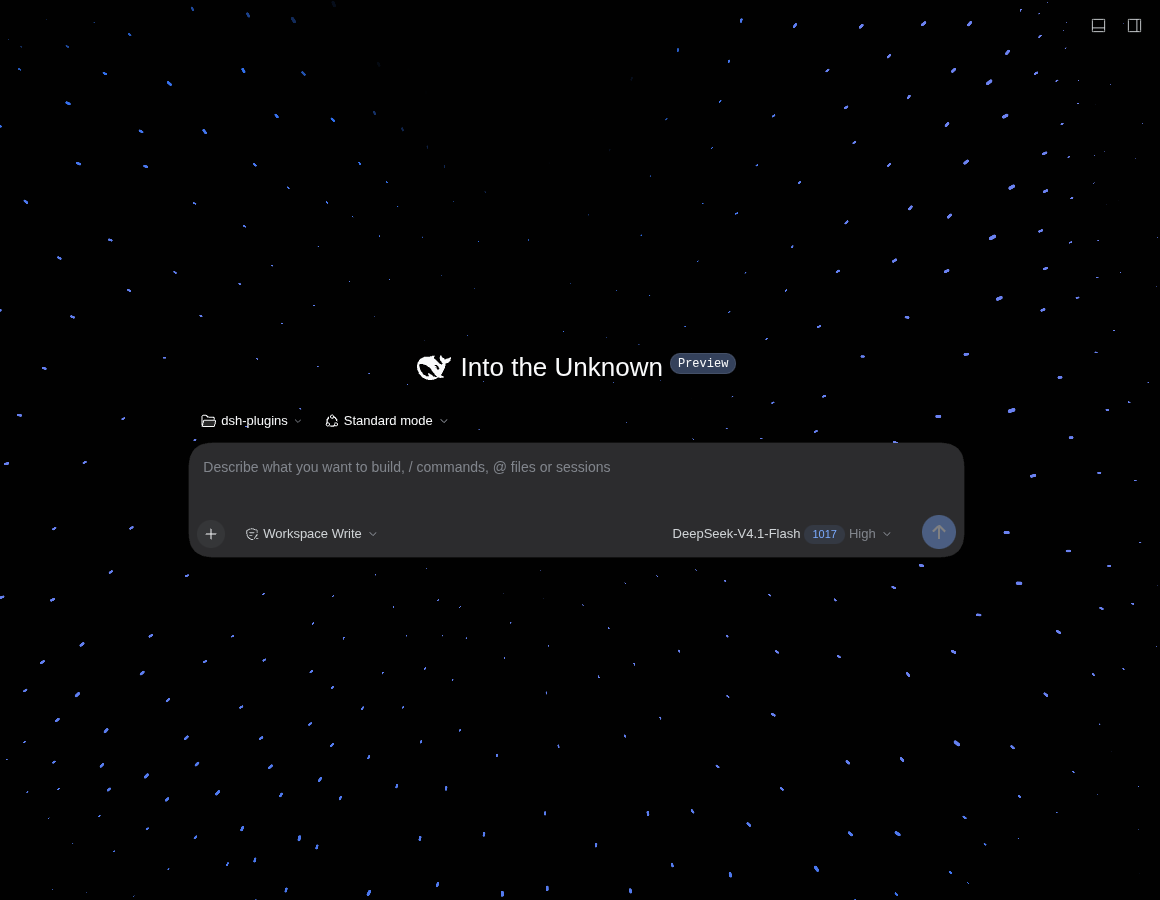
- Light and dark palettes follow the Harness theme automatically.
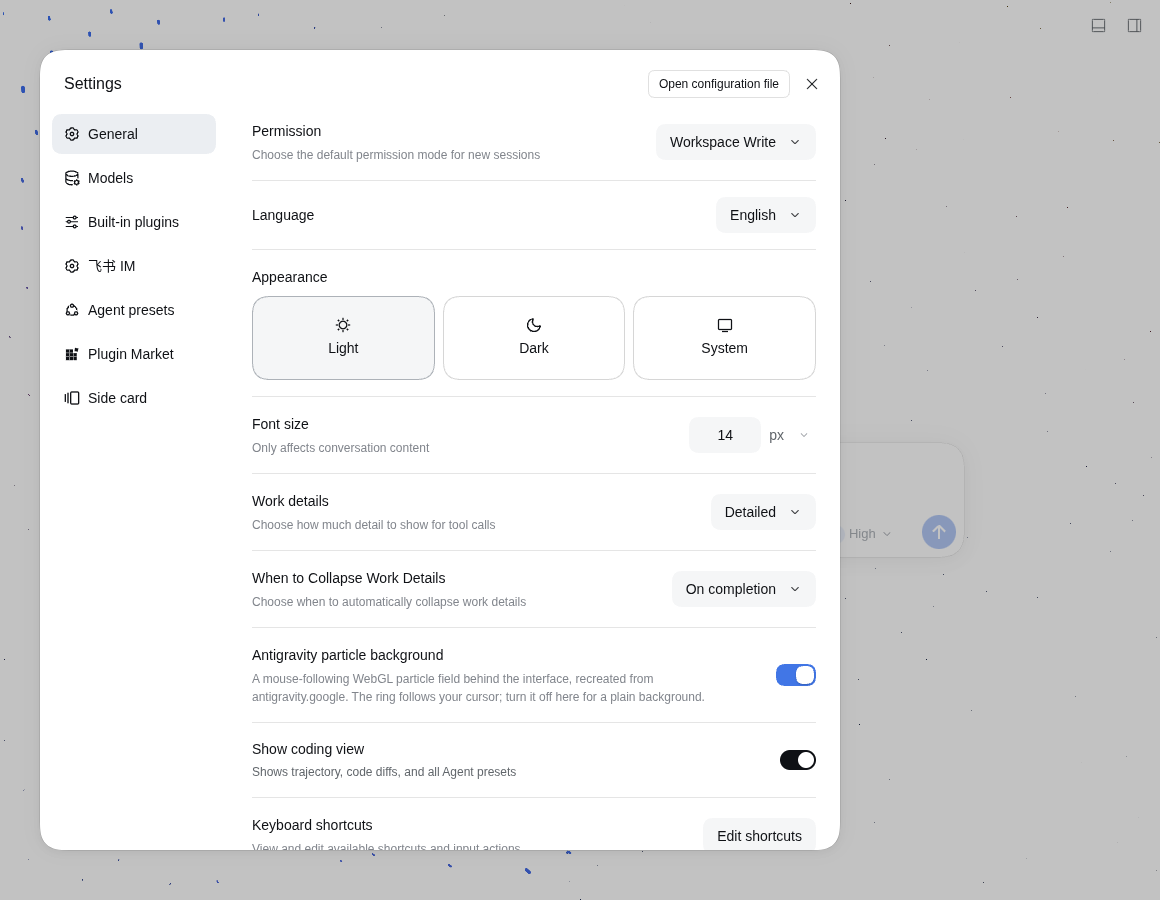
- On/off switch in Settings → General (default on, remembered per browser).
- Plain WebGL2, no three.js: a 256×256 GPU ping-pong particle simulation plus point-sprite rendering.
Screenshots
Light theme (new session):
Dark theme:
The switch in Settings → General:
Requirements
- DeepSeek Harness
0.2.1-rc.2–0.2.xwith the Web UI profile. - A browser with WebGL2 plus
EXT_color_buffer_float(recent desktop browsers). Without it the plugin stays completely inert and the UI remains unchanged.
Install
Plugins UI
Sidebar → Plugins → Add plugin, enter dsh-plugin-agy-bg (the npm package) or this repository's package directory, then Enable now. Refresh the Web UI once.
CLI
# 1) install as a link: dependency into the web profile
dsh plugin --profile web add dsh-plugin-agy-bg   # or link:/path/to/dsh-plugin-agy-bg for a local checkout

# 2) the plugin is usually added to the bundle list automatically; if not, add it to
#    ~/.dsh/profiles/web/package.json → dsh.profile.bundles (after dsh-base / dsh-web-app)
The web profile's HMR recomposes on profile manifest changes, so no dsh.service restart is needed; refresh the page once to load the new client graph.
Uninstall by removing the dependency and the bundle entry (or use the Plugins page).
Usage
- Settings → General → “Antigravity particle background” toggles the background instantly. The preference is stored in
localStorageunderdsh-plugin-agy-bg:v1. - With
prefers-reduced-motion: reduce, the plugin caps density at 110. The selected frame-rate limit controls animation cadence. - If WebGL2 or float render targets are unavailable, nothing is changed visually.
How it works
- Particle simulation — a 256×256
RGBA32Ftexture pair is ping-ponged every frame; the fragment shader updates each particle's position, scale and velocity, and point sprites read the simulation texture when drawing. - Parameters — the same values as the antigravity.google hero:
density 230,ringWidth 0.006,ringWidth2 0.107,ringDisplacement 0.62,particlesScale 0.59, colors#2c64ed / #f84242 / #ffcf03. Dark theme uses the palette/parameters of the site's footer CTA. - Cursor mapping — the pointer is mapped onto the z=0 plane and multiplied by
0.175to get the ring center; the ring eases toward it at 0.02/frame and its radius breathes with0.175 + sin(t)·0.03 + cos(3t)·0.02. - Transparency strategy — only containers that cover the full page height and use the theme base color are tagged
data-dsh-antigravity-surface="transparent"(the shell frame plus the large center surfaces). The composer, code blocks, cards and dialogs keep their own fills. A structural-change observer marks surfaces dirty; the 2-second check rescans only after changes. - Composer — the native composer background and fade remain unchanged. The plugin inserts no overlay canvases into the composer or transcript scroll tree, preserving native scrolling.
- Switch — a React row registered into
settings.general.item, with English/Chinese copy registered through the plugin locale namespace.
Development
client.js        built browser artifact (also the file watched by client HMR)
index.js         host half — intentionally empty
src/
  engine.part.js   particle engine extracted from the standalone recreation
  plugin.part.js   shell integration, theme/surface handling, Settings row
  noise.glsl       Ashima Arts simplex noise
build.mjs        src/* → client.js
cordis.patch.yml inserts this plugin's Loader row
node build.mjs     # rebuild client.js
npm run check      # node --check client.js && node --check index.js
Editing client.js (or rebuilding it from src/) hot-swaps the plugin in an open Web UI; editing the host half requires a profile recomposition.
License
MIT. This is an unofficial interaction recreation, not affiliated with Google; the visual parameters were observed from the public antigravity.google page.
Frame rate and performance
Settings → General offers Power saving (30 FPS), Normal (60 FPS, default), and High performance (120 FPS). The choice is remembered in this browser. The 120 FPS option appears when 90 foreground requestAnimationFrame intervals have a median of at most 9.5 ms (approximately 120 Hz or faster). Sampling runs when the background starts, the settings row mounts, or the active page becomes visible again. This estimates browser presentation cadence, not resolution; browser throttling or system power saving can hide the option. Actual FPS also depends on GPU load. A saved 120 FPS choice falls back to 60 until high refresh is detected.
Simulation is restricted to occupied texture rows. Disabling the background releases GPU resources, observers, and pointer listeners. Frame timing and easing use elapsed time rather than assuming a 60 Hz screen.
Run npm test for preference migration, refresh detection, frame pacing, composer isolation, and resource cleanup regression checks.
No comments yet. Be the first to write one.