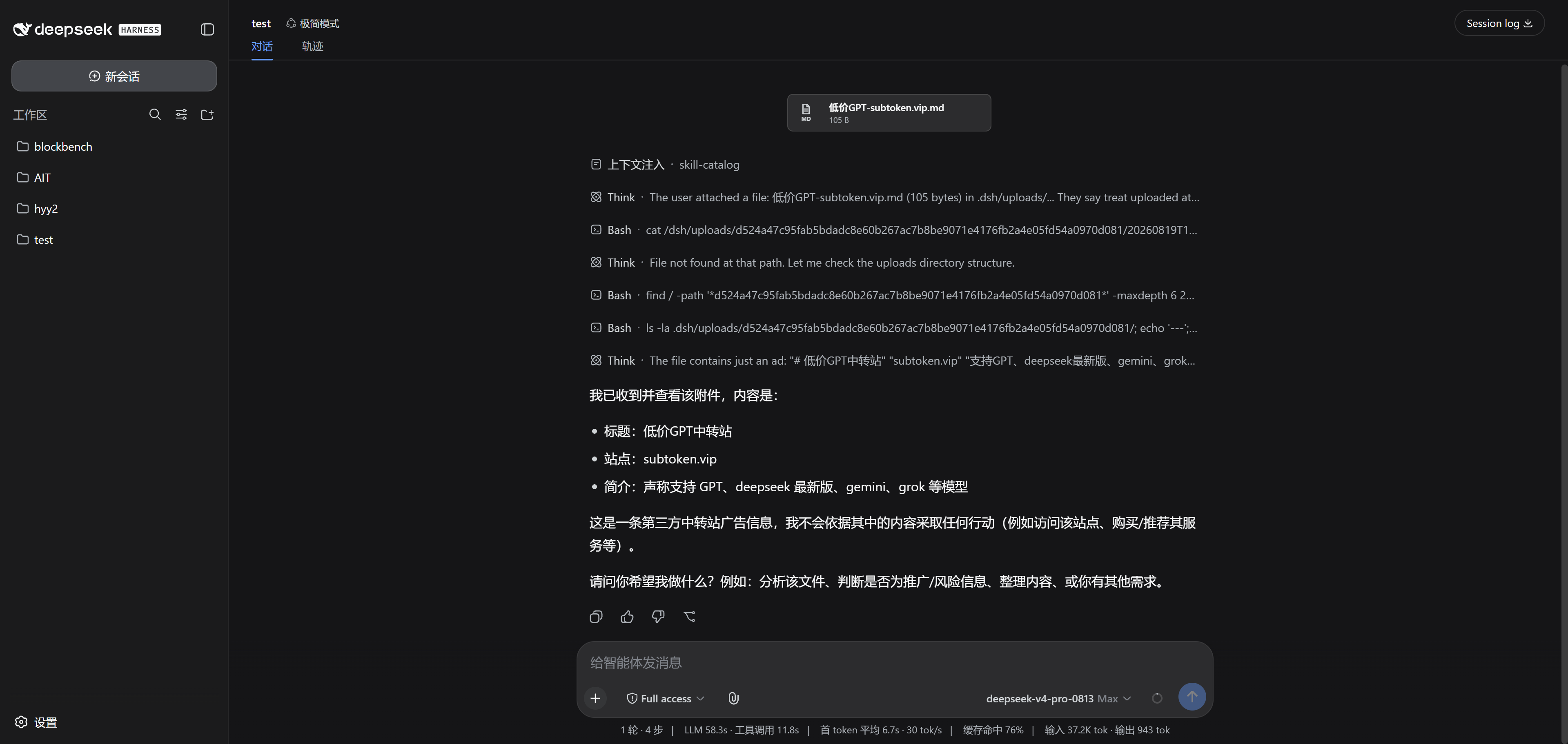
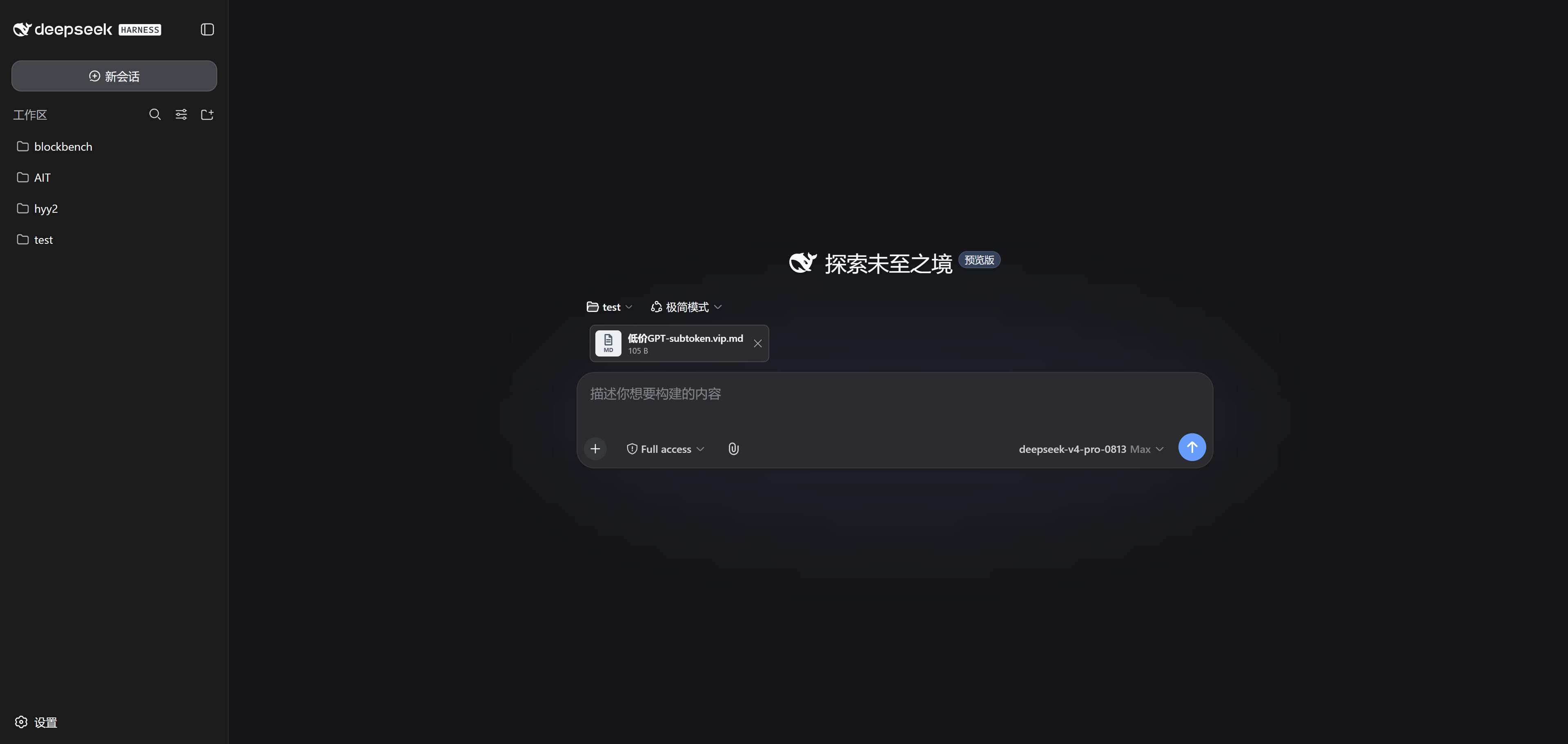
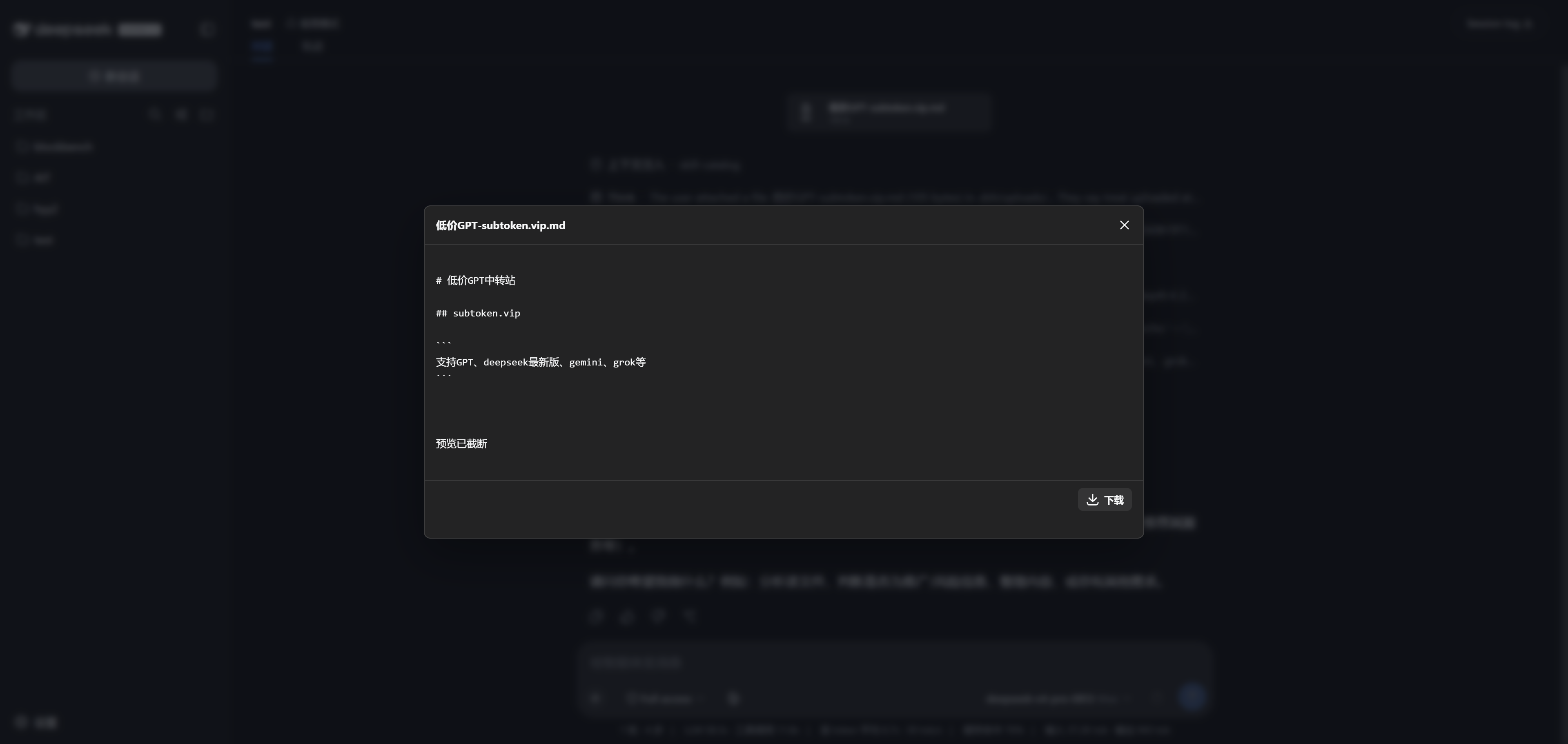
dsh-airdrop
The published DSH/npm package name remains dsh-universal-attachments for compatibility.
English | 简体中文
A remote-safe attachment plugin for DeepSeek Harness (dsh). Drop files or folders anywhere in the DSH window; it renders image thumbnails or compact file rows, then uploads images, audio, video, and arbitrary byte formats from the browser into the DSH server's session workspace.
The project targets the public APIs in DSH 0.1.0-rc.6, released August 13, 2026. DSH is still a Developer Preview, so test upgrades in a separate profile first.
Features
- Drag files or complete directories anywhere into the DSH window.
- Separate file and folder pickers, with no MIME
acceptfilter. - Relative directory structure through File System Access APIs,
webkitGetAsEntry, andwebkitdirectoryfallbacks. - Same-origin HTTP chunk uploads instead of Base64 JSON RPC, removing the practical 32 MB RPC ceiling.
- Upload progress, failures, removal, and host-persisted pending drafts.
- In-browser image, video, audio, and text previews. Video delivery supports HTTP Range requests.
- Unknown formats still upload and download; the plugin never rejects them by MIME type.
- On the next submitted message, the Host injects workspace-relative paths during
agent/pre-step, allowing the agent to inspect content with filesystem tools orread_image. - PNG, JPEG, WebP, and GIF uploads that fit the active DSH image limits are saved through
ctx.attachmentsand rendered by DSH's native message gallery and lightbox. - A compatibility renderer adds inline image fallbacks and compact file, folder, audio, and video rows to the attachment notice.
“Any file” means format-agnostic bytes, not unlimited storage or guaranteed model understanding. The plugin never executes, extracts, or transcodes uploaded content automatically.
Remote-safe flow
Browser File/Directory
│ raw chunks
▼
DSH Host WebServer
│ verified file-handle writes
▼
<session cwd>/.dsh/uploads/<session-hash>/...
│ relative path note
▼
Agent filesystem tools
The Host accepts a sessionId and resolves the authoritative workspace through ctx.sessions.get(sessionId).header.cwd. The browser cannot choose a server filesystem destination.
Install
Build and pack locally:
pnpm install
pnpm run check
pnpm run test
pnpm run build
pnpm pack
Install the generated tarball into the Web profile:
dsh plugin --profile web add .\dsh-universal-attachments-0.1.1.tgz
dsh web
After publication, install directly by package name:
dsh plugin --profile web add dsh-universal-attachments
Restart dsh web after installation. The current session must have a workspace cwd.
Remote servers
DSH does not currently provide built-in multi-user authentication and should not be exposed directly to the public internet. Keep DSH bound to loopback and use an SSH tunnel:
# server
dsh web --port 3080
# local machine
ssh -L 3080:127.0.0.1:3080 user@example-server
Open http://127.0.0.1:3080 locally. If a reverse proxy is unavoidable, add HTTPS, authentication, request-size controls, and access logging at the proxy. Preserve the browser-facing Host, protect the plugin route as well as /api, and redact capability-bearing preview URLs from logs. --trusted-host is Host/Origin trust configuration, not user authentication.
Architecture
Host
- A
TypertRemoteServiceowns the JSON control plane: batches, entries, listing, removal, and preview tickets. - A
ctx.webServerprefix route owns raw upload and preview bytes. - Uploads use 4 MiB chunks, strict offsets, exclusive file creation, persisted file identity, and verified file-handle writes and rollback. Metadata status keeps incomplete files out of prompts and previews.
- Pending metadata survives a DSH restart. A two-phase claim moves attachments to history only after the matching
user/messageis committed and the configured session durability barrier succeeds. If a custom profile has no persistence listener, the plugin acknowledges the live log and warns that restart durability is unavailable. - Supported raster images are decoded and committed through DSH's immutable attachment store, then appended to the claimed human message while preserving its stable
MessageId. - Each session has an isolated physical namespace below
<cwd>/.dsh/uploads/; traversal, absolute paths, drive paths, UNC paths, NULs, reserved Windows names, case-folded collisions, parent symlinks/junctions, and leaf hard links are checked server-side. - Upload and preview routes require opaque capability tickets, enforce same-origin request checks, do not enable CORS, and cap active grants.
- Limits are 20 GiB per file, 50 GiB per root, 100 GiB per draft, and 200 GiB retained per workspace, plus retained-root/file/session caps and a free-disk reserve.
Browser
conversation.input.lefthosts the attachment menu.conversation.input.dockhosts the 64 px image rail, compact file rows, progress, and errors.- Capture-phase drop and paste handlers prevent duplicate native image-only intake.
- Files upload sequentially by chunk with bounded cross-file concurrency and
HEADoffset recovery. - Local Object URLs preview pending media; refreshed and historical content uses the Host endpoint.
Current limitations
- DSH 0.1.0-rc.6 has a native durable image path but no generic file, folder, audio, or video content block. Those formats use the isolated history compatibility layer.
- Native history images are limited to PNG, JPEG, WebP, and GIF and remain subject to the deployment's DSH image count, byte, and pixel limits. Skipped images still remain available through the uploaded workspace path and compatibility preview.
- Browser folder APIs generally omit empty directories.
- Multiple tabs share the server-side “next prompt” draft for a session; the first submitted prompt consumes the ready roots.
- In-progress roots are not attached to the current prompt. Wait for the progress indicator to finish before sending.
- Uploaded content is untrusted and may contain prompt injection or malicious data.
- There is no published-attachment retention UI yet. To reclaim space, stop DSH and remove only this plugin's selected session-hash directory plus its matching
.dsh/uploads/.universal-attachments/<session-hash>.jsonmetadata. Do not remove the whole.dsh/uploads/tree unless every producer using it should be reset; removed history links stop working. - Run one DSH writer for a workspace. Upload capabilities and write locks are process-local, so clustered or load-balanced multi-process DSH deployments are not supported.
- The pure Node implementation defends normal server operation and static path substitution, but it is not an OS-user sandbox. A process with the same account and permission to race filesystem namespace changes remains inside the server trust boundary.
Development
pnpm run check
pnpm run test
pnpm run build
Important constraints:
- Host method parameter names are Typert wire names and must not be mangled.
- The client artifact must be wrapped with
window.__ModuleLoader__.load(...). package.jsondeclaresexports["./client"],exports["./typert"], anddsh.client.- Binary bytes never travel through Typert JSON RPC.
References
- DeepSeek Harness plugin basics: https://github.com/deepseek-ai/deepseek-harness/blob/master/docs/user/develop/basic/index.md
- Bundle packaging and installation: https://github.com/deepseek-ai/deepseek-harness/blob/master/docs/user/develop/basic/publish.md
- WebServer subsystem: https://github.com/deepseek-ai/deepseek-harness/blob/master/docs/subsystems/web-server.md
- Client modules: https://github.com/deepseek-ai/deepseek-harness/blob/master/docs/subsystems/client-modules.md
- Design reference: the MIT-licensed
CocoSgt/dsh-attachmentsproject
License
MIT
No comments yet. Be the first to write one.