DSH HUB
HomePlugin StorePlugin PacksCommunityRankingsResourcesPublish Guide
Plugin source
Back to catalog

cxdyun /

cxdyun/dsh-skills-marketplace

Verified

DeepSeek Harness 版本的 skills 插件市场

★ 0 Stars0 Forks0 IssuesN/A Community rating0 Confirmed installs
View on GitHub
READMESource: main@1bbccd0e

dsh-skills-marketplace

DeepSeek Harness (DSH) 技能市场管理器 — 把任意「Codex/Claude 技能仓库」整理成插件维度的、DSH 原生的技能市场。

English

给定一个技能仓库(Git 地址 + 分支 + 稀疏路径),本工具通过 git sparse-checkout 拉取插件与技能,把每个技能摊平到 ~/.dsh/skills/<skill-name>/SKILL.md,并以插件维度展示整个目录(而非 DSH 默认的扁平技能列表)。

同一份 SKILL.md 是各生态之间的通用标准——一套技能库,可被 DSH、Codex、Claude 三端同时复用。

安装

作为 DSH 插件安装(推荐)

前置要求:已安装 DSH、Node.js 22+、pnpm 10+,并具备修改 DSH profile 的权限。

直接从 GitHub 安装:

dsh plugin --profile <profile> add github:cxdyun/dsh-skills-marketplace

从 npm 安装

发布包安装不需要 GitHub 构建许可,推荐用于日常使用:

dsh plugin --profile <profile> add dsh-skills-marketplace

dsh plugin 会在对应 profile 目录中调用 pnpm;等价的底层命令是:

cd "$DSH_HOME/profiles/<profile>"
pnpm add dsh-skills-marketplace

不要在项目源码目录中执行上面的 pnpm add,否则只会把它作为普通项目依赖安装,不会加入 DSH profile 的 bundle 列表。

也可以固定到某个 commit,避免远端后续变更:

dsh plugin --profile <profile> add github:cxdyun/dsh-skills-marketplace#<commit-sha>

安装后启动对应 profile:

dsh --profile <profile>

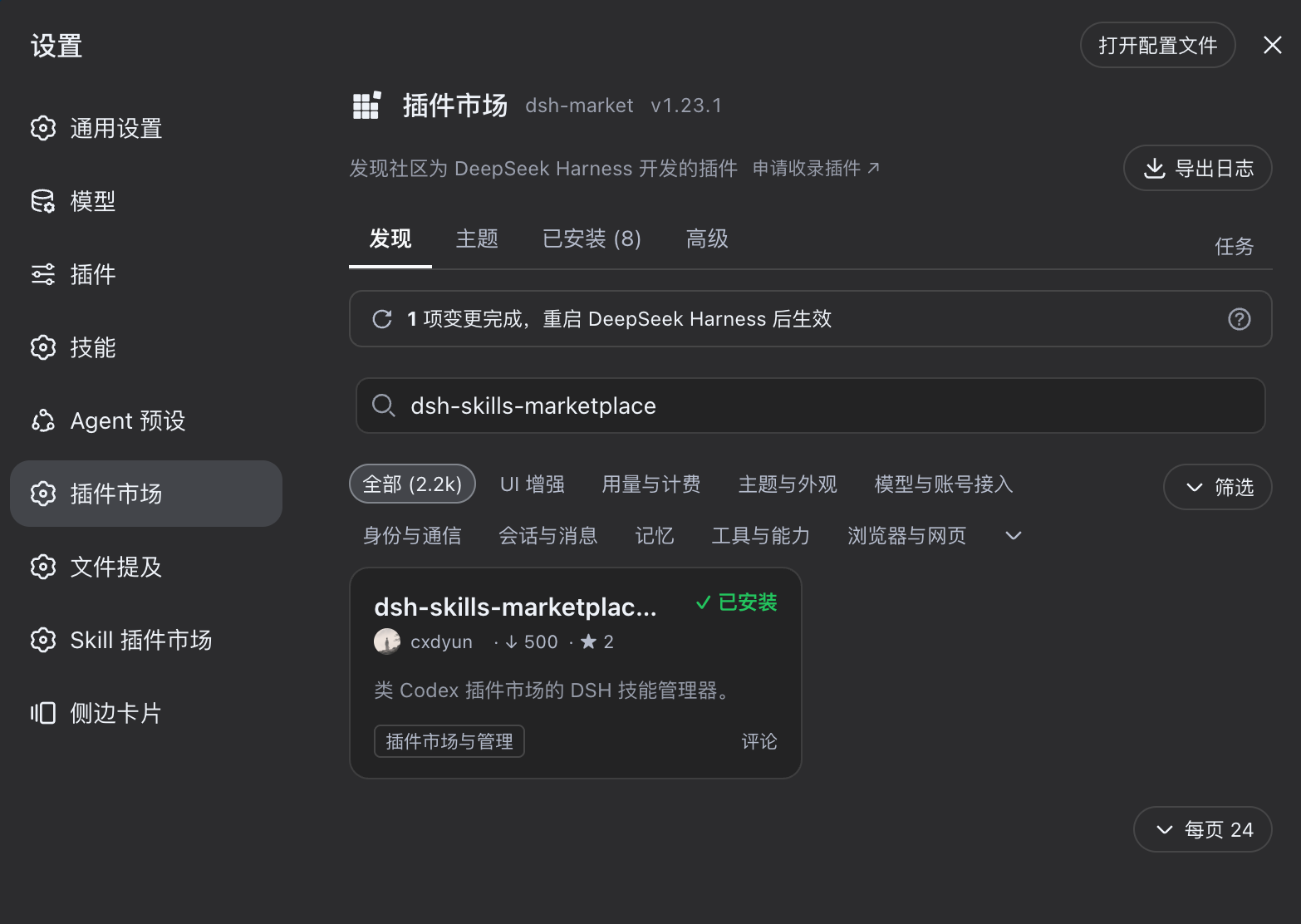
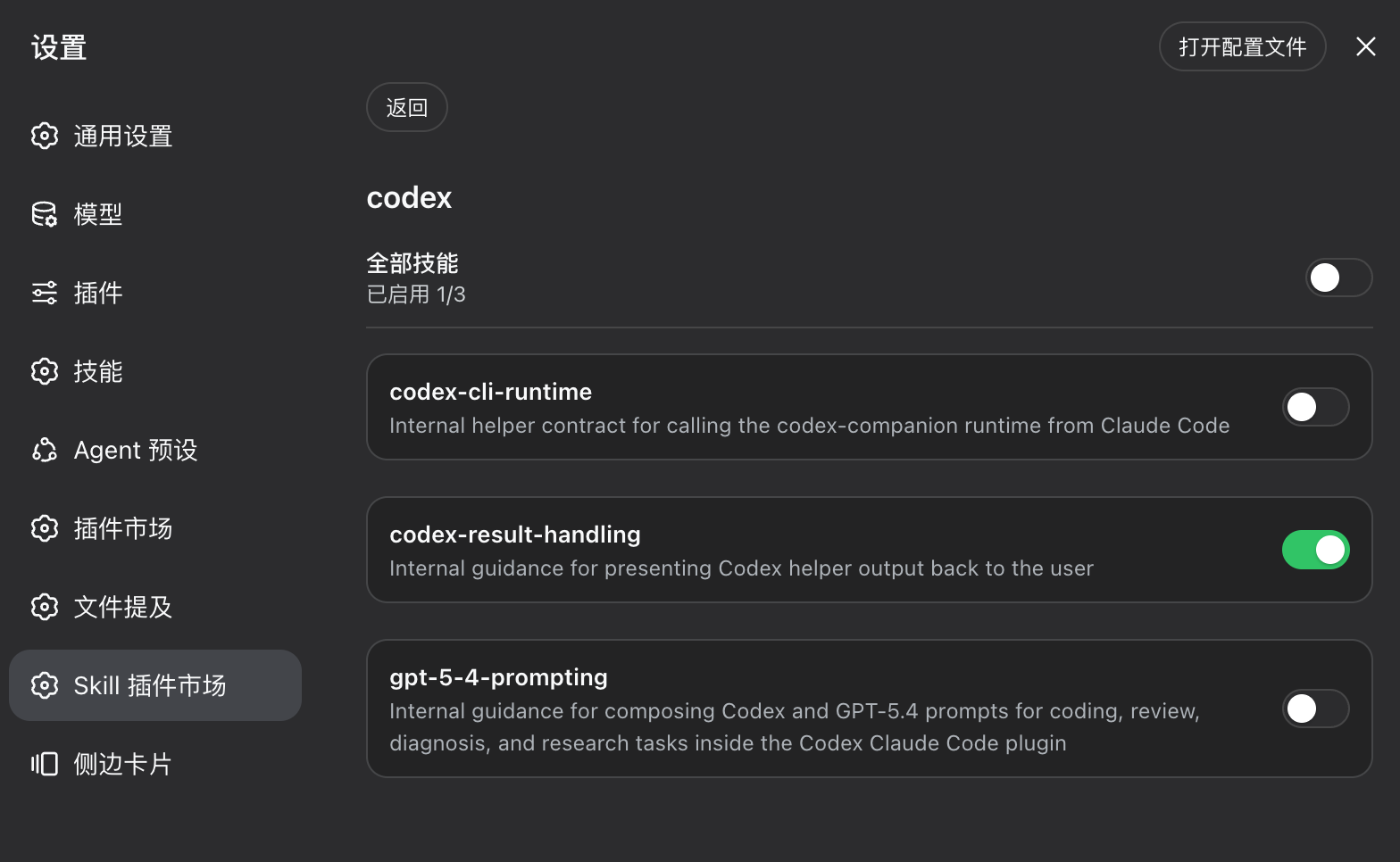
再打开 设置 → SKILL插件市场。

从源码构建(备用方式)
git clone https://github.com/cxdyun/dsh-skills-marketplace.git
cd dsh-skills-marketplace
pnpm install
pnpm run check

如果使用源码构建方式,按照 DSH 安装其他 Cordis 插件的方式,将本项目加入 DSH profile 并启用。重启 DSH 后,打开:

设置 → SKILL插件市场

能看到 SKILL插件市场 设置项,即表示插件加载成功。添加技能来源并安装插件后,技能会写入 ~/.dsh/skills/,随后可被 DSH 智能体使用。

DSH profile 的目录和启用方式由 DSH 宿主决定,本项目不覆盖宿主的插件安装配置;请沿用宿主安装其他 Cordis 插件的流程。

仅验证 CLI

如果暂时不安装 DSH,可直接验证核心流程:

git clone https://github.com/cxdyun/dsh-skills-marketplace.git
cd dsh-skills-marketplace
pnpm install
node cli.mjs --help
node cli.mjs add "https://github.com/you/your-skills-repo.git" --ref main --path plugins
node cli.mjs catalog

CLI 不需要 DSH;它会把测试安装结果写入 ~/.dsh/skills/。


为什么需要

DSH 的 @deepseek-ai/dsh-skill-filesystem 原生扫描以下技能根,并读取 <name>/SKILL.md 的 front-matter:

rank 作用域 scope 路径 path
100 项目 project <project>/.dsh/skills
200 项目 project <project>/.agents/skills
400 用户 user ~/.dsh/skills ← 本管理器的安装目标 install target
500 用户 user ~/.agents/skills(与 Codex/Claude 共用 shared)

因此 SKILL.md 本身就是共同标准。DSH 不解析 Codex/Claude 的包装层(marketplace.json / plugin.json / agents/openai.yaml / MCP 清单)。本管理器负责补齐这一层:

  1. 拉取 / Fetching —— git sparse-checkout,只取所需稀疏路径。
  2. 清单解析 / Catalog resolution —— A) 显式 dsh.market.json;或 B) 约定式扫 plugins/*/skills/*/SKILL.md(零改造即可适配现有 Codex/Claude 仓库)。
  3. 扁平落盘 / Flattening —— 每个技能摊平到 ~/.dsh/skills/<skill-name>/(一层深;剥离 Codex 专属 agents/openai.yaml)。
  4. 插件维度管理 / Plugin-dimension management —— 本地 manifest(plugin ↔ skills ↔ source ↔ commit)驱动插件优先的 GUI。

特性

  • 仓库 → 技能 / Repository → skills —— 把任意 Git 技能仓库作为 来源 source 添加(url + ref + sparsePath)。
  • 插件维度 / Plugin dimension —— 技能按插件分组展示,而非扁平列表。
  • 逐技能开关 / Per-skill toggle —— 单独启用/停用技能,安装进 ~/.dsh/skills。
  • 安全卸载与清理 / Safe uninstall & prune —— 只删除本管理器安装过的技能(经「墓碑 tombstone」集合记录);绝不触碰你自建的技能。
  • 增量更新 / Refresh —— 增量拉取 + 孤立清理。
  • 双前端 / Dual front-ends —— 自包含 HTML GUI,以及无依赖的 CLI(核心逻辑纯 Node,不依赖 DSH 即可验证整条链路)。
  • 同源校验 / Same-origin enforced —— 所有变更类端点强制 same-origin。

如何与 DSH 集成

构建产物是一个 DSH(cordis)插件,分 host 与 client 两半区:

  • Host 半区 / Host side(lib/index.js)
    • 声明 inject = ['settings', 'webServer'];
    • 注册 skillMarket 设置命名空间(installRoot、autoInstall),使其持久化到 DSH 设置页;
    • 挂载 /skills-marketplace/* HTTP 路由供 GUI 与 CLI 使用。
  • Client 半区 / Client side(lib/client.js)
    • 在 DSH 设置页注册名为 「SKILL插件市场 / SKILL Plugin Marketplace」 的 settings.section(SkillMarketSection);
    • 提供插件列表、插件详情与逐技能开关。

安装后 / After install:技能被摊平写入 ~/.dsh/skills/,内置 dsh-skill-filesystem 会自动监听该目录——无需重载或额外加载配置,技能立即可被 DSH 智能体使用。

以 DSH 插件方式安装本包时,请与安装任意 cordis 插件的方式一致(放入 DSH profile 后启用),然后在 设置 → SKILL插件市场 / Settings → SKILL Plugin Marketplace 打开。加载第三方 cordis 插件的具体启用流程由 DSH 宿主提供,本包不重复定义。

下面的 CLI 让你不依赖 DSH 也能先验证整条链路。


构建

pnpm install
pnpm run check        # 类型检查 + 构建(产出 lib/)

pnpm run build 运行 node build.mjs,用 esbuild 产出:

  • lib/index.js —— host(cordis)bundle;
  • lib/client.js —— 浏览器 client(单文件 __ModuleLoader__ 手握手协议);
  • lib/{manifest,remote,sync,http,routes}.js —— CLI 与测试复用的纯 ESM 核心;
  • .d.ts 类型声明(via tsc)。

CLI 用法(先验证核心链路)

# 添加来源(仓库 + 分支 + 稀疏路径)
node cli.mjs add "https://github.com/you/your-skills-repo.git" --ref main --path plugins

node cli.mjs list                            # 列出已添加来源
node cli.mjs install my-plugin               # 安装插件(默认第一个来源)
node cli.mjs view                            # 插件维度查看(默认第一个来源)
node cli.mjs uninstall my-plugin             # 卸载,只删受管技能
node cli.mjs refresh my-source               # 增量更新 + 孤儿清理
node cli.mjs prune                           # 清理墓碑

可用命令:add, list, catalog, install, install-all, uninstall, refresh, prune, view。


HTTP API(供 GUI 使用)

Method 方法 Path 路径 说明
GET /skills-marketplace/sources 来源列表 list sources
POST /skills-marketplace/sources 添加 add {url, ref?, sparsePath?}
DELETE /skills-marketplace/sources/:id 移除来源(保留已装技能)remove a source
GET /skills-marketplace/catalog?source=<id> 远端插件/技能目录(插件优先)remote catalog
GET /skills-marketplace/installed?source=<id> 已安装视图 installed view
POST /skills-marketplace/install 安装 install {sourceId, pluginId, skills?}
POST /skills-marketplace/uninstall 卸载 uninstall {sourceId, pluginId}
POST /skills-marketplace/skill-toggle 技能开关 {sourceId, pluginId, skill, on}
POST /skills-marketplace/refresh/<sourceId> 增量更新 incremental update

所有非 GET 端点强制同源校验(已验证跨域返回 403)。


GUI

打开 client/market.html(或在 DSH 设置 → SKILL插件市场 中使用):

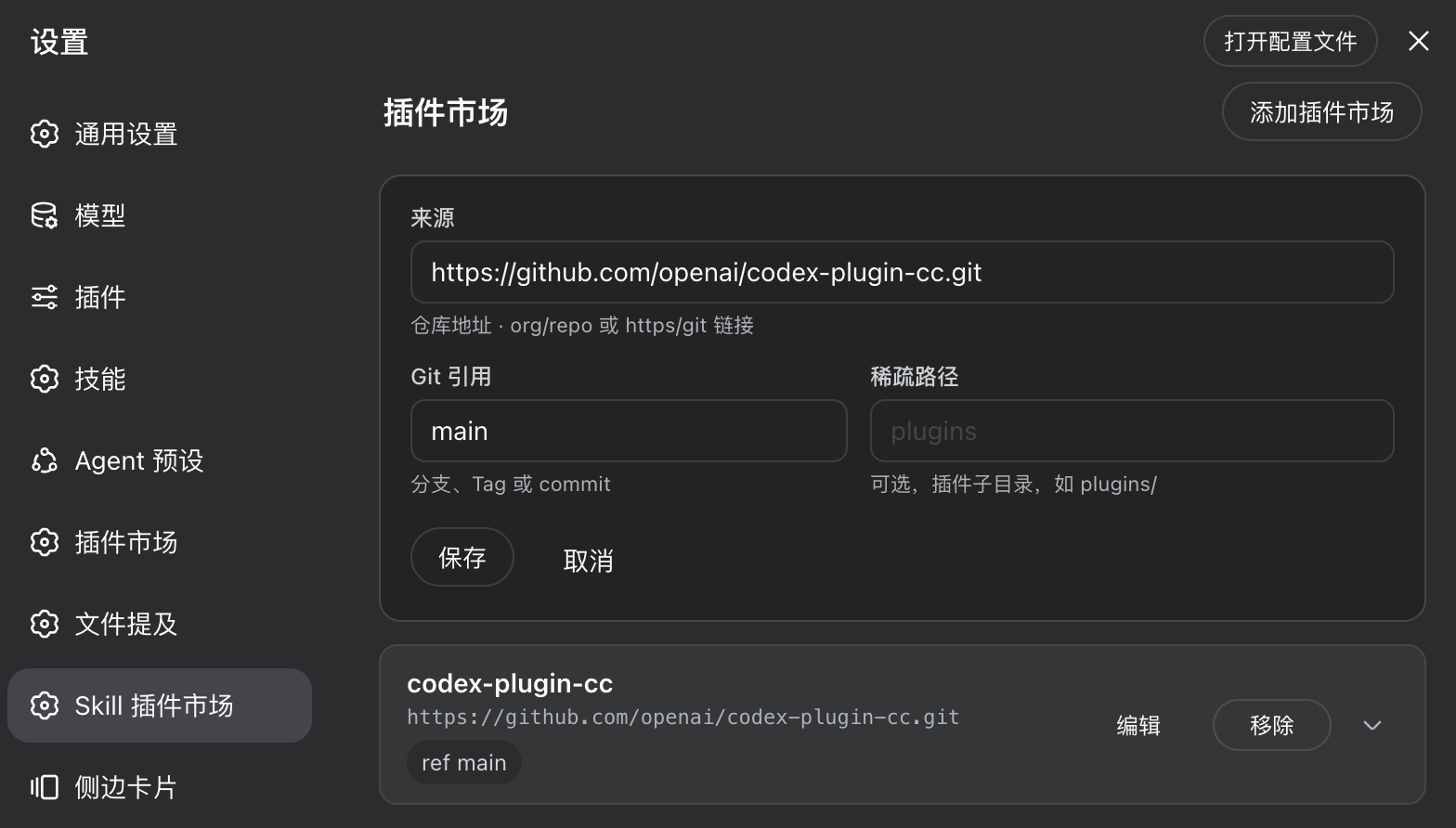
  • 我的市场 / My markets —— 来源卡片(显示 ref/sparse),带「添加插件市场」表单(来源 / 分支 / 稀疏路径)。
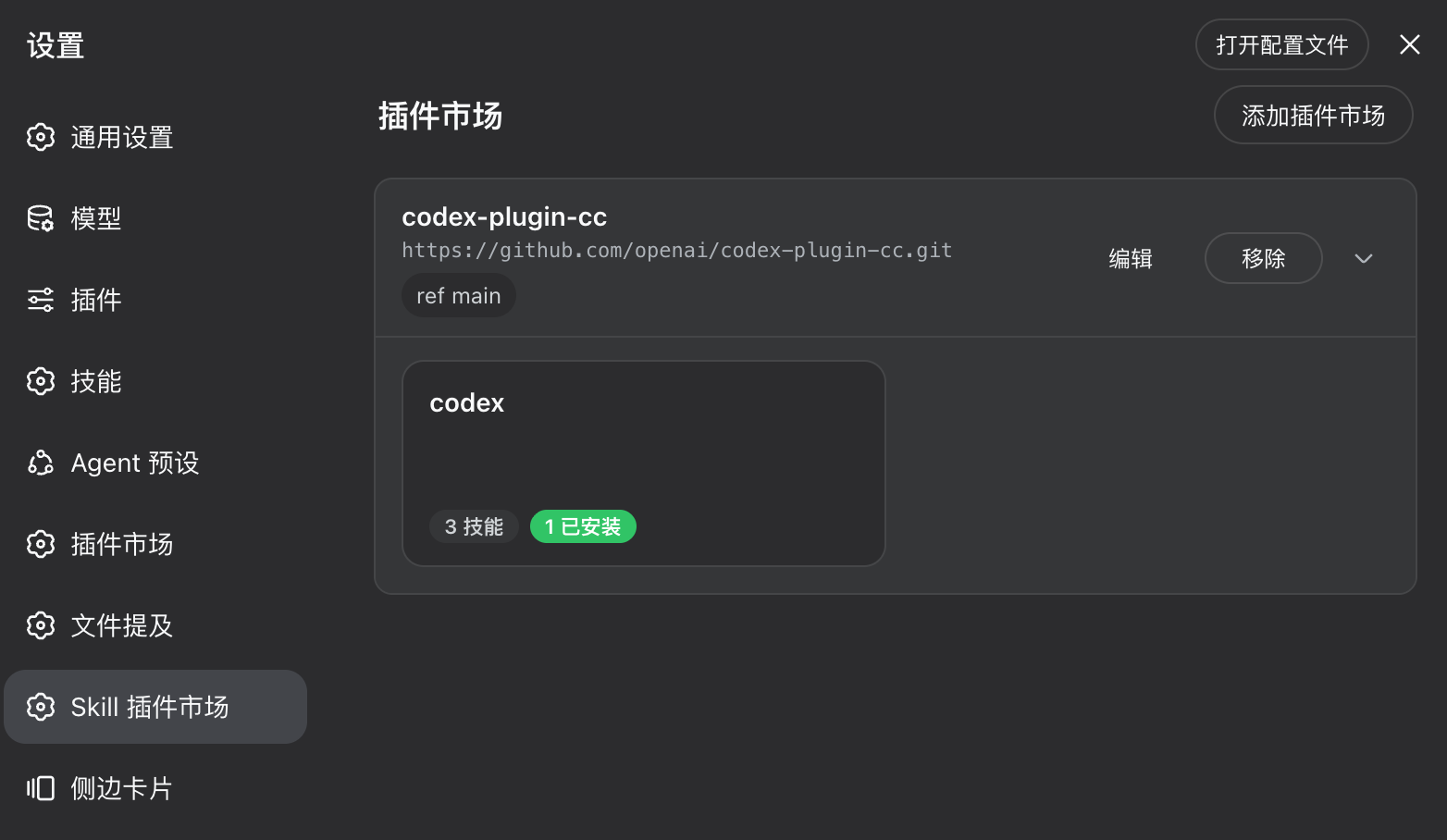
  • 插件目录 / Plugin catalog —— 插件优先的网格,每个插件徽标显示其技能数。
  • 插件详情 / Plugin details —— 逐技能开关:开 = 安装进 ~/.dsh/skills,关 = 从 manifest 剔除并卸载。

安全设计

  • 安全卸载 / Safe uninstall —— 只删除 manifest 登记的受管技能;清理只作用于「墓碑」集合(曾安装、现已失效)。绝不触碰你自建的技能。
  • 跨域拒绝 / Cross-origin denied —— 变更类端点强制 same-origin。
  • Codex 专属文件剥离 / Codex-only files stripped —— agents/openai.yaml 从不落盘(DSH 不读,且会污染一层结构)。
  • MCP 依赖提示 / MCP caveat —— 依赖外部 MCP 的技能在 DSH 侧只有 SKILL.md 指令文本(DSH 不拉起 agents/openai.yaml MCP 服务);此类技能会在 UI 中标出。

路线图

  • P0(已完成) —— 来源管理 + sparse 拉取 + 扁平落盘 + manifest + GUI,默认走 B 约定式发现。
  • P1 —— 增量更新(commit diff);在来源仓库中固化 dsh.market.json(显式 A 清单);接入 DSH 设置页原生 client。
  • P2 —— 独立 skill provider 隔离(自定义 rank);把技能编译为 npm 接入 awesome-dsh-plugin 生态。

许可证

MIT

—/ 5

No ratings yet

Verified DSH bundle

Commit 1bbccd0e3fe4

Community comments

No comments yet. Be the first to write one.

DSH HUB

A community index for DSH plugins. Not an official GitHub or DeepSeek AI product.

CommunityResourcesAPIAbout