dsh-task-dispatch-table · Scheduled task dispatcher
English | 中文
One dsh host plugin: a single table of task definitions drives your recurring agent work — when a task is due, it is dispatched as an independent dsh session that an agent actually executes. The scheduling itself is pure program logic and never burns a token.
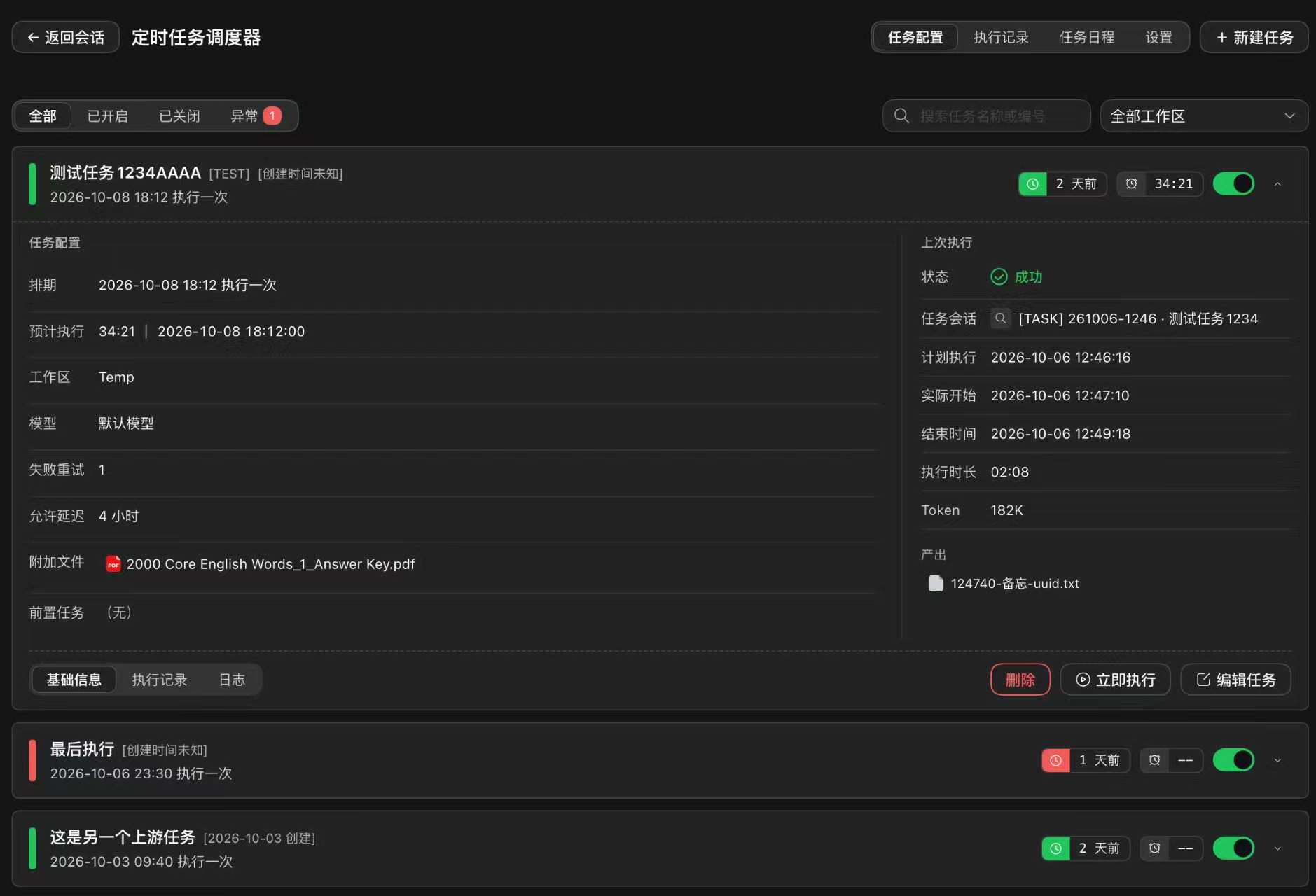
- Zero model involvement in scheduling — tick → check the schedule window → check dependencies → dispatch. Judgment-heavy work goes to the agent session; deciding when to run costs nothing
- Three schedule modes — one-off, cron-style daily/weekly, or every-N-hours intervals, each with an allowed-delay window so a busy host catches up instead of silently skipping
- Dependencies declared by the downstream — a task can require upstream tasks to have succeeded; the exact upstream instance and its outputs are frozen at dispatch time and handed to the downstream session
- Every run is an independent session with its own status, token usage, artifacts and event log — inspectable afterwards, retryable on failure, serialized per task
- A full UI — task list, per-task runs and logs, a cross-task execution timeline, a monthly calendar of planned and actual runs, a split-panel editor, and a settings page
Install
dsh plugin --profile web add dsh-task-dispatch-table
Every release is published to npm, so it works right after installing — no extra configuration and no local build. The UI copy is bilingual and follows dsh's interface language (Settings → General → Language).
How it works
The plugin keeps two layers of state:
| Object | What it is | What it decides |
|---|---|---|
| Task definition | One row per scheduled unit: title, prompt, schedule, attachments, workspace, model, dependencies, on/off switch | Whether and how a task should run |
| Task instance | One row per actual run: status, planned/actual time, session id, token usage, artifacts | What happened in a run |
The scheduler is a plain loop: on every tick it computes which tasks are due, claims them atomically in SQLite, dispatches each as a new dsh session in the task's workspace, then tracks the session via a receipt tool the session is required to call when done. Missed slots (host was down past the allowed delay) are recorded and marked skipped instead of disappearing.
Tasks
Creating and editing
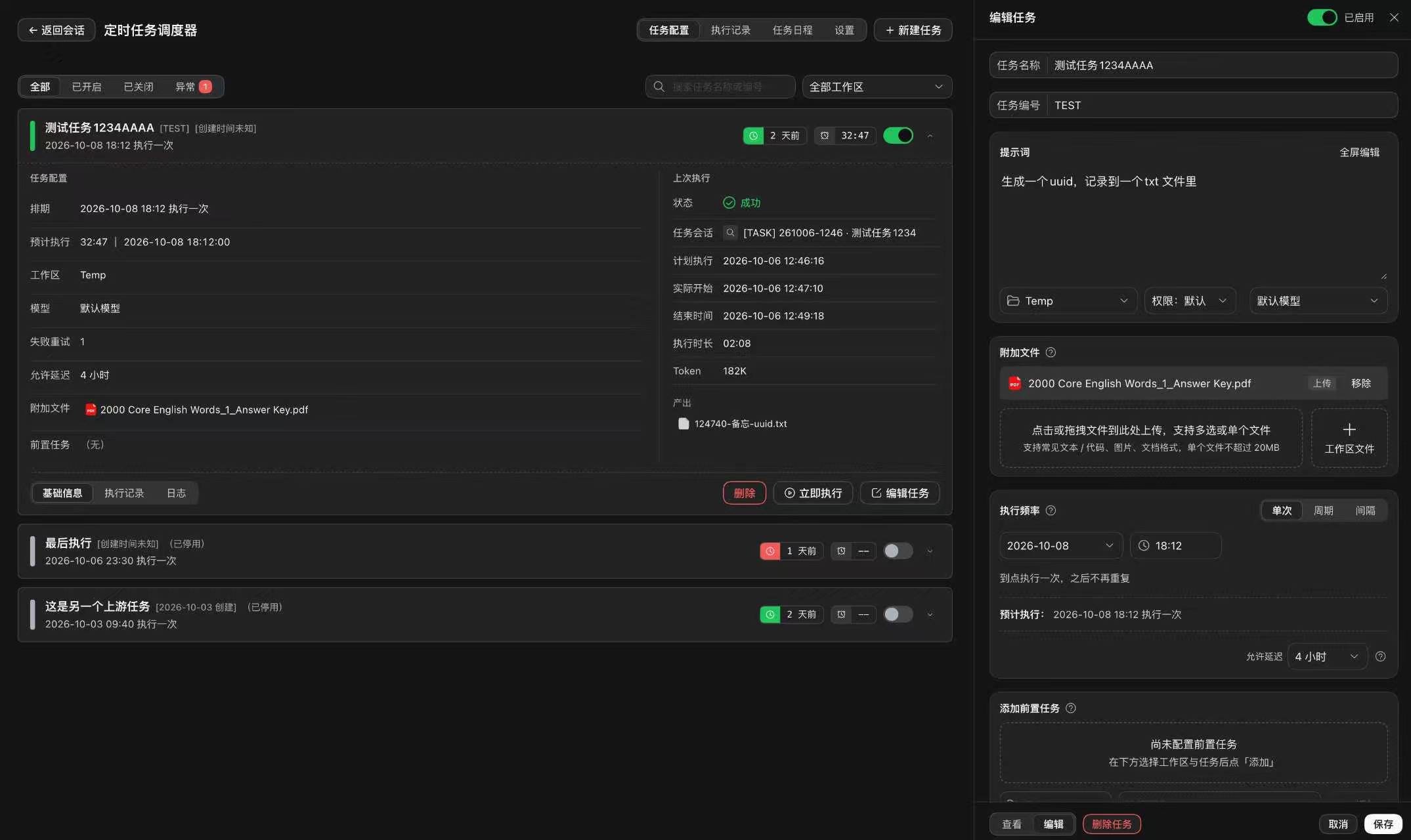
Press New task (or Edit on a card) and the editor opens as a layout split panel, not a floating drawer: basics, schedule, prompt (with version history), advanced options, attachments and upstream tasks. Attachments are either links to files already in the workspace or uploads (stored in the task's own directory, up to 20 MB each).
The footer switches between View / Edit modes: View is a read-only rendering of the task — configuration, last run, and the prompt — for checking a task without risking an accidental edit.
Schedules
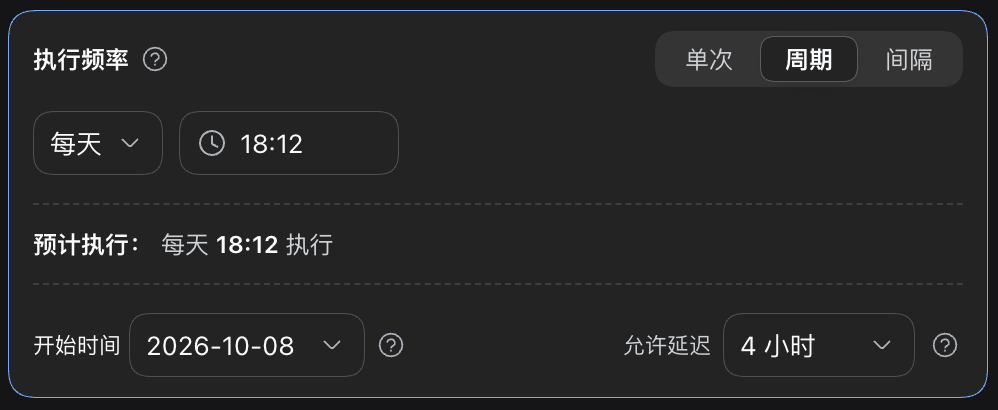
Three modes, each showing a plain-language preview of the next run:
- Once — runs at the given moment, then never again
- Recurring — daily / weekly / monthly at a given time
- Interval — every N hours (or days), optionally restricted to selected weekdays
Every mode has an allowed delay: if the host was busy or down when the moment came, the run still fires within the window; past the window the slot is recorded as skipped (with the reason) rather than lost silently. A task card's Run now button triggers an extra run immediately, outside the schedule.
Dependencies
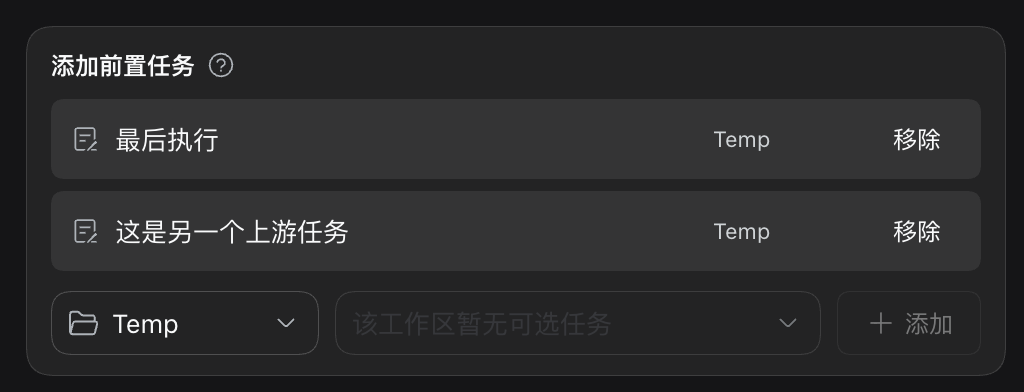
A task declares which upstream tasks must have succeeded before it may run (the Airflow / GitHub Actions needs model — the downstream declares, so adding a downstream never touches the upstream). When the task fires, the plugin freezes which upstream instance it matched together with that instance's outputs and passes them into the new session, so the downstream agent reads exactly the data its run was keyed to — even if the upstream has re-run since.
Runs and records
Per task
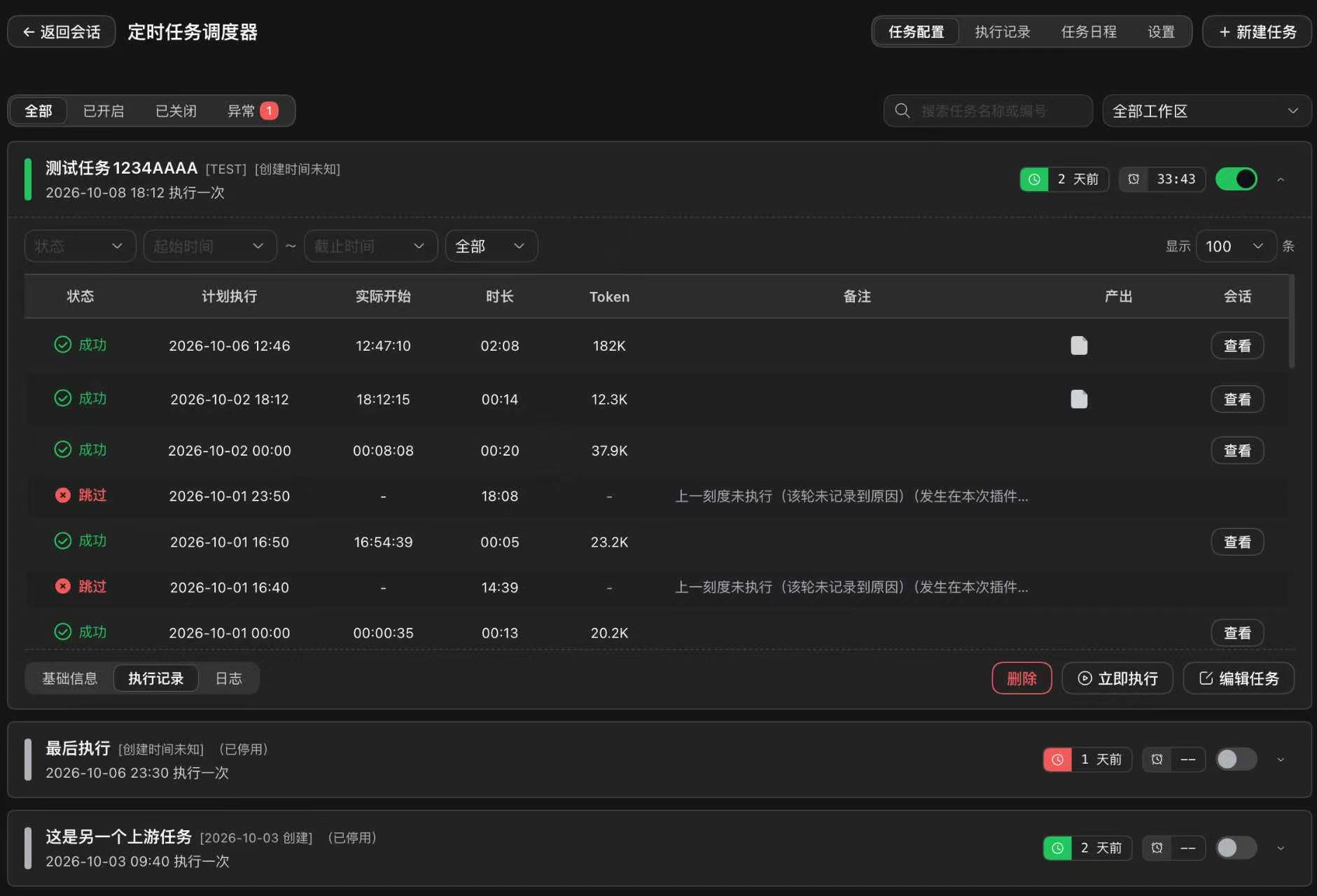
Expanding a task opens three panels: basic info (configuration side by side with the last run), runs (one row per instance: status, planned vs actual time, duration, token usage, artifacts, and a button to open the archived session), and logs (the plugin's own diagnostic log for that task — missed slots, missing attachments, manual runs).
Session view
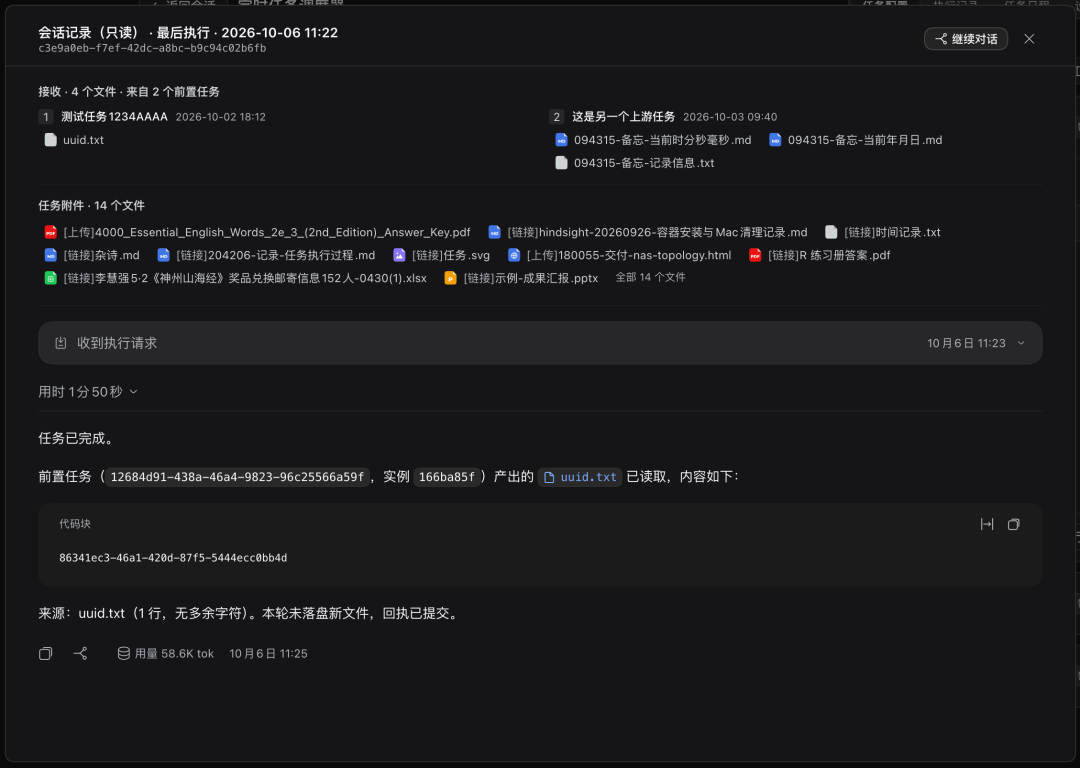
View session opens the archived run as a read-only record: the files the session received from upstream tasks (frozen at dispatch time), the task's attachments, the dispatch request with its timing and token usage — and a continue conversation button that forks the archived session into a new interactive one.
Execution timeline
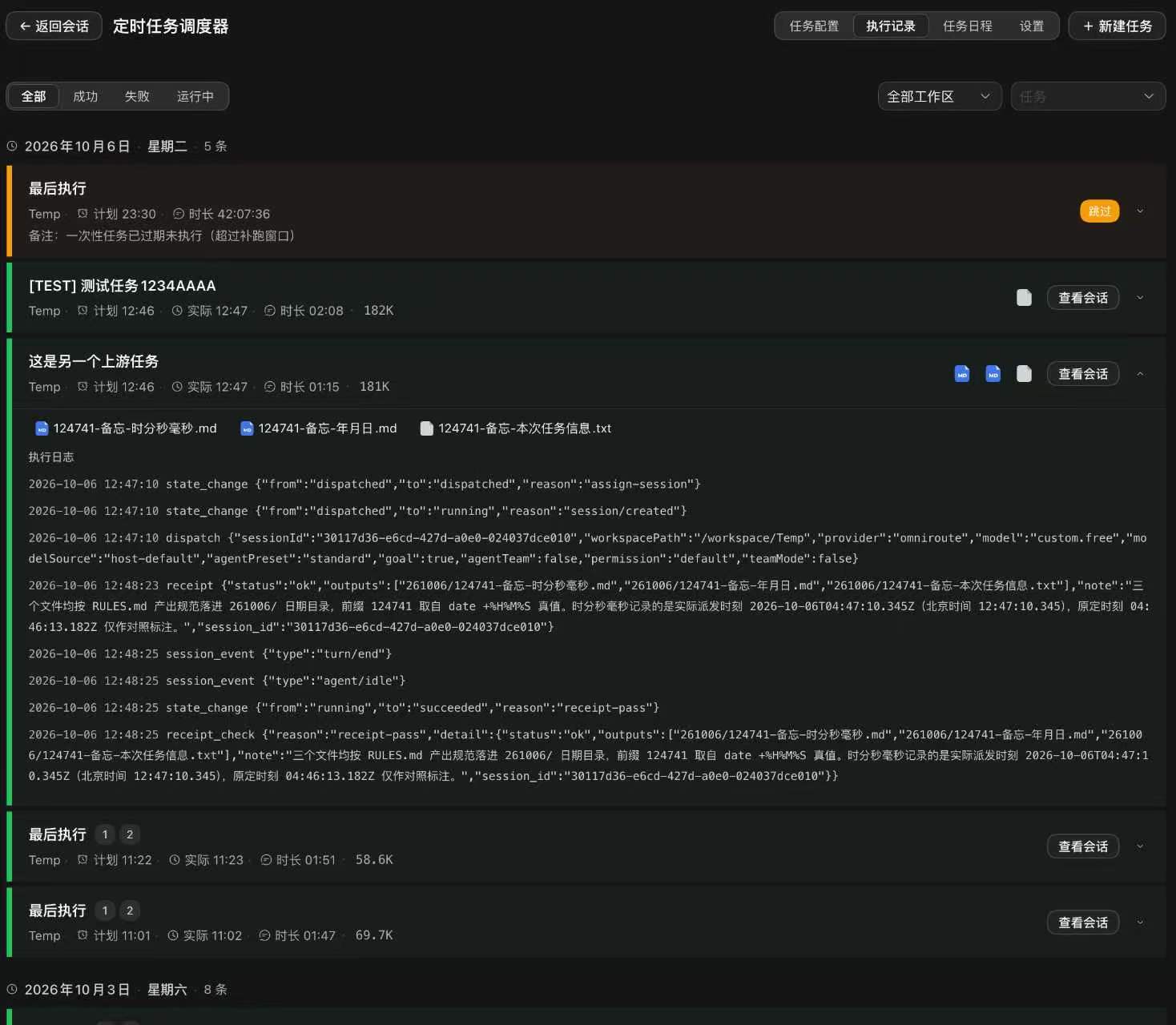
The Records tab is the ledger across all tasks, grouped by day and filtered by time range, workspace, status and task. Each entry expands in place to its full artifact list and raw event log (state changes, dispatch record, receipt); the archived session itself opens only when you press View session.
Calendar
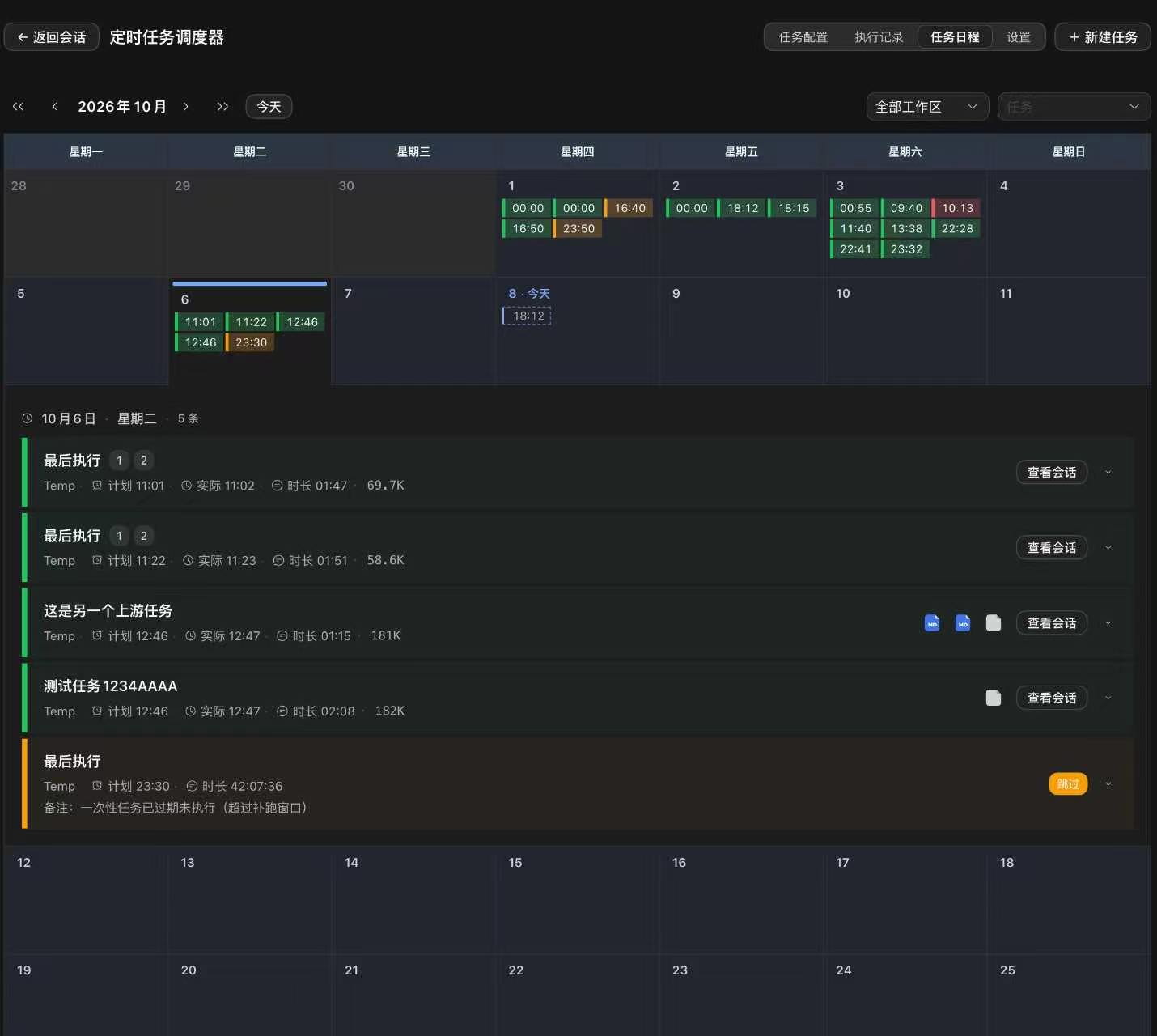
The Schedule tab is a month view. Days show two kinds of markers: actual runs from the instance table (solid dots in status colors) and planned runs computed from the current task definitions (dashed dots). Clicking a day expands that week in place with the full run details — the same entry blocks as the timeline, expandable again down to artifacts and events.
Configuration
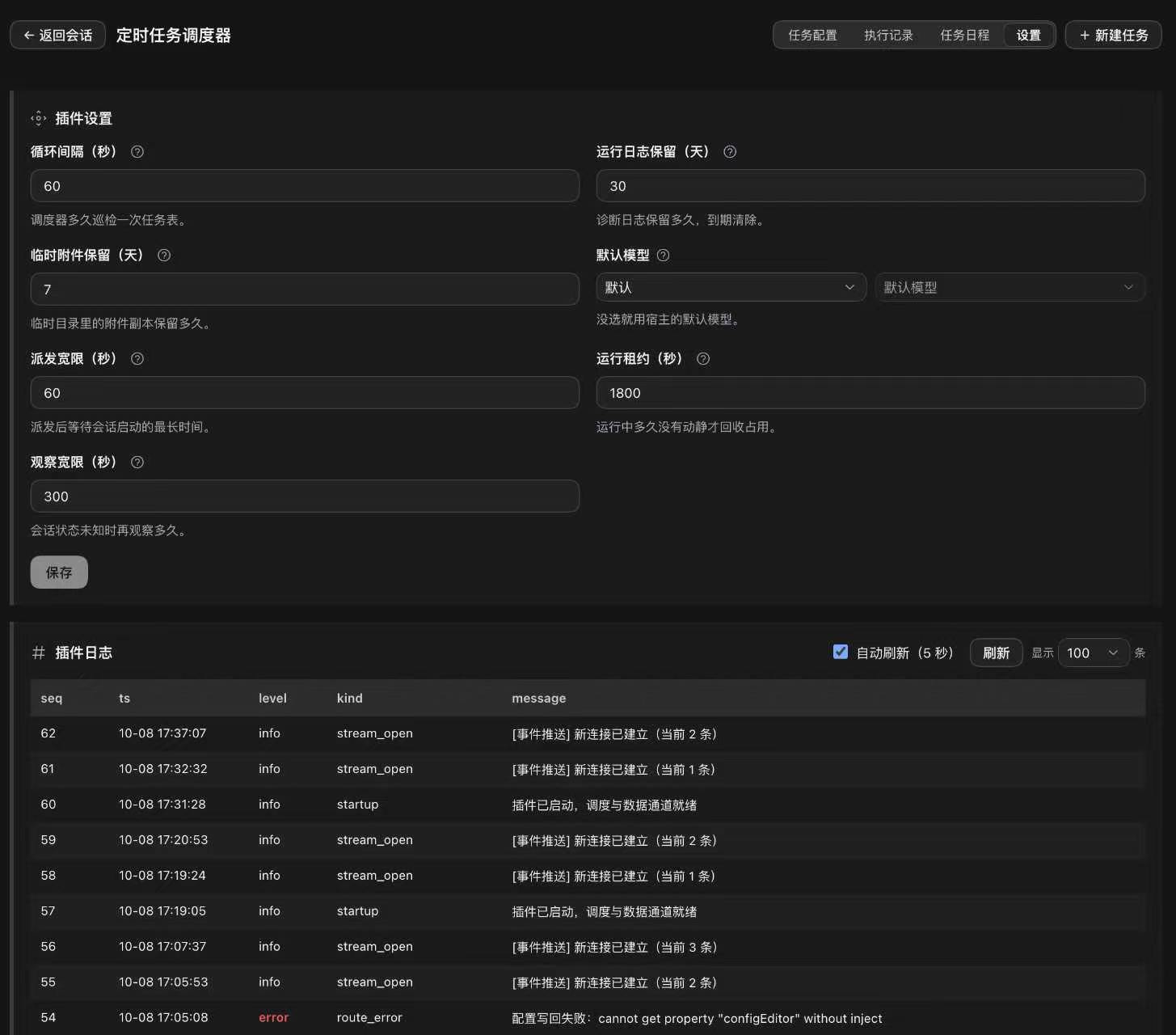
The Settings tab is the primary place to configure the plugin. Each item shows whether it was customized and can be reset individually; changes are staged and written only on Save; the log block below shows the plugin's diagnostic log with level coloring and auto-refresh.
| Item | Default | Meaning |
|---|---|---|
| Tick interval | 60 s | How often the scheduler scans the task table |
| Run log retention | 30 days | How long diagnostic log rows are kept |
| Temp attachment retention | 7 days | How long uploaded temp files are kept |
| Default model | follow host | Model used when a task does not pick one |
| Dispatch grace | 60 s | Max wait for a dispatched session to appear |
| Run lease | 1800 s | How long a silent session keeps its lease before being reclaimed |
| Observation window | 300 s | How long an unknown-status session is watched before being judged dead |
Configuration is stored in the plugin's own state database, so it survives host config resets; defaults apply underneath.
Development
npm install
npm run build        # builds host first, then client
npm run typecheck
npm run smoke        # smoke tests against dist/
dist/is a build artefact committed to git — dsh installs plugins from git/npm without running build scripts, so after changingsrc/you must runnpm run buildand commitdist/with it, or the change will not take effect.
License
MIT © 2026 cq-guojia
No comments yet. Be the first to write one.