Chatbox Pet
A tiny companion for your AI agent, living beside the composer in DeepSeek Harness. It stays out of the way while you work, reacts when the agent changes state, answers when you call it, and turns a pile of queued follow-ups into one coherent request.
Watch the demo · Latest release · 中文技术文档
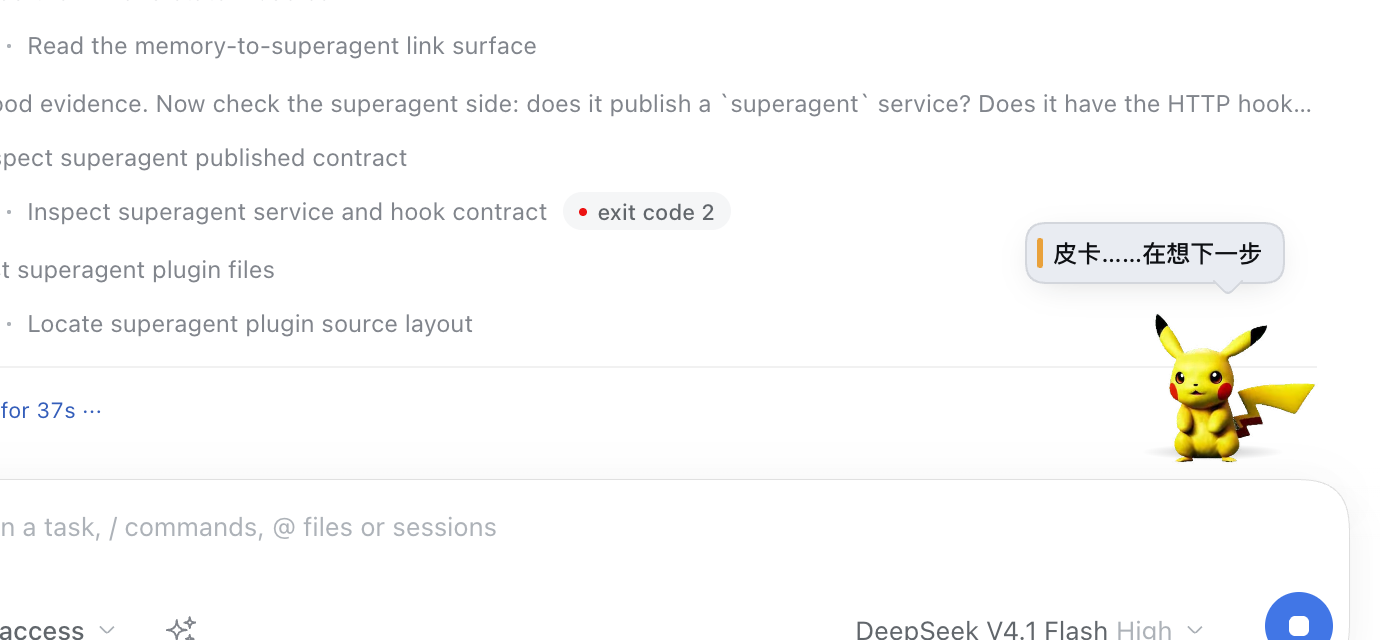
The character in the demo is local demonstration artwork only. No character or animation assets are bundled or licensed by this project. Bring or generate your own animation pack. See Asset rights.
What it does
| Capability | What you actually get |
|---|---|
| Work-state companion | The pet reacts to thinking, working, step completion, waiting for you, success, failure and cancellation. Each transition has its own clip, sound and one-line bubble. Repeated polls of the same state stay quiet. |
| Conversation mode | Type hi pika, pika pika, 皮卡丘, 电老鼠 or pika in the composer. It looks up immediately, then answers after a typing pause. No message is sent. |
| Prompt Boost | A sparkle button turns a rough draft into an executable prompt, using your configured model and optional personal context. It auto-applies, supports undo, and never sends the result for you. |
| Queue merge | When 2–8 text-only messages are waiting, one chip folds them into a single coherent request. The result stays queued until the agent claims it. |
| Small talk from your own notes | Seven tones — topic, reminder, recall, nudge, encouragement, tease and chit-chat — quoting your memory, meeting minutes, reading shelf or moments, with the source named. |
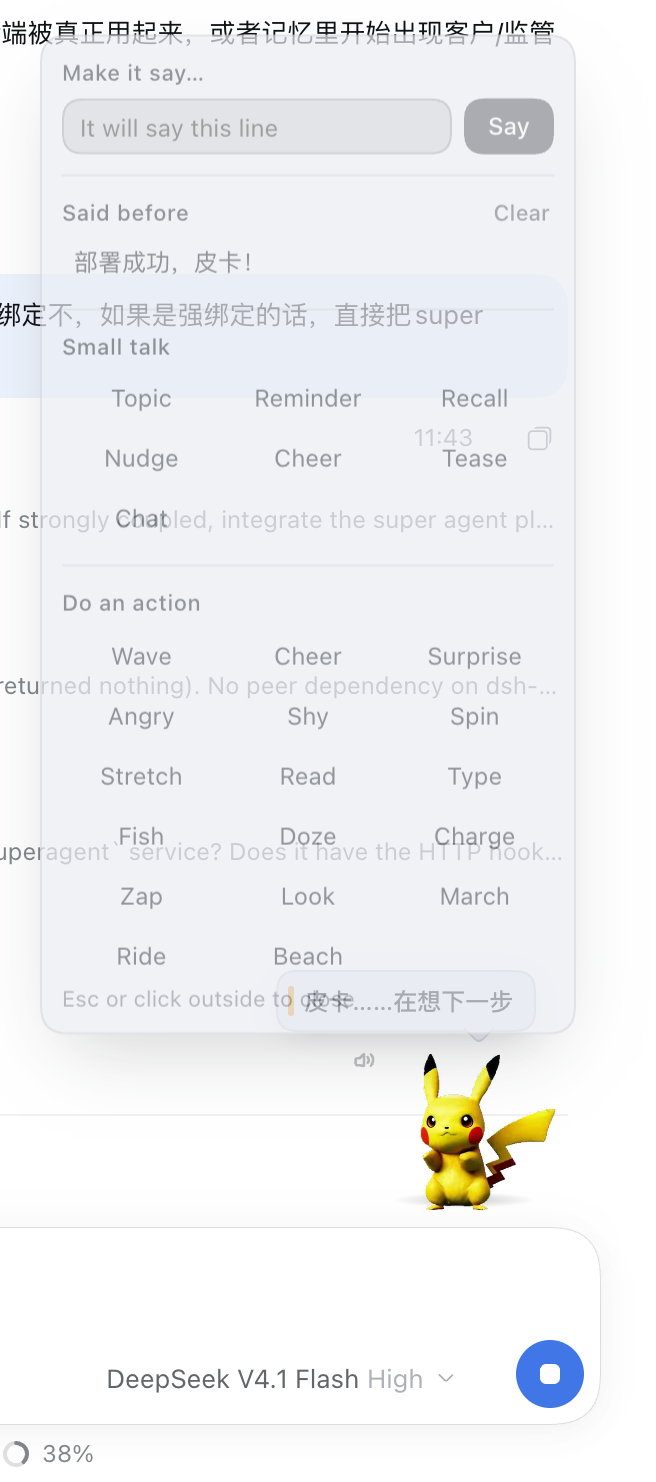
| Direct manipulation | Right-click the pet to make it say an exact line, replay one of its remembered lines, or run one of 17 actions. The last 24 lines survive reloads and session switches. |
| Deliberate sound | A finished task, a stopped task and a failed task sound different. The sound is generated with Web Audio; a speaker button mutes it. |
| Independent switches | Pet and Prompt Boost can be enabled separately in Settings → Composer companion. |
Install
You need a DeepSeek Harness profile and your own animation assets.
git clone https://github.com/colsonSung/dsh-chatbox-pet.git
cd dsh-chatbox-pet
./install.sh <profile>       # for example: ./install.sh desktop
The installer is idempotent: it adds the package to the profile and inserts
the bundle row into <profile>/cordis.patch.yml. Restart the Harness
afterwards, because the host half is loaded at start-up.
Manual equivalent:
dsh plugin --profile <profile> add ./plugin
# <profile>/cordis.patch.yml
- insert:
    - id: chatbox-pet
      name: 'dsh-chatbox-pet'
After the restart, open a session and look at the composer's top-right corner. Type a wake word to talk to the pet, or right-click it for the menu.
A tour of the interactions
The agent's work has a visible rhythm
| State | Clip | Sound |
|---|---|---|
| Thinking | Typing | A soft high note |
| Working | Reading | A mechanical double-tap |
| A step finished | Spin | A bright bell pair |
| Waiting for you | Shy | Two low pulses |
| Completed | Thunderbolt | A rising arpeggio |
| Stopped / interrupted | Shy | A soft descending pair |
| Failed | Angry | A low detuned growl |
The Harness records every ending as turn/end; the plugin reads
data.reason.kind so a stopped task is never announced as a success. If the
reason cannot be read, it is unknown rather than assumed completed.
Call it by name
The wake word is read from the composer's own draft state. The pet reacts instantly, then answers the content once you stop typing for about 700 ms. It replies in the language you used, and conversation mode returns to idle after 15 seconds of quiet or when the draft is cleared.
Greeting, praise, thanks, scolding, goodbye, food, play, status, questions and sleep each map to their own clip and sound. The lines are a local, deterministic pool: no model latency and no model cost.
Turn a rough draft into an executable prompt
Click the sparkle beside the composer. Prompt Boost gathers optional context from your memory, meeting minutes, reading shelf and moments, asks your configured model for a better prompt, and applies it in place. You can review the rewrite and undo it.
The draft is not sent as a user message. If no model is available, the feature reports that clearly instead of pretending it rewrote anything.
Merge queued follow-ups
While the agent is busy, several short messages are often one request typed in a hurry. The merge chip appears only when there are 2–8 text-only messages to fold.
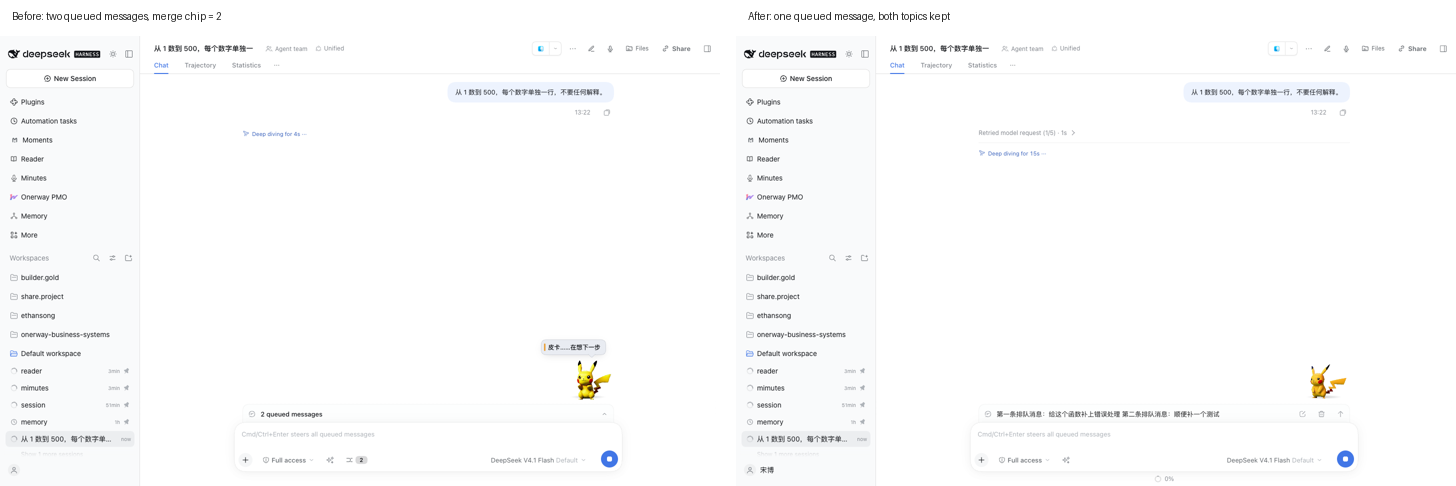
The first queued item is edited to the merged text and the rest are removed
through the Host's own session.updateQueue command path. The queue is not
bypassed: the result waits there normally.
- The model only reorganises what you already wrote; it must not invent a requirement.
- If the model is unavailable, the originals are joined and marked not optimised.
- If the queue changes while the answer is being prepared, nothing is edited.
- If the agent claims an item mid-merge, the partial result is reported.
- Attachments refuse the merge, because a text-only edit cannot preserve them.
Let it bring something up
The menu's small-talk section picks a real item from your stores and quotes its heading or title, not an arbitrary fragment. It prefers the store that matches the tone — reminders lean on meeting minutes, recollections lean on memory — and tags the bubble with its source.
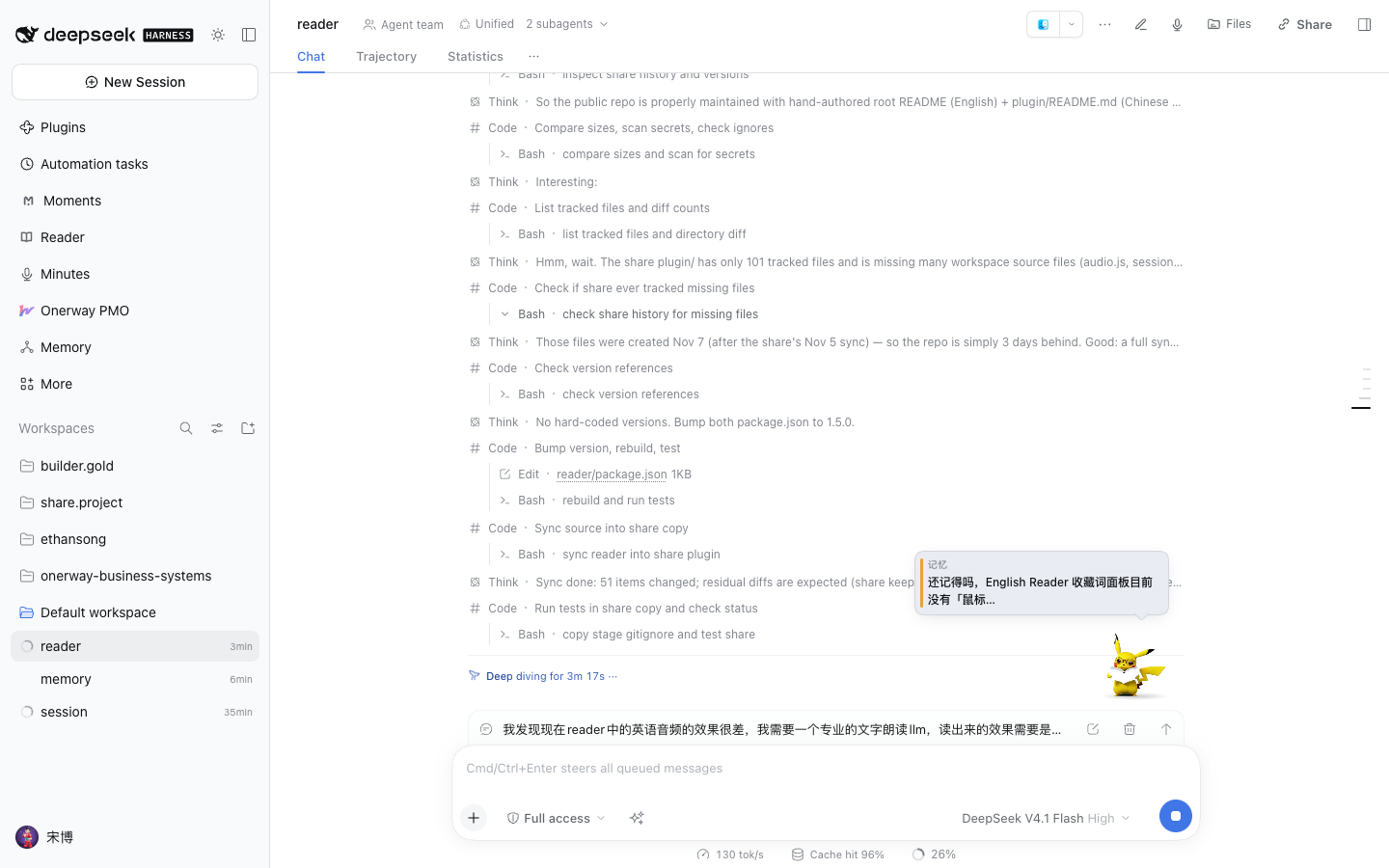
The wording is local templates, not another model call. Grounded lines always show their quote, and an empty store falls back to an honest generic line.
Say exactly what you want, or play exactly one action
Right-click the pet, or focus it and press Shift+F10. The menu lets you:
- type a line and make the pet say it;
- replay a line it said before;
- choose a small-talk tone;
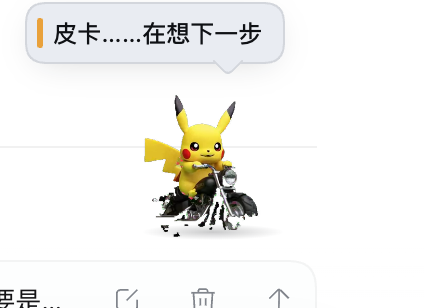
- play one of 17 actions, including a motorcycle ride and a beach holiday.
Asset rights
The repository and its releases ship no character or animation assets.
Pikachu appears only as local demonstration artwork. It is not bundled, not licensed by this project, and not offered as an asset pack. No affiliation or endorsement is implied.
You must generate or provide your own character and animation assets, and you are responsible for having the rights to use them. Do not redistribute the demo's character pack in your own product. MIT covers this plugin's code only, not characters, artwork, fonts or music.
The plugin reads a local pack from ~/.dsh/dsh-pet/pet/:
pokemon-animation/<action>.webm        # VP9-alpha, Chromium / Firefox
pokemon-animation/mov/<action>.mov     # HEVC-alpha, WebKit
pokemon-avatar.png                    # static fallback
The filename is the animation name. See THIRD_PARTY_NOTICES.md for the full notice.
Data and privacy
- The pet, its state polling, preferences and remembered lines are local.
- Conversation mode reads the draft without sending it, creating a session or making a request.
- Small talk uses local templates and the local store collectors; it does not call a model for wording.
- Prompt Boost and queue merge call the model only after you click, through the Host's configured provider. They do not send a user message or start an agent turn.
- State polling pauses when the tab is hidden. Assets revalidate with a content ETag instead of being cached forever, because animation packs are regenerated in place.
Development
cd plugin
npm install                 # development and test dependencies only
node build.mjs              # rebuild client.js from src/client/**
node --test test/*.test.mjs # 160 unit tests
node tools/smoke.mjs        # route registration and handler behaviour
The committed client.js means installing the plugin needs no build step.
React stays external in the browser bundle; esbuild resolves from the plugin's
own dependencies, with a workspace fallback for development.
Verified for v0.2.0: 160 unit tests, route smoke, and nine live browser suites / 124 checks, including a real two-message queue merge.
Repository layout
install.sh                 idempotent profile installer
docs/                      screenshots used by this README
plugin/
  index.js                 Host entry
  client.js                committed browser bundle
  src/host/                routes, state, memory, merge and prompt boost
  src/client/              composer seats, pet, menu, sounds and stores
  test/                    unit and component tests
  tools/                   smoke and development tools
  README.md                中文技术文档与接口契约
Current limits
- No character pack is included; you supply the artwork.
- Queue merge accepts 2–8 text-only messages. Attachments are not folded.
- Small talk is intentionally local and templated, not a free-form model chat.
- The pet exists where the session composer exists; it is not a separate desktop window.
- Browser autoplay policy applies: sound unlocks after the first user gesture.
License
MIT, Ethan Song. See LICENSE.
DeepSeek Harness, third-party libraries and any character artwork belong to their respective owners.
No comments yet. Be the first to write one.