DSH Desktop
A compact, self-contained DeepSeek Harness desktop host with native iPhone and Android Remote companions.
Download · Highlights · iPhone Remote · Android Remote · Development · Contributing
English · 简体中文


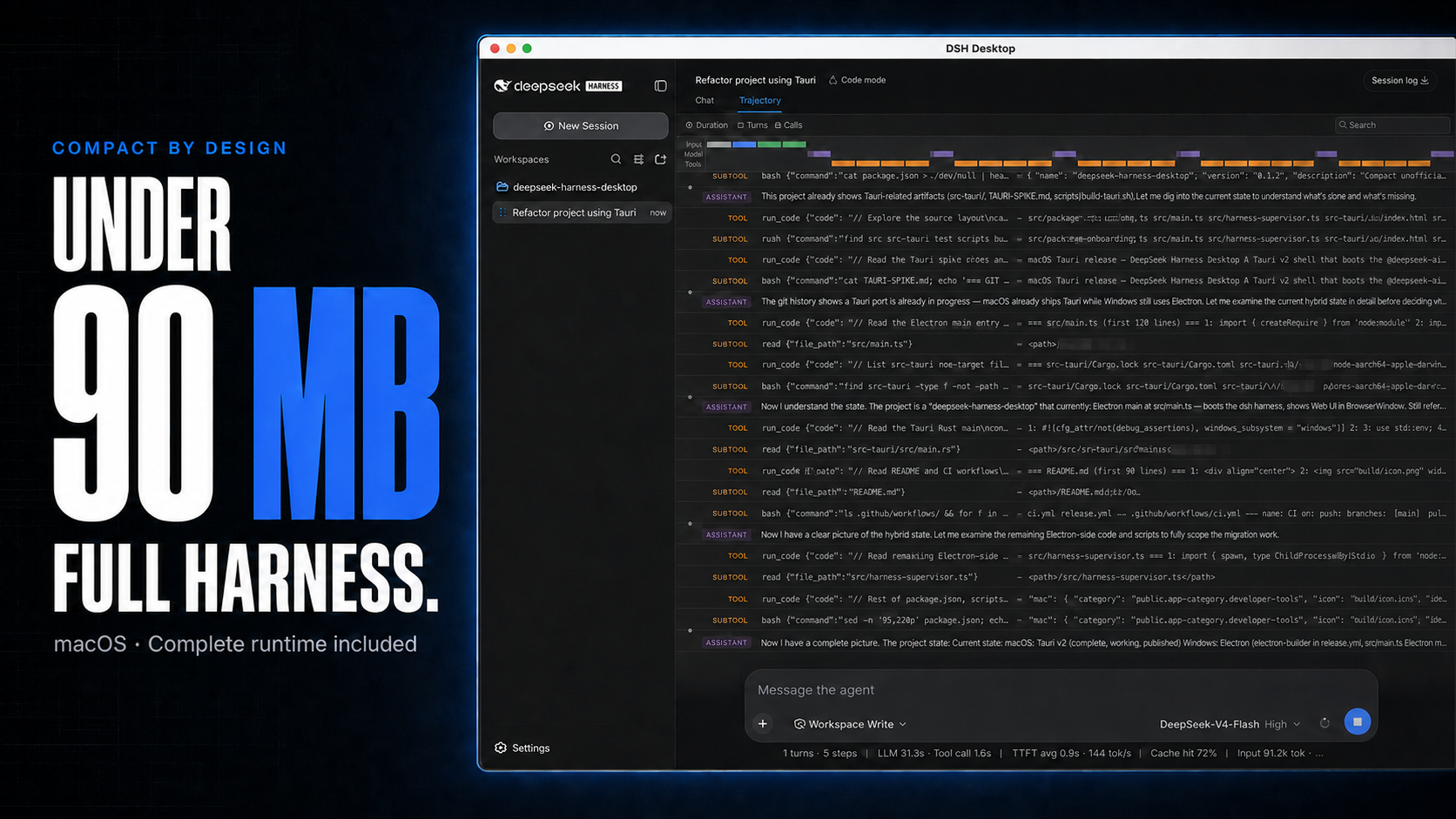
macOS DMGs around 100 MB, with the complete Harness runtime included.
DSH Desktop runs the official DeepSeek Harness Web UI and runtime in a desktop window. The repository also contains DSH Remote native companions for continuing the computer's projects, sessions, and running tasks from iPhone and Android. This build is aligned with @deepseek-ai/dsh@0.1.5-rc.2 and shows that bundled Harness version in the sidebar. The desktop app manages the local Harness process automatically, so users do not need to install Node.js or start dsh web themselves.
[!IMPORTANT] This is an independent community project, not an official DeepSeek AI product. DeepSeek Harness is a developer preview and may introduce breaking changes.
Highlights
- Multimodal sessions — paste or attach images and send them through the normal Harness conversation flow when the selected provider and model declare image input support. Image messages remain visible in session history.
- Usage at a glance on macOS — see today and seven-day token totals, estimated cost, active task count, and aggregate running throughput without leaving the current session.
- Compact macOS package — around 100 MB while bundling the complete Harness runtime, using Tauri and the system WKWebView instead of shipping Chromium.
- Visible runtime alignment — the sidebar identifies both the Desktop release and its bundled Harness version, such as
DSH Desktop v0.5.0 · Harness 0.1.5-rc.2. - Ready to run — includes everything needed to start Harness, with no separate Node.js installation or terminal command. The app starts and stops the local runtime automatically.
- Native mobile Remote — the SwiftUI iPhone client and Kotlin/Compose Android client pair on trusted Wi-Fi or the user's own Tailscale network, then browse projects, create sessions, steer tasks, handle approvals, send images, and follow subagents without moving execution off the computer.
Cost figures are estimates derived from local token logs and available public model prices. Unmatched models stay visibly unpriced rather than being counted as free.
Multimodal and usage insights
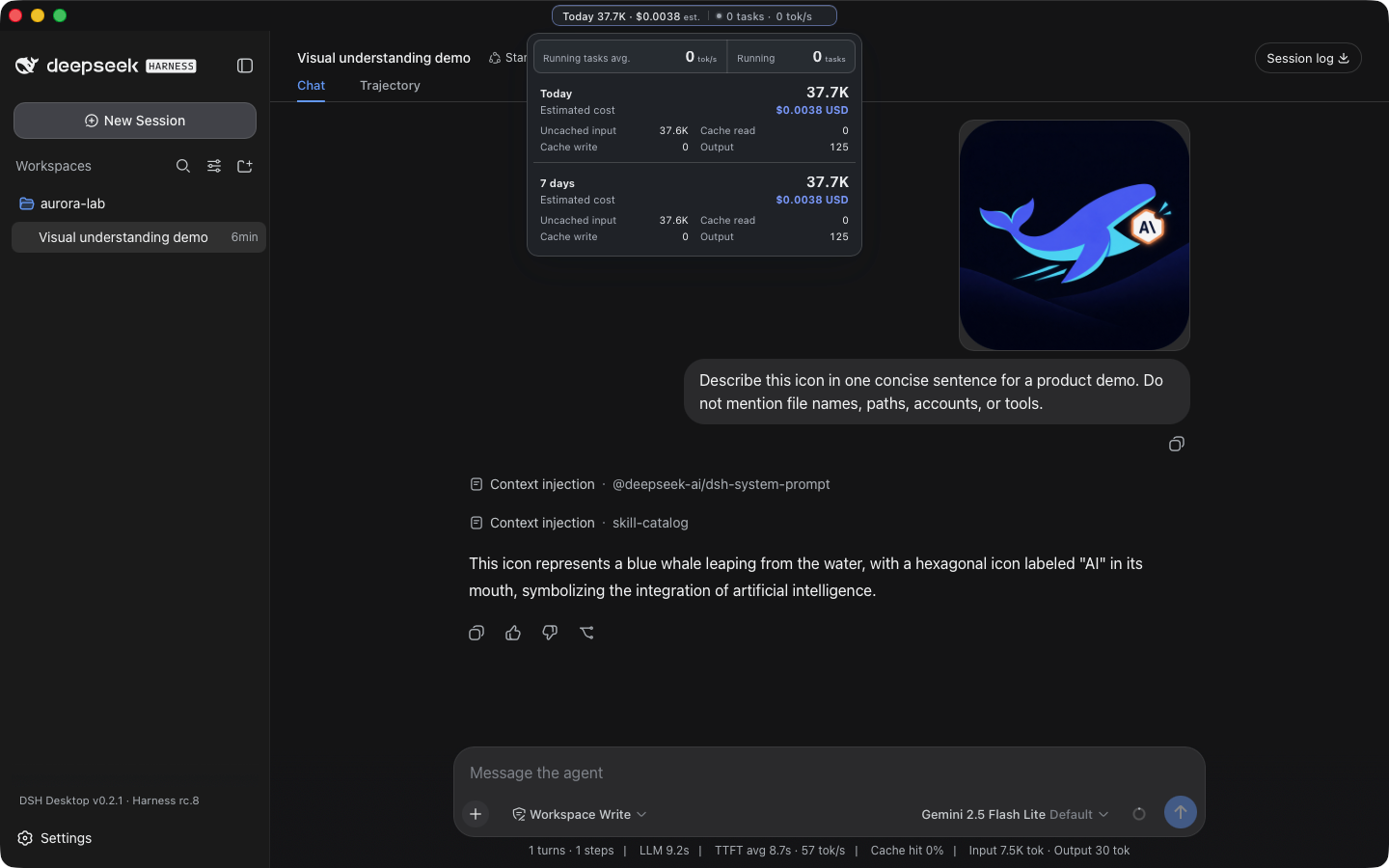
A real Harness rc.8 image-input session with live token and cost insights, using google/gemini-2.5-flash-lite through OpenRouter.
The compact title-bar summary stays visible while you work. Open it for input, output, cache, cost, and live-throughput details. Usage is calculated locally from Harness session history, with estimated costs based on available public model prices.
iPhone Remote (TestFlight beta)
[!IMPORTANT] DSH Remote is available as a public iPhone beta. Join with TestFlight.
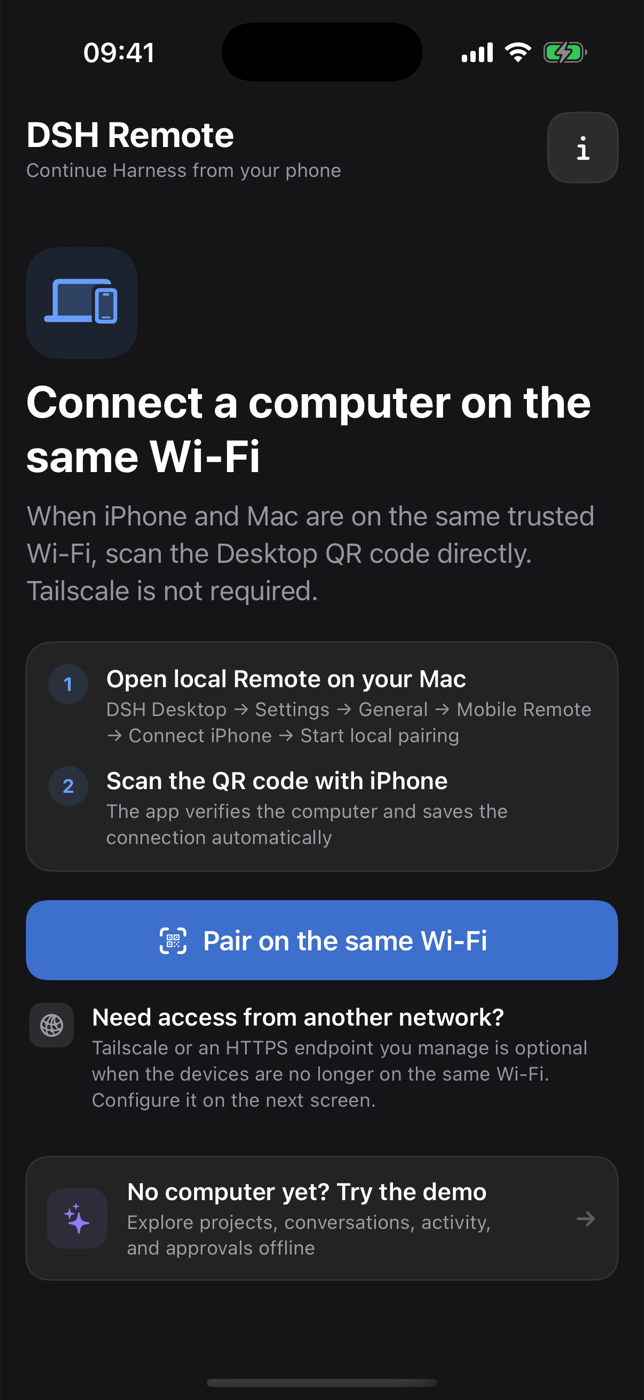
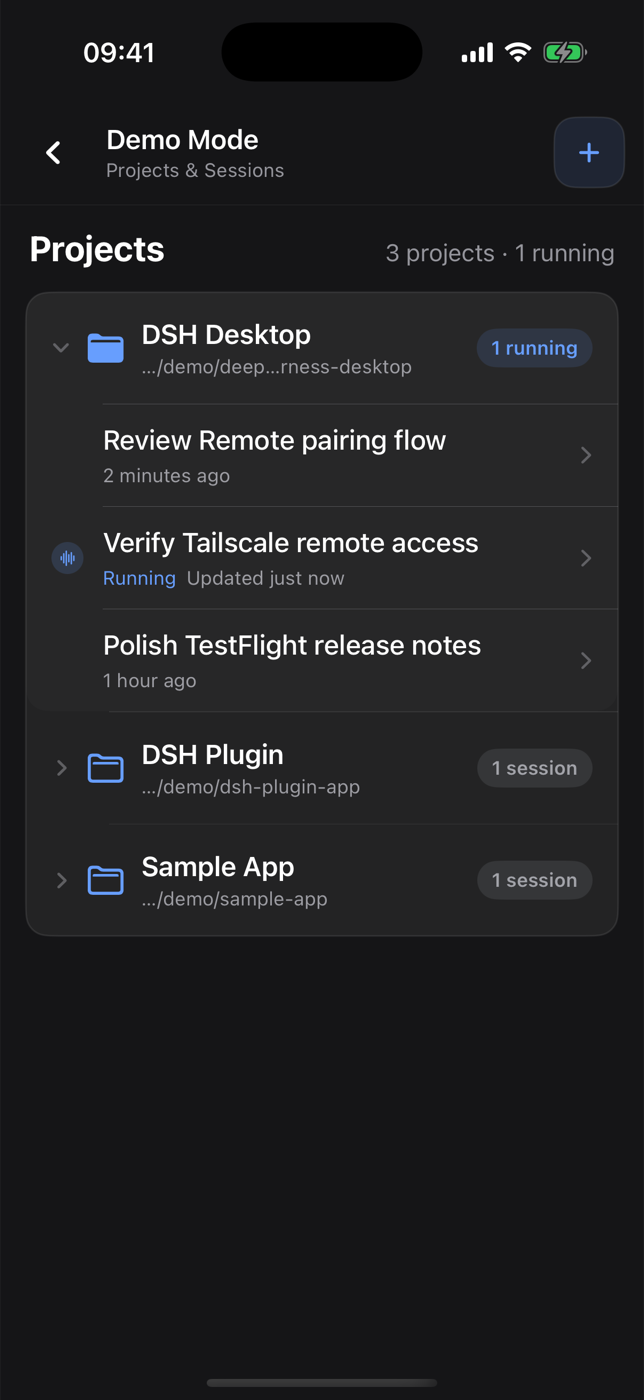
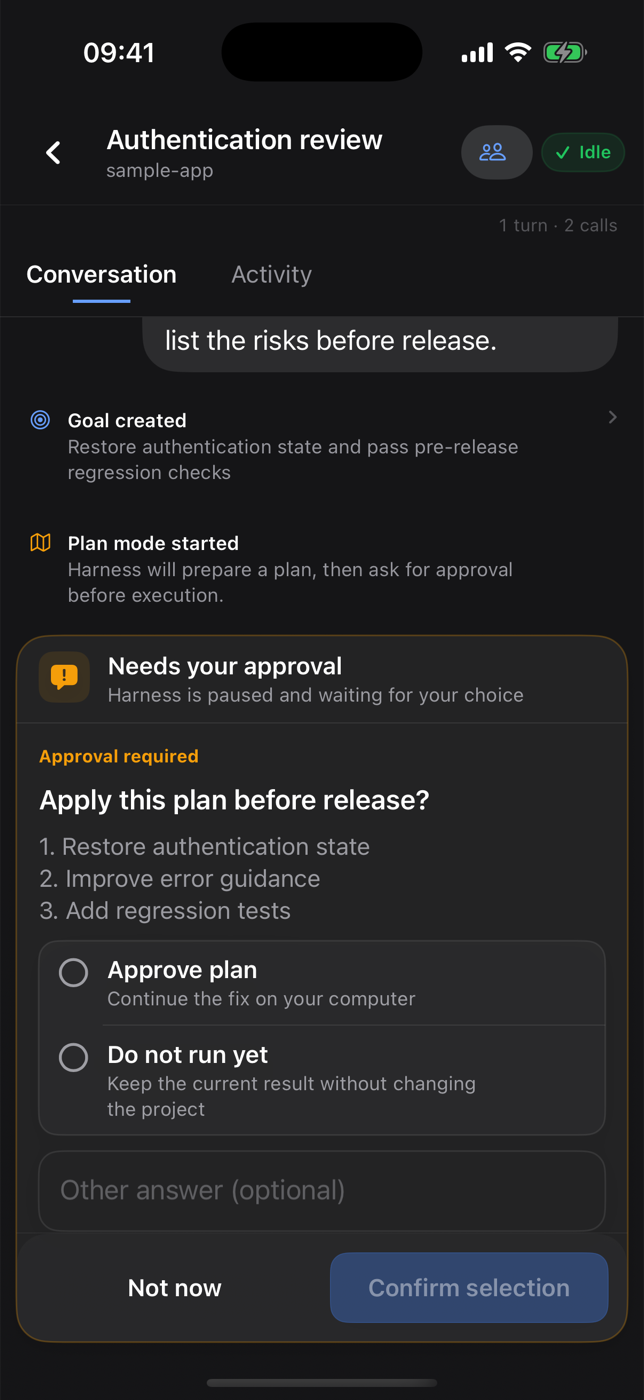
Same-Wi-Fi pairing · Projects and running sessions · Approval handling
DSH Remote is a native SwiftUI companion for a DSH Desktop computer you own or manage. It does not run an agent, repository, terminal, or model provider on the phone. Work continues on the computer; the iPhone is a narrow control surface.
The iOS TestFlight beta follows the device's app-language setting and includes complete English and Simplified Chinese product copy, including setup, errors, notifications, approvals, models, Activity, and subagent flows.
- Same Wi-Fi (recommended): Desktop exposes an opt-in, authenticated LAN endpoint on a trusted private network. No Tailscale account is required.
- Away from the local network: both devices join the user's own tailnet, and Desktop configures a private Tailscale Serve HTTPS entry. Do not use Funnel.
- No project-operated relay: code, prompts, model credentials, tool execution, and session history remain on the user's computer.
Install with TestFlight
- Install Apple's TestFlight app on an iPhone running iOS 17 or later.
- Open the DSH Remote public invitation, choose View in TestFlight, then accept and install the beta.
- Install the current DSH Desktop release on the computer before pairing.
Build from source with Xcode
Developers can also install the source on their own iPhone with Xcode:
- Install Xcode 16 or later on a Mac and sign in under Xcode → Settings → Accounts.
- Clone this repository and open
ios/DSHRemote/DSHRemote.xcodeproj. - Select the
DSHRemotetarget, choose your Team under Signing & Capabilities, and use a unique bundle identifier if automatic signing requests one. - Connect an iPhone running iOS 17 or later, select it as the run destination, and choose Product → Run.
A free Apple Account can use an Xcode Personal Team for personal on-device testing, but the app must be re-provisioned periodically. Downloading an unsigned or unrelated IPA from GitHub will not work.
Pair and use Remote
- Install and open the latest DSH Desktop build.
- In Desktop, open Settings → General → Mobile Remote → Connect phone.
- On the same trusted Wi-Fi, start local pairing and scan the QR code in DSH Remote.
- For cellular or other remote networks, open the built-in Tailscale setup guide on Desktop or iPhone, enable anywhere access, and scan the HTTPS QR code.
- Open a project, create or continue a session, and keep all execution on the computer.
See the iOS TestFlight and source guide, Chinese Tailscale setup guide, privacy policy, support notes, and App Review notes.
Android Remote (GitHub release)
[!IMPORTANT]
v0.4.0is the first stable GitHub release with a signed Android APK. It requires Android 8.0 or later and the matching DSH Desktop build from that release. It is not yet available on Google Play.
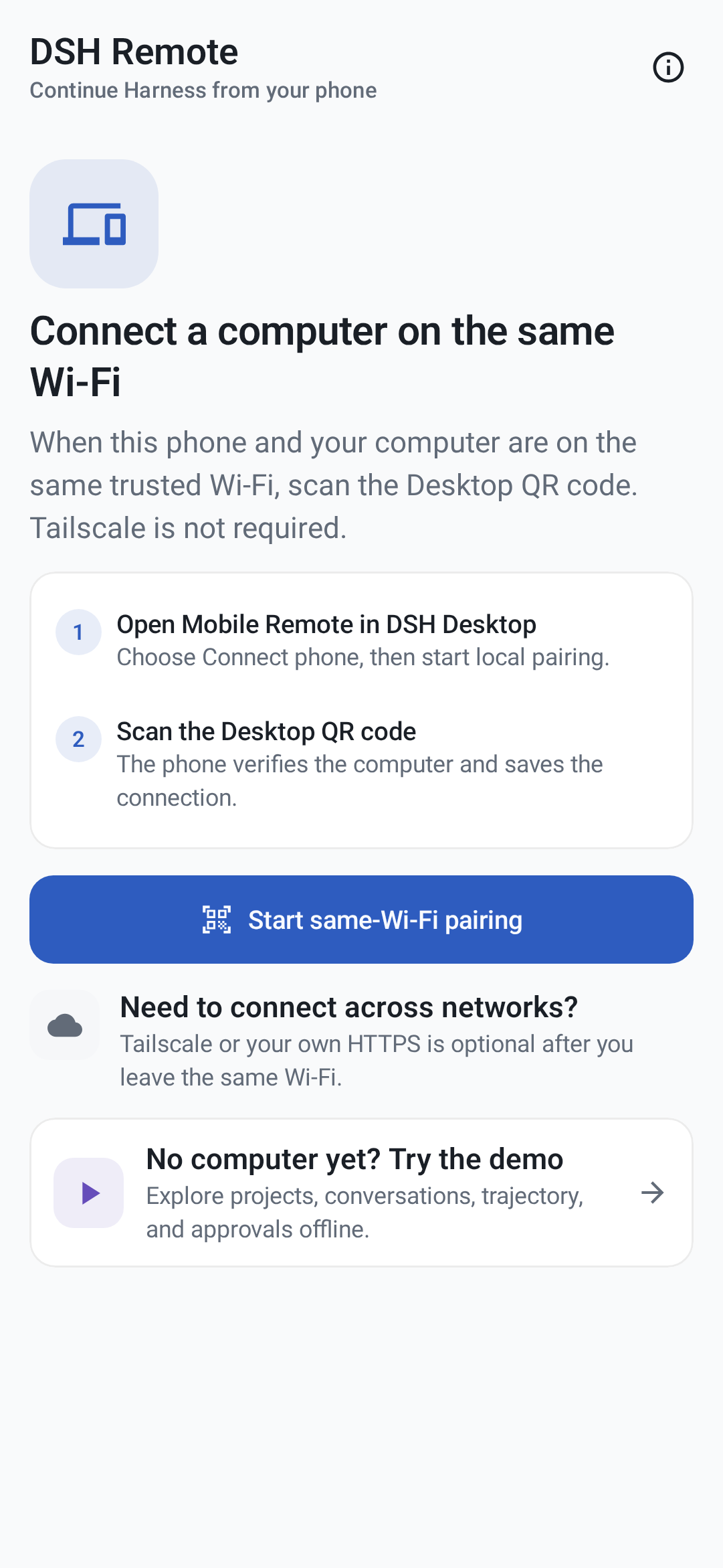
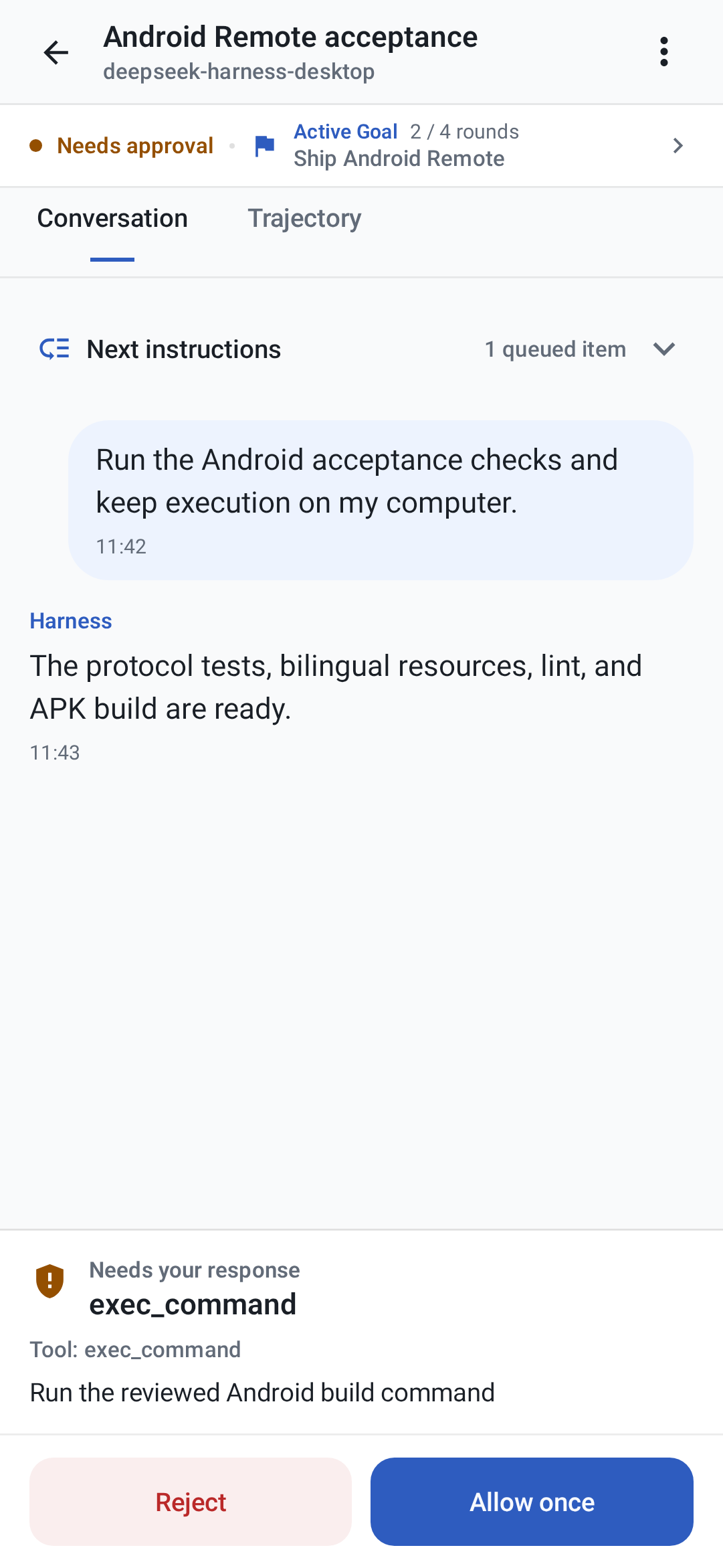
Local-first pairing and offline Demo · Conversation, queue, and approval control
Android uses the same local-first Remote v1 contract, QR format, Desktop LAN proxy, and Tailscale HTTPS flow as iOS. It includes encrypted multi-computer storage, projects and sessions, full conversation and Activity views, queue and steer controls, approvals and structured questions, images and references, models, Goal/Plan, nested subagents, local notifications, offline Demo, English, Simplified Chinese, dark appearance, and TalkBack semantics.
To install it:
- Open the
v0.5.0release and install its Desktop package on the computer. - Download
DSH-Remote-Android-v0.5.0.apkon an Android 8.0+ device. If asked, temporarily allow Install unknown apps for the browser or file manager that opened it. - Compare the APK's SHA-256 with its entry in
SHA256SUMS.txtfrom the same release. - Open the offline Demo, or in Desktop choose Settings → General → Mobile Remote → Connect phone and scan its QR code.
Use direct same-Wi-Fi mode only on a trusted private network: it is authenticated but not encrypted. Use private Tailscale Serve HTTPS for cellular, remote, or untrusted networks, and never use Funnel. Camera and notification permissions are optional. QR images stay on-device, while the bundled Google ML Kit scanner sends Google the diagnostic and usage metrics described in the privacy policy.
The computer must remain online with Desktop and Harness running. Local notifications are best effort, and device-specific behavior remains documented in the Android guide. See the complete Android install and support guide, Simplified Chinese guide, support guide, and platform-neutral Remote contract.
Download
Download Desktop installers and the Android APK from the latest stable GitHub Release. Installable iOS builds are distributed through the public TestFlight beta.
| Current stable release | Architecture | File |
|---|---|---|
| macOS | Apple Silicon | DSH-Desktop-0.5.0-mac-arm64.dmg |
| macOS | Intel | DSH-Desktop-0.5.0-mac-x64.dmg |
| Windows 10/11 | x64 installer | DSH-Desktop-0.5.0-win-x64.exe |
| Windows 10/11 | x64 portable | DSH-Desktop-0.5.0-win-x64.zip |
| Android 8.0+ | universal APK | DSH-Remote-Android-v0.5.0.apk |
| iPhone, iOS 17+ | public beta | TestFlight invitation |
The release also includes macOS ZIP archives and SHA256SUMS.txt for integrity verification. GitHub does not publish a generic iOS IPA.
Desktop quick start
- Install and open DSH Desktop.
- Open Settings → Models and configure a provider and API key.
- Add or select a workspace.
- Start a Harness session.
- Paste or attach an image when the selected model supports image input.
Configuration, workspaces, and sessions live in the same DSH_HOME used by the official CLI (~/.dsh by default).
Plugins and recovery
On macOS, open Settings → Plugins → Install & manage. The installer accepts an npm package, github:owner/repo, a public GitHub HTTPS URL, or a full command such as:
dsh plugin --profile web add github:owner/repo
Desktop parses supported install commands without running pasted text through a shell, then checks that Harness restarts successfully. If startup fails, it restores the previous plugin configuration. Third-party plugins run code on the local machine, so review their source and publisher before installation.
Architecture
 iPhone Remote ── authenticated same-Wi-Fi / Tailnet HTTPS ──┐
Android Remote ── authenticated same-Wi-Fi / Tailnet HTTPS ──┤
                                                             ↓
Desktop shell ─────────────→ loopback-only dsh web → official Harness UI/runtime
       └─────────────────── shared DSH_HOME for settings, sessions, and plugins
The project does not fork or reimplement the Harness agent runtime. The shell owns desktop packaging, process lifecycle, navigation boundaries, recovery, native integration, and release verification.
Development
Node.js 22.19 or newer is required.
git clone https://github.com/chokwinlee/deepseek-harness-desktop.git
cd deepseek-harness-desktop
npm ci
npm test
npm start
Build the macOS Tauri release with npm run build:mac; build the Windows Electron release with npm run dist. Packaging changes should also pass the real packaged-runtime checks in the release workflow.
Open ios/DSHRemote/DSHRemote.xcodeproj in Xcode to build the iOS client. The iOS app has no third-party package dependency and requires iOS 17 or later.
Build the Android client with JDK 17 and Android SDK 37:
cd android
./gradlew testDebugUnitTest compileDebugAndroidTestKotlin lintDebug validateDebugScreenshotTest assembleDebug assembleRelease bundleRelease
Project
- Read CONTRIBUTING.md before opening a pull request.
- Report vulnerabilities through the process in SECURITY.md.
- Product and UI decisions follow PRODUCT.md.
- The desktop host is MIT licensed. Harness and bundled dependencies retain their own licenses; see THIRD_PARTY_NOTICES.md.
No comments yet. Be the first to write one.