READMESource: main@c70cd2e7
DeepSeek Harness · Remote SSH
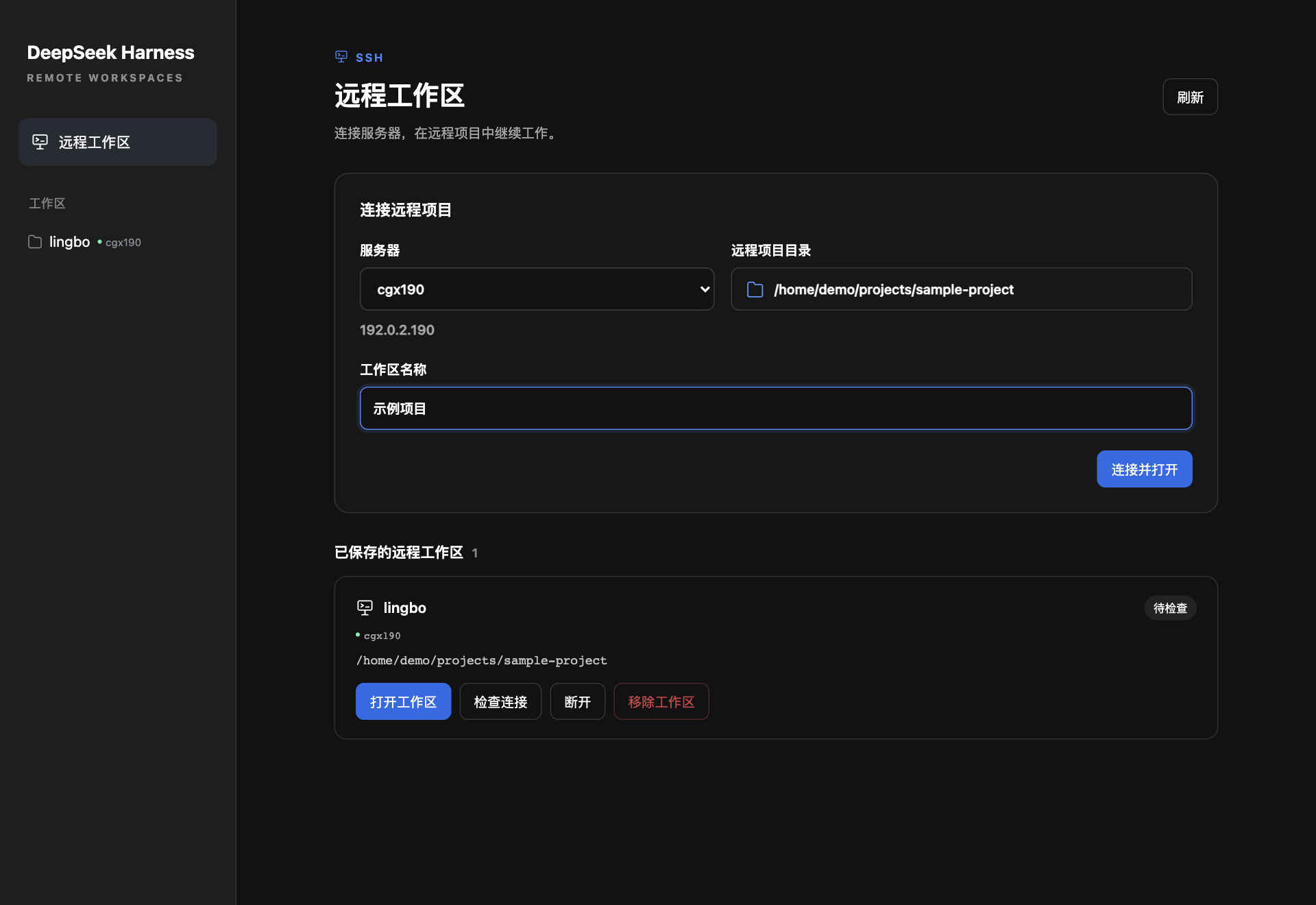
在 DeepSeek Harness 桌面侧边栏中连接 SSH 服务器,浏览并选择远程项目目录,直接打开远程工作区。
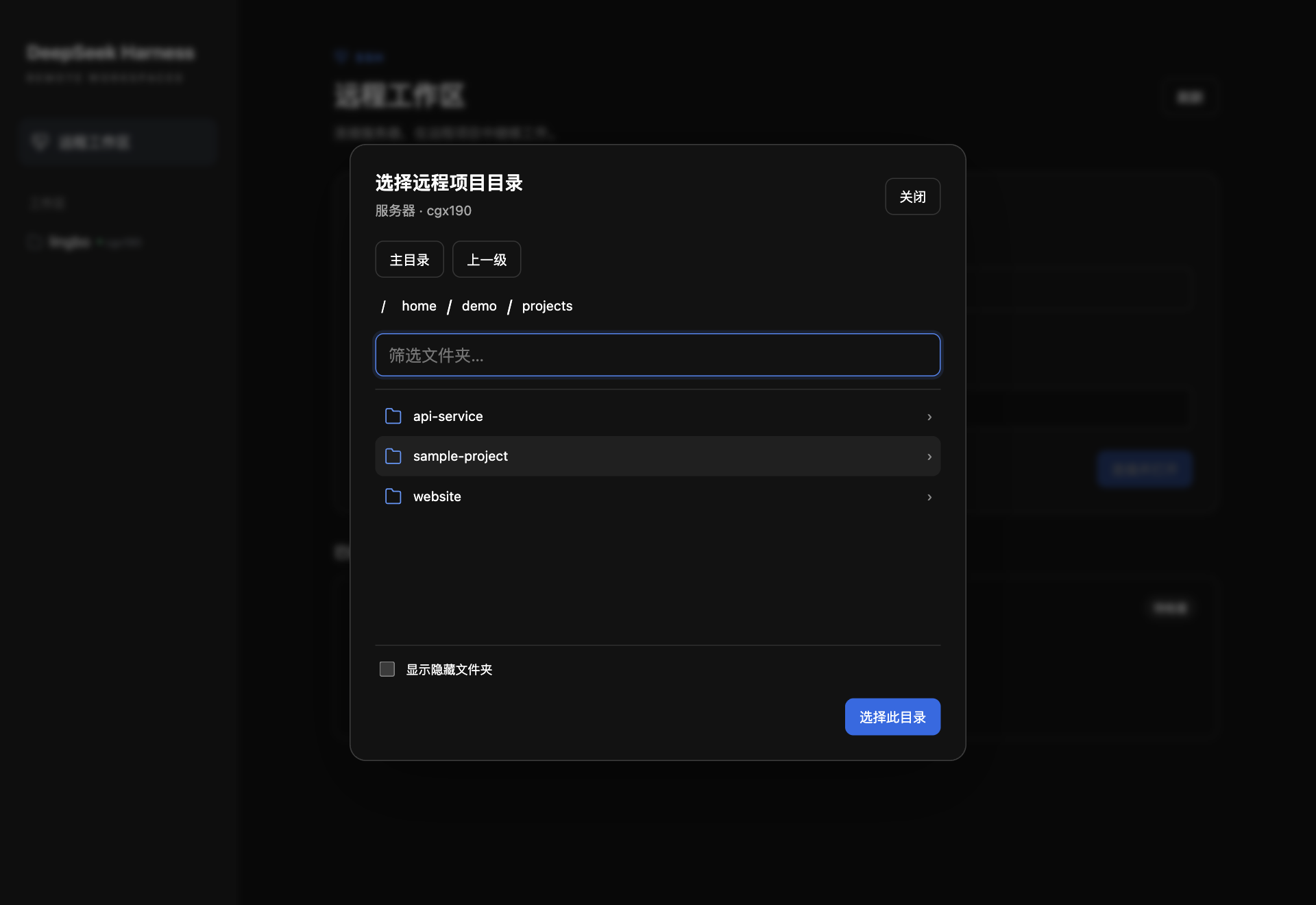
目录选择
选择服务器 → 点击「选择服务器上的文件夹…」→ 打开项目文件夹 →「选择此目录」→「连接并打开」。
连接时可填写「工作区名称」,留空默认使用项目文件夹名。绿点标识远程工作区。
环境要求
本地支持 macOS 和 Linux,需要系统 OpenSSH。远端需要 POSIX sh、GNU/BSD stat、readlink、mktemp 等常见命令;执行远程终端命令还需要 bash。目前不支持 Windows/Pwsh。
先在终端确认可以登录服务器。示例 ~/.ssh/config:
Host dev-server
  HostName dev.example.com
  User demo
  IdentityFile ~/.ssh/id_ed25519
ssh dev-server
上面的服务器地址是示例,请替换为自己的配置。
安装
从 GitHub 安装(推荐)
先启动一次 Harness,使 desktop 配置目录存在。然后将插件克隆到希望长期保留的位置:
git clone https://github.com/chenqaq123/dsh-remote-ssh.git
cd dsh-remote-ssh
git checkout v0.4.3
node scripts/profile.mjs install desktop
完全退出并重新打开 DeepSeek Harness,侧边栏会出现「远程工作区」。
作为 npm 包安装
仓库包含完整 npm 包元数据和命令入口,可直接从 GitHub tag 安装,无需等待 npm registry 发布:
npm install -g --install-links git+https://github.com/chenqaq123/dsh-remote-ssh.git#v0.4.3
dsh-ssh-remote install desktop
更新与卸载
更新源码或全局 npm 包后,重新运行安装命令并重启 Harness。卸载 GitHub 源码安装:
node scripts/profile.mjs uninstall desktop
全局包安装可运行 dsh-ssh-remote uninstall desktop,然后再卸载 npm 包。卸载只移除配置区块与插件链接,不删除远程文件或已保存的挂载数据。
移除远程工作区
「移除工作区」会归档相关会话并移除分组和远程映射,保留历史记录及服务器文件。有任务运行时,请先结束任务。
许可证
MIT。社区插件,与 DeepSeek 官方无隶属关系。
No comments yet. Be the first to write one.