dsh-tmwebdriver
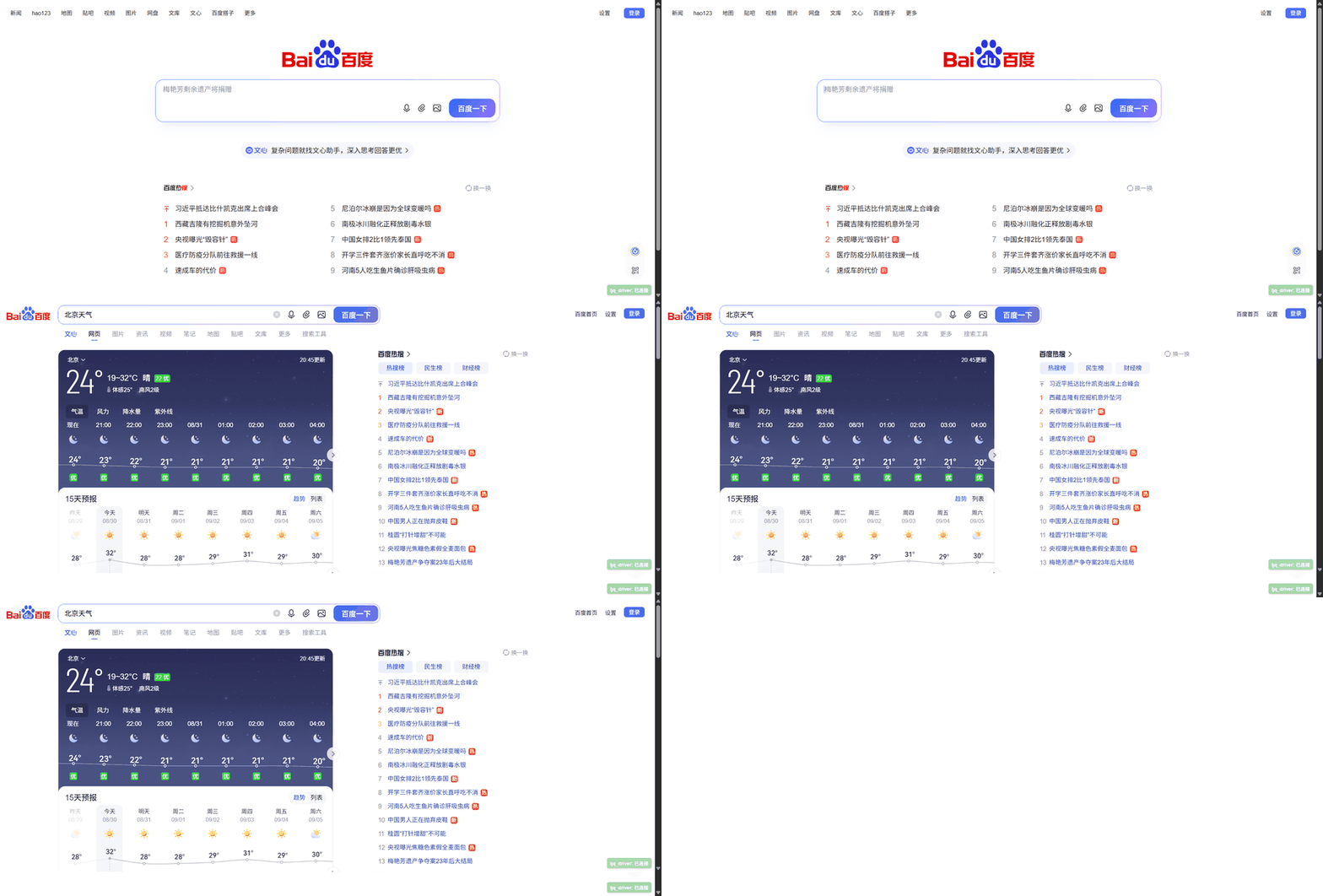
Live demo — the agent drives your real Chrome: opens Baidu, types a weather query, and reads the result widget (no headless scraping):
The only browser plugin your agent will ever need
One tool, infinite reach. Most browser plugins hand your agent a fixed list
of actions — click, type, navigate, scroll. The moment you need something
unlisted, you're stuck. dsh-tmwebdriver flips that: browser_execute_js
runs arbitrary JavaScript in your real, logged-in tab. Everything a
developer can do in DevTools, your agent can do — with zero plugin updates.
Read pages. Click. Type. Submit forms. Navigate. Screenshot. Read cookies. Drive CDP. Run any script. All through one tool.
Why not headless?
| Headless Chrome / Playwright | dsh-tmwebdriver | |
|---|---|---|
| Fingerprint | ❌ Detected, captcha-blocked | ✅ Your real browser, real fingerprint |
| Logins | ❌ Re-login every session | ✅ Your existing sessions just work |
| Cookies | ❌ Copy-paste hacks | ✅ Native, in-place |
| Bot walls | ❌ Blocked (Baidu, Cloudflare) | ✅ Drives the site as a real user |
| Action coverage | ❌ Fixed tool list | ✅ Unlimited via browser_execute_js |
What it gives your agent
| Tool | What it unlocks |
|---|---|
browser_execute_js |
The universal key — arbitrary JS in any tab: read, write, click, fill, navigate, screenshot, cookies, CDP |
browser_list_tabs |
See every open tab (id, url, title), filtered by URL |
browser_snapshot |
Read a page's text fast — head+tail retained so you never lose the end |
browser_type |
Type into any input reliably — React/Vue-aware, form-submit capable |
Battle-tested on real sites
Verified end-to-end (real browser, real sessions):
- ✅ Search engines: Bing, Baidu, DuckDuckGo — type + submit + read results
- ✅ Heavy JS apps: GitHub (React), BBC (news) — structured content extracted
- ✅ Long pages: Wikipedia — head AND tail preserved when truncated
- ✅ Logged-in sessions: npm — authenticated content read without re-login
- ✅ CDP powers: screenshots, cookies, tab management, arbitrary commands
Zero-setup experience
dsh plugin --profile web add dsh-tmwebdriver
- Self-contained: master + Chrome extension + Python deps all bundled
- Lazy start: first tool call boots the master automatically
- Self-healing: missing Python deps install themselves
- Guided setup: forget the extension? The tool prints install steps with the exact folder path
Install (3 steps)
1. Get the Chrome extension
Ships inside the package — npm (node_modules/dsh-tmwebdriver/assets/tmwd_cdp_bridge/)
or GitHub clone (assets/tmwd_cdp_bridge/).
2. Install the plugin
dsh plugin --profile web add dsh-tmwebdriver
Restart dsh web.
3. Load the extension once
chrome://extensions → Developer mode → Load unpacked → pick the folder.
Forget it? browser_list_tabs reminds you with exact steps.
Configuration
| Field | Default | Description |
|---|---|---|
linkUrl |
http://127.0.0.1:18766/link |
TMWebDriver HTTP link endpoint |
timeoutMs |
30000 |
Per-call cooperative timeout budget |
snapshotMaxChars |
8000 |
Max characters browser_snapshot returns per call |
License
Credits / Origin
This plugin embeds two components from the GenericAgent toolchain (https://github.com/lsdefine/GenericAgent), redistributed unmodified under their original terms:
| Component | Path | Origin |
|---|---|---|
| TMWebDriver master | master/tmwebdriver_master.py |
GenericAgent — TMWebDriver.py |
| Chrome extension bridge | assets/tmwd_cdp_bridge/ |
GenericAgent — assets/tmwd_cdp_bridge/ |
The DSH plugin glue (src/index.ts, src/tools.ts, cordis.patch.yml) is MIT.
No comments yet. Be the first to write one.