
dsh-svg-fences


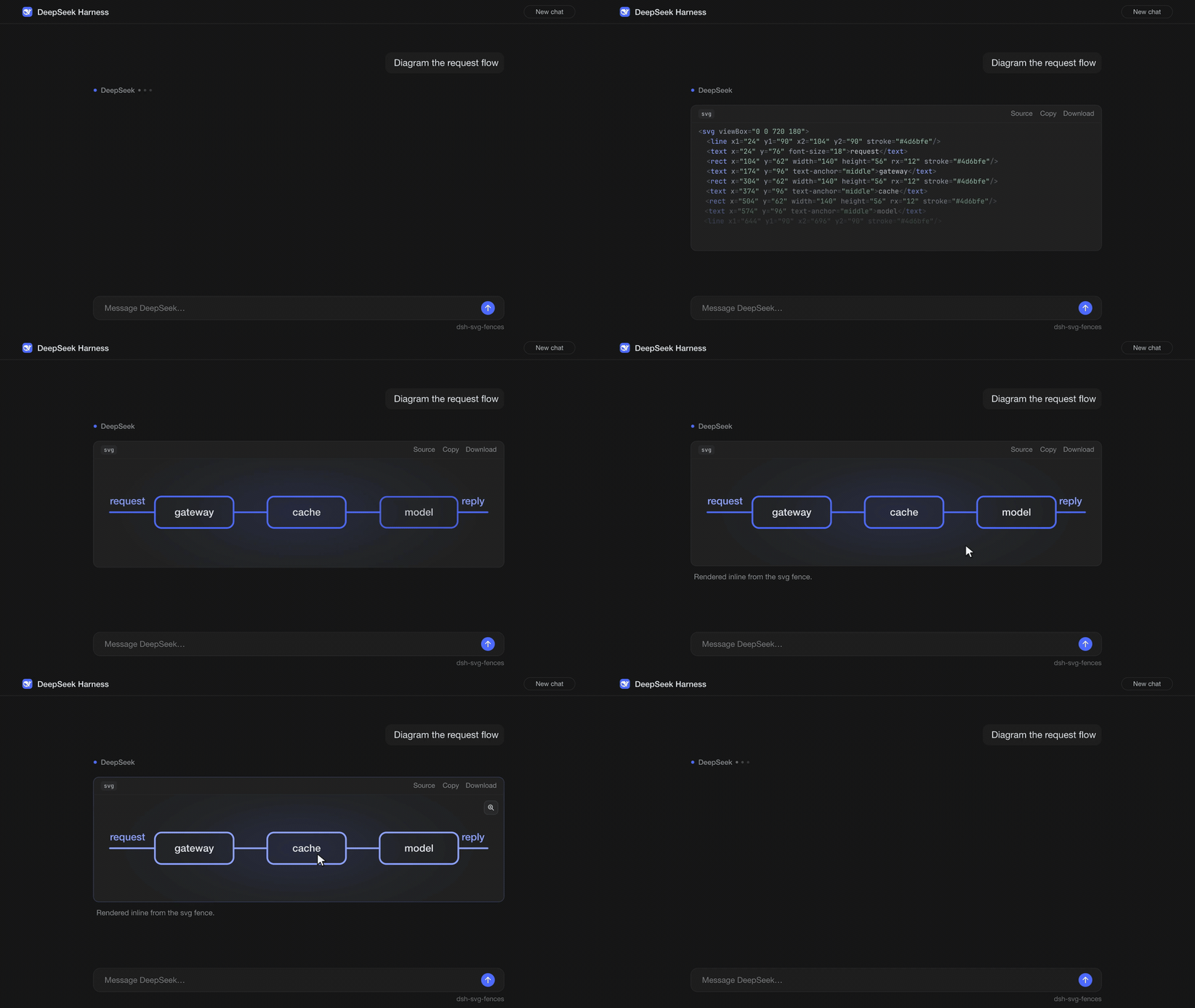
DeepSeek Harness shows SVG fences as code. This plugin shows them as pictures.
A 25 fps motion piece rendered with fframes. Watch the MP4 for 1080p.
Your assistant wrote an SVG. DSH showed you 40 lines of XML. This plugin shows you the picture, right where the code block was. The XML is still one click away.
Install
In the app, open the Plugins window, go to Discover, search for dsh-svg-fences, and install it.
From a terminal, use the profile you run:
dsh plugin --profile web add dsh-svg-fences
dsh plugin --profile desktop add dsh-svg-fences
To uninstall, swap add for remove.
The package ships a prebuilt client.js. Installing runs no build script, so DSH never asks you to approve one (allowBuilds). There is no host code and there are no dependencies. The whole thing is about 22 KB of browser JS.
Tested with DeepSeek Harness 0.2.x on macOS. The package asks for Node 22.19 or newer. The part that runs is plain browser JS. Other platforms are untested.
What you get
- A figure in place of the fence. The original code block is hidden while the figure is shown.
- A small toolbar. An
svglabel, thenSource,Copy, andDownload. - Source and Render.
Sourceflips back to the code. The same button, now labelledRender, flips back to the picture. - Copy puts the original fence text on your clipboard, tokens included.
- Download saves an
.svgfile named after the figure's<title>, orfigure.svgif there is none. - Zoom. Click the figure for a larger view with
+,−, and reset. Close it with Escape or a click on the backdrop. - Theme aware. Colors follow DSH's light and dark themes, even if you switch while the zoom view is open.
- Content, not labels. The fence language does not matter. If the text is an SVG document, it becomes a figure.
- Toolbar labels in English or Chinese, following DSH's language.
Theme tokens
Write colors as CSS variables inside the fence. The plugin swaps each one for the live theme value before it draws the image, and again whenever the theme changes.
| In your SVG | Reads DSH token | Typical use |
|---|---|---|
var(--fg) |
--dsw-alias-label-primary |
Text, main strokes |
var(--muted) |
--dsw-alias-label-secondary |
Captions, secondary lines |
var(--accent) |
the blue accent (--dsw-alias-link, with fallbacks) |
The one thing to look at |
var(--bg) |
--dsw-alias-bg-base |
Page background |
var(--surface) |
--dsw-alias-bg-layer-1 |
Boxes and cards |
var(--surface-alt) |
--dsw-alias-bg-layer-2 |
Nested boxes, stripes |
var(--border) |
--dsw-alias-border-l1 |
Box outlines |
var(--line) |
--dsw-alias-border-l2 |
Connectors, gridlines |
var(--dsw-...) |
That token, as is | Anything else in the theme |
Three small rules:
var(--name, #888)falls back to#888when the token is missing. With no fallback, the text color is used.currentColorfollows the theme text color. The plugin setscoloron the root<svg>unless you already did.- The default font is
sans-serifunless the root setsfont-family.
Models do not know these names unless you tell them. A line like this in your prompt or project instructions helps:
When you draw SVG, use var(--fg), var(--muted), var(--accent), var(--surface) and var(--border) for colors.
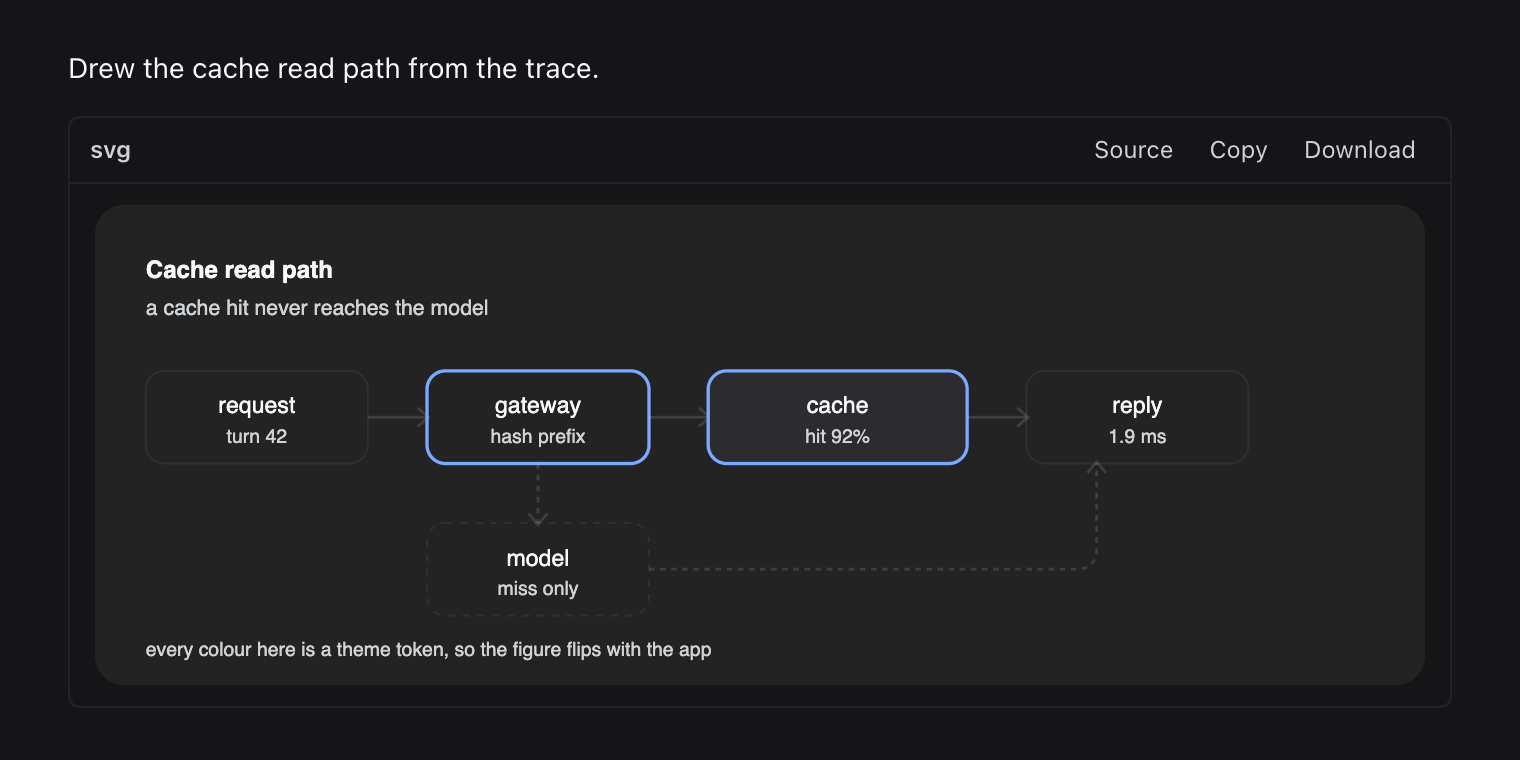
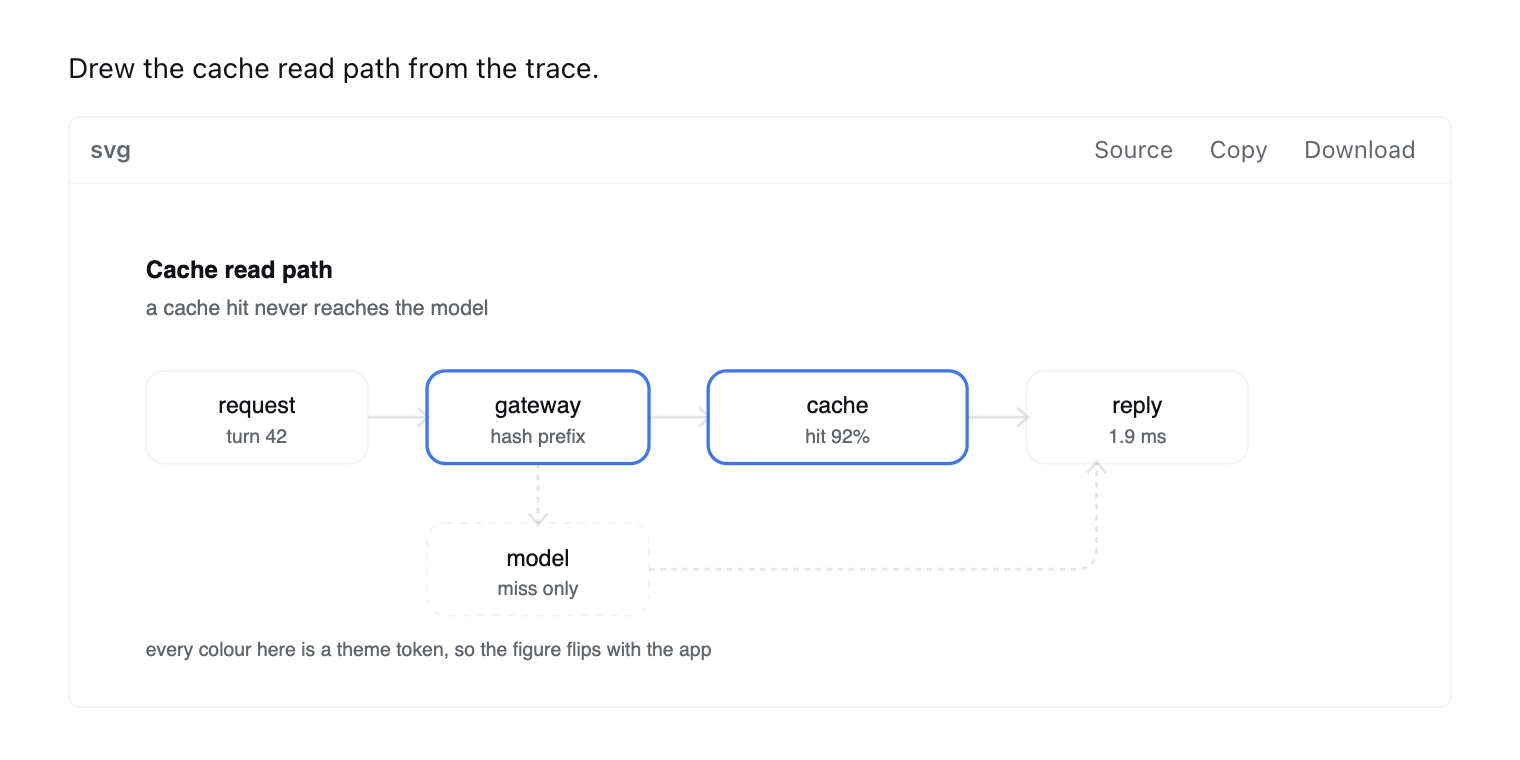
A fence like this one follows the theme in both modes, and downloads as hello-figure.svg:
```svg
<svg viewBox="0 0 260 80" xmlns="http://www.w3.org/2000/svg">
  <title>hello-figure</title>
  <rect x="1" y="1" width="258" height="78" rx="10" fill="var(--surface)" stroke="var(--border)"/>
  <circle cx="40" cy="40" r="14" fill="var(--accent)"/>
  <text x="68" y="45" font-size="15" fill="var(--fg)">Rendered, not printed</text>
</svg>
```
| Dark theme | Light theme |
|---|---|
 |
 |
Works with
- Mermaid plugins. Mermaid source starts with words like
graphorsequenceDiagram, never<svg, so this plugin leaves those fences alone. Run both. - Other fence plugins that claim blocks by language. This one only acts on blocks whose content is an SVG document.
Limits
What it does not do, on purpose:
- It does not run anything inside the SVG. The figure is an
<img>with adata:image/svg+xmlsource, so scripts do not run, links do not click, and external images and fonts do not load. Untrusted fence content cannot run code. - It does not touch the network. No fetches, no CDN, no renderer to download.
- It does not change the message. The figure is a view over the transcript. Disable the plugin and the code blocks come back.
- It does not render Mermaid, PlantUML, Graphviz, or any other diagram language. Only SVG.
- It skips code blocks that show line numbers.
- It skips SVG that does not parse. You get the normal code block, so you can see what broke.
- It skips sources over 60 KB.
- Download bakes the current theme's colors into the file. Copy keeps the
var(--...)tokens.
How it works
- One
MutationObserverwatches the page. Within 250 ms of a change it scans eachdiv.md-code-blockand reads the text of its<pre>. - A block qualifies when its trimmed text starts with
<andDOMParserreads it asimage/svg+xmlwith an<svg>root and noparsererror. DSH keeps the fence language as a React prop that never reaches the DOM, so the content is the only reliable signal. - Tokens are read with
getComputedStyleon the code block itself, because DSH scopes theme variables to containers rather than:root. Eachvar(--name)becomes its computed value, andxmlns,color, andfont-familyare added to the root when missing. - The result is encoded as a
data:image/svg+xmlURI on an<img>placed after the block. A data attribute hides the original block with CSS. If the image fails to load, the block comes back. - A second observer watches attributes on
<html>and<body>, where DSH setsdata-ds-dark-theme. When the resolved palette changes, every figure is re-encoded.
Also from this pair
dsh-table-charts draws a bar chart under Markdown tables that look like data. It is built the same way, as a prebuilt client.js with no dependencies and no server.
Credits
The approach comes from the figure pipeline in oh-my-pi. It lifts SVG fences out of assistant markdown, resolves theme tokens before rasterizing, offers a Source toggle, and turns tables into charts. This plugin is a browser-side port of those ideas for DSH, written from scratch. It contains no oh-my-pi code.
The hero animation was rendered with fframes, a Rust and SVG video renderer. The stills show the plugin's real rendering with DSH's styles.
The DeepSeek whale in the demo comes from LobeHub Icons (MIT). DeepSeek and its logo are trademarks of DeepSeek. See third-party notices.
License
MIT © Chandra Doredla
No comments yet. Be the first to write one.