DeepSeek Dock
English · Simplified Chinese
Collapse the chat list. Still reach Home, tasks, and plugins in one click.
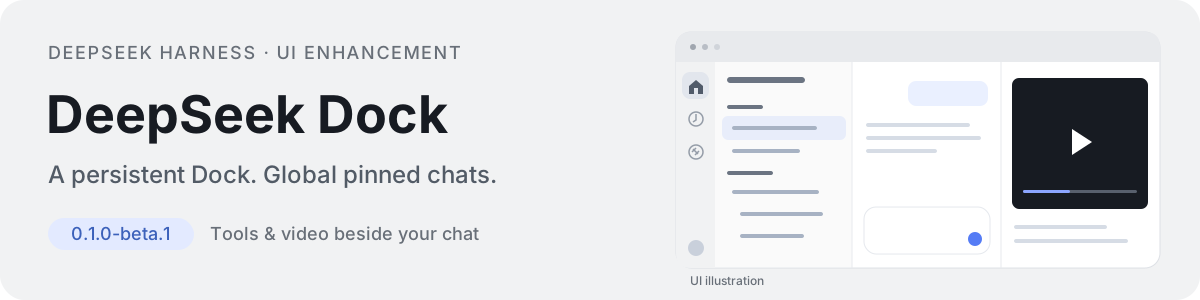
DeepSeek Dock is a UI extension for DeepSeek Harness. It keeps navigation on the left, collects important chats in one pinned section, and opens files and videos beside the conversation. Reopen the tool drawer to return to its existing content. Install it independently without modifying the host application.
0.1.0-beta.1 · Target environment: macOS / Harness 0.2.1-rc.5 · Third-party community plugin
Install · Features · Compatibility and limits · Migration · Report an issue
See it in action
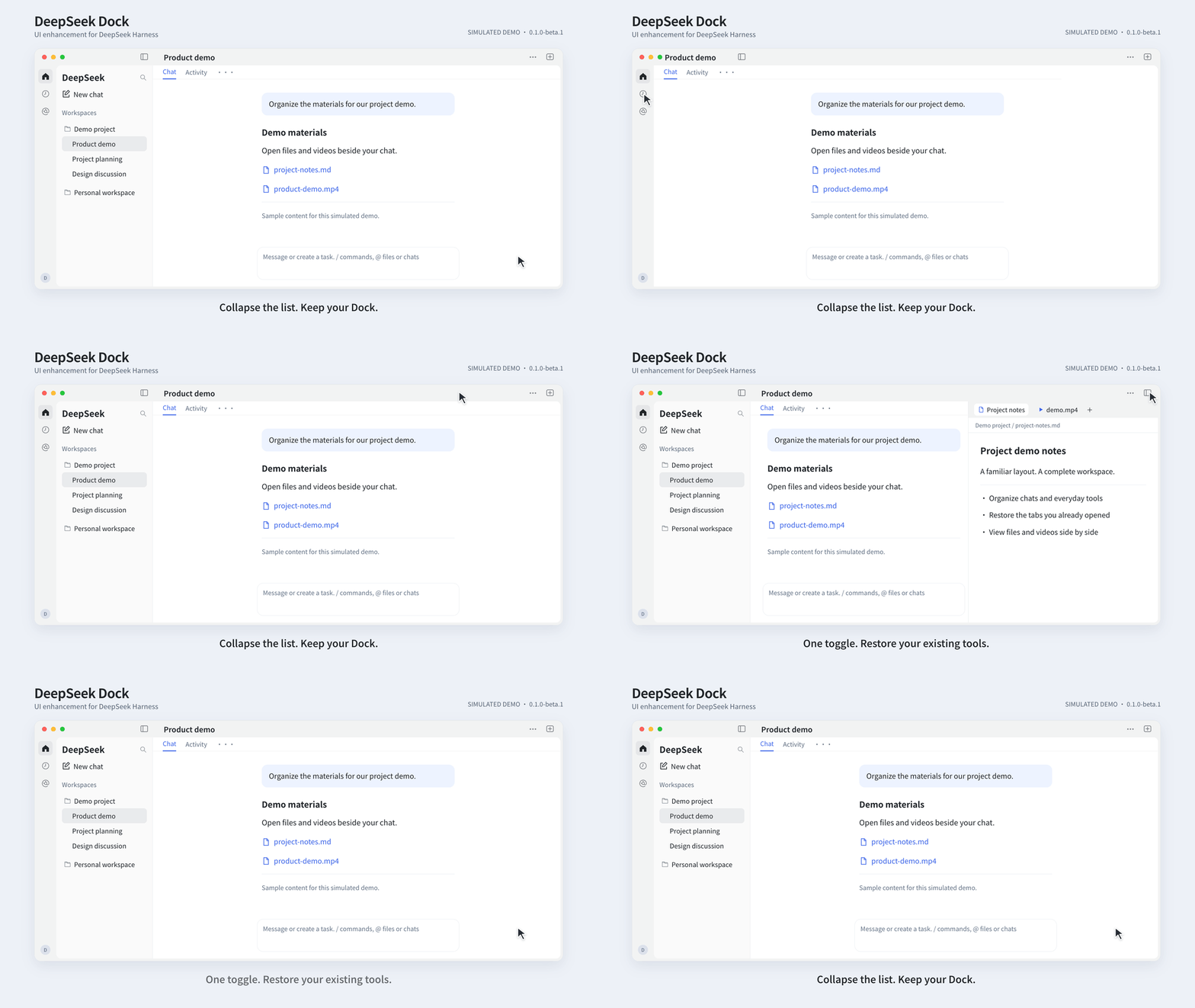
Watch the full 45-second demo with music · Watch in Chinese · Static preview

The 14-second silent loop shows two actions: collapse the chat list with the Dock still visible, then reopen existing tools. Both formats use simulated UI and sample data; they are not screen recordings or performance tests.
What changes in everyday use
- You often switch between Home, scheduled tasks, and plugins. Their Dock icons stay visible when the chat list is collapsed. Switch pages with one click, without expanding the sidebar each time.
- Your important chats are scattered across workspaces. Pin them into one section at the top of the sidebar, so you can find them without opening each project. Pinned chats appear only there; unpinning returns them to their original group without changing ownership.
- You close the tools, then need the same file or terminal again. The top-right button restores existing tool tabs first. Continue with the content you already opened instead of creating another tab.
- You want to check a generated video against the conversation. Play it in the file tab on the right while keeping the chat beside it, so you can compare the result with the requirements.
- You want to shape a question before sending it. Home saves a draft and creates the chat only when you send. Unsent ideas stay out of the chat list instead of becoming empty entries.
Home, conversations, plugins, and scheduled tasks share the outer window layout. Native folders, chat hierarchy, avatar, permission checks, and tools remain available.
Install
Requires macOS / Harness 0.2.1-rc.5. Disable the old @local/chatgpt-rail plugin first if installed (migration). This beta is not published to npm; use the repository URL below. No manual build is needed.
This installs the latest code on main, not the latest stable release. Installed copies do not update automatically.
Install in DeepSeek Harness
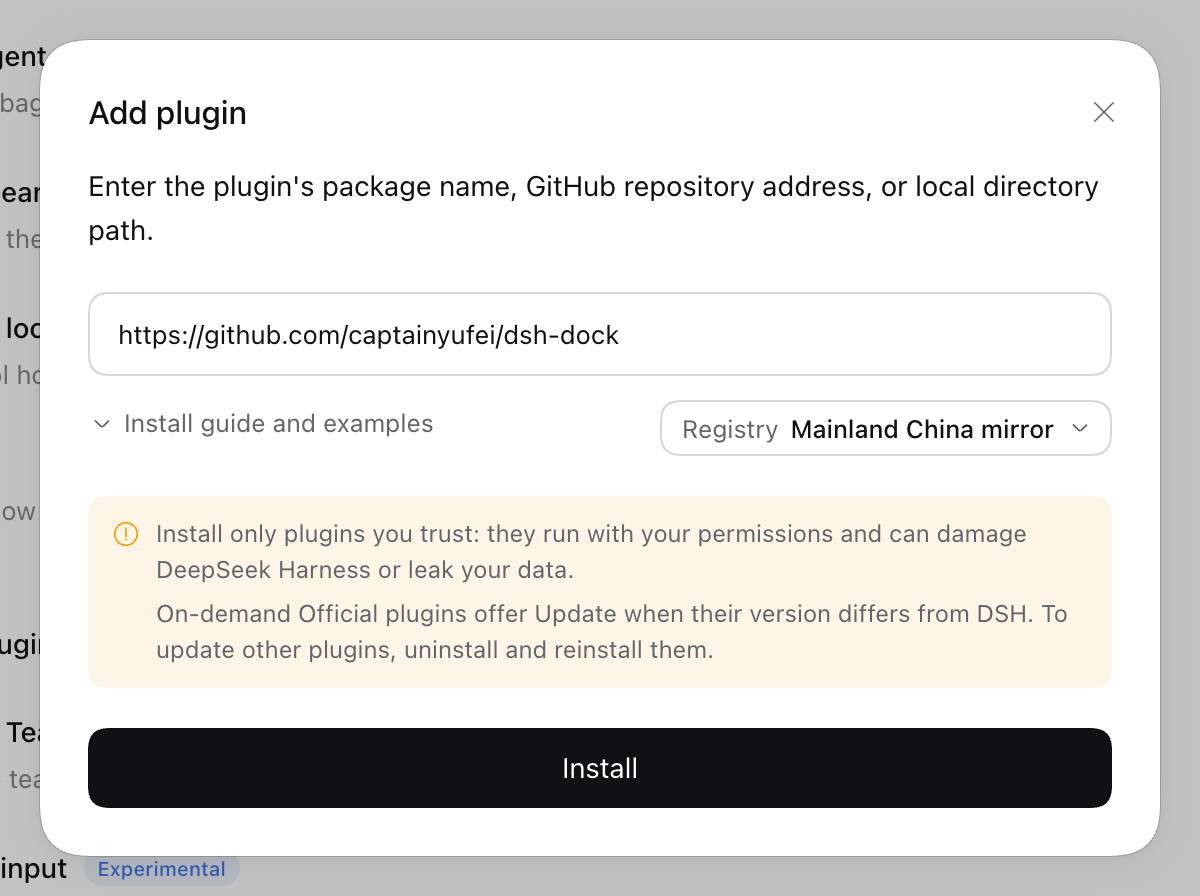
Open Plugins → Add plugin, paste this into Package name or address, and click Install:
https://github.com/captainyufei/dsh-dock
When Installed appears, click Enable now. Closing the dialog instead leaves the plugin switched off.
Confirm DeepSeek Dock is on under Installed plugins. Collapse the chat list: Home, scheduled tasks, and plugins should remain in the left Dock. Right-click the Dock to customize its entries.
Install with the dsh CLI
For the web profile, run:
dsh plugin --profile web add https://github.com/captainyufei/dsh-dock
Start dsh web if it is not already running, then open Plugins and make sure DeepSeek Dock is enabled. The command targets the web profile; desktop users should use the installation dialog above.
Update or remove
To get the current main code, save your work, open Plugins → DeepSeek Dock → Uninstall, and confirm. Reinstall using the same repository URL or CLI command above, then enable it. Follow any reload/restart notice and check the source and version in the plugin details. Reinstallation is required; reopening Harness does not fetch new code.
To disable Dock temporarily, turn off its switch. Uninstall without reinstalling to remove it. Both actions preserve host-managed chats and workspaces.
Reproducible alternative: fixed release or local ZIPTo keep the same published beta instead of following main, use this source in the installation dialog:
git+https://github.com/captainyufei/dsh-dock.git#v0.1.0-beta.1
This tag stays on 0.1.0-beta.1; reinstalling it does not advance to newer code. For a local installation:
Download this release and extract it into a directory you will keep.
Find the root containing
package.jsonandcordis.patch.yml; keep the complete extracted directory and all its subfolders.Select that folder in Finder and press Option–Command–C to copy its absolute path. Paste it into Plugins → Add plugin. For example, an account named
alexmight use:/Users/alex/Plugins/dsh-dockUse your actual folder path, not the example or the ZIP file.
Click Install → Enable now, and check the Dock as described above. Keep the local directory after installation.
| Problem | Next step |
|---|---|
| Package not found | Use the complete repository URL above. This package is not published to npm; its package name or @latest is not an installation source. |
| GitHub download fails | Open Show install details, check GitHub connectivity, and retry. Changing the npm registry does not fix GitHub access. Use the ZIP option if you can download it separately. |
| Installed, but no Dock | Enable it under Installed plugins and follow any restart notice. If activation fails, copy the diagnostic. |
| Wrong host or invalid directory | Use Harness 0.2.1-rc.5. For local installation, select the root containing package.json and cordis.patch.yml, with the full extracted contents intact. |
Report an issue with your Harness/macOS versions, source entered, and installation error. Remove private paths or tokens from logs before posting.
Features
| Capability | Behavior |
|---|---|
| Persistent Dock | Keeps navigation and the real account avatar available when the chat list is collapsed. Defaults to Home, scheduled tasks, and plugins. |
| Customizable entries | Select registered entries through the context menu and drag icons to reorder. Home stays first; up to six entries appear directly, with overflow in More. Preferences stay local. |
| Global pinned chats | Collects pins from different workspaces. Hides duplicate workspace rows and restores them when unpinned. |
| Chat context menu | Reuses native pin, rename, fork, archive/unarchive, and copy Session ID actions. Supports Shift+F10 and the menu key. |
| Draft-first Home | Choose a workspace, mode, model, and permissions before composing. A chat is created on send; text and selections survive navigation and refresh. |
| Consistent window and tools | A draggable top strip and common frame across main pages. One corner button expands/collapses the tools, preferring existing tabs, with native resizing and split panes. |
| Side-panel video playback | Plays MP4, M4V, MOV, and WebM in native file tabs, with pause, seeking, volume, and fullscreen. Hidden previews pause; the same tab and file version can restore their position. |
Files, terminal, browser, tool tabs, and scheduled tasks are Harness capabilities. This plugin provides navigation, chat presentation, draft-first Home, consistent interactions, and video previews; it does not add a task execution engine.
Drafts and input
Enter sends and Shift+Enter inserts a newline. Confirming an IME composition does not send. Use + for local files, @ for file paths or loaded chats, and the microphone for the host voice component. Attachments are handed to the host only on send and must be reselected after refresh. Failed sends retain the draft; uncertain results are not automatically retried.
Restore tools and play videos
The top-right button restores existing tool tabs. If the active chat has no tabs, it opens the native tool area. The new-tool or chat-selection entry appears only when there is neither an active chat nor restorable content.
Collapsing the drawer, switching tabs, or closing the preview pauses playback and releases temporary media. Reopening within the same tab lifecycle and unchanged file version can restore the position without autoplay. Native keyboard controls and focus indicators remain available; window transitions respect reduced-motion preferences.
Compatibility and limits
| Area | Current scope |
|---|---|
| Host and platform | The feature baseline was tested on-device on macOS / Harness 0.2.1-rc.5. This package restricts installation to that host version. Other operating systems, dark mode, and very narrow windows have not been fully tested on-device. |
| Video codecs | Recognizing an extension does not guarantee that every codec decodes. Support depends on the system/browser; H.264/AAC MP4 has been tested. Unsupported files can open in a system application. |
| Desktop video size | Desktop reads a complete temporary Blob before playback. Cached and in-flight media bytes share a 256 MiB budget, with external opening available above it. This is not a process peak-memory cap. |
| Playback position | Restoration is limited to the same tool tab lifecycle and file version, not guaranteed after an app restart. |
| Drafts and voice | Attachments do not survive refresh. Voice requires the host component and local recognition resources. / commands and @ suggestions depend on host catalogs and permissions. |
| Language | The README is bilingual. Some added interface copy is still Chinese; full UI localization is not complete. |
Hiding pinned chats can reduce the visible row count on a native group's first page. Expand the group to see more. The plugin uses host slots, services, and some DOM structure; host upgrades require renewed validation and are not automatically compatible.
Development and contributions
Run from the source repository root:
npm ci
npm test
npm run build:client
npm test builds before running tests; the runtime shares the host's React. Rebuild dist/client.js after editing source, then load the update through the host. Test results should come from the current commit's actual run; the simulated demo does not replace functional acceptance.
Architecture and state ownership · Contributing · Versioning and releases · Changelog
License and provenance
DeepSeek Dock is an independently developed third-party plugin and is not affiliated with DeepSeek. The project is licensed under the MIT License. See THIRD_PARTY_NOTICES for referenced code and third-party licenses.
No comments yet. Be the first to write one.