dsh-agent-team-presets
English | 中文
Status: source release. The plugin is developed as a package inside a DeepSeek Harness source checkout and is not yet independently buildable or installable from this repository. See DEVELOPMENT.md for the exact blockers and the current development workflow.
Summary
dsh-agent-team-presets adds a Settings page that configures named Agent Teams and a composer control that applies one Team to a Session. A Team has a captain and any number of members: the captain carries its own prompt and tool policy, while each member also carries its own provider/model route and reasoning effort. Applying a Team installs the captain's prompt, restricts its tools, and registers spawn_team_member, which summons a member with that member's own persona, route, effort, and tools. A captain leads on the model the Session already selected.
Project introduction
Turn DeepSeek Harness Agent Teams from ad-hoc lineups into configurable, reusable professional AI teams.
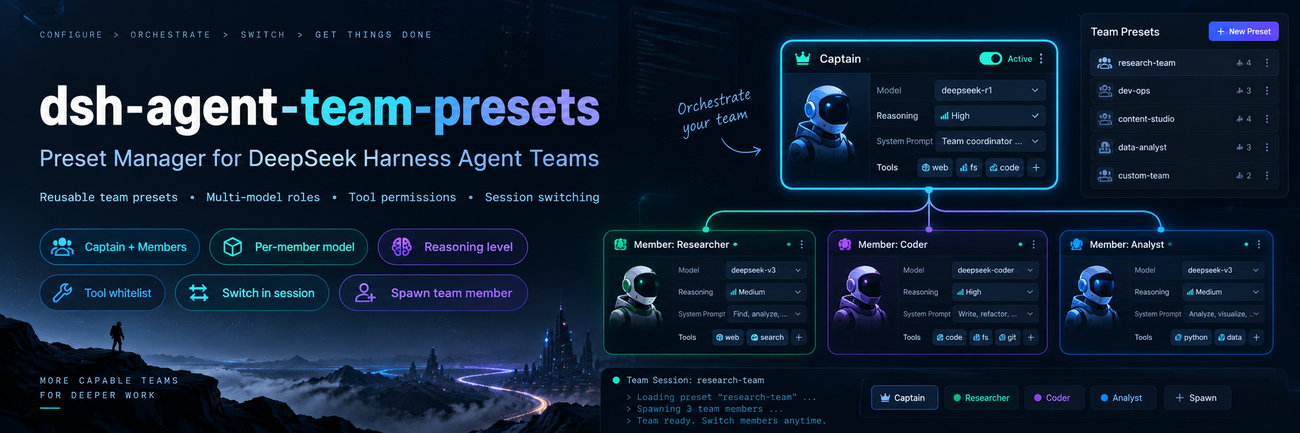
dsh-agent-team-presets is a visual Agent Team preset manager for DeepSeek Harness. It configures roles, per-member models, reasoning effort, system prompts, and tool permissions, so a professional AI team is configured once and reused on demand.
Why this plugin?
DeepSeek Harness already ships Agent Teams with multi-agent collaboration, but it leaves room in per-team configuration and reuse.
This plugin addresses five gaps:
- Teams are hard to reuse. Native teams focus on runtime creation and collaboration and offer no visual preset management; this plugin saves, duplicates, and reuses team configurations.
- Role setup is repetitive. Member responsibilities no longer have to be re-described every time: each role's name, description, and system prompt are configured in advance.
- Splitting work across models is awkward. Every member picks its own model and reasoning effort, so one team combines models by task; the captain keeps leading on the model the session already selected.
- Tool permissions have no fine-grained entry point. The captain and each member carry their own global tool allow-list, so roles differ in what they may use.
- Switching teams is inconvenient. Pick a preset team from the composer, with no repeated manual role setup.
Design principle: native Agent Teams owns collaboration at runtime; dsh-agent-team-presets owns configuring, managing, and reusing teams.
Screenshots
The Team control in the composer — apply one preset Team to this Session, or clear it.

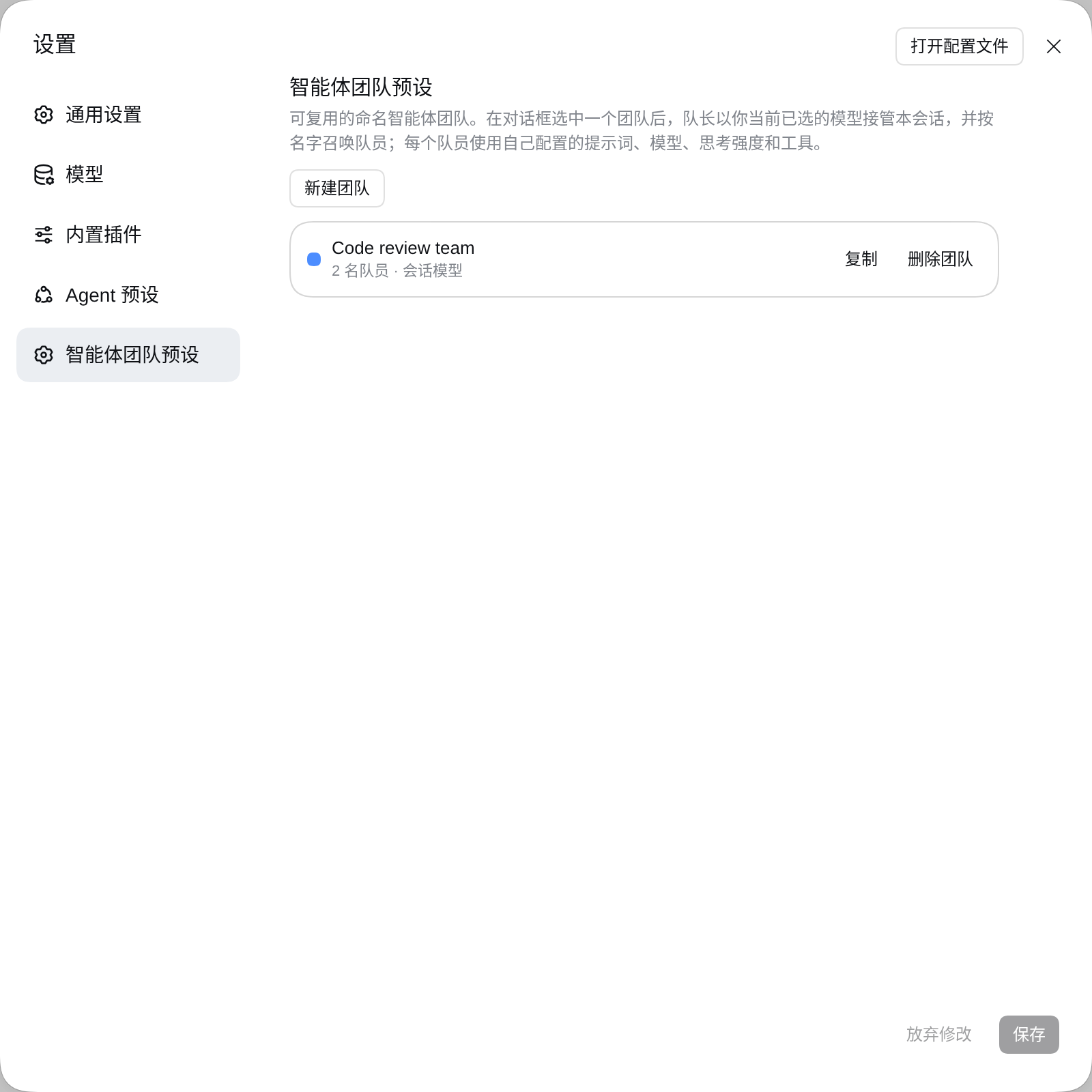
Settings → Agent team presets — every configured Team, with create, duplicate, and delete.
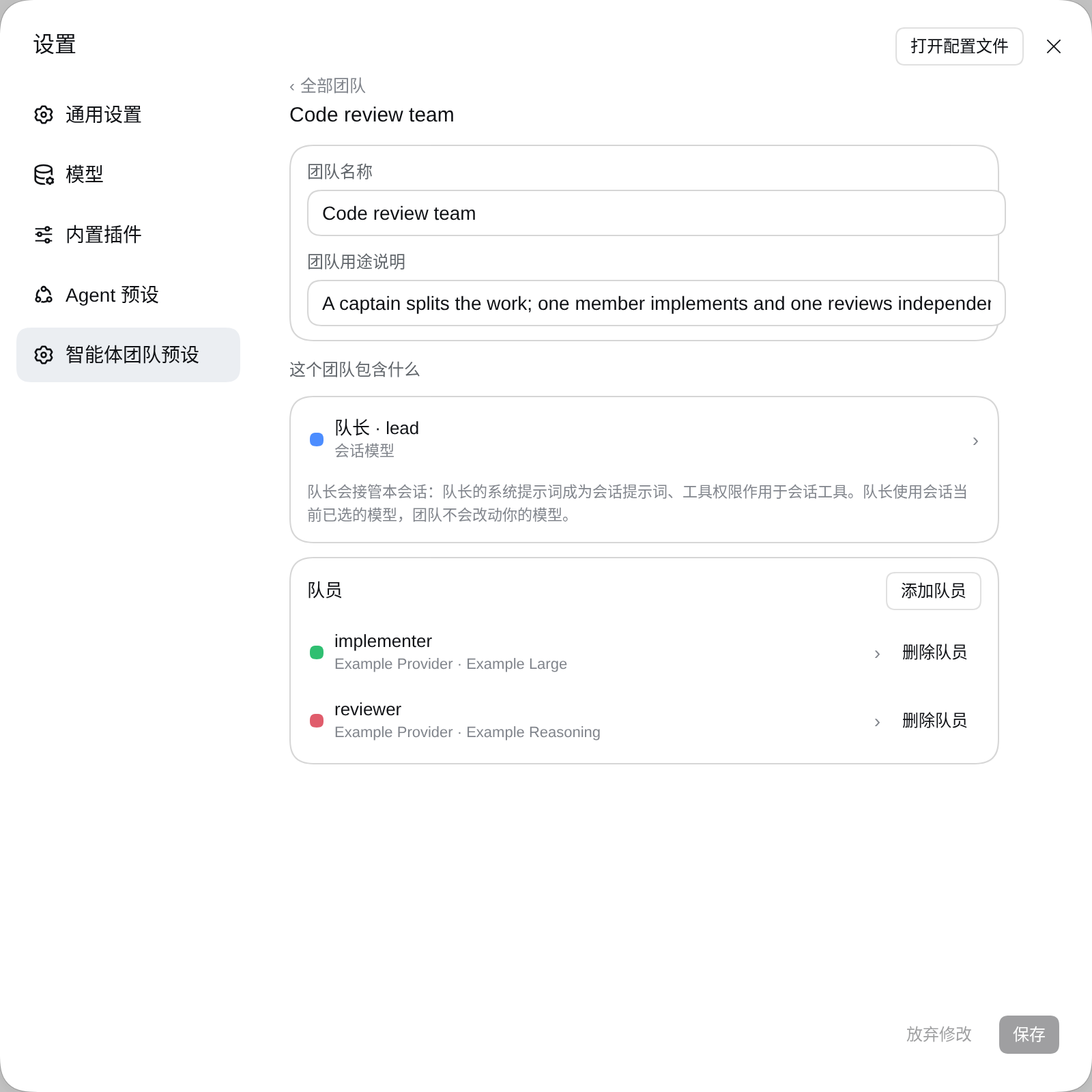
One Team — its name and description, the captain, and the member roster.
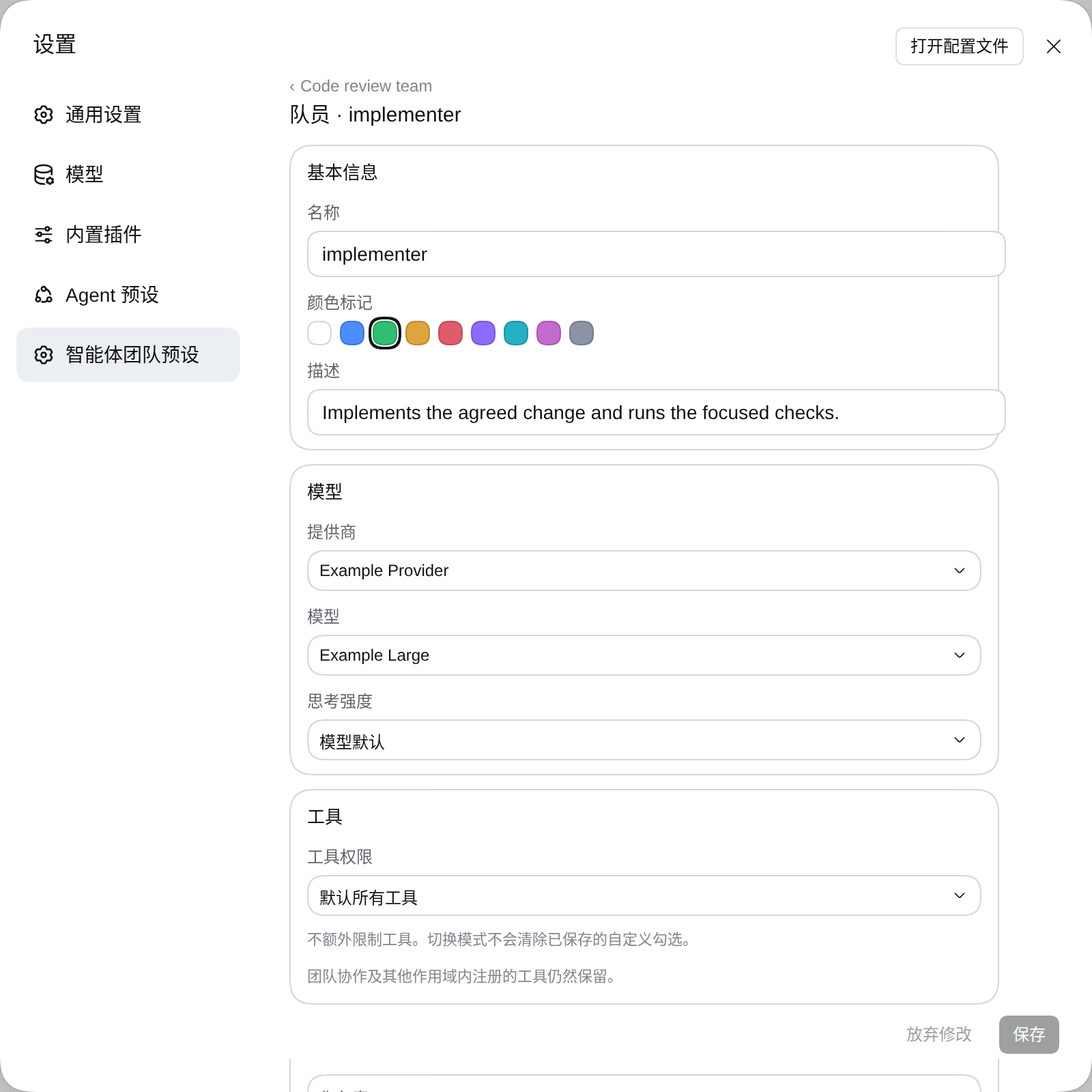
One member — its own provider, model, and reasoning effort. The captain leads on the Session model, so only a member carries a route.
The model picker — every provider and model the deployment currently advertises.
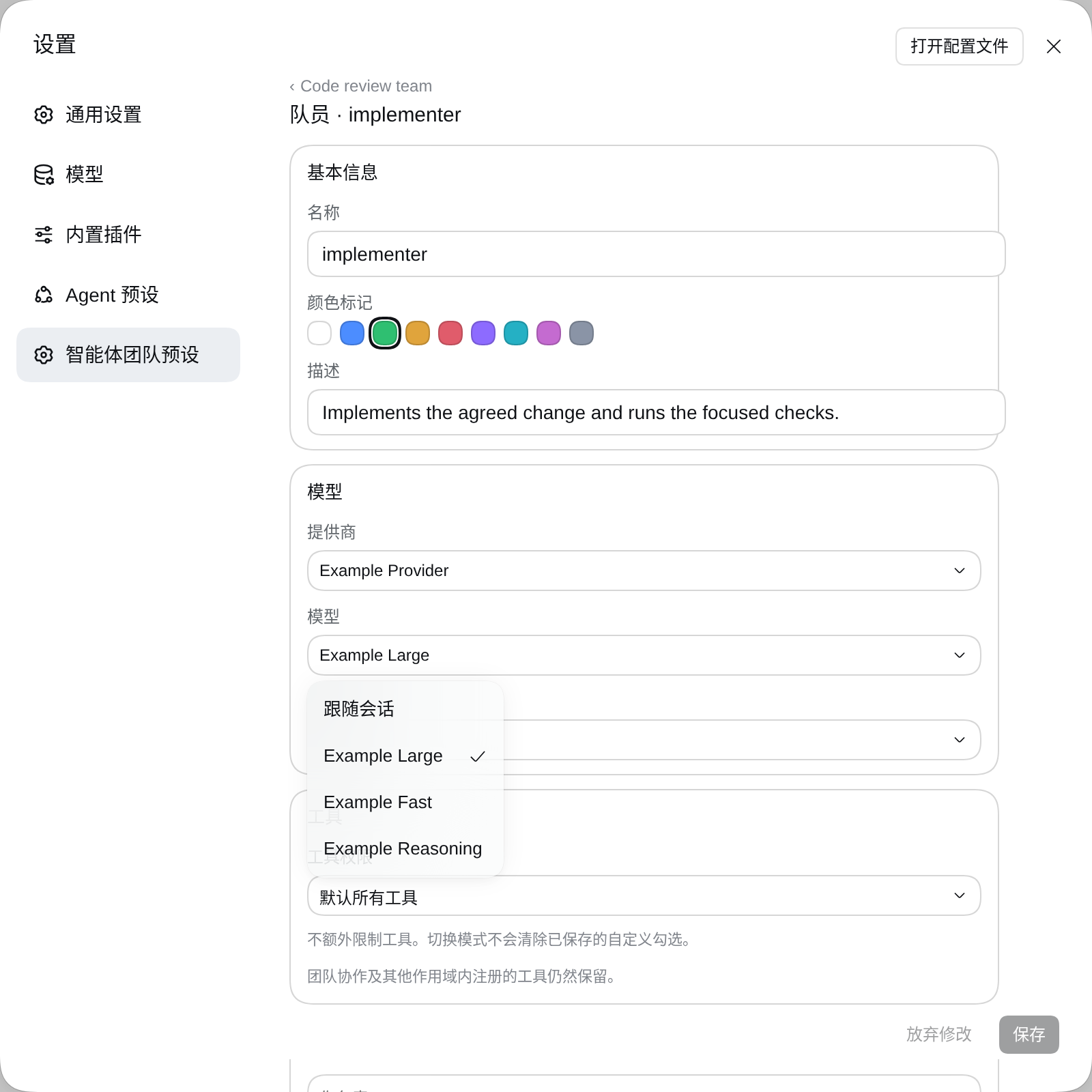
Table of Contents
- Project introduction
- Why this plugin?
- Screenshots
- Use this package
- Understand the implementation
- Further Exploration
- Model Experience
- Known Limitations and Deferred Work
- Dev Note
Use this package
Install the bundle into a profile that already composes @deepseek-ai/dsh-experimental-agent-team-profile (the Team service, the Team tools, and the Web roster), then open Settings → Agent team presets.
Configure a Team
Settings → Agent team presets is three stacked pages, so a narrow Settings panel never crowds:
- Teams — every configured Team as one row (name, member count, session model). Create, duplicate, or delete from here.
- One Team — its name and description, the captain row, and the member roster. Adding a member opens that member's page.
- One agent (captain or member) — identity, tools, and system prompt, each in its own card; a member page adds the model card and deletes that member.
Every edit is staged and written by the Save control in the shared footer; the stored value lives in the profile's user settings document.
| Field | Meaning |
|---|---|
| Team name | Display name shown in Settings and in the composer control. |
| Captain | The agent that leads the Session: its system prompt becomes the Session prompt and its tool scope scopes the session tools. It leads on the model the Session already selected, so it has no route of its own. |
| Members | Role templates the captain summons by name. |
| Name | Display name; the teammate target is derived from it (lower-kebab-case, falling back to member-<n>). |
| Color | Accent mark shown in Settings. |
| Description | The role hint the models act on: the captain reads its own description, the Team description, and every member's description, so it can pick the member whose description fits the work; a summoned member reads the Team description and its own description as its role. |
| Provider / Model | Members only. Route chosen from every provider and model the deployment currently advertises. Empty runs the member on the Session route. |
| Reasoning effort | Members only. Adapter-owned effort for the selected route; empty uses the model default. |
| Allowed tools | Choose Default: all tools or Custom allowed tools separately for the captain and each member. Custom mode displays the deployment's global tools as an expanded checkbox grid, with select-all and clear controls. No checks in custom mode denies all configurable tools; default mode adds no restriction and preserves the saved checks. Captain and member policies apply independently, so a member can have tools the captain cannot use. Unavailable saved names remain removable; invalid names reject application instead of granting unrestricted access. Scoped coordination tools remain available. |
| System prompt | Registered as a prompt section template; complete {{variable}} groups interpolate against registered prompt variables. A summoned member reads it after its Team briefing. |
Select a Team
The composer's team control sits in the tool row after the permission control. Picking a Team writes this Session's selection, and the captain part applies immediately to the live Session: its prompt section and its tool scope. The model stays the one the composer already shows, because no Team writes a model selection. Picking "No team" removes the application: the Session keeps its current model, prompt, and tools until something else changes them.
Understand the implementation
Host composition
The Host half owns the live configuration and the per-Session applications:
| File | Role |
|---|---|
src/index.ts |
Plugin entry: live Config, per-Session reconciliation on agent/created, agent/disposed, and loader/volatile-update. |
src/config.ts |
Volatile teams and selections fields, the continuable-provider names, and the captain-route cleanup of stored Teams. |
src/application.ts |
Applies one Team to one live Agent: prompt sections, tool scope, and the spawn_team_member tool. |
src/presets.ts |
Pure helpers shared with the browser half: teammate targets, member lookup, selection rewriting, roster text. |
src/tool-catalog.ts |
Host Remote service teamPresetsToolCatalog: the global tools a member allow-list may name. |
src/client/* |
Browser half: the Settings page, the composer control, and the shared form controller. |
Applying a Team installs the captain's prompt as deployment:persona-prefix on the Agent's scope, so it shadows the deployment persona for that Session alone. The captain and each member resolve their own tool mode. A custom captain allow-list filters its global tools; a summoned member receives its own custom allow-list, independent of the captain's selection. A captain leads on the model the Session already selected, so this plugin writes no model selection at all: the composer's model control stays the only owner of that reference, and the rendered captain prompt is recorded as a system/message surface event before the request, so the model-visible input stays reconstructable from the Session log. The Host half also provides the teamPresetsToolCatalog Remote service, which lists exactly the global tools ctx.tools.restrict() validates against, so the Settings page cannot offer a name the summon path would refuse.
Selecting and storing
Teams and per-Session selections live in the plugin's volatile Config fields, which the settings service projects into the profile's user settings document and commits back into the running references with a loader/volatile-update. The browser half edits them through ctx.configForms.get('agent-team-presets'), so the Settings page and the composer control share one revision-fenced write queue. Each agent stores toolMode independently of tools. Records without toolMode retain their list-only behavior: an empty list means default-all and a nonempty list means custom. A stored captain that still carries provider, model, or reasoningEffort from a document written before captains stopped owning a route is rewritten once without them when the plugin loads.
Per-teammate settings
@deepseek-ai/dsh-experimental-agent-team gained three optional SpawnTeammateRequest fields — agentOptions (provider, model, reasoning effort), persona, and toolFilter — and now records the requested member model in the durable member snapshot so a roster row names the model of a teammate that is not live. spawn_team_member passes them to ctx.agentTeams.spawnTeammate, so members stay inside the Team roster, mailbox, and shared task board.
Runtime invariant
Runtime invariant: No companion is published. Every contribution is an ordinary Cordis registration on the Agent's scope, so disposing that scope already removes the prompt sections, the tool restriction, and the member tool; the assembled captain and member policies are covered by the production Loader composition test instead.
Further Exploration
- Agent Teams subsystem — the
ctx.agentTeamsservice, roster, mailbox, and shared task board this package composes. - agent-team package — the service, its durable types, and the
agentOptions,persona, andtoolFilterdelegation fields. - tool-agent-team package — the tools the model uses to create, message, and coordinate teammates.
Model Experience
Captain and member prompts
What the model sees
The captain's system prompt replaces the deployment persona prefix for the Session, and one agent-team-presets:briefing section states the Team's purpose, the captain's own role, and one line per summonable member target with that member's description, so the captain can pick the member whose description fits the work. A summoned member receives its own persona prefix instead: the Team it joined, its own role, and its configured system prompt. All of it renders into the Session's system/message, so a resumed Session rebuilds it from the log.
Briefing section for a Team with one member
Team preset "Review team" is active for this Session: Reviews changes before they land

You are its captain "team-lead": Keeps the review queue moving

Summon a member with spawn_team_member(member, task). The targets below are fixed; use them verbatim.

- member-1 (审查者): checks diffs
Persona prefix of the summoned member
You are "member-1" (审查者) on the Agent Team "Review team": Reviews changes before they land

Your role: checks diffs

You review one diff at a time and report findings.
Token effect
Both sections add their own text to every request's system prompt for the Session. A Team whose captain states no name or description and which has no members adds nothing.
KV Cache effect
Both sections stay byte-identical while the Team preset is unchanged, so the Session's system prefix keeps its prompt-cache prefix. Editing the Team, adding a member, or renaming one rewrites the captain's briefing section.
spawn_team_member
What the model sees
One tool with member, task, description, and context parameters. The result is a compact JSON record naming the teammate target, its status, and its model.
Token effect
The tool schema and description join the Session's tool surface while a Team is applied.
KV Cache effect
The section texts and the tool schema are stable while the Team preset, its member list, and the tool surface stay unchanged.
Known Limitations and Deferred Work
- Profile-global Team definitions with a per-Session selection record. The selection is stored in the user settings document rather than in the Session log, so a forked or copied Session does not inherit it, and a Session re-applied on another machine needs the same settings document.
- No Session-log record of the selection itself. The captain's rendered prompt is logged; the Team identity is not, so a reader cannot tell which Team a Session used without the settings document.
- Member system prompts are persona templates. A member prompt containing an unknown
{{variable}}fails that member's first request; the field warns before saving. - The allow-list masks global tools only. A scoped registration such as the Team coordination tools (
send_message,team_task_*) stays visible to a restricted agent, becausectx.tools.restrict()intersects global names and leaves scoped registrations in place. A member therefore keeps the tools it needs to answer its Lead. - The Session model is no part of a Team. The captain leads on whatever model the composer selected, and only members carry a route, so editing a Team never changes your model.
- Captains stored before this version lose their route once. The plugin rewrites such a Team on load through the ordinary settings write, so the profile patch stops naming
provider,model, andreasoningEfforton a captain.
Dev Note
Maintainer details — click to expandNone.
No comments yet. Be the first to write one.