dsh-vscode-ide
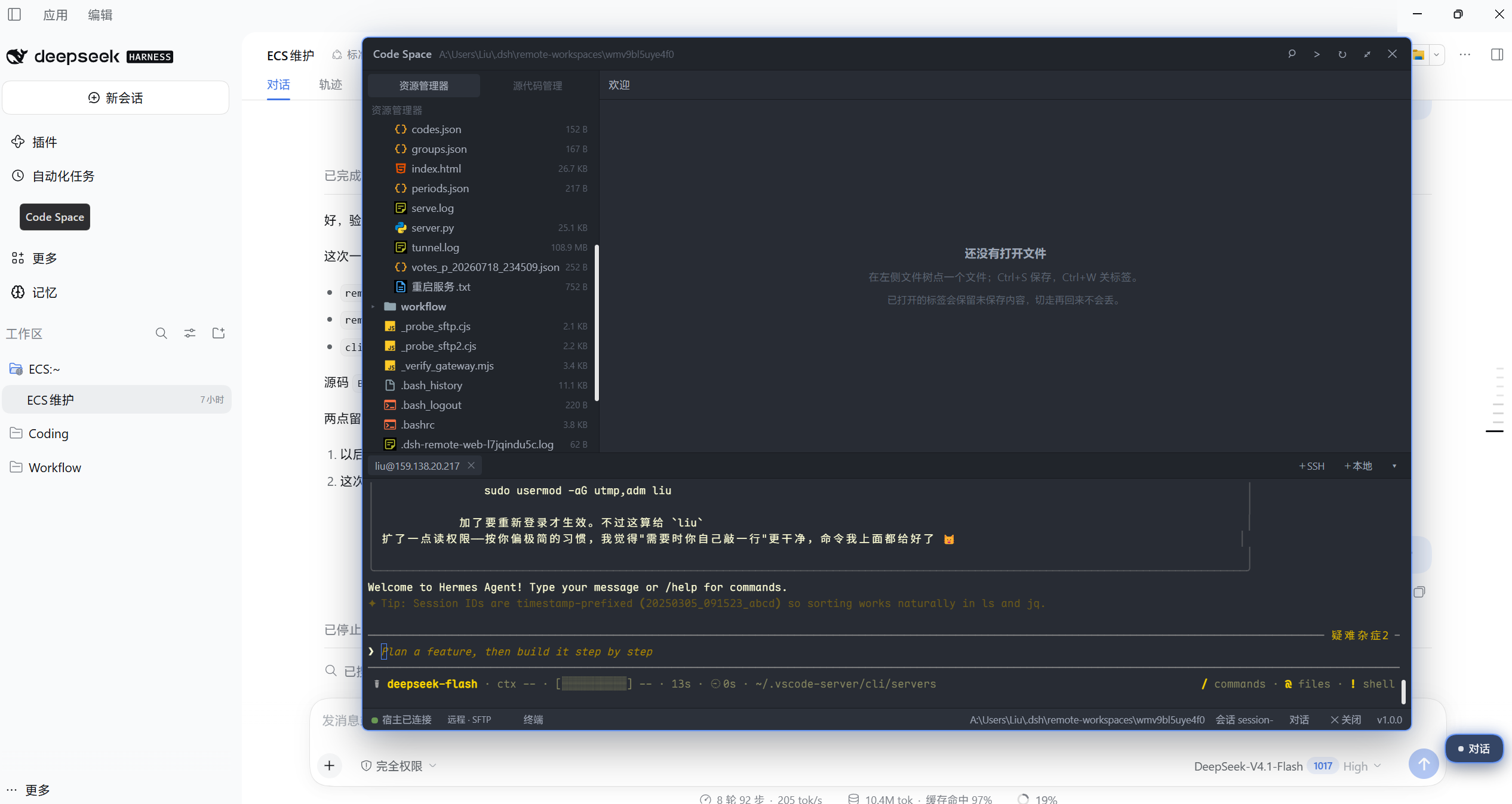
A VS Code-like workbench for DeepSeek Harness — Monaco editor core, an independent floating window, and opt-in feature modules.
Not a VS Code port, and it does not load .vsix extensions. It brings the part of VS Code people use every day — multi-tab editing, find/replace, diff, quick open, command palette, themes — into DSH, keeps it in a window you can move anywhere, and adds features only when they earn their weight.
Screenshots
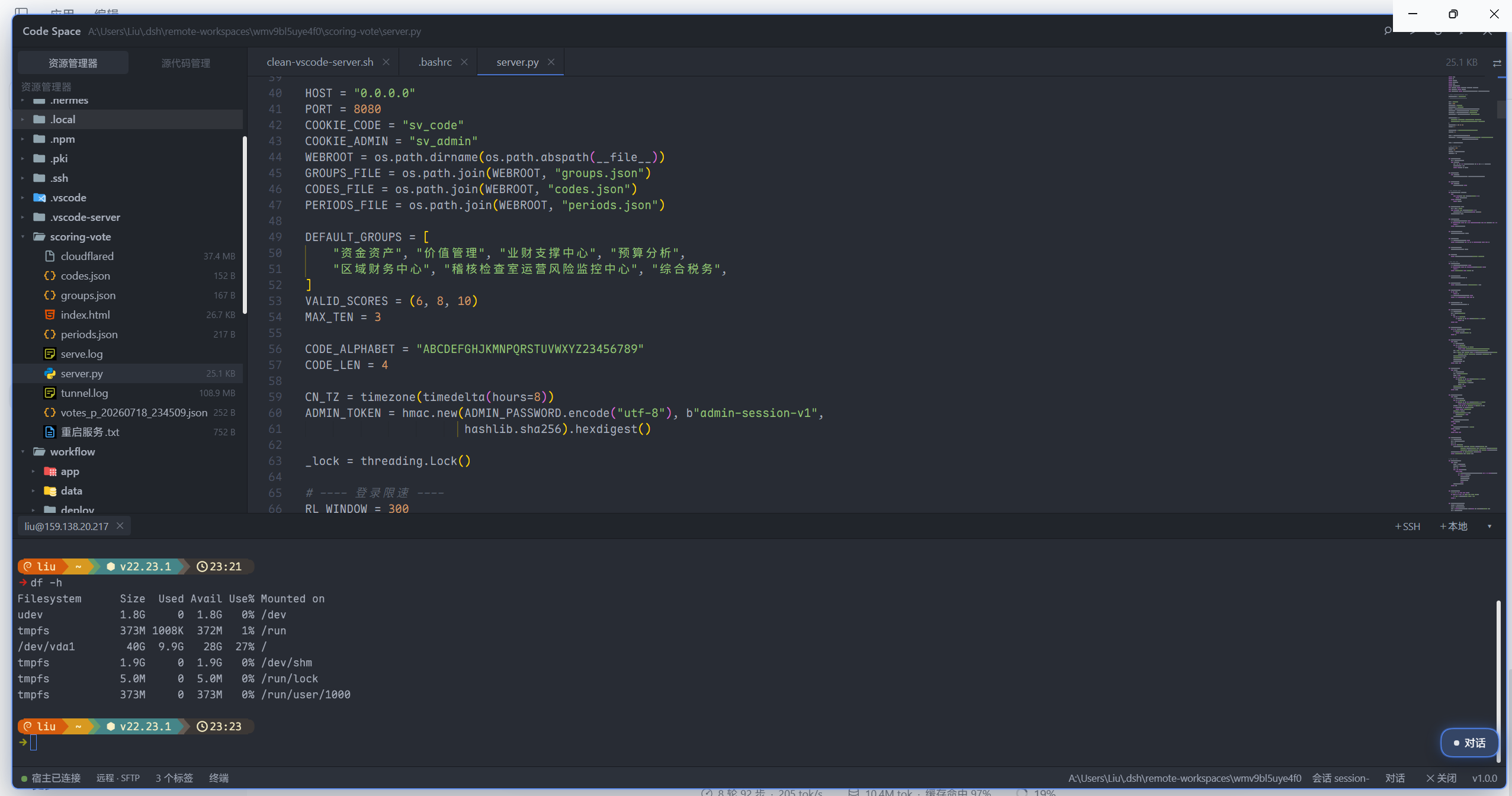
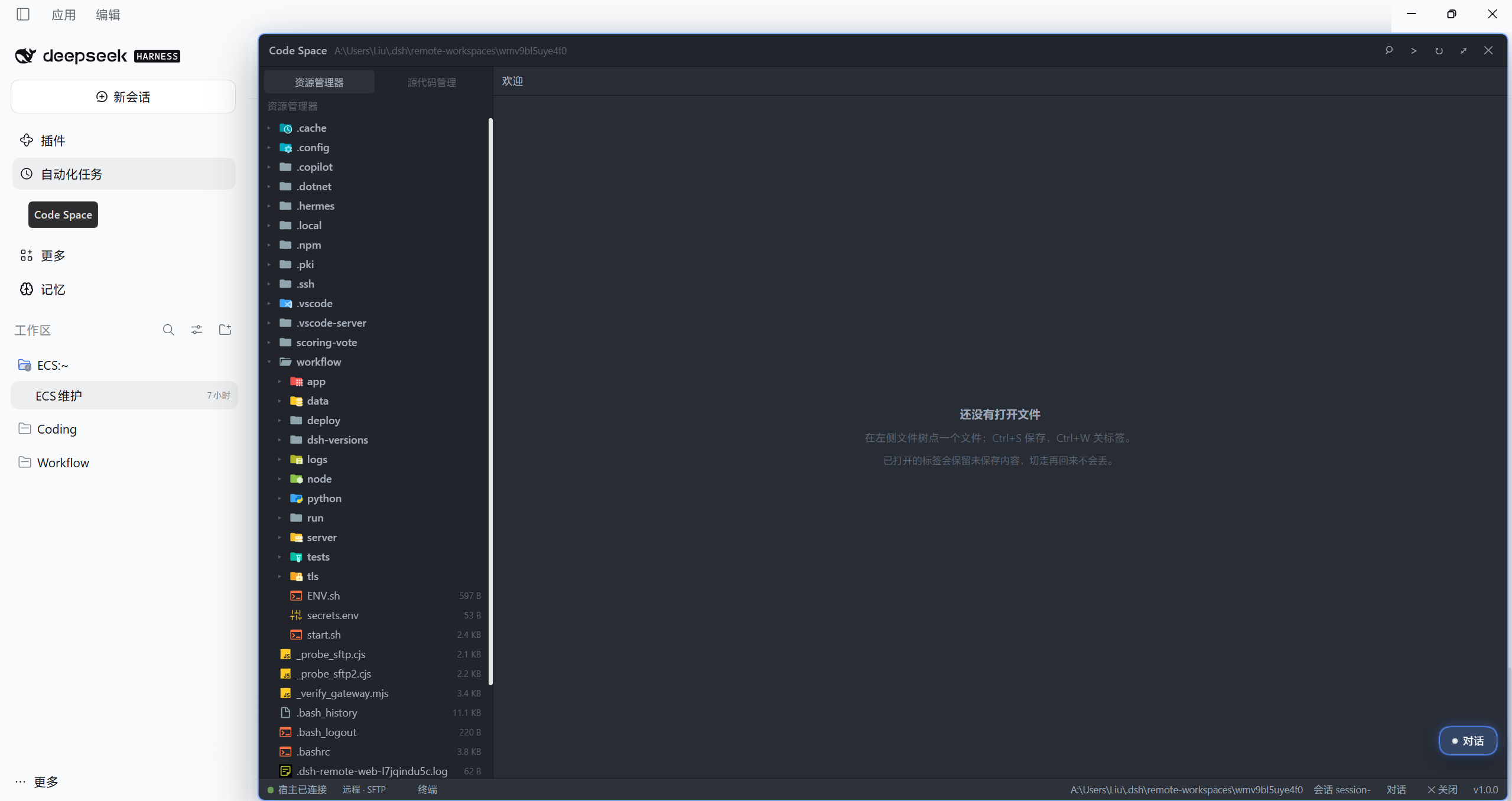 |
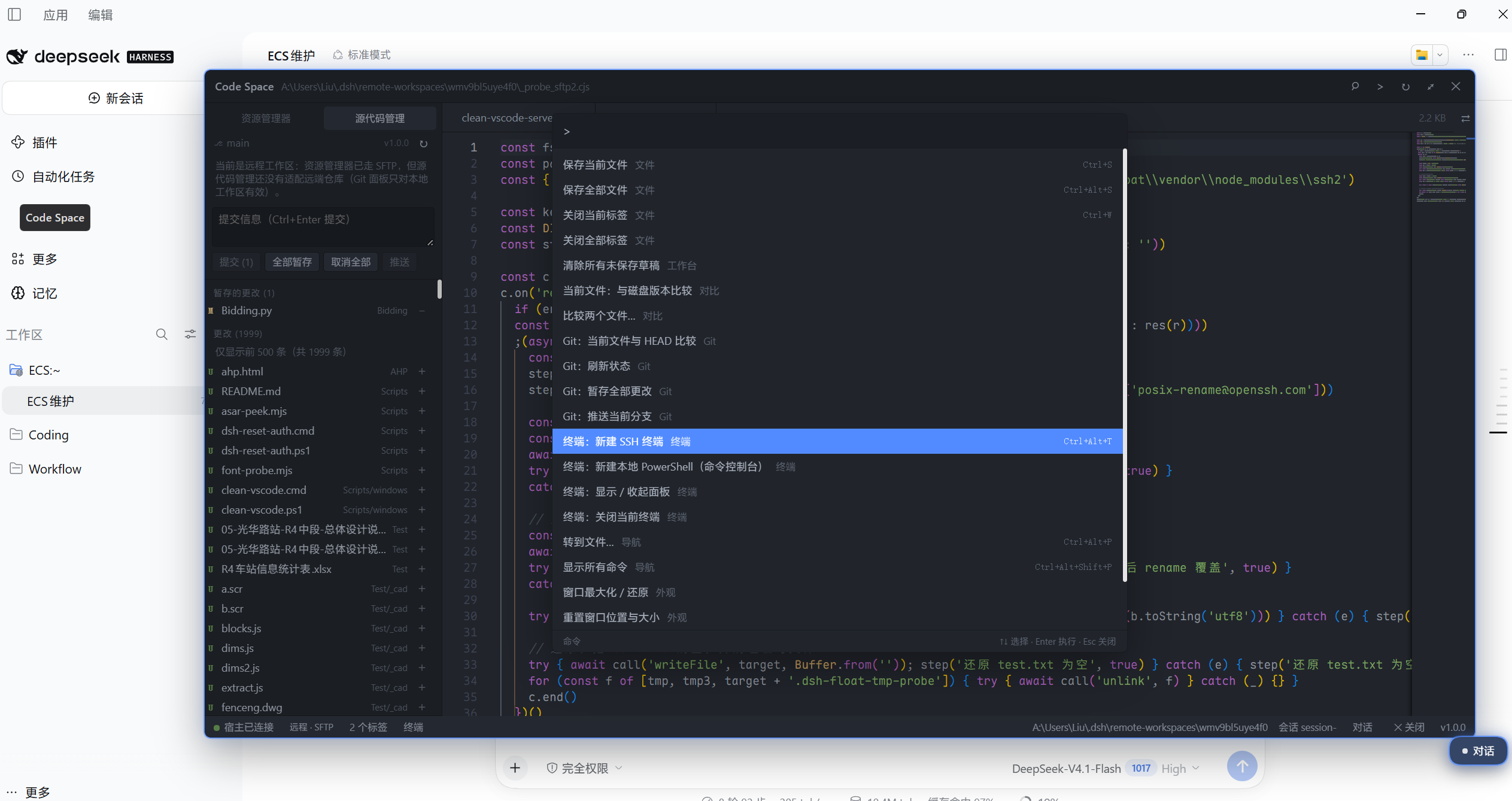 |
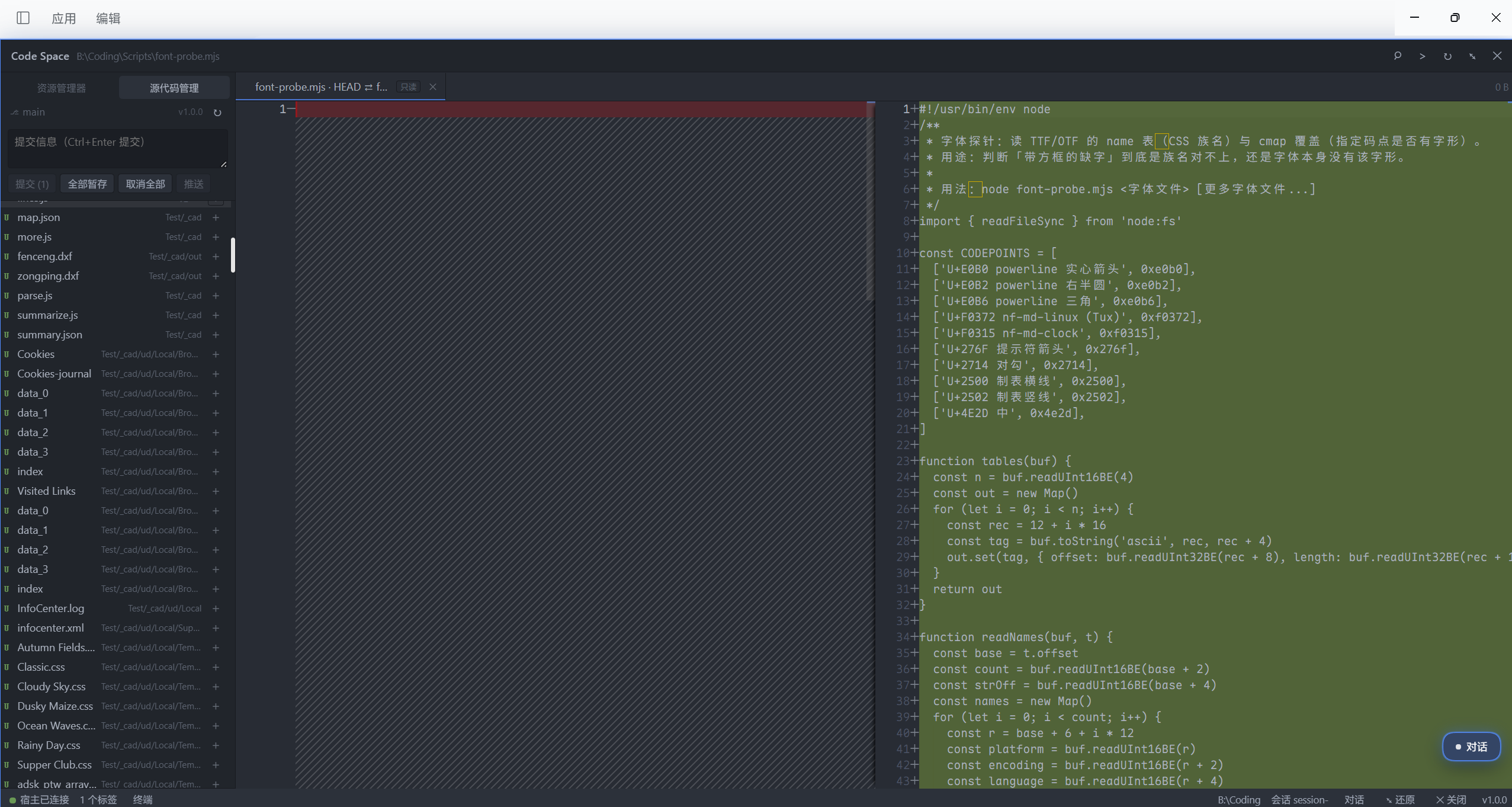 |
 |
Why another editor plugin?
| Layout | Editor | Extensibility | Package size | |
|---|---|---|---|---|
| dsh-vscode-ide | Floating workbench, never squeezes the conversation | Monaco (same core as VS Code) | Built-in modules + public ctx.vscodeIde service |
~11 MB |
dsh-vscode-mode |
Docked in the right sidebar | Monaco | LSP + SVN + snippets + extension manager | ~27 MB |
dsh-ide / dsh-workbench |
Right sidebar | CodeMirror | File tree / Git review | 1–3 MB |
| dock family | Dock rail | CodeMirror | Six packages, install what you need | 0.1–1 MB each |
The trade-off: keep the editing feel (Monaco), drop the weight (extension host / LSP / SVN) — and never steal width from the conversation panel.
Features (1.0.0)
- Floating workbench — drag, 8-way resize, maximize with a 44px top safety strip (so you can always reach DSH's own window buttons), geometry remembered
- Peek mode —
Ctrl+Alt+Qhides the workbench so you can read the conversation, press again to return with editor state, scroll position and cursor intact; a draggable floating button does the same with the mouse - File explorer — follows the active session's cwd, lazy directory loading; remote workspaces go through SFTP automatically
- Monaco editor — pre-bundled ESM, loaded on demand; one
ITextModelper file, so switching tabs never loses unsaved work - Save / close —
Ctrl+S(temp file + atomic rename),Ctrl+W, dirty markers, close confirmation - Find & replace — Monaco's built-in widget (
Ctrl+F) - Quick open / command palette —
Ctrl+Alt+PandCtrl+Alt+Shift+P(Ctrl+Pbelongs to DSH) - Content search —
Ctrl+Alt+F: search the whole workspace, results grouped per file, click to jump to the line;git grepinside repositories, bounded filesystem walk elsewhere (local workspaces only for now) - Hot exit — unsaved buffers are persisted to
localStorage: dsv:drafts.v1and restored (with dirty markers) after a restart - Diff — against disk, against
HEAD, or between two files - Git — branch and changes list, per-file stage/unstage, commit, push (auto-publishes a branch without upstream)
- SSH terminal — xterm.js, multiple sessions, resizable panel; connection metadata is reused from
dsh-remote-ssh, zero configuration - Local PowerShell console — output pane + input line (no PTY, so no
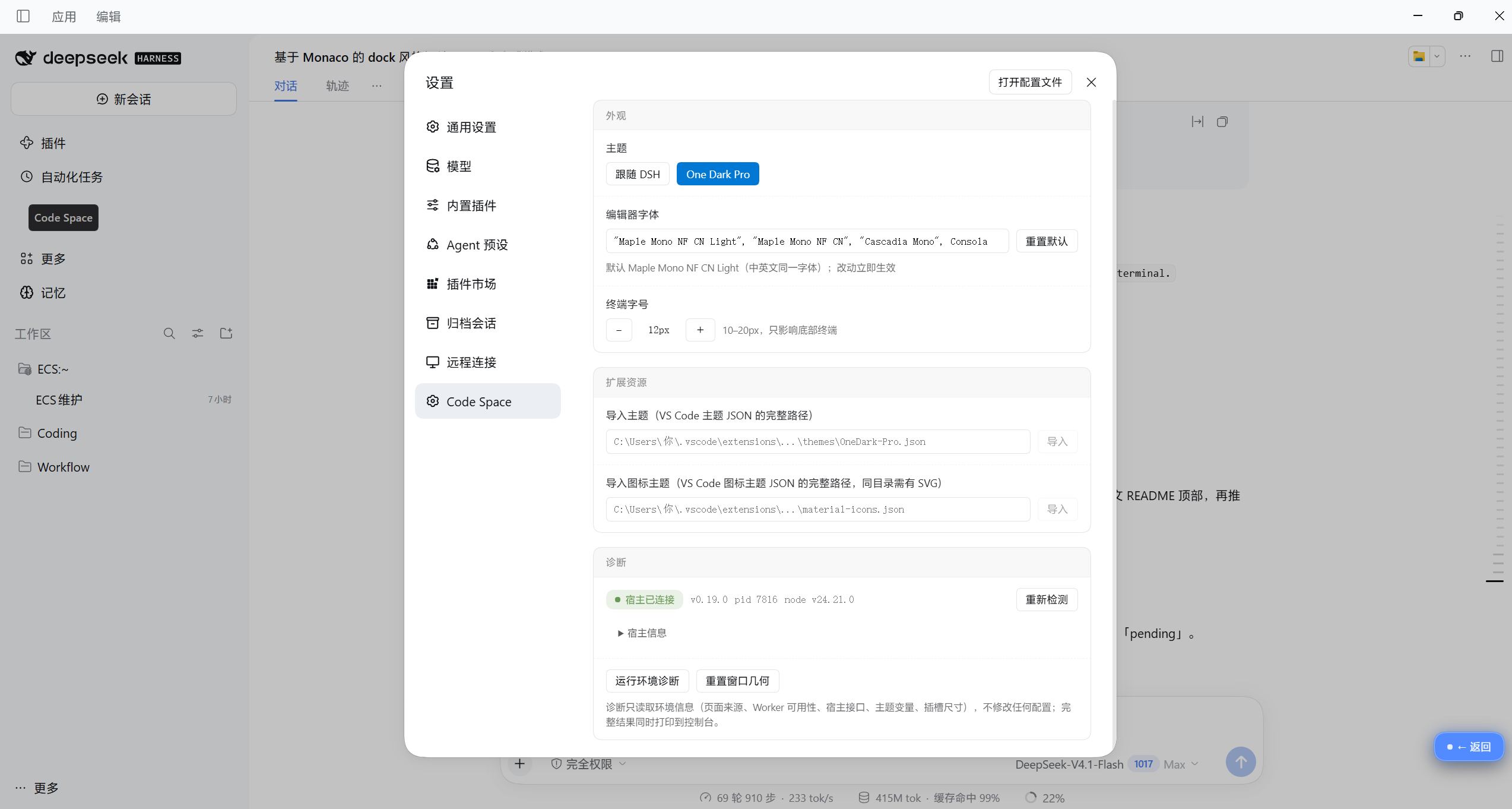
vim/top) - Themes — follow DSH, built-in One Dark Pro, or import any VS Code theme JSON (editor and shell change together)
- Icons — built-in Material Icon Theme, or import any VS Code icon theme (sprites are generated at build time and lazily loaded)
- Settings — editor font, terminal font size, theme/icon import, host diagnostics; all persisted
- Environment probe —
await __dsv.probe()(probe(true)writes the result to a file)
Install
npm publishing is pending (region-restricted signup). Until then use the GitHub release package.
From GitHub Releases
- Download
dsh-vscode-ide-1.0.0.tgzfrom Releases - Extract it and run the bundled installer:
tar -xzf dsh-vscode-ide-1.0.0.tgz
cd package
node install.mjs
install.mjs detects the profile that already contains this plugin and falls back to the default desktop profile;
pass --profile "<dir>" to target an explicit profile directory.
- Fully quit DSH (tray icon → Quit) and start it again — the client bundle is loaded only at startup.
From source (development)
npm install
npm run build                     # required: vendor/ and lib/client.js are not committed
node install.mjs
npm (once published)
dsh plugin --profile web add dsh-vscode-ide
Uninstall
node install.mjs --remove
Removing the plugin keeps its localStorage data (window geometry, theme, tabs).
Usage
- Click Code Space in the left sidebar to open/close the workbench (works even if the window was dragged off-screen)
Ctrl+Alt+Itoggles the workbench;Ctrl+Alt+Qpeeks at the conversation;Ctrl+Alt+Fopens content search- Floating button: same as
Ctrl+Alt+Q, draggable, position remembered - Title bar:
⌕quick open,>command palette,↻refresh workspace,⤢maximize,✕close - Settings live in DSH Settings → Code Space
Console helpers:
await __dsv.probe()       // environment probe
__dsv.open(); __dsv.close(); __dsv.toggle()
__dsv.layout.resetGeometry()
Architecture
Three layers with an enforced boundary — see docs/ARCHITECTURE.md:
kernel/    Workbench kernel: window shell, layout, palette, registry, themes
           (must not import any feature — checked by scripts/check-boundary.mjs)
features/  Feature modules: editor / explorer / git / terminal
           (each ships its own views, commands and styles)
dsh/       DSH slot adapters: sidebar entry, settings section
Third-party code can extend the workbench through the public service ctx.vscodeIde (contract v1):
ctx.vscodeIde.registerView({ apiVersion: 1, id, title, region: 'sidebar' | 'main' | 'panel', order, component })
ctx.vscodeIde.registerStatusItem({ apiVersion: 1, id, order, render })
ctx.vscodeIde.registerCommand({ id, title, run })
ctx.vscodeIde.openFile(path)
Contributions carrying an unknown apiVersion are ignored with a warning instead of breaking the workbench.
| Item | Value |
|---|---|
| HTTP prefix | /dsh-vscode-ide/* |
| Storage | localStorage: dsv:* |
| CSS | --dsv-* / .dsv-* |
| Service | ctx.vscodeIde |
Security
The plugin can read and write files on your machine, therefore:
- HTTP routes accept loopback + same-origin requests only
- Workspace paths are
realpath-checked and must stay inside the session workspace - 2 MiB read limit; writes go through temp-file + rename
- Remote workspaces: file access goes over SFTP and is mapped inside the workspace's remote root
- Theme / icon import is the single exception: it reads exactly the JSON path you type (plus the SVGs referenced from that JSON's directory) and never writes anything back
Development
npm install          # esbuild, typescript, monaco, xterm, icon assets
npm run build        # boundary check → monaco → xterm → icons → client bundle
npm run smoke        # loads the bundle in Node and asserts apply/inject
npm run typecheck    # tsc --noEmit
node install.mjs     # install into the desktop profile
Publishing checklist: docs/PUBLISH.md. Third-party licenses: THIRD-PARTY.md.
License
MIT
No comments yet. Be the first to write one.