READMESource: master@bd637ec3
dsh-model-search


Searchable model selector for DeepSeek Harness. Replaces the default model dropdown in the composer with a searchable version — no more scrolling through hundreds of models!
Features
- 🔍 Search models — Type to filter by name, ID, or provider
- 📦 Grouped by provider — Models organized by provider (OpenAI, Anthropic, DeepSeek, etc.)
- ✅ Current selection — Highlights the active model with a check icon
- ⚡ Fast — Loads models via the existing session API
- 🎨 Theme-aware — Uses DeepSeek Harness design tokens (
--dsw-*), adapts to light/dark mode - ♿ Accessible — Full keyboard navigation, ARIA attributes, focus management
- 🕘 Recent models — Quickly jump back to your last-used models
Screenshots
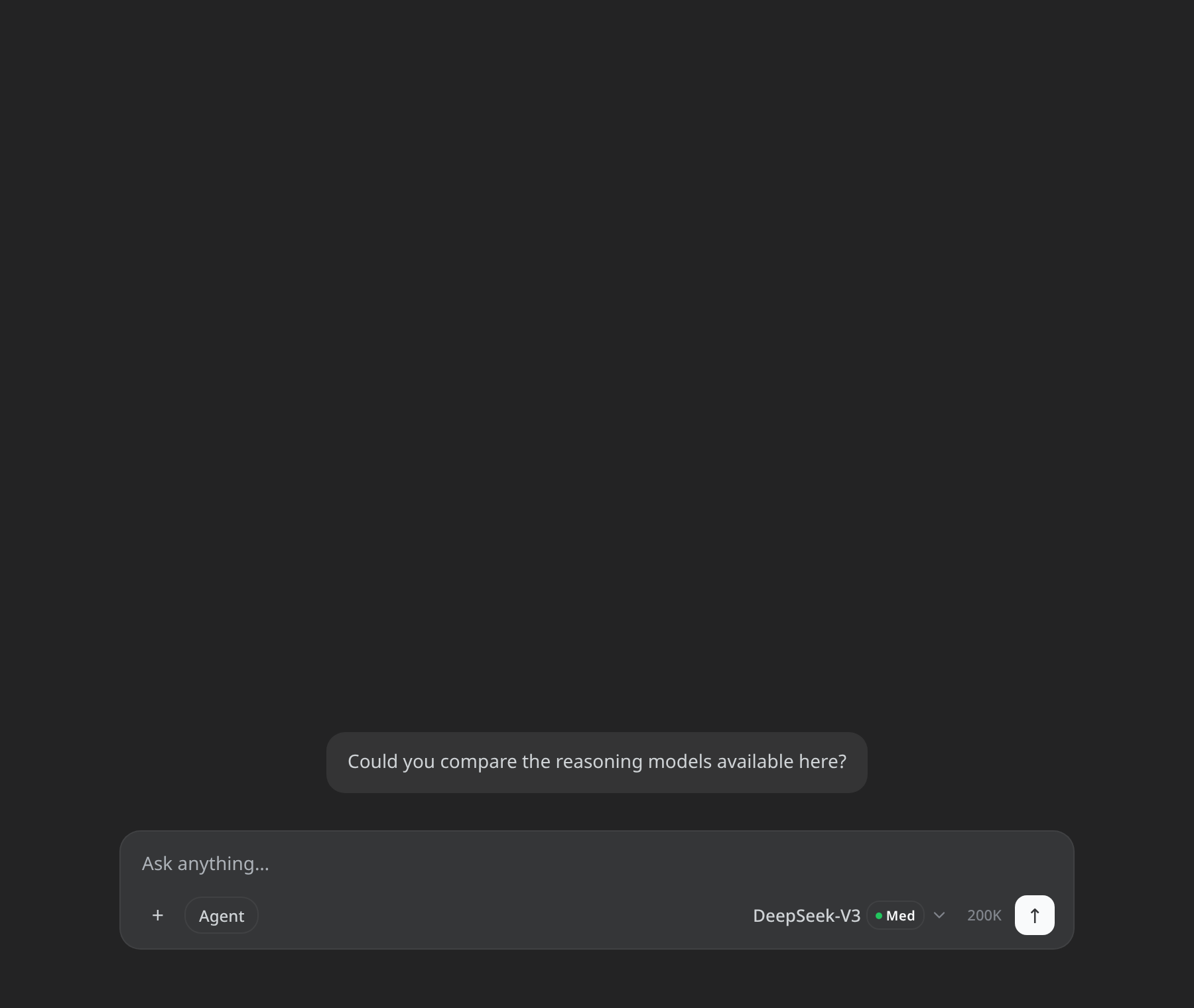 Trigger chip in the composer |
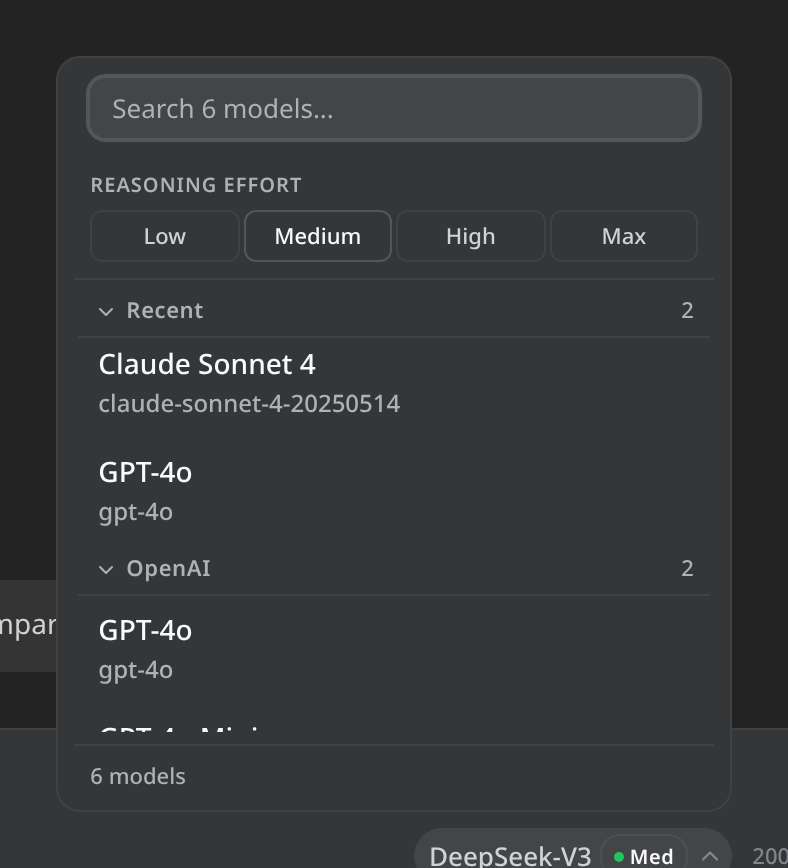 Recent section, provider groups, effort selector |
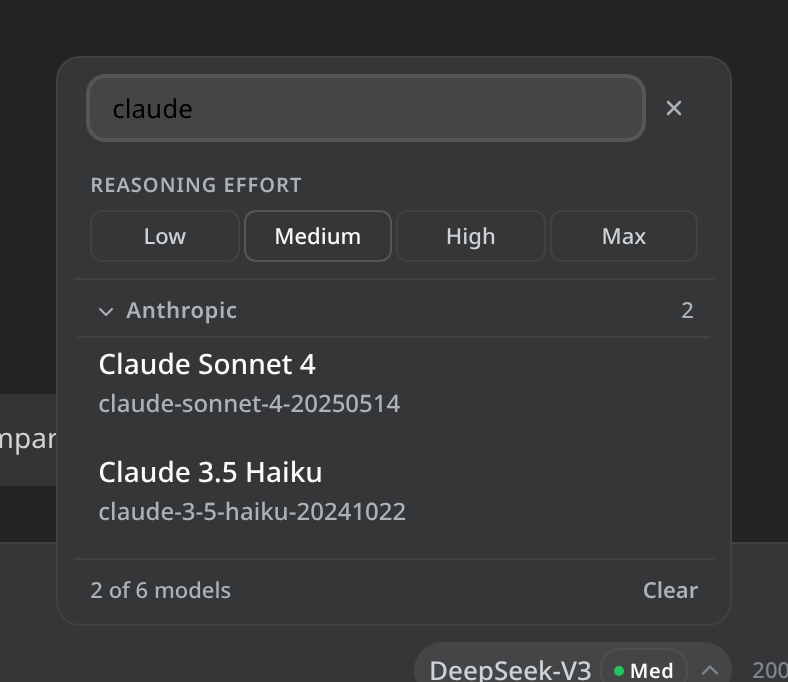 Type to filter by name, ID, or provider |
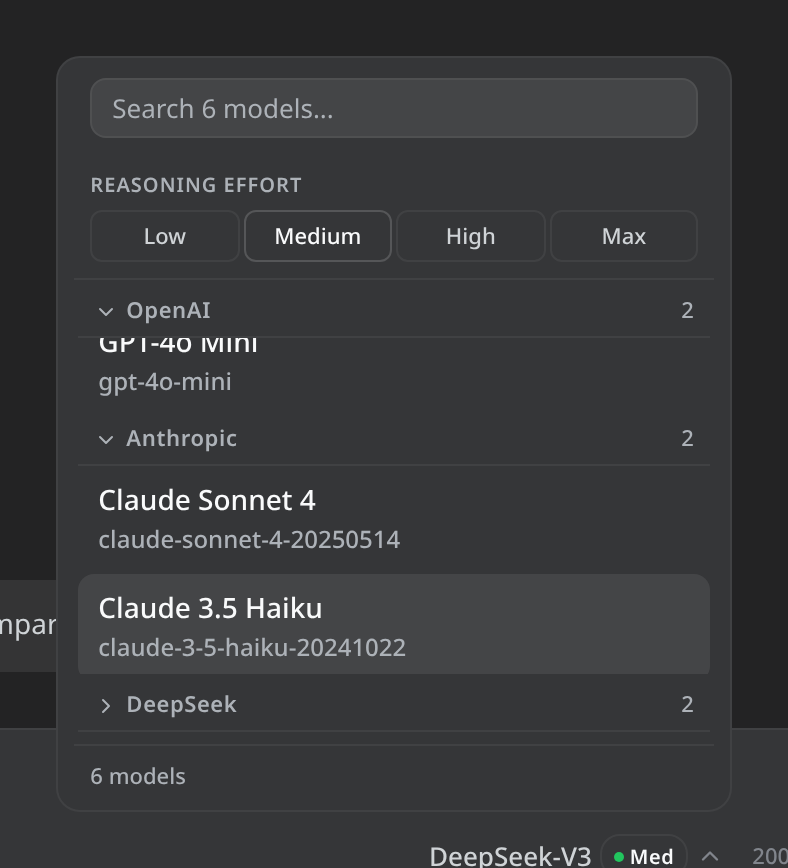 Collapse groups you don't need |
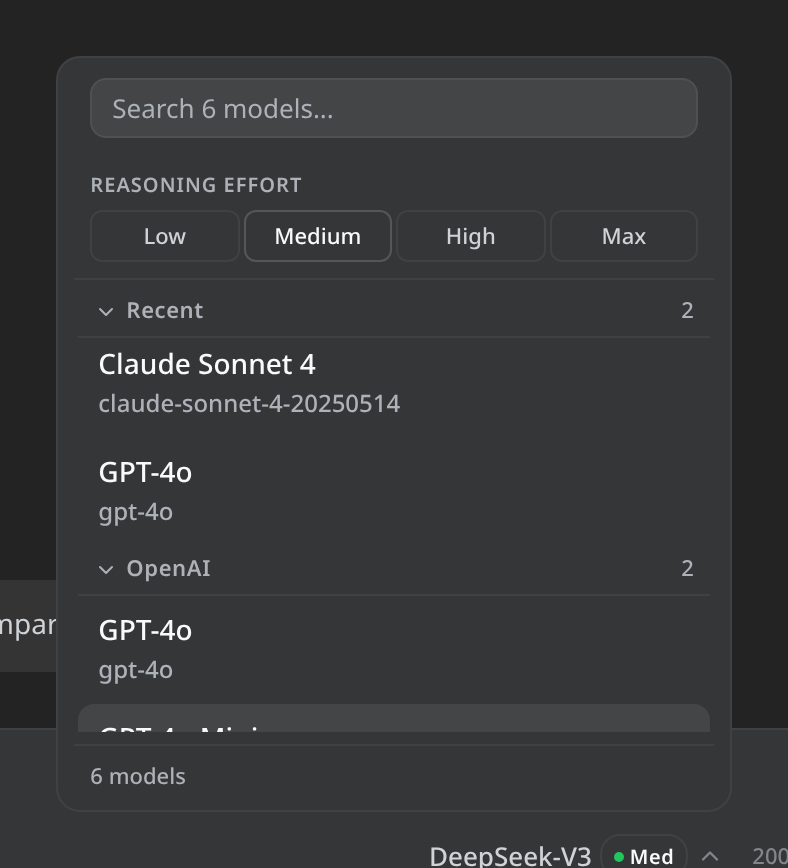 Full keyboard navigation |
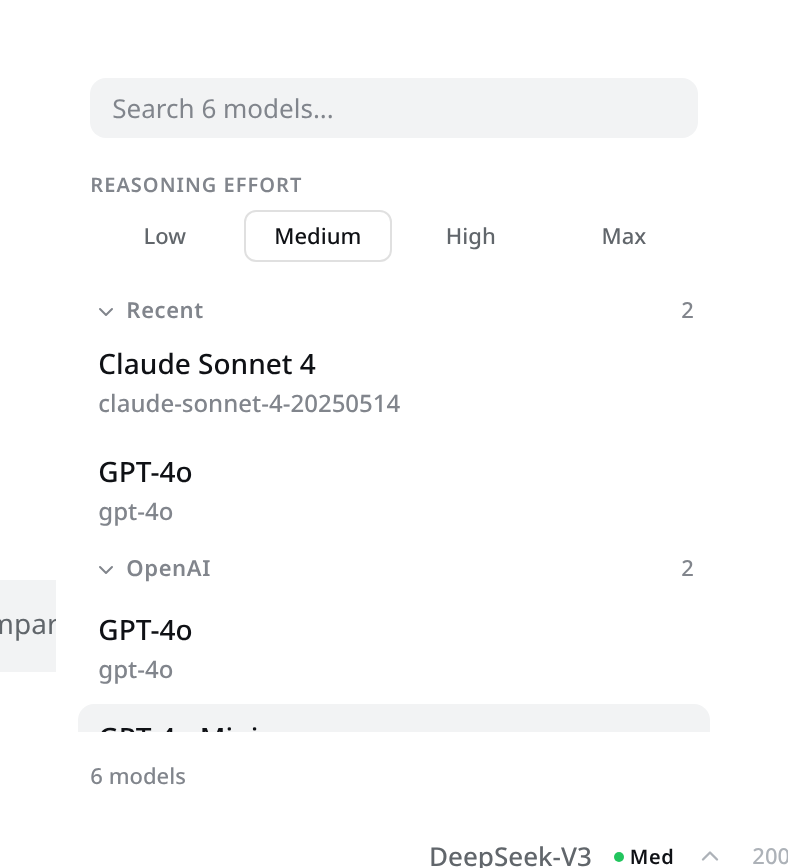 Adapts to the light theme |
Install
From GitHub Packages (recommended)
npm install @ardli-firman/dsh-model-search --registry=https://npm.pkg.github.com
Then link to your DSH profile:
dsh plugin --profile web add link:./node_modules/@ardli-firman/dsh-model-search
From GitHub repo
dsh plugin --profile web add github:ardli-firman/dsh-model-search-plugin
Note: pnpm ≥10 requires build permission for git dependencies. After the first
addfails, add this to your profile'spnpm-workspace.yaml:allowBuilds: @ardli-firman/dsh-model-search: trueThen re-run the
addcommand.
From local checkout
git clone https://github.com/ardli-firman/dsh-model-search-plugin.git
dsh plugin --profile web add ./dsh-model-search-plugin
Then restart DeepSeek Harness:
dsh --profile web
Uninstall
dsh plugin --profile web remove @ardli-firman/dsh-model-search
How it works
The plugin replaces the conversation.input.model slot with a searchable dropdown component. It:
- Fetches available models from the session's model directory API
- Groups them by provider
- Provides a search input to filter models in real-time
- Submits selection via
session.selectModelRPC
Design
The selector follows the DeepSeek Harness design system:
- Trigger: ToggleButton chip (28px, rounded 24px) matching the official
ui-model-selection - Menu card: 12px rounded,
--dsw-specific-menusurface,--dsw-shadow-lv3shadow - Option rows: 38px height, 10px radius, hover/focus surface, trailing check icon
- Tokens: All colors use
--dsw-*design tokens (auto light/dark)
Development
# Clone and link for local development
git clone https://github.com/ardli-firman/dsh-model-search-plugin.git
cd dsh-model-search-plugin
dsh plugin --profile web add link:.

# Run tests
npm test

# Watch mode
npm run test:watch

# Rebuild the screenshot demo page + capture README screenshots
# (needs a Playwright Chromium install; see scripts/ for details)
node scripts/build-demo.mjs && node scripts/screenshot.mjs
Project structure
dsh-model-search-plugin/
├── lib/
│   ├── index.js          # Host side (no-op, pure UI plugin)
│   └── client.js         # Browser side (ModelSearch component + registration)
├── tests/
│   ├── helpers.js         # Test utilities (mock directory, props, sample data)
│   ├── model-search.spec.js        # Component tests (render, search, select, keyboard, ARIA)
│   └── plugin-registration.spec.js # Registration tests (apply, directory store, slots)
├── cordis.patch.yml       # Plugin row insertion patch
├── vitest.config.js       # Test configuration
├── package.json
└── README.md
Test coverage
The test suite covers:
- Rendering: trigger button, current model name, disabled/hidden states
- Dropdown: open/close, outside click, Escape key, load on open
- Model list: grouped display, model IDs, check icons, loading/empty/error states
- Search: filter by name/ID/provider, case-insensitive, no-results message
- Selection: click to select, close on success, stay open on rejection, locked state
- Keyboard: ArrowDown/Up navigation, Enter/Space to select, focus wrapping
- ARIA:
aria-haspopup,aria-expanded,role="menu",role="menuitemradio",aria-checked - Styles:
--dsw-*token usage, no old--bg-*/--text-*tokens - Registration: slot injection, directory store lifecycle, subscriber notifications
Release
Releases are automated via GitHub Actions. To publish a new version:
# Bump version in package.json
npm version patch   # or minor / major

# Push with tags
git push && git push --tags
The CI workflow will automatically publish to GitHub Packages.
License
MIT
No comments yet. Be the first to write one.