

简体中文 · English
Get started · User guide · Agent tools
Turn plans from your conversations into tasks you can move forward. You and your agent share one board for planning, context, and progress, all inside DeepSeek Harness.
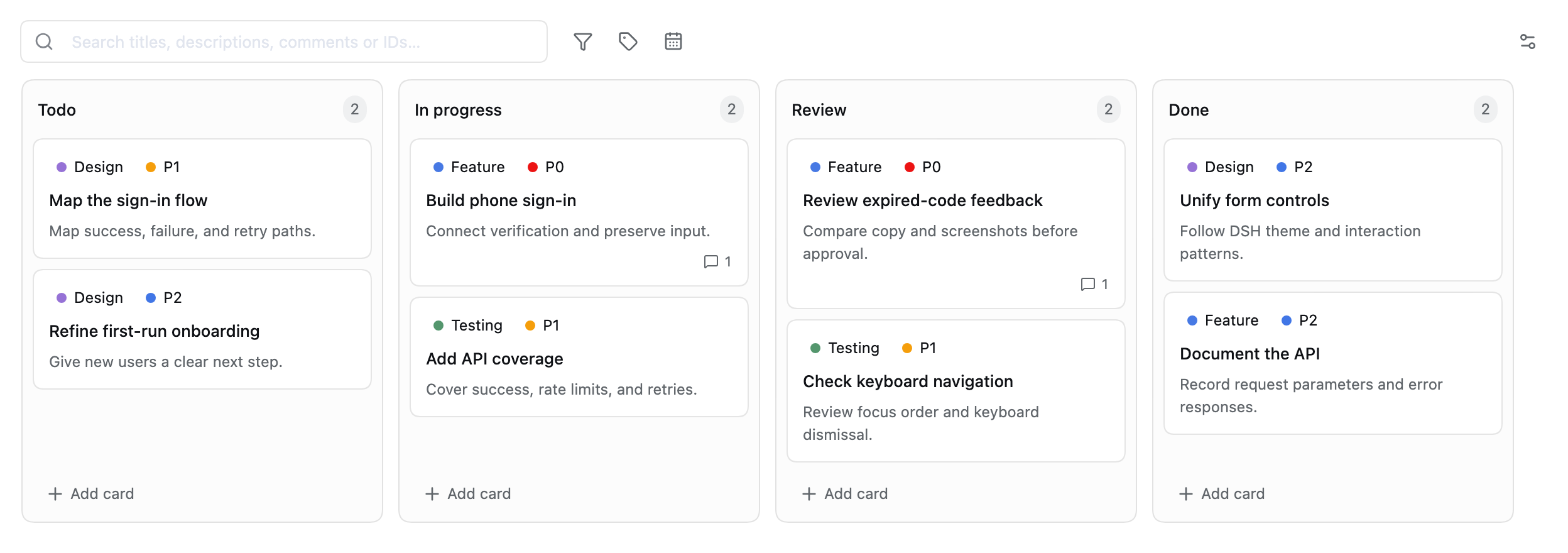
Current plugin UI · Isolated demo data · A separate board for every workspace
From a conversation to the next step
Describe the goal. Let your agent create the tasks.
Ask your agent to break down a requirement, write implementation steps and acceptance criteria, and assign labels and priorities. With 19 built-in tools, the plan goes straight onto the board.
Break phone sign-in into testable tasks. Check existing cards first to avoid duplicates. Write implementation steps and acceptance criteria for each card, and mark launch blockers as P0.
See the progress. Take over at any time.
Drag cards between stages, then use search and filters to find the next task. Markdown descriptions, comments, and activity history keep the work's context in one place.
| What matters | How to find it |
|---|---|
| Important work | P0 / P1 / P2 priorities and custom labels |
| Upcoming deadlines | Due dates, due-today and overdue filters |
| Existing decisions | Search card IDs, titles, full descriptions, and comments |
Bring the context back into conversation.
Paste or drop screenshots into a task, then choose Create new conversation to bring its text and saved images into a new conversation in the selected workspace. Everything starts as an editable draft for you to review and send.
Image and saving rules → · More prompt examples →
Get started
Desktop — Open Plugins, add @alpacachen/dsh-kanban, and enable it.
Web — Run the command below, then restart dsh web to load the plugin.
dsh plugin --profile web add @alpacachen/dsh-kanban
Open Board in the upper-left sidebar, then click the workspace name at the top to switch boards. Start with four default stages:
Todo → In Progress → Review → Done
Declared compatibility: DSH 0.2.0-rc.2 / 0.2.1-rc.3 / 0.2.2-rc.1, on Web and desktop. Version 1.10 uses newer image-preview and conversation-attachment APIs; upgrade DSH first if you use 0.1.5.
Check the Web plugin configurationdsh --profile web --dump-config
Look for a dsh-kanban layer. Its presence confirms the configuration, not that the running service has loaded it; restart the Web service after installation.
Explore further
- User guide — Editing, search, images, and collaboration.
- Agent tool reference — All 19 tools, arguments, and completion rules.
- Data and backups — Keep both the board file and the DSH attachment store to preserve images.
- Development and validation — Node.js 26, pnpm 11.8.0, builds, and tests.
- Issues and ideas — Report a problem or share feedback.
MIT · Built for DeepSeek Harness
No comments yet. Be the first to write one.