dsh-intellisense
简体中文
dsh-intellisense 为 DeepSeek Harness 提供命名空间工具管理、可复用的 Profile 配置和按需工具查询。管理界面支持工具分组、别名、排序与提示固定级别,Profile 可保存并在会话间复用。
插件将工具目录映射为命名空间,按需提供成员列表与调用签名,减少初始提示中的工具信息。Intellisense PTC 在受限 Node.js 运行时中执行 TypeScript/JavaScript,并通过命名空间调用工具;Intellisense 则通过原生 DSML 直接调用工具。两种模式共享 Profile 配置,工具调用均经过原生权限检查与执行流程。
命名空间管理
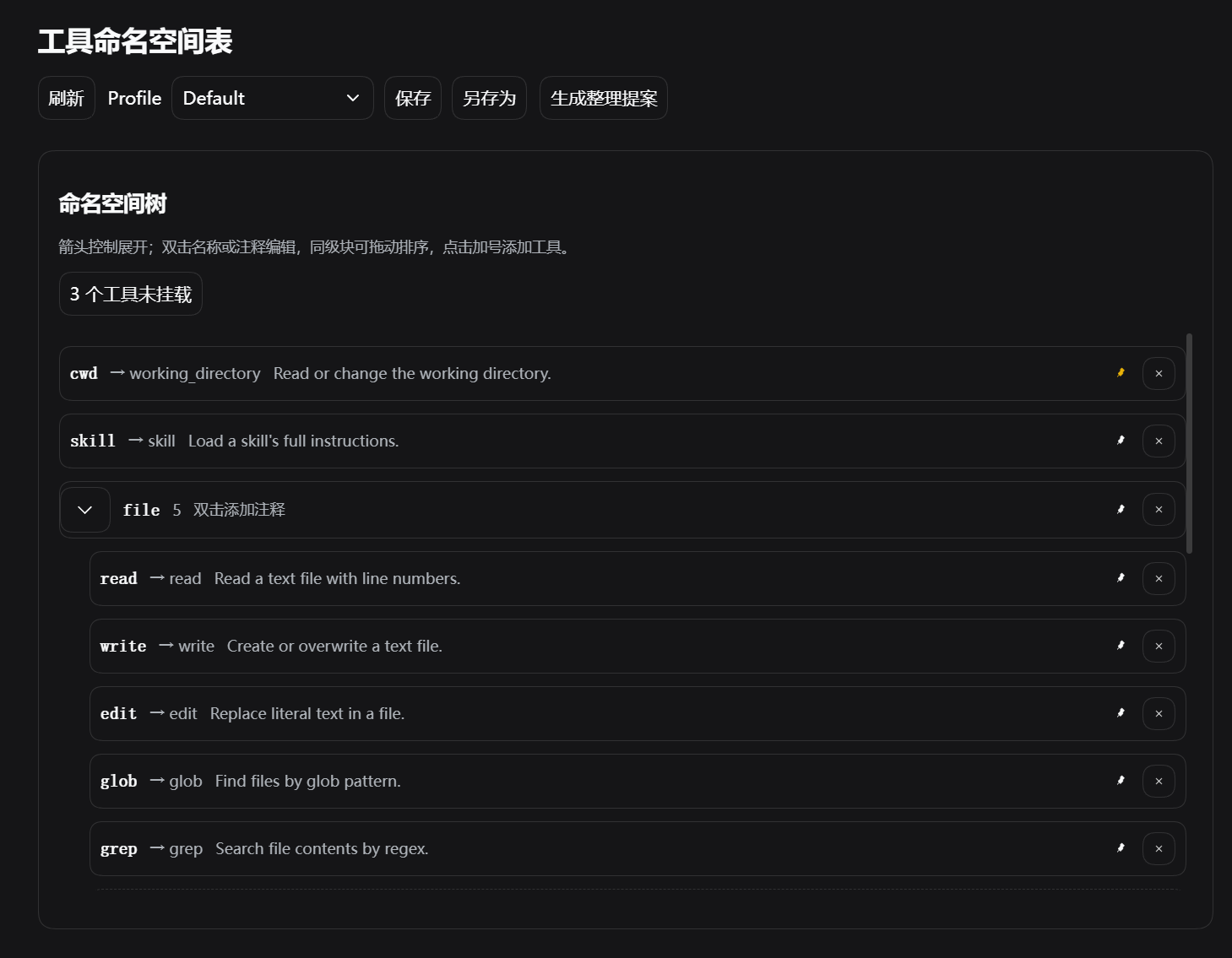
命名空间树展示工具分组、调用名称与工具说明。可展开分组、双击名称或注释进行编辑,拖动同级条目调整顺序,并设置固定提示级别;顶部可切换、保存或另存为 Profile,方便复用不同的工具配置。
添加未挂载工具
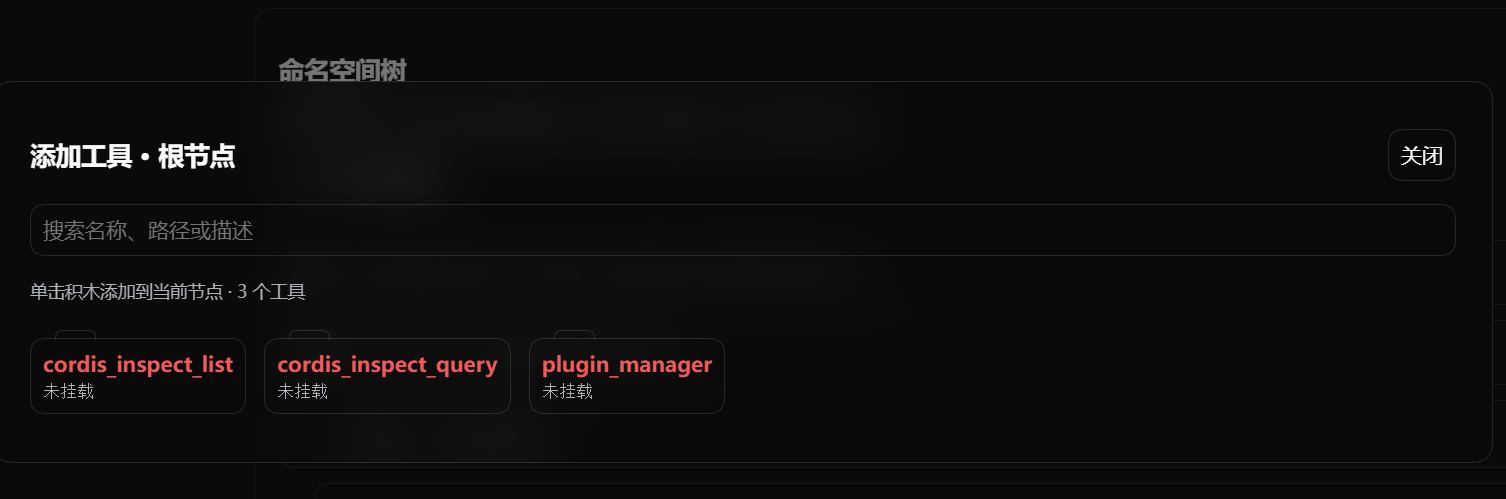
未挂载工具入口显示尚未加入命名空间的工具数量。打开选择面板后,可按名称、路径或描述搜索工具,点击工具卡片将其加入当前节点,再在命名空间树中调整名称和分组。
English
dsh-intellisense adds namespace-based tool management, reusable profiles, and on-demand tool discovery to DeepSeek Harness. Its management interface supports tool grouping, aliases, ordering, and pinned prompt detail levels. Profiles can be saved and reused across sessions.
The plugin maps the tool catalog into namespaces and provides members and call signatures on demand, reducing tool information in the initial prompt. Intellisense PTC runs TypeScript/JavaScript in a restricted Node.js runtime and calls tools through namespaces; Intellisense calls tools directly through native DSML. Both modes share profile configuration and route tool calls through native permission checks and execution.
Namespace management
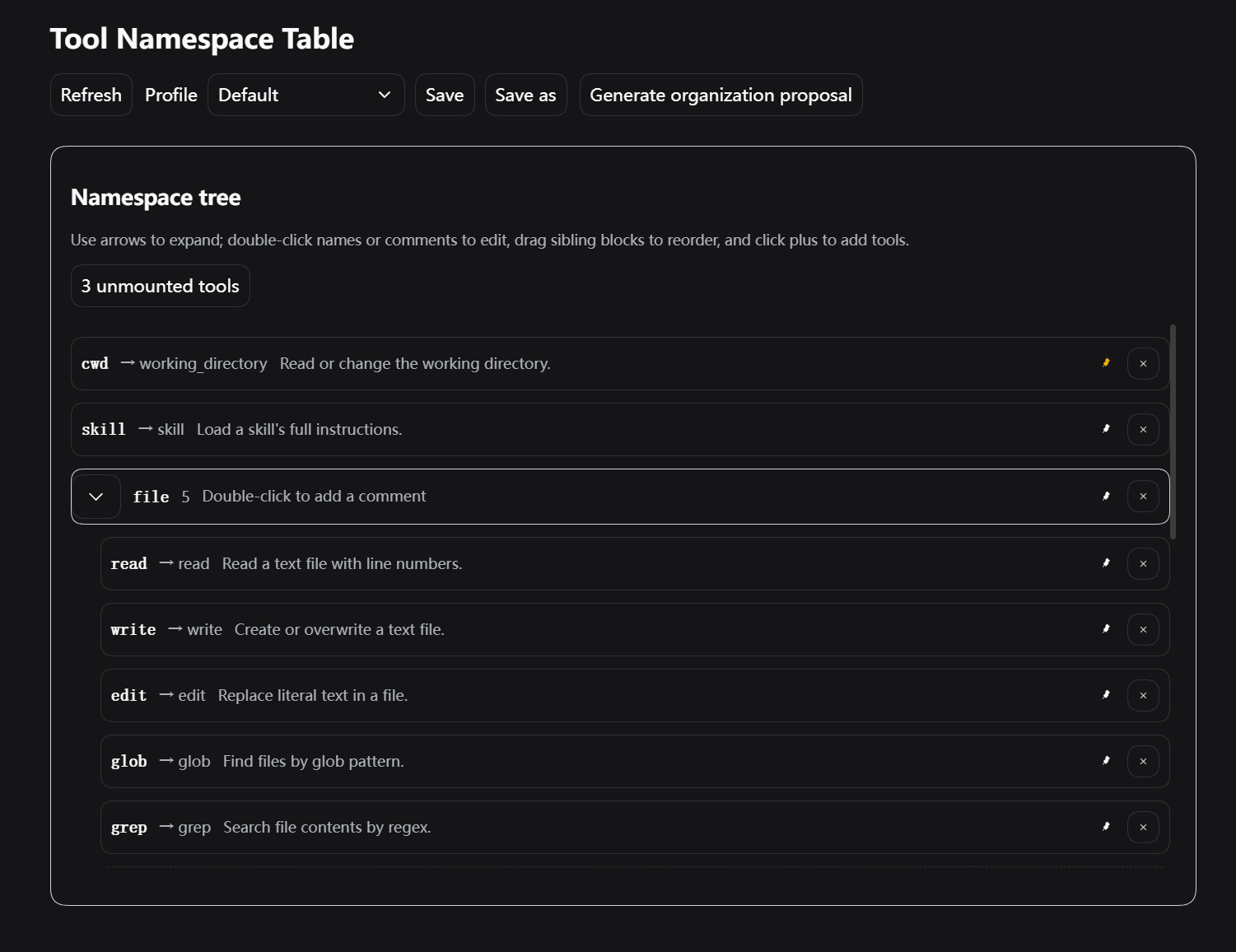
The namespace tree shows tool groups, call names, and descriptions. Expand groups, double-click names or comments to edit them, drag sibling entries to reorder them, and set pinned hint levels. Use the controls above the tree to switch, save, or save a copy of a profile for reuse across different tool configurations.
Adding unmounted tools
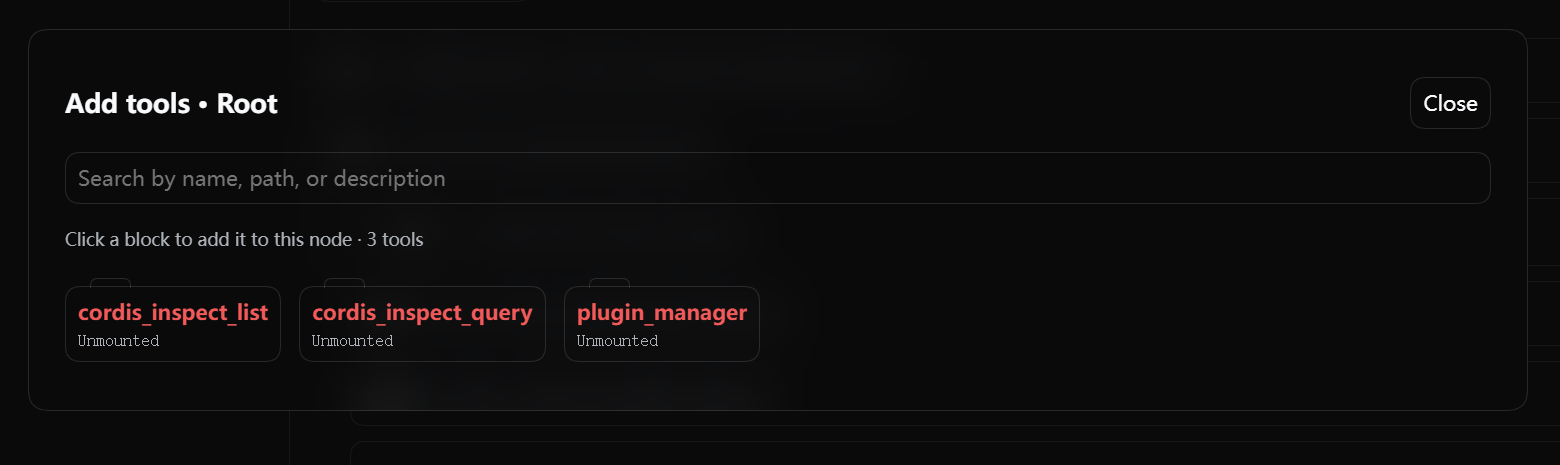
The unmounted tools entry shows how many tools have not yet been added to the namespace. Open the picker to search by name, path, or description, then click a tool card to add it to the current node. Its name and grouping can then be adjusted in the namespace tree.
No comments yet. Be the first to write one.