dsh-jellyfish-theme
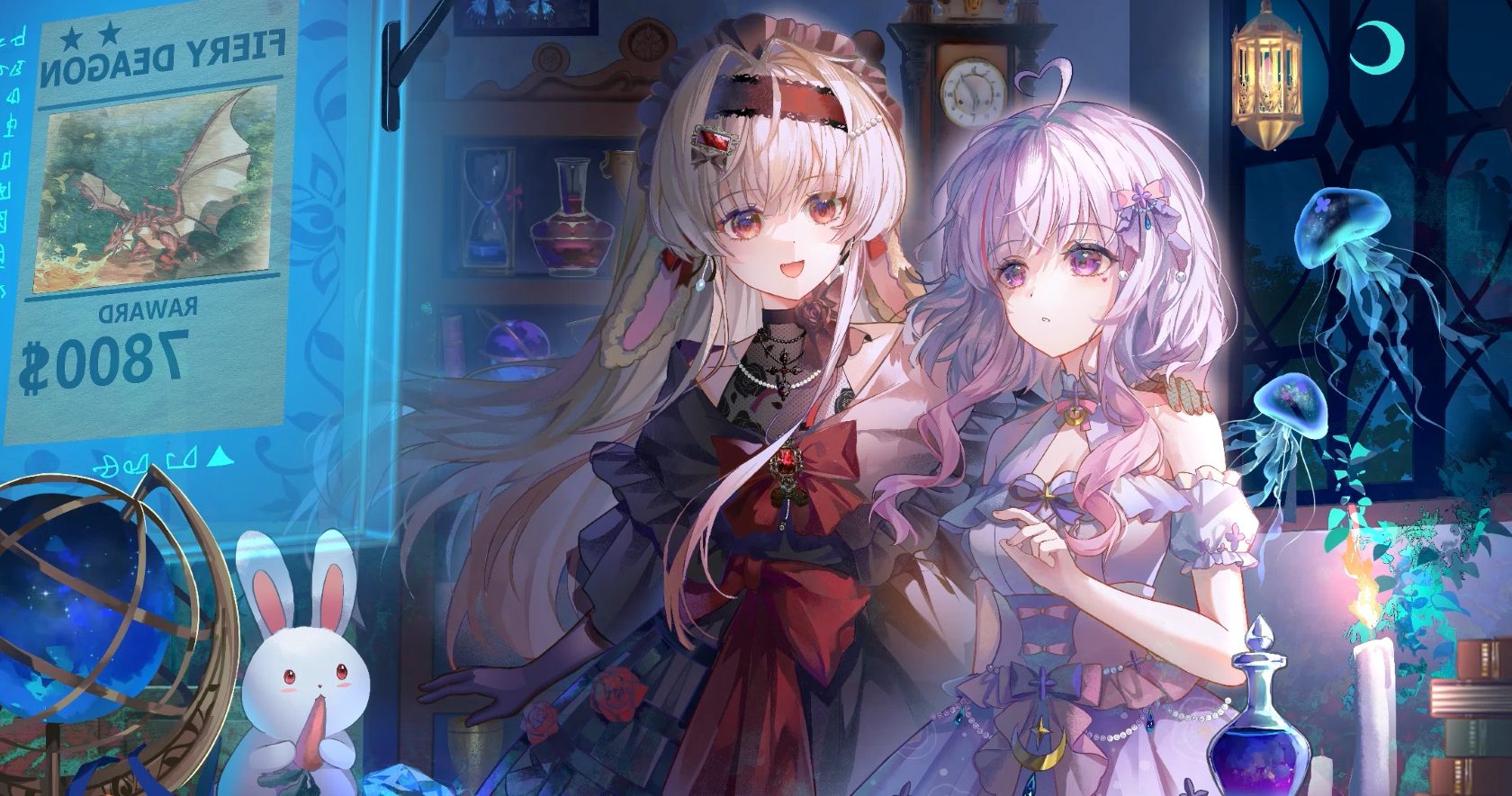
给 Deepseek Harness Web UI 用的深海水母主题插件:用一张水母插画作为整个界面的背景,并把配色改成生物荧光的深海色调(深海靛蓝底 + 青蓝强调色 + 藕紫辅助色)。浅色 / 深色两套调色板都做了适配。
DSH bundle(
dsh.bundle.patch)+ 动态客户端插件。主机侧只有一行空实现,全部效果在浏览器侧完成。
它做了什么
- 重配色:通过客户端
ctx.theme.overrideTokens('jellyfish', …)覆盖 40 多个--dsw-alias-*别名 token(背景、卡片、菜单、边框、文字、品牌色、气泡、代码块等),亮/暗两套值都给全,所以切换外观模式不会出现"半套配色"。 - 铺插画:注入样式表把插画作为
html与body的固定背景(cover,纵向锚点在 32% 处,避免cover在宽窗口下裁到原图下方那条暗色桌面),并把宿主外框、对话面板的不透明底色让开,使画面能从侧栏与面板之间透出来。 - 保可读:在插画之上叠一层纵向渐变作为"可读性遮罩"(上下重、中间轻),中间阅读栏再叠一层高不透明度的霜层,卡片 / 菜单 / 弹层仍保持接近不透明——正文对比度按计算仍在 7:1 以上。
安装
方式 A:本地目录(推荐)
# profile 目录下
pnpm add link:/path/to/dsh-jellyfish-theme
然后在 profile 的 package.json 里把它加进 bundle 列表:
{
  "dsh": {
    "profile": {
      "bundles": ["@deepseek-ai/dsh-base", "@deepseek-ai/dsh-web-app", "@local/jellyfish-theme"]
    }
  }
}
如果你用 DSH 的插件管理器,直接"从目录安装"指向本仓库目录即可(等价于上面的步骤)。
方式 B:git 依赖
pnpm add github:ailixiya24865-alt/dsh-jellyfish-theme
client.js 已经构建好并提交进仓库,因此不需要额外构建步骤。
安装 / 更新后必须做的一步 ⚠️
改完代码或更新版本后,仅重新安装是不够的。 如果 bundle 的选中状态没有变化,宿主会判定"无变化"(changed:false)而不重新应用,浏览器会继续运行旧的 client.js。必须让它真正重新应用:
- 在插件页把本 bundle 关掉再打开(或重启 Web 服务);
- 然后硬刷新页面(
Ctrl+Shift+R)。
判断是否跑在新代码上:插件描述末尾带构建号,例如 (v1.0.9)。
重新构建
client.js 是由 client.tpl.js 生成的(把插画转成 base64 内联进 background-image):
node tools/build-client.mjs
脚本会:把 assets/backdrop.jpg 内联进模板、写入构建号、把 package.json 版本号 +1、并把版本号同步进两个 locale 描述。请编辑 client.tpl.js,不要直接改 client.js。
目录结构
| 路径 | 作用 |
|---|---|
package.json |
bundle 清单:dsh.bundle.patch、dsh.client、导出与 files |
cordis.patch.yml |
向 loader 插入 jellyfish-theme 插件行 |
index.js |
主机侧实现(当前为空,效果全在客户端) |
client.tpl.js |
可编辑的客户端源码(token 表、样式表、apply) |
client.js |
构建产物,客户端加载器实际执行的文件 |
tools/build-client.mjs |
构建脚本 |
locale/{en,zh}.json |
插件页显示的标题与描述 |
assets/backdrop.jpg |
背景插画(1680×885) |
icon.jpg |
插件图标(由插画裁切) |
icon.svg |
图标设计草稿(未在 exports/files 中,仅作素材保留) |
调参
想把画面调得更明显或更含蓄,改 client.tpl.js 里这几个变量(浅色与深色各一组),然后重新构建 + 重新应用:
| 变量 | 含义 |
|---|---|
--jellyfish-veil / -soft / -strong |
遮罩在画面中部 / 上方 42% / 顶部与底部的压暗强度 |
--jellyfish-surface-strong / -soft |
中间阅读栏霜层在上下端 / 中段的浓度,越小插画越清晰、文字对比度越低 |
--dsw-specific-sidebar-fill |
侧栏底色透明度(token 表里) |
--dsw-alias-bg-base |
全局底色的透明度(token 表里) |
实现要点(改代码前值得读)
选择器不依赖 CSS Module 的哈希类名,而是锚在插槽属性上。运行时的真实结构是:
#root > div[data-slot="root"]            ← 插槽包装层,display: contents
  └ div.<frame>                          ← 外框(不是 #root 的第一个子元素!)
      ├ div.<sidebarCol>   > div[data-slot="sidebar"]
      ├ div.<centerCol>    > div[data-slot="main"]
      │                      > div[data-slot="main.conversation"] > div.<conversationRoot>
      ├ div.<rightbarCol>
      ├ div[data-shell-bottom]
      └ div[data-shell-overlay]
三条关键规则:
- 外框默认会以
--dsw-alias-bg-base铺满整个窗口(Windows 下还有更高优先级的[data-windows-titlebar] .frame),必须显式清掉它的底色,插画才可能透出来; - 中间列的霜层用
div:where(:nth-child(2), :has(> [data-slot="main"]))双路匹配::where()是宽容语法,即使:has()不可用,位置分支仍然命中; - 插画同时挂在
html与body上:根元素的背景画在整个文档的画布层,任何后代都盖不住它;body那份是防止某些样式表把根元素背景覆盖掉。
许可
- 代码(
*.js、*.mjs、*.json、*.yml、*.md):MIT,见 LICENSE。 - 插画(
assets/backdrop.jpg、icon.jpg,以及内联进client.js的那份 base64):不在 MIT 许可范围内。它是本仓库作者提供的素材,仅随本插件一起分发;如果你不是权利人,请不要再次分发。想以纯代码方式使用本插件,可删除插画并把client.tpl.js中的背景层换成自己的素材。
English summary
A Deep-Sea Jellyfish theme for the Deepseek Harness Web UI: bioluminescent abyss palette (light and dark) plus an illustration as the shell backdrop, with a gradient readability veil and a frosted reading column.
- Host half is empty; everything happens in
client.js(client plugin). - Edit
client.tpl.js, then runnode tools/build-client.mjs. - After installing or rebuilding, the bundle must be re-applied (toggle it off
and on in the plugin list, or restart the web service) and the page
hard-refreshed; otherwise the browser keeps running the previous
client.js. - Code is MIT. The bundled illustration is not covered by the MIT license.
No comments yet. Be the first to write one.