@ai-eks/dsh-docking-layout
English | 中文
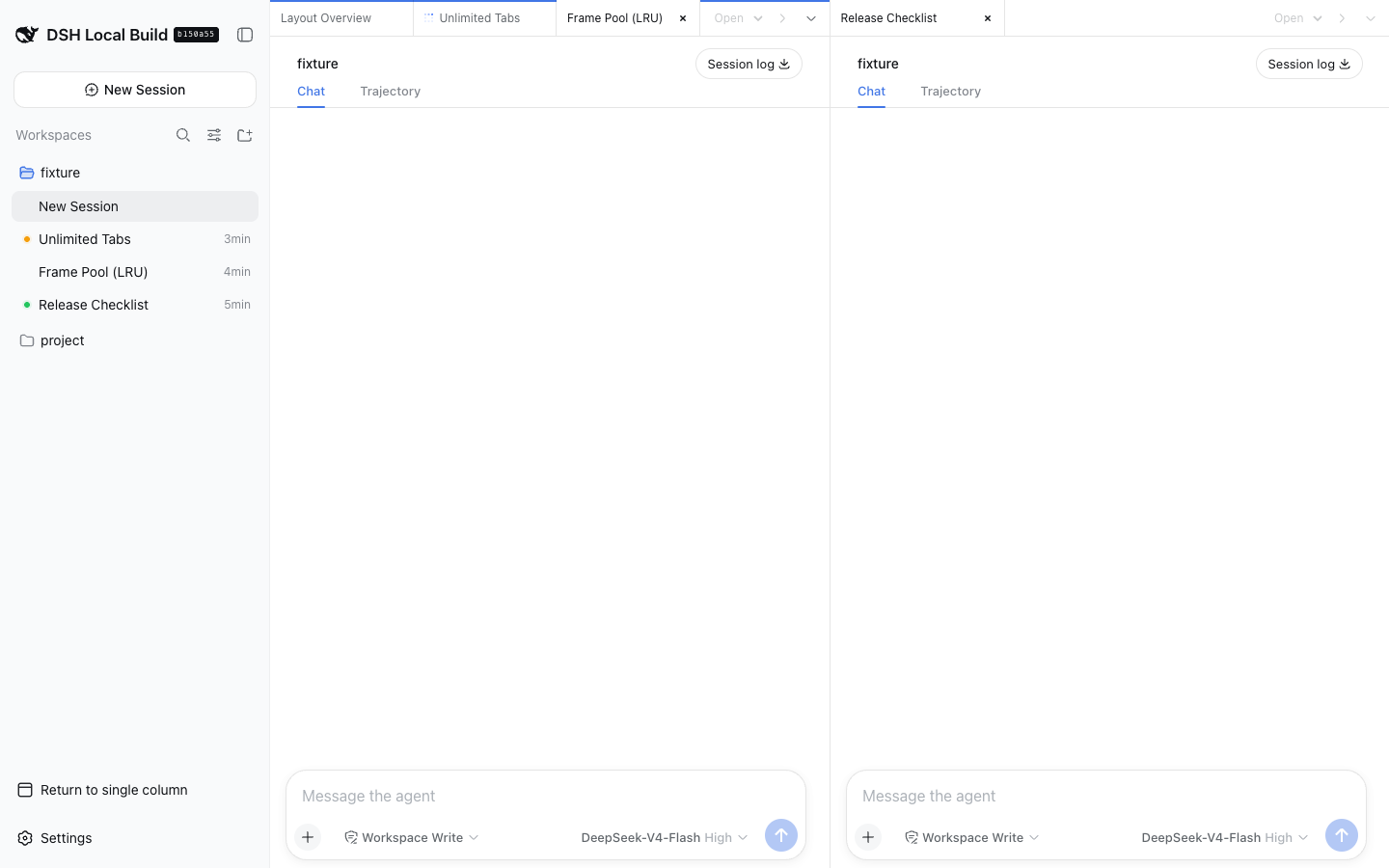
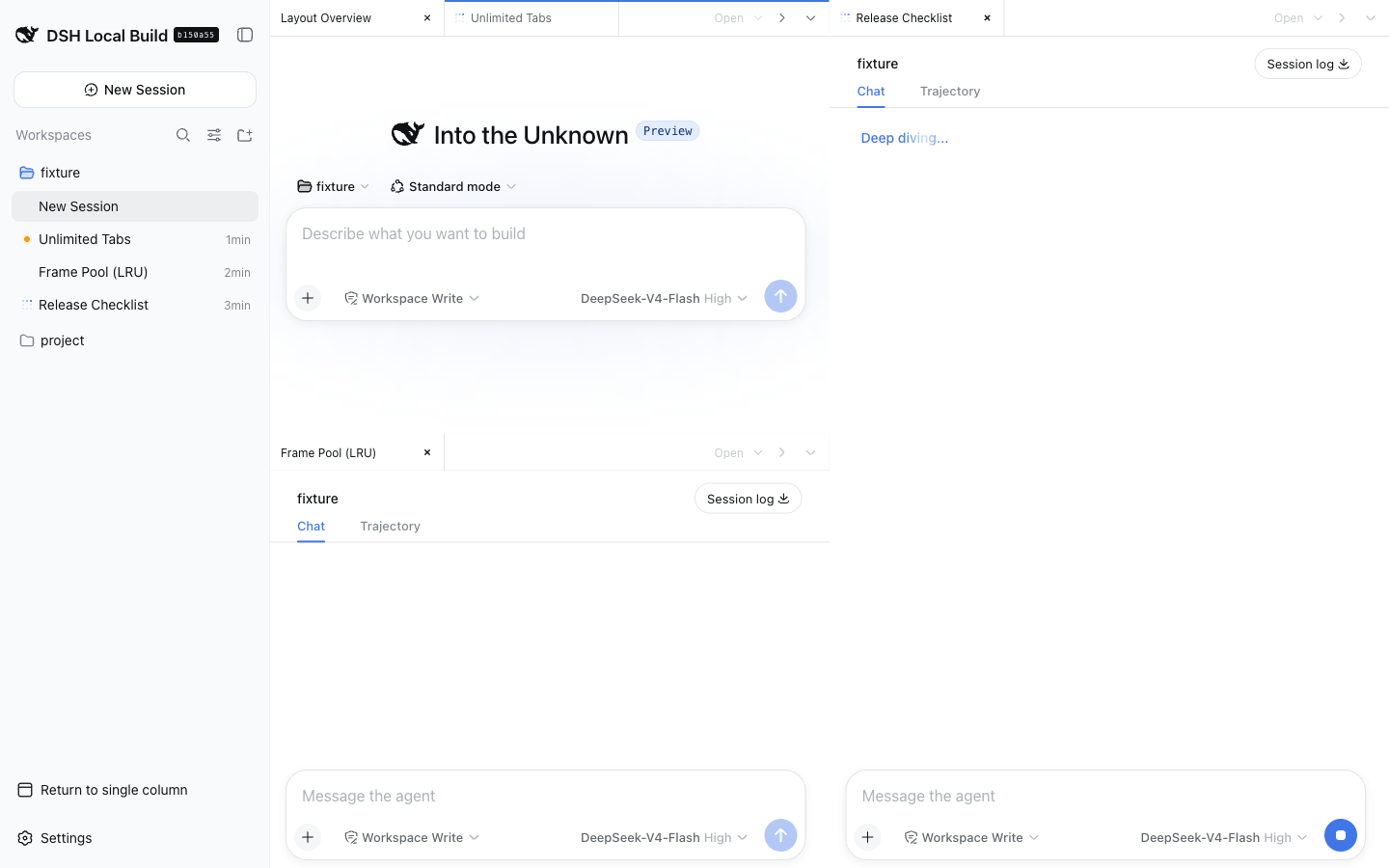
A DeepSeek Harness Web UI plugin for organizing unlimited conversation tabs into editor-style groups. Split freely, then close or move tabs whenever a pane becomes too small.
Preview
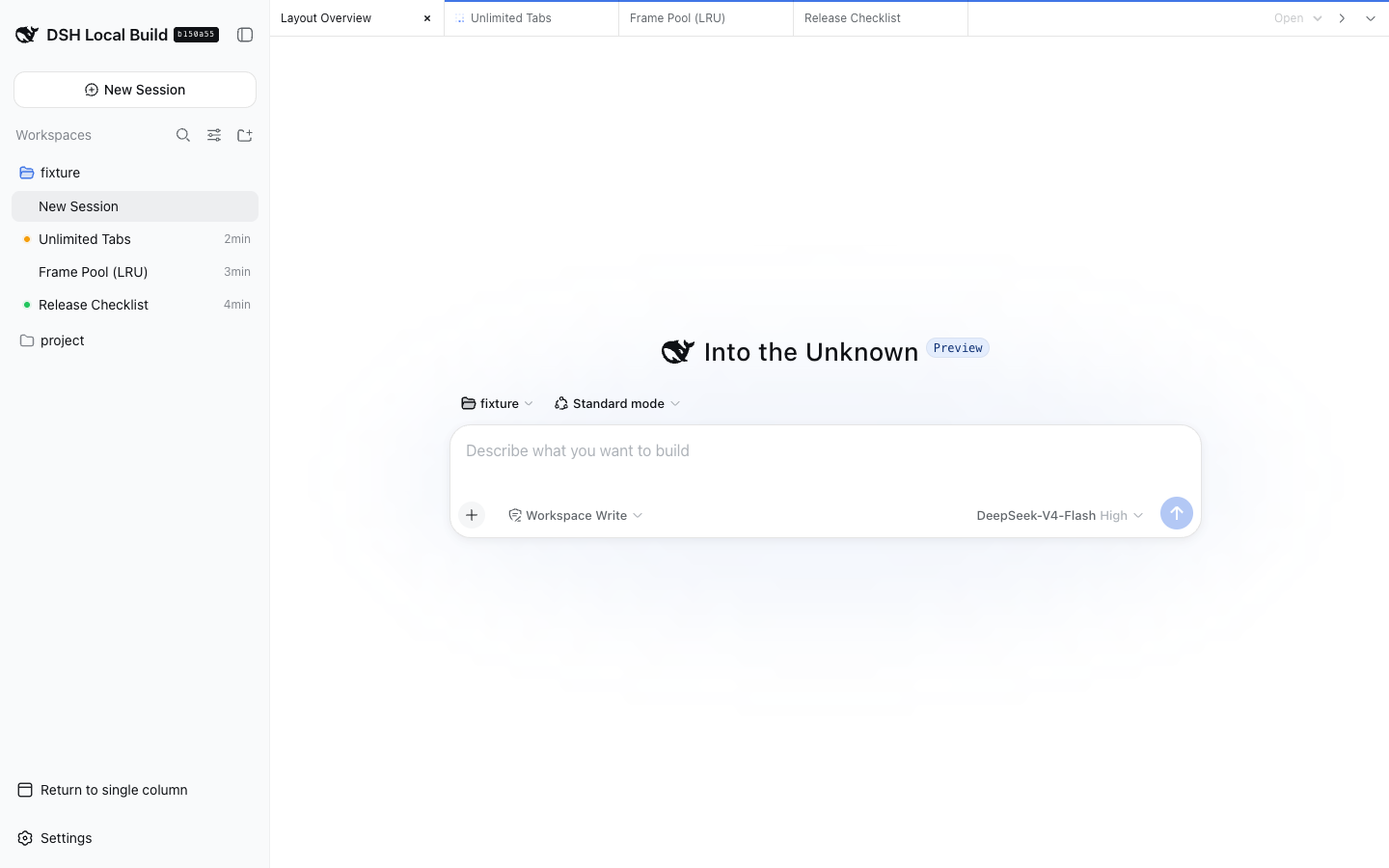
| Two groups | Three groups |
|---|---|
 |
 |
Features
- Unlimited tabs and groups, with no fixed pane-size guard.
- Drag a tab to another group to move it, or to an edge to split; toolbar buttons split right or down.
- At widths up to 760 pixels, one full-width group is shown at a time with a group switcher.
- Switching to single-column mode or another main panel hides the docked panes; returning restores the groups.
- Closing a tab changes only the browser layout and never deletes its DSH Session. Closing the final tab opens a blank Session, reusing an existing blank Session when DSH selects one.
Install
From npm:
dsh plugin --profile web add @ai-eks/dsh-docking-layout@latest
From Git:
dsh plugin --profile web add github:ai-eks/dsh-docking-layout
From a local checkout:
git clone https://github.com/ai-eks/dsh-docking-layout.git
cd dsh-docking-layout
pnpm install
dsh plugin --profile web add .
Remove the plugin with:
dsh plugin --profile web remove @ai-eks/dsh-docking-layout
Enable Docking Layout from the DSH sidebar footer. Open Sessions from the group menu or the DSH sidebar, then drag tabs or use the split buttons to arrange them.
Performance and limitations
The iframe pool keeps every group's active tab plus the two most recently used inactive tabs mounted. Revisiting an evicted tab reloads its embedded client. Each shared panel keeps an iframe per workspace visited through its selector, preserving that workspace's native tabs until page reload. More groups and workspaces therefore use more browser memory and DSH Web connections.
A shared right sidebar keeps native file-preview tabs open independently of Session and group selection. File links from any conversation open in that same sidebar; collapsing it preserves its contents. The Files tab lists every Workspace as an independent root, loaded on expansion, so multiple projects can be browsed together. Session switches leave the file tree and open previews unchanged. File-tree and preview state last for the current page and are reset on reload. The right-sidebar workspace selector explicitly chooses the owner for session-scoped tools such as terminals and Git; changing the active conversation leaves this selection unchanged. Switching the selector restores that workspace's native tabs. Archived Sessions and subagent routes use the native conversation view. Touch layouts use split buttons and the group switcher instead of tab dragging.
With dsh-better-sidebar installed, a shared bottom workbench spans the conversation area below all groups. Its workspace selector is independent of both the right sidebar and the active conversation. Switching workspaces or collapsing the panel keeps its terminals and tabs mounted. Open it from the bottom-panel button beside the right-sidebar button in the outer tab bar; drag its top edge to resize, or focus the separator and use the arrow keys. Fullscreen and single-column mode retain the same workspace ownership. The panel is available only while the companion plugin is enabled.
Only layout preferences are stored locally. The plugin does not copy Session logs, prompts, approvals, or files, and all embedded pages are same-origin. It adds no model-visible prompts, tools, messages, or Session events.
Compatibility
Requires DeepSeek Harness ^0.2.2-rc.1, Cordis ~4.1.0, and Node.js >=24.9. Embedded Sessions forward the DSH 0.2.2 sidebar opener to the outer page. The retired ./invariant companion is no longer exported; remove any explicit references to it from custom profiles. For DSH 0.2.1, use plugin 0.2.1-rc.2; for DSH 0.2.0, use plugin 0.2.0-rc.2; for DSH 0.1.7, use plugin 0.1.7-rc.1; for DSH 0.1.2, use plugin 0.1.2-rc.1.
For the optional shared bottom panel, use dsh-better-sidebar@0.30.1, which declares DSH ^0.2.2-rc.1 support. Upgrade older companion installations before using DSH 0.2.2; version 0.24.1 still depends on the removed runtime invariants package.
DSH 0.2.2-rc.1 can log Sidebar Session opening failed: ... is released during embedded preview navigation when a native sidebar view is disposed before its Session finishes opening. The native sidebar logs that cancelled opening as an error; file previews remain usable.
Development
Only the outer page keeps the development hot-reload connection, preventing embedded clients from exhausting HTTP/1 connections. Refresh the page to apply changes to plugins used inside embedded clients.
pnpm install
pnpm typecheck
pnpm test
pnpm build
No comments yet. Be the first to write one.