READMESource: main@003656c0
@addozhang/dsh-turn-toc
English | 简体中文



Turn section outline (TOC) plugin for the DeepSeek Harness Web & Desktop GUI.
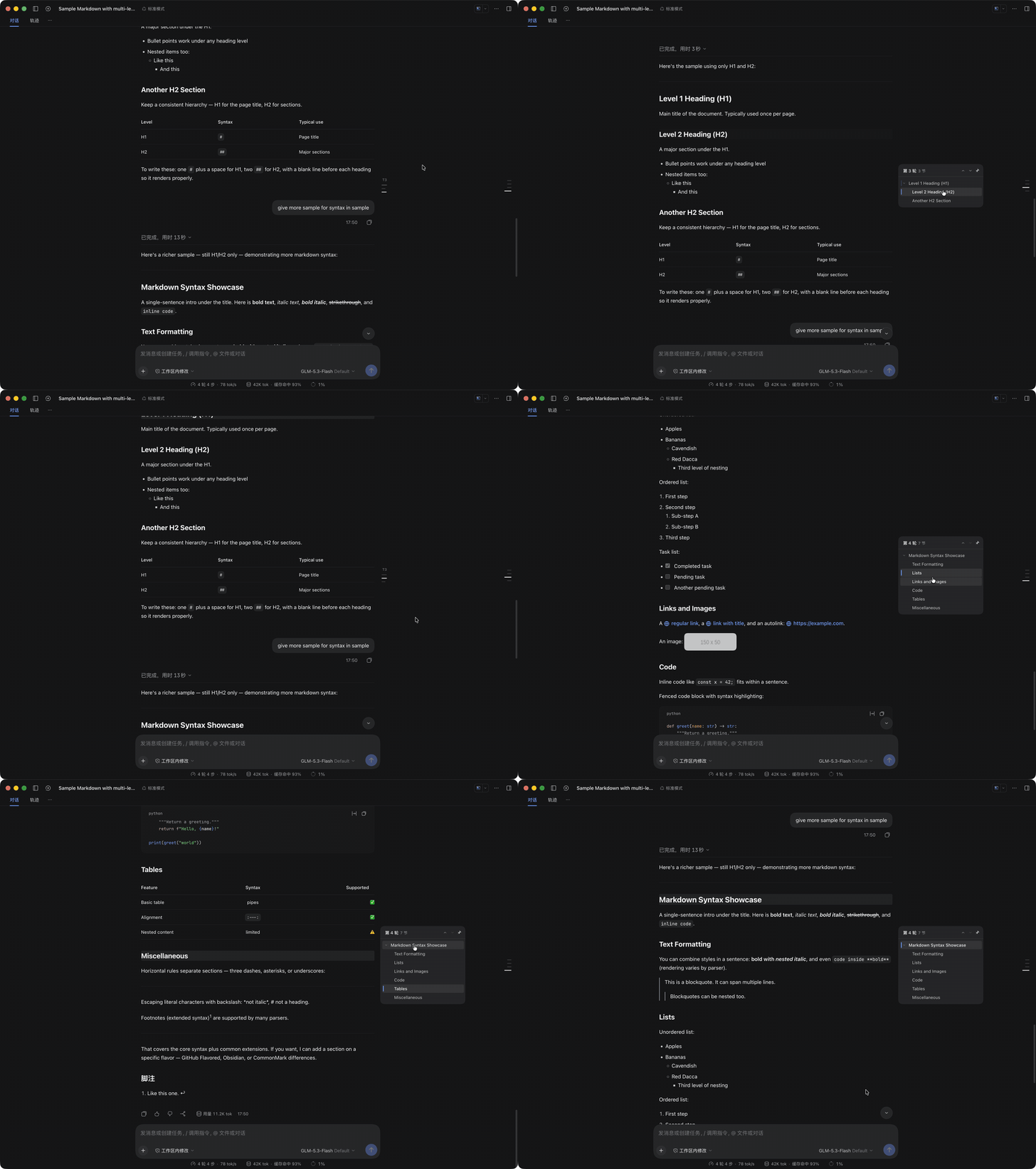
It sits in the right gutter just outside the centered message column—sharing the frameless tick-mark aesthetic of DSH's built-in TurnNavigator—and expands on hover into an interactive multi-level heading outline for the turn you are currently reading.
Features
- Frameless Tick Marks at Rest: Renders subtle horizontal tick bars graded by heading level (
H1–H6) right beside the message column, keeping your visual focus on the right without covering any text or colliding with the outerTurnNavigator. - Dual Scroll Spy (Turn + Heading): Automatically tracks which Turn is at the viewport reading line and highlights the active section (
H1–H6) as you scroll. - Hover to Expand & Pin: Smoothly expands into a translucent
MenuSurfaceoutline card on pointer hover, with a pin toggle to keep the outline open when desired. - 1-Click Section Jump: Click any heading row (or click a tick mark directly without expanding) to smoothly scroll to that section with a brief highlight flash.
- Quick Turn Flipping: Header buttons let you jump to the top of the current Turn (
Turn N) or step directly to the previous (↑) / next (↓) Turn. - Responsive Auto-Hide: Appears only when the conversation container (
>= 1280px) and right gutter (>= 176px) have enough room to expand strictly to the right without overlapping the message column or the outerTurnNavigator.
Installation
From npm
dsh plugin --profile web add @addozhang/dsh-turn-toc
From GitHub
dsh plugin --profile web add github:addozhang/dsh-turn-toc
Restart the running dsh profile (or the DeepSeek Harness Desktop app) after installation so the browser roster picks up the client bundle.
Development
npm install
npm run build      # bundle lib/client.js and lib/index.js
npm run watch      # watch src/client/ for live HMR reload
npm test           # run unit tests (outline parser + DOM scroll-spy & jump)
No comments yet. Be the first to write one.