🌐 dsh-translate-tab
A translation plugin for DeepSeek Harness.






Installation · Quick start · Usage · Troubleshooting
English | 繁體中文
✨ Features
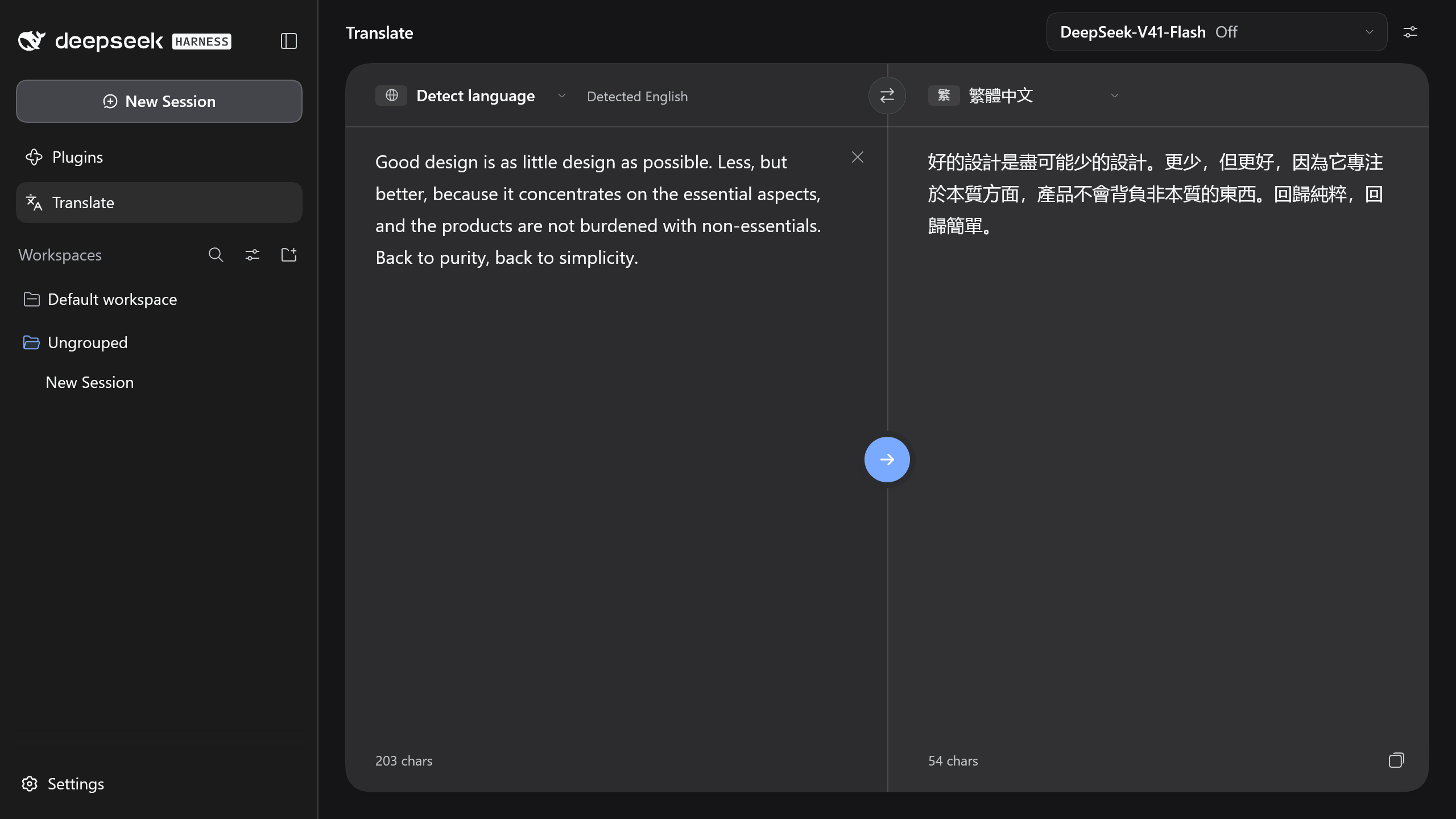
- Sidebar integration: adds a Translate entry under Plugins that opens a two-pane translation view in the main area.
- Shared model catalog: uses the same providers and models as Harness chat, with adjustable reasoning effort.
- Low-latency default: uses the catalog's default model with reasoning effort off.
- 15 languages: with automatic source language detection.
- Configurable prompt: supports
{{target_language}},{{source_language}}and{{text}}variables. - Localized interface: follows the Harness language setting in English, Simplified Chinese and Traditional Chinese.
📋 Requirements
- DeepSeek Harness desktop app with the
dshCLI onPATH - At least one model configured with a valid API key in Settings › Models
📦 Installation
From DSH Plugin Hub
Install DSH Plugin Hub:
dsh plugin --profile desktop add dsh-pluginRestart DeepSeek Harness.
Open Settings › Plugin Market, search for
dsh-translate-taband select Install.
From npm
Install the plugin from the npm registry:
dsh plugin --profile desktop add dsh-translate-tabRestart DeepSeek Harness.
From GitHub
Install the plugin from the repository:
dsh plugin --profile desktop add "github:Zhen-Bo/dsh-translate-tab"Restart DeepSeek Harness.
🚀 Quick start
- Open Plugins › Translate in the sidebar.
- Enter the source text in the left pane.
- Press Ctrl + Enter, or ⌘ + Enter on macOS.
The translation streams into the right pane.
🧭 Usage
Languages
Traditional Chinese, Simplified Chinese, English, Japanese, Korean, French, German, Spanish, Portuguese, Italian, Russian, Vietnamese, Thai, Indonesian and Arabic, each available as source or target.
Automatic detection applies to the source and recognizes Japanese, Korean, Arabic, Thai, Russian, Simplified Chinese, Traditional Chinese and English.
Model and reasoning effort
The model picker is at the top right. Reasoning effort is set with the slider below the model list.
Translation prompt
The prompt editor opens from the button next to the model picker. The prompt is sent as the user message with the following variables substituted:
| Variable | Value |
|---|---|
{{target_language}} |
Target language name in English, for example Japanese |
{{source_language}} |
Source language name, or the detected source language |
{{text}} |
Source text. Appended to the end when the prompt omits this variable |
Storage
| Data | Location | Lifetime |
|---|---|---|
| Languages, model, reasoning effort and custom prompt | localStorage key dsh-translate-tab:v1 |
Persistent |
| Source text draft | sessionStorage key dsh-translate-tab:draft |
Current window session |
🔧 Troubleshooting
| Message | Resolution |
|---|---|
| This model has no API key yet | Add a key in Settings › Models, or select another model |
| The API key was rejected | Verify the key in Settings › Models |
| Too many requests | Retry after a short wait |
| The response stopped early | Run the translation again |
| Text is too long | Split the source text into segments under 100,000 characters |
If Translate is missing under Plugins, verify the install path and restart DeepSeek Harness.
🧹 Uninstall
dsh plugin --profile desktop remove dsh-translate-tab
Restart DeepSeek Harness afterwards.
🧩 Architecture
| Path | Runtime | Role |
|---|---|---|
src/client |
Harness window | Translate page in React and TypeScript |
src/server |
Harness host | POST /translate/api/stream, streams a single model call |
src/shared |
Both | Route, text limits and stream event types |
locale |
Harness window | Interface text, registered with the Harness locale service |
lib |
Both | Build output loaded by Harness |
The route accepts same-origin requests from the Harness window and responds with newline-delimited JSON:
{"t":"text","v":"..."}        translated text
{"t":"done"}                  finished
{"t":"aborted"}               cancelled
{"t":"error","message":"..."} failed
💻 Development
Install dependencies and link the working copy to the desktop profile:
npm install
dsh plugin --profile desktop add "link:D:/path/to/dsh-translate-tab"
Run the build in watch mode, then restart DeepSeek Harness to load changes:
npm run dev
| Command | Purpose |
|---|---|
npm run build |
Builds lib/client.js and lib/index.js |
npm run check |
Runs the type check, lint, tests and build |
npm run fix |
Formats the code with gts |
📄 License
Licensed under the MIT License.
No comments yet. Be the first to write one.