English | 简体中文
DeepSeek Float
A minimal skin for the dsh web UI — the real DeepSeek Harness Web UI inside a borderless, translucent Electron window. Minimal mode is a floating terminal-style overlay; turn it off and it is the stock dsh web UI, nothing removed. Built as a thin skin over dsh-web-app (not a fork), keeping only a few essential entry points, so dsh core updates flow through untouched.
Install
Prerequisites: the dsh CLI on PATH, Node.js ≥ 18, pnpm, git.
dsh plugin --profile web add github:Zara-Siwei/dsh-float
Run
dsh --profile web
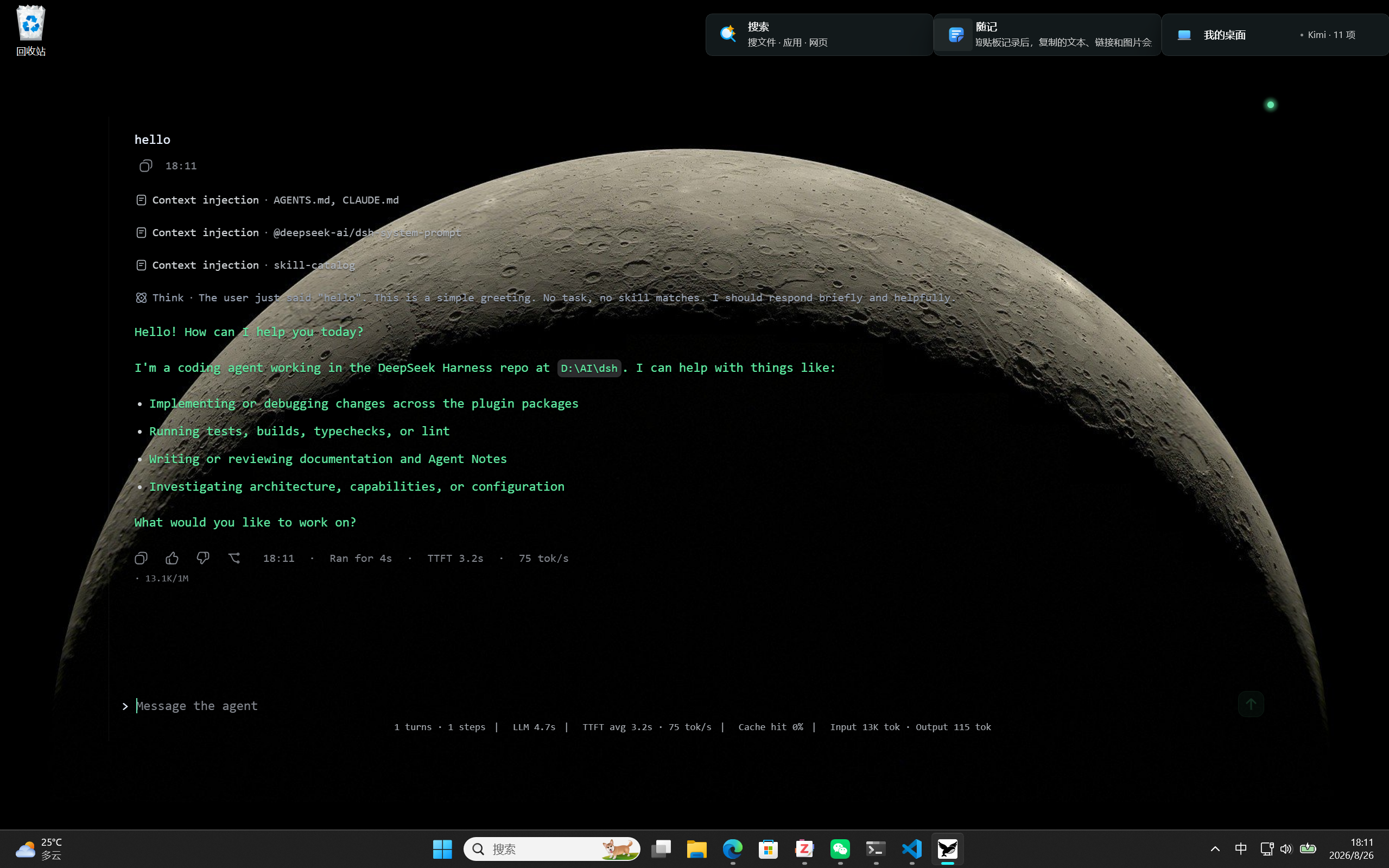
Minimal mode (default) — a floating terminal-style overlay on your desktop:
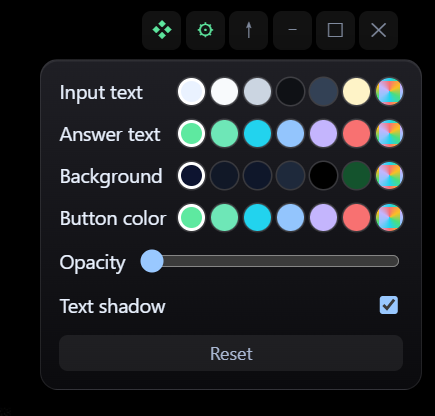
Appearance settings — ⚙ (minimal mode only): text colors, background color & opacity, text shadow; labels follow dsh's own language:
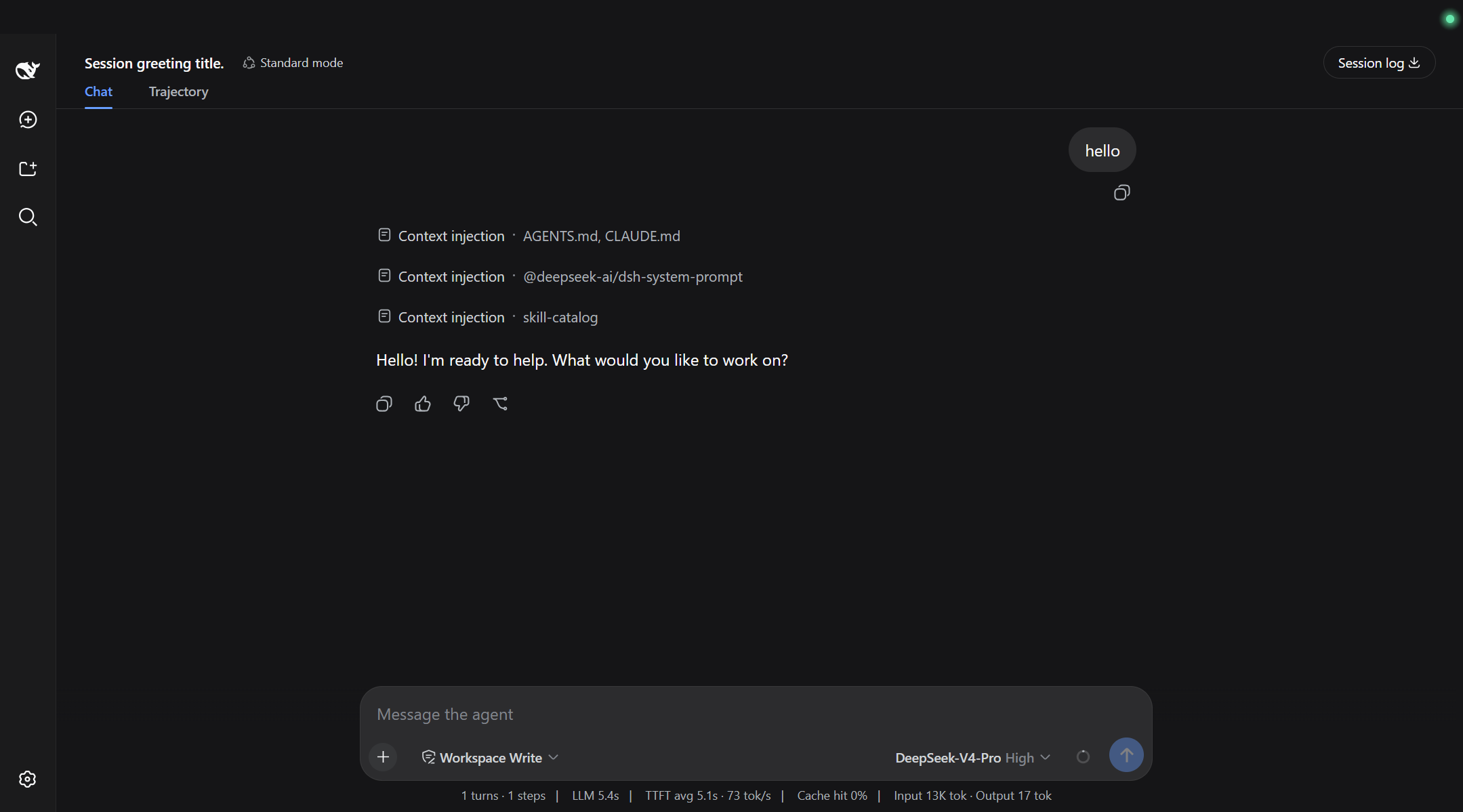
Full mode — turn off minimal mode (❖) to get the stock dsh web UI:
Uninstall
dsh plugin --profile web remove dsh-float
dsh --profile web then returns to the normal browser UI.
Troubleshooting
Electron failed to install correctly / fetch failed — the Electron binary download failed (e.g. when the network cannot reach the download host). Use a mirror — from inside the profile directory:
cd ~\.dsh\profiles\web
$env:ELECTRON_MIRROR = 'https://npmmirror.com/mirrors/electron/'
node node_modules\electron\install.js
No comments yet. Be the first to write one.