DSH Xcode
Apple's official Xcode MCP bridge (xcrun mcpbridge) and built-in Apple Skills inside a DeepSeek Harness conversation — paired seamlessly with DSH iOS.
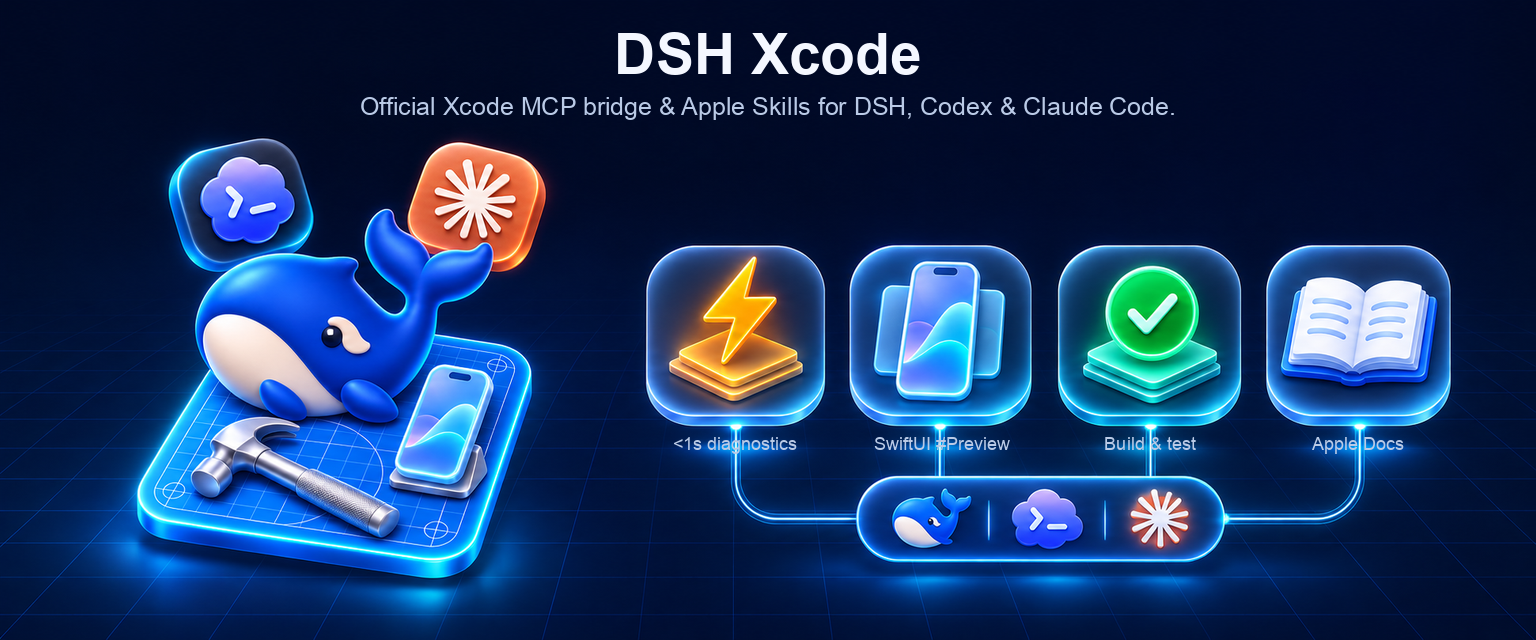
8 agent tools • < 1 s single-file compiler diagnostics • native SwiftUI #Preview snapshots • warm scheme builds & tests • local Apple docs search • right-sidebar Workbench
npm: @zseven-w/dsh-xcode · Current plugin release: 0.1.0-rc.4 · Tested with DSH 0.2.1-rc.5
English · 简体中文 · 繁體中文 · 日本語 · 한국어 · Français · Español · Deutsch · Português · Русский · हिन्दी · Türkçe · ไทย · Tiếng Việt · Bahasa Indonesia


Why DSH Xcode
Starting in Xcode 26.3, Apple ships an official Model Context Protocol bridge (xcrun mcpbridge) over local XPC plus first-party SKILL.md agent bundles (xcrun agent skills export). Wiring raw xcrun mcpbridge directly into a generic coding agent, however, runs into three practical walls:
- Xcode 26
structuredContentmismatch — tools such asXcodeListWindowsdeclare anoutputSchemaintools/listwhile returning JSON insidecontent[0].textand omittingstructuredContent, causing strict MCP SDK clients to reject valid responses. - Process lifecycle & multi-Xcode PID routing —
mcpbridgeexits immediately when Xcode is closed, when bothXcode.appandXcode-beta.appare running, or before external agent access is enabled in Xcode → Settings → Intelligence. - Context bloat — Xcode exposes ~20+ granular tools and emits multi-megabyte base64 PNG strings from
RenderPreview.
DSH Xcode wraps Apple's official bridge into a zero-dependency, native DeepSeek Harness plugin with an integrated right-sidebar Workbench and zero-coupling peer discovery alongside @zseven-w/dsh-ios.
| ⚡ < 1 s single-file diagnostics | xcode_diagnostics with filePath calls XcodeRefreshCodeIssuesInFile against Xcode's live compiler graph — checking Swift/ObjC edits in under a second without spawning cold xcodebuild runs. |
🖼️ Native SwiftUI #Preview snapshots |
xcode_render_preview drives Xcode's own RenderPreview engine across .xcodeproj, .xcworkspace, and Swift packages, writes PNGs into .dsh-xcode/previews/, and attaches images directly when multimodal models are active. |
| 🔨 Warm incremental builds & tests | xcode_build_test reuses Xcode's warm DerivedData build graph for BuildProject, GetBuildLog, GetTestList, RunAllTests, and RunSomeTests (XCTest & Swift Testing). |
| 🔧 Xcode 26 wire normalization | Automatically hydrates omitted structuredContent from JSON text blocks, resolves tabIdentifier across multiple open workspace windows, and strips oversized base64 strings from JSON summaries. |
📘 Apple official SKILL.md sync |
Runs xcrun agent skills export, parses Apple's built-in SKILL.md bundles for your exact Xcode build, caches them under ~/.cache/dsh-xcode/skills/, and registers them dynamically into ctx.skills. |
| 🪟 Right-sidebar Xcode Workbench | Live connection status pill, open workspace tabIdentifier windows, compiler diagnostics list, build/test summary, rendered SwiftUI #Preview gallery, and dsh-ios peer device status. |
📱 Paired with dsh-ios |
Zero install-time coupling via Symbol.for('zseven.dsh.apple.peer.v1'): dsh-xcode handles IDE compiler intelligence while dsh-ios streams and drives live Simulators & USB-connected iPhones. |
| 🧭 Future-proof escape hatch | xcode_call_tool lists and invokes any raw mcpbridge tool (ExecuteSnippet, XcodeUpdate, XcodeGlob, or Xcode 27+ DeviceInteraction*) without waiting for a plugin update. |
Tools
All 8 tools register on every host, auto-resolve tabIdentifier from the active workspace when omitted, and degrade with actionable setup instructions on non-macOS hosts or when Xcode is closed.
| Tool | What it does | Key parameters |
|---|---|---|
xcode_status |
Inspect active xcode-select developer directory, Xcode version/build, xcrun mcpbridge & agent capabilities, running Xcode.app PIDs, open workspace windows (tabIdentifiers), synced Apple skills, and dsh-ios peer status. |
connect (default true) |
xcode_open_project |
Auto-detect and open an .xcworkspace, .xcodeproj, or Package.swift in Xcode (open -a Xcode), then poll until mcpbridge connects and reports the window's tabIdentifier. |
projectPath (optional), waitSeconds (default 20) |
xcode_diagnostics |
Read live compiler errors and warnings from Xcode. Pass filePath for < 1 s single-file typechecking (XcodeRefreshCodeIssuesInFile), or omit filePath for workspace-wide Issue Navigator diagnostics (XcodeListNavigatorIssues). |
filePath, projectPath, tabIdentifier, severity (error/warning/remark), pattern |
xcode_build_test |
Build the active scheme, inspect filtered build logs, or list/run XCTest & Swift Testing suites inside Xcode's warm build graph. | action (required — build/build_log/list_tests/run_all_tests/run_some_tests), tests (JSON array), severity, pattern |
xcode_render_preview |
Render a SwiftUI #Preview or PreviewProvider snapshot natively in Xcode, save the PNG under .dsh-xcode/previews/ for the Workbench gallery, and attach it to multimodal model context. |
sourceFilePath (required), previewDefinitionIndexInFile (default 0), projectPath, tabIdentifier |
xcode_search_docs |
Semantic search across Xcode's built-in Apple Developer Documentation and WWDC session transcripts (DocumentationSearch). |
query (required), frameworks (optional comma-separated list, e.g. "SwiftUI,Observation") |
xcode_sync_skills |
Export Apple's official SKILL.md bundles from the active Xcode app via xcrun agent skills export and register them into the current DSH session. |
— |
xcode_call_tool |
List all raw MCP tools exposed by your Xcode version (action: "list") or invoke any raw tool directly (action: "call"). |
action (required — list/call), toolName, argumentsJson |
Display surfaces
- Right-sidebar panel — “Xcode Workbench”. Opens from any tool row's Open Workbench button or from the right-sidebar
+launcher (Xcode Workbench). Displays the live Xcode connection badge + PID, Xcode version/build,dsh-ioslive device link, open workspace windows (tabIdentifiers), latest compiler diagnostics with file/line badges, latest build/test result, rendered SwiftUI#Previewthumbnails, synced Apple Skills, and mounted MCP tools. Toolbar buttons (Refresh, Open Project, Diagnostics, Build Scheme, Sync Apple Skills) run through the/xcodesession command without spending model tokens. - Compact conversation cards. Tool calls (
xcode_status,xcode_open_project,xcode_diagnostics,xcode_build_test,xcode_render_preview,xcode_sync_skills) render compact localized rows (zh/en) that automatically refresh open Workbench tabs when a call settles.
Pairing with DSH iOS (@zseven-w/dsh-ios)
dsh-xcode and @zseven-w/dsh-ios have zero hard dependencies on each other — install either alone or both together. When both are loaded in the same DSH profile, they discover each other in-process through Symbol.for('zseven.dsh.apple.peer.v1'):
- Use
dsh-xcode(xcode_*) for IDE & compiler work —< 1 ssingle-file diagnostics while editing Swift/ObjC files, warm incremental scheme builds and unit tests,.xcodeproj/.xcworkspaceSwiftUI#Previewsnapshots, and local Apple documentation lookup. - Use
dsh-ios(ios_sim_*) for live device runtime & UI automation — interactive Simulator and USB-connected real iPhone MJPEG video streaming in the sidebar, AXe accessibility trees (ios_sim_ui_tree,ios_sim_tap_element,ios_sim_ui_rows), Vision OCR find/tap (ios_sim_find_text,ios_sim_tap_text), unified runtime logs (ios_sim_logs), LLDB backtraces, andleaks. - Smart cross-plugin routing — if an agent calls
ios_sim_preview(SwiftPM dylib hot-reload) on an.xcodeproj/.xcworkspace,dsh-iosdetects thatdsh-xcodeis mounted and directs the agent straight toxcode_render_preview.
Security and privacy
- Local XPC transport only —
xcrun mcpbridgecommunicates exclusively with your local Xcode process over macOS XPC; the plugin opens no network listeners and makes zero external HTTP requests. - Environment scrubbing — before spawning
xcrun mcpbridgeorxcrun agent,scrubEnvForMcpBridgestrips any environment variable matching*KEY*,*SECRET*,*TOKEN*,*PASSWORD*, orDSH_*, passing only standard macOS developer/XPC variables (HOME,USER,PATH,TMPDIR,DEVELOPER_DIR,MCP_XCODE_PID,MCP_XCODE_SESSION_ID). - Explicit Xcode user consent — external agent access is gated by Xcode's own Settings → Intelligence → Model Context Protocol toggle and macOS/Xcode permission dialog.
- Bounded binary handling — MCP image blocks are verified against canonical base64 and a strict 20 MB ceiling before decoding; oversized base64 strings inside raw JSON payloads are stripped so model context stays clean.
Requirements
- macOS with Xcode 26.3 or later installed (
xcode-select -ppointing to/Applications/Xcode.app/Contents/Developer, not Command Line Tools). - DeepSeek Harness
0.2.1-rc.5or later, Node.js>= 24.11.0. - One-time Xcode setting — open Xcode → Settings → Intelligence → Model Context Protocol and enable Allow External Agents (approve Xcode's permission prompt on first connection).
Install into DSH
dsh plugin --profile web add @zseven-w/dsh-xcode@latest
dsh web
Pair with dsh-ios for full Simulator + USB iPhone streaming alongside Xcode IDE tools:
dsh plugin --profile web add @zseven-w/dsh-ios@latest
Codex / Claude Code / Antigravity / Grok CLI
dsh-xcode also ships a standalone zero-dependency MCP stdio server + native Codex & Claude Code plugin manifests (INSTALL.md):
git clone https://github.com/ZSeven-W/dsh-xcode.git
cd dsh-xcode
npm run setup                           # One-click Codex plugin install + app-server verification
node scripts/install-hosts.mjs claude   # Claude Code plugin + permissions
node scripts/install-hosts.mjs agy      # Antigravity MCP + skill
node scripts/install-hosts.mjs grok     # Grok CLI MCP
node scripts/install-hosts.mjs all      # All four hosts at once
Quick start
- Check status & open your project — "Check Xcode status and open the iOS project in this folder." →
xcode_status/xcode_open_project. Approve Xcode's external agent prompt if this is your first run. - Edit & check a single file in
< 1 s— "RefactorHomeView.swiftand check it for compiler errors without running a full build." →xcode_diagnostics(filePath: "Sources/HomeView.swift"). - Render a SwiftUI
#Preview— "Render the SwiftUI preview ofHomeView.swiftand check the layout." →xcode_render_preview. Open the Xcode Workbench in the right sidebar to inspect rendered snapshots. - Search Apple docs & run tests — "Search Xcode's local docs for
NavigationSplitViewcolumn visibility, then run the unit tests." →xcode_search_docs→xcode_build_test(action: "run_all_tests").
Configuration
Optional settings under plugins.dsh-xcode in cordis.patch.yml:
| Option | Default | Meaning |
|---|---|---|
xcodePid |
auto-resolved | Explicit running Xcode PID (MCP_XCODE_PID) when both Xcode.app and Xcode-beta.app are open simultaneously. |
callTimeoutMs |
180000 |
Default timeout (ms) for long-running Xcode MCP operations (BuildProject, RunAllTests, RenderPreview). |
autoSyncSkills |
true |
Automatically export and register Apple's built-in SKILL.md bundles when xcode_status or xcode_open_project connects. |
skillsCacheDir |
~/.cache/dsh-xcode/skills |
Directory where exported Apple SKILL.md bundles are cached per Xcode build number. |
Troubleshooting
xcrun could not find mcpbridge/ Command Line Tools error —xcode-select -pis pointing at/Library/Developer/CommandLineToolsor an older Xcode (< 26.3). Switch to full Xcode 26.3+:sudo xcode-select -s /Applications/Xcode.app/Contents/Developer.Could not establish MCP tool session with Xcode— make sure at least one project/workspace window is open in Xcode (xcode_open_project), enable Xcode → Settings → Intelligence → Model Context Protocol → Allow External Agents, and click Allow if Xcode is displaying an agent authorization dialog in the background.- Multiple Xcode instances running —
dsh-xcodeautomatically picks the PID matchingxcode-select -p; if two copies of the same bundle are open, passxcodePidin config or setDSHPLUGIN_XCODE_PID=<pid>. #Previewmacro fails on a custom target configuration — Xcode's preview engine occasionally struggles to infer a form factor for complex#Previewmacros; adding a standardPreviewProviderstruct in the file works reliably withxcode_render_preview.
Development
pnpm install
pnpm run typecheck
pnpm test
pnpm run smoke:pack
Link a local checkout into your DSH Web profile:
dsh plugin --profile web add link:/path/to/dsh-xcode
dsh web
| Suite | What it covers |
|---|---|
test/mcp-stdio.test.mjs |
STDIO JSON-RPC handshake, paginated tools/list, Xcode 26 omitted-structuredContent hydration, canonical PNG decoding, base64 stripping, env scrubbing, error classification. |
test/env-and-bridge.test.mjs |
ps Xcode vs Simulator process filtering, PID selection rules, .xcworkspace/.xcodeproj/Package.swift discovery, tabIdentifier auto-resolution, diagnostics/build/preview state persistence, SKILL.md export & Host apply() lifecycle. |
test/client-bundle.test.mjs |
window.__ModuleLoader__.load bundle shape, externalized host React invariant, zh/en locale parity, Workbench resource address encoding, slot & tab registration. |
test/ios-peer-linkage.test.mjs |
Live cross-plugin Symbol.for('zseven.dsh.apple.peer.v1') discovery with @zseven-w/dsh-ios and .xcodeproj → xcode_render_preview smart routing. |
Ecosystem
- DSH iOS Simulator — live interactive iOS Simulator & USB-connected real iPhone streaming, AXe UI trees, Vision OCR, and SwiftPM preview hot reload
- DSH Android — live Android emulator or USB device inside the conversation, driven entirely through
adb - DSH Computer — headless-first macOS Computer Use driver with AX-first observations and host-owned approval
- DSH Browser — isolated Chromium sessions with semantic references and bounded evidence
- DSH QA — agent-led exploration and deterministic scenario replay across Browser, Desktop, iOS & Android
- DSH Game Studio — describe a 2D or 3D voxel game in one sentence, play it in the sidebar, swap in AI art, and publish in one click
- DSH Harbor — capability inventory, conflict detection, and DSH upgrade preflight for installed plugins
- DSH Crew — dispatch work to DSH agents from Claude Code / Codex as native subagents
- DSH Noema — durable, inspectable long-term agent memory for DSH
- DSH OpenPencil — preview, inspect, and edit
.opOpenPencil design documents inside DSH conversations
License
MIT © ZSeven-W
No comments yet. Be the first to write one.