Asuka School // 02
An unofficial fan-made Light/Dark appearance plugin for the DeepSeek Harness Web UI. It pairs restrained school blue, ribbon red, warm paper, and quiet Tokyo-3 night tones with three right-composed wallpapers that follow the local time of day.
Not affiliated with DeepSeek, khara, Evangelion, or any original rights holder.
Preview
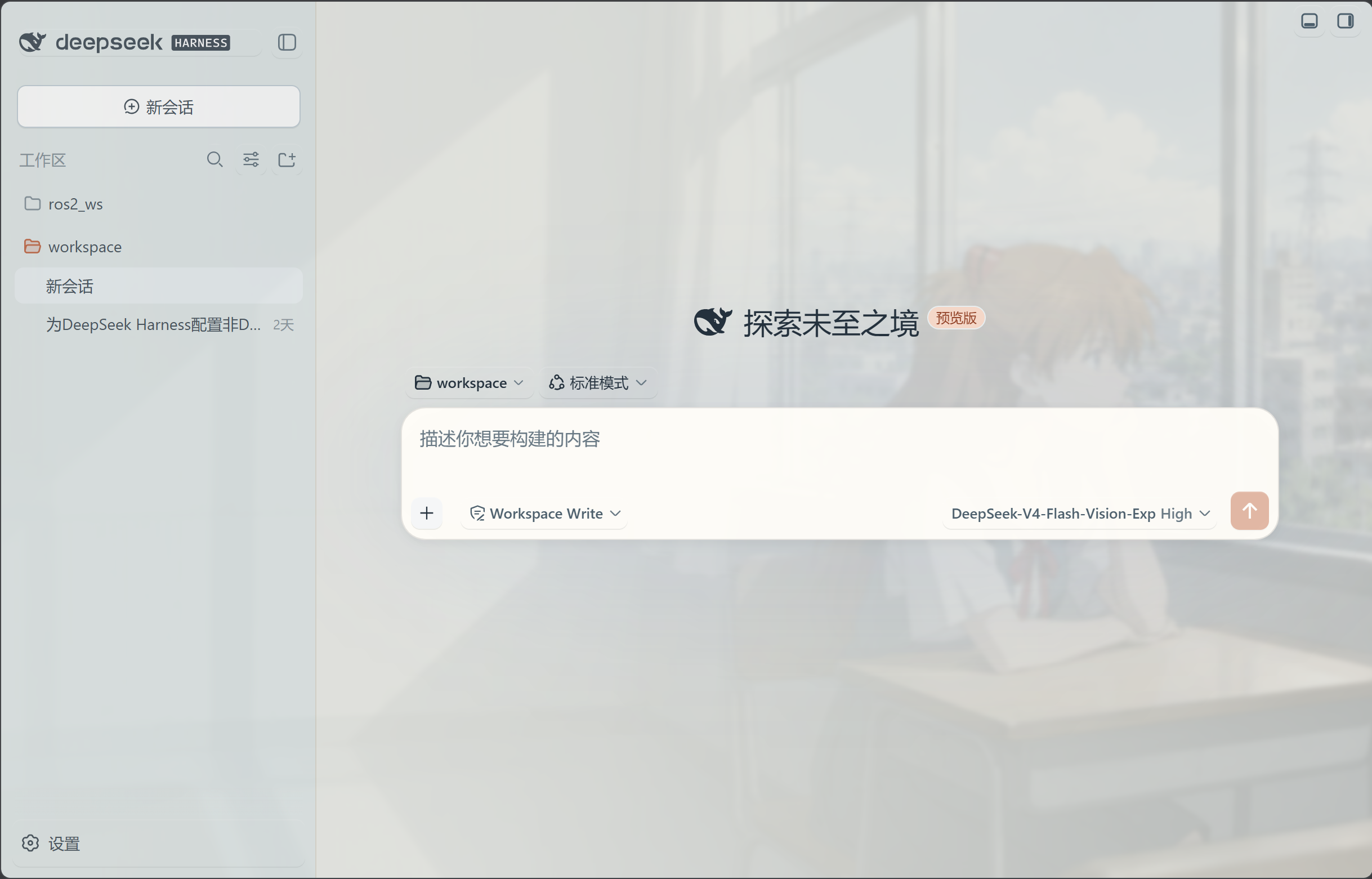
Compatibility
- DSH:
0.1.1-rc.2 - Cordis:
4.0.1 - Target: Ubuntu / WSL2 Ubuntu with DSH Web and Linux Chrome
Install
From GitHub Release (recommended)
dsh plugin --profile web add https://github.com/Yyyyyylor/dsh-asuka-school-theme/releases/download/v2.2.0/dsh-asuka-school-theme-2.2.0.tgz
This project is not published to npm. The GitHub Release asset is a prebuilt, versioned package and is the preferred installation source.
From GitHub source
dsh plugin --profile web add github:Yyyyyylor/dsh-asuka-school-theme#v2.2.0
This requires Git to be available on the host. Pin the tag instead of using
main so updates remain predictable.
From a local checkout
pnpm install
pnpm build
npm pack
dsh plugin --profile web add ./dsh-asuka-school-theme-2.2.0.tgz
Restart the DSH Web profile after installing, updating, or removing the
plugin. The final filename should match the .tgz emitted by npm pack.
Use
- Open Settings → General → Theme-Asuka for the quick Off / On the Way to School / Noon Classroom / Tokyo-3 Night scene switch.
- Open Settings → Theme-Asuka for wallpaper period, opacity, blur, decorative details, reduced motion, and reset. In the default automatic setting, Early is 06:00–11:00, Noon is 11:00–17:00, and Night is 17:00–06:00; the wallpaper crossfades at each boundary.
- New-session and active-conversation composer cards share the same lighter, scene-aware liquid-glass surface, keeping more of the wallpaper visible.
- Use the edit action beside a conversation title to rename the current session without leaving the conversation view.
The default mode is Off. This plugin leaves the official Light, Dark, and System appearance unchanged; it only adds the selected wallpaper scene.
Wallpaper images are decoded before the existing crossfade starts, and likely next scenes are preloaded while the browser is idle. Range-control previews are frame-coalesced, so opacity and blur adjustments remain responsive without reapplying unrelated theme tokens.
Privacy and assets
No credentials, telemetry, image upload, or browser localStorage preference
store is used. Scalar preferences are stored in DSH's plugin-owned Host
settings namespace. The three bundled WebPs are generated project assets; see
assets/LICENSE.md and docs/ASSETS.md.
Do not package private artwork from assets/private/.
Development
pnpm build
pnpm test
pnpm check
npm pack --dry-run
The package publishes prebuilt lib/index.js and lib/client.js; end users do
not need a postinstall build. See docs/RESEARCH.md for the
current DSH runtime-audit limitation and docs/COMPATIBILITY.md
for remaining live integration checks.
No comments yet. Be the first to write one.