Git Repository Guard · dsh-git-guard
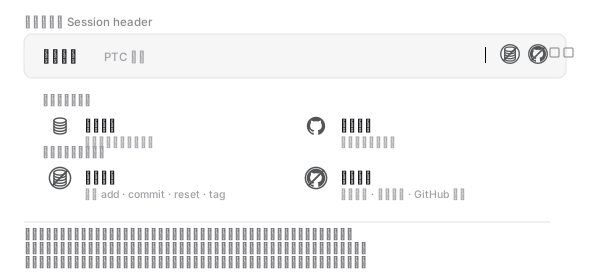
Two switches at the right of the Session header that stop an agent from writing your local git repository or uploading it to a remote.
| Switch | Position | What it blocks |
|---|---|---|
| Local repository | left | Writes to the local repository: git add, git commit, git reset, git merge, git tag and friends |
| Remote repository | right | Anything that reaches a remote: git push, git pull, git clone, git remote, gh and friends |
Both start on. The block happens before a command runs: the call is not executed, and the agent gets a clear refusal instead.
Install
dsh plugin --profile <profile> add @yokira404/dsh-git-guard
Reload the page and the two switches appear at the right of the Session header.
By hand: add
@yokira404/dsh-git-guardtodsh.profile.bundlesin~/.dsh/profiles/<profile>/package.json, and list it underdependenciesas"^1.0.1".
How the two switches interact
Two rules, both the consequence of a click — never a condition that has to hold:
| Click | Local | Remote |
|---|---|---|
| left (local) | toggles | turns on with the local switch when that lands on; left alone when it lands off |
| right (remote) | turns off with the remote switch when that lands off; left alone when it lands on | toggles |
- Switching a guard on never releases the other one. Asking for one protection must not dismantle the other.
- Releasing the upload guard releases the local one with it — the local writes are exactly what an upload would carry.
- One deliberate opening: with both off, the right switch arms the upload guard alone, leaving local writes open.
All four states are reachable:
| State | Local writes | Uploads |
|---|---|---|
| on · on (default) | blocked | blocked |
| off · on | allowed | blocked |
| on · off | blocked | allowed |
| off · off | allowed | allowed |
What is blocked
Left switch — writes to the local repository:
git add · git commit · git am · git apply · git checkout-index · git config
git merge · git mv · git notes · git rebase · git reset · git restore
git revert · git rm · git stash · git switch · git tag
git update-index · git update-ref
Right switch — anything that reaches a remote:
git push · git pull · git fetch · git clone · git ls-remote · git remote
git submodule · git send-pack · git archive · git request-pull · git svn
gh repo / pr / release / issue / run / workflow / api / gist / secret / …
a repository URL on the command line (github.com, gitlab.com, gitee.com, …)
Never blocked: git status, git log, git diff, git show, git branch,
git blame, git init, git rev-parse, git check-ignore, git ls-files,
git worktree, git help, gh auth, gh config, gh api /user, and anything that is
not about git at all. git init is allowed on purpose: creating a repository neither
commits nor uploads anything.
Matching is quote-aware: git commit -m "do not push this" is a local commit, not
an upload, and echo "git push" > notes.txt is nothing. It is not fooled by prefixes
either — sudo git push, env FOO=1 git commit and
C:\Program Files\Git\cmd\git.exe push are all recognised.
What the agent sees when it is blocked
已阻止:DSH 的「Git 仓库保护」插件当前开着左侧的本地仓库开关,
写入本地仓库的操作(git add / git commit 等)被拒绝。
被拦截的命令:`git commit -m x`
这是用户有意设置的开关,不是故障:不要改用其他命令、其他工具或直接调用 API 绕过它,
也不要尝试关闭该开关。请把这一步作为「未执行」如实报告给用户,
并说明用户可以点击会话标题栏的两个方形按钮自行放行。
Limits
- It never changes your repository: no
.git/hooks, nogit config, blocking only. - It also catches text that merely names a command: matching reads the whole of a
tool call's command-like field (
command,script,code, …), so writing a document whose text containsgit pushcan have that write blocked. That is the deliberate bias — one extra blocked write beats one upload that got through. - It cannot stop paths that avoid the shell; it targets the real one, an agent uploading a repository through a command.
- No undo: the block is up front, so there is no window in which something was already uploaded.
- State is not persisted: a DSH restart returns both switches to on.
License
MIT
No comments yet. Be the first to write one.